Path traversal
The Facebook for Android app saved files downloaded from a group's Files Tab using the user-supplied filename without filtering, allowing path traversal. An attacker could upload a malicious native library with a crafted filename to overwrite an existing library in the app's data directory, leading to arbitrary code execution when the app loaded it.
 Published on medium.com
Recently I discovered an ACE on Facebook for Android that can be triaged through download files from the group Files Tab without opening the file.
The full write-up lives on its author's site
It belongs to its author, so we link to it rather than copy it. The other two tabs are our own rewrites, checked against it.
Context
Facebook for Android offers a Files Tab inside groups, where members can upload and share files. The app uses two different download mechanisms depending on where the user starts the download. Downloading a file from the post itself goes through Android's built-in DownloadManager service, which the researcher describes as a safe method. Downloading the same file from the Files Tab takes a different route: the application fetches the file and saves it into the Download directory without any filter on the resulting name.
The report describes an arbitrary code execution (ACE) reached through that second route: a file downloaded from the Files Tab can be written outside the Download directory, which allows native libraries to be overwritten.
Setup
- Target: Facebook for Android (
com.facebook.katana). - Feature: group Files Tab upload and download.
- Tools: Burp Suite as an intercepting proxy, both on a desktop and on the phone.
- On the phone, white-hat settings were enabled in the application to bypass SSL pinning, so the mobile upload request could be intercepted.
- For the exploit itself, a new Android NDK project was created to build a native library.
Finding it
The researcher was digging into how Facebook downloads files from a group and noticed the split between the two mechanisms. The post download path uses DownloadManager; the Files Tab path fetches the file and saves it to the Download directory with no filtering of the file name. The vulnerable code saved the file as /sdcard/Downloads/FILE_NAME without sanitising FILE_NAME, so a crafted name containing path traversal sequences would land outside the intended directory.
The first idea was to use that traversal to overwrite native libraries, which would lead to executing arbitrary code.

The screenshot shows the code path involved. The selected code in it is the fix that Facebook pushed; the vulnerable code did not contain it.
Exploitation
Step 1: path traversal through the web upload endpoint
With Burp Suite proxying the traffic, the researcher intercepted the upload file request and changed the filename to:
../../../sdcard/PoC
The request was then forwarded.

The server-side security measures on upload stripped the path traversal payload, so the file was not written where the payload asked. The researcher tried other payloads against that filter, and none worked.
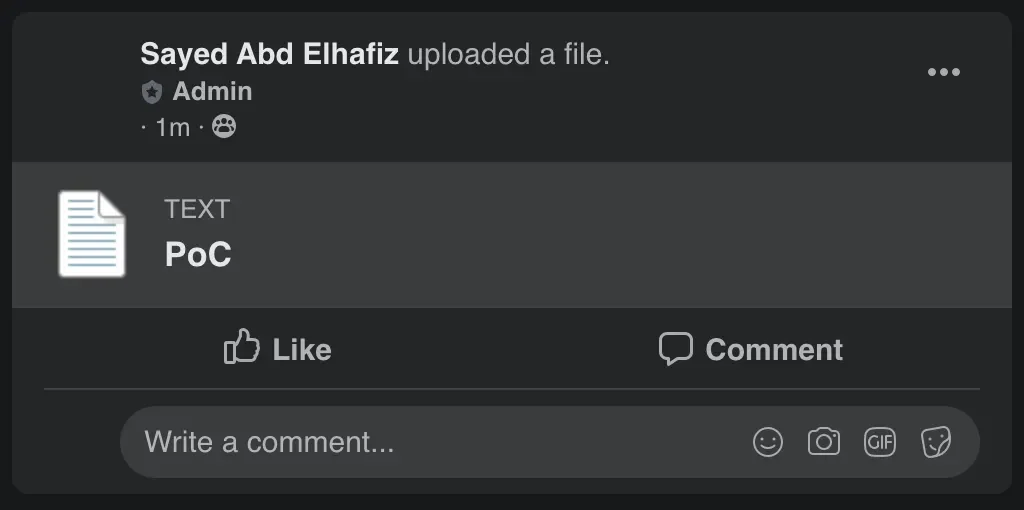
Step 2: a second upload path
While browsing the application again, the researcher noticed for the first time that files can also be uploaded through the Facebook mobile application. Burp Suite was set up as a proxy on the phone, white-hat settings were enabled to bypass SSL pinning, and the mobile upload request was intercepted. The filename was changed to:
../``../../sdcard/PoC
This time the file was uploaded successfully, with the payload in the filename.
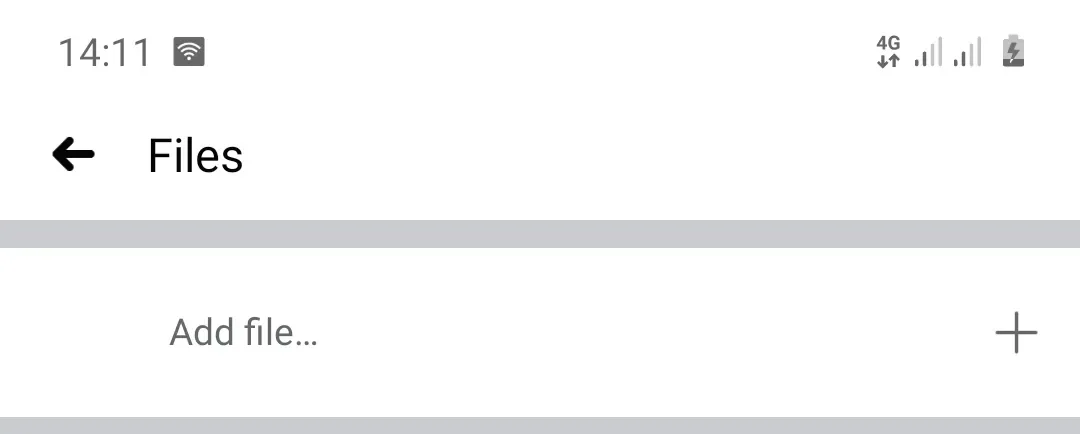
Step 3: downloading from the Files Tab
Downloading the file from the post did not work, because that route goes through the safe DownloadManager service. Navigating to the Files Tab and downloading the file there triggered the vulnerable path: the file was written to /sdcard/PoC.
With path traversal confirmed, the next step was to overwrite a native library and obtain code execution.
Step 4: building the malicious library
A new Android NDK project was created to produce a native library, with the arbitrary code placed in JNI_OnLoad so that it runs when the library is loaded:
#include <jni.h>#include <string>#include <stdlib.h>JNIEXPORT jint JNI_OnLoad(JavaVM* vm, void* reserved) { system(“id > /data/data/com.facebook.katana/PoC”); return JNI_VERSION_1_6;}
The project was built to get the malicious library, which was then uploaded through the mobile upload endpoint and renamed to:
/../../../../../data/data/com.facebook.katana/lib-xzs/libbreakpad.so
That completes the exploit chain: the library is written into the application's native library directory, and its JNI_OnLoad runs the command when the library is loaded.
PoC video: https://youtu.be/j0darcE5apo
Root cause
The Files Tab download path saved the fetched file as /sdcard/Downloads/FILE_NAME without filtering FILE_NAME, so traversal sequences in the name escaped the Download directory. The server-side upload checks stripped the traversal payload on the web upload endpoint, and the researcher could not bypass that filter. The mobile upload succeeded with the payload still in the filename, and the Files Tab download wrote the file to /sdcard/PoC. The post download path was not affected because it relies on DownloadManager.
Impact
An attacker who can upload a file to a group and get a victim to download it from the Files Tab can write files outside the Download directory, overwrite native libraries and execute arbitrary code in the context of the Facebook for Android application. The attack does not require the victim to open the file, only to download it from the Files Tab.
Fix
Facebook fixed the vulnerability; the report does not describe the change in detail. The screenshot of the code path marks the selected code as the fix that Facebook pushed, and notes that the vulnerable code did not contain it, The screenshot marks the selected code as the fix that Facebook pushed, and notes that the vulnerable code did not contain it.. The report gives no further detail on the server-side or client-side changes.
Variants to test
- Upload a file with a traversal filename through every upload endpoint the app exposes (web, mobile, API) and compare how each one handles the name. A positive result is a stored filename that still contains
../sequences when the file is listed or downloaded. - Download the same file from every entry point the app offers (post, Files Tab, in-app browser) and watch where it lands on disk. A positive result is a file written outside the expected download directory.
- Target a native library directory with a traversal filename and check whether the file is written there. A positive result is a library replaced in the app's
lib-*directory. - Try traversal payloads with different encodings and separators against the upload filter, and check whether any survive to the download step. A positive result is a filename that passes the upload check but still traverses on write.
- Check whether the download path sanitises names that arrive from the server rather than from the upload form. A positive result is a client-side write that follows a server-supplied name containing traversal sequences.
What happened, in plain words
Facebook for Android has a feature inside groups called the Files Tab. It is a shared folder: any member of a group can upload a file there, and any member can download it. The researcher found that when the app downloads a file from that Files Tab, it saves the file under whatever name the file carries, without checking that name. A name can contain special characters that mean "go up one folder" in a file system. By putting those characters into a file name, the researcher made the app write the file somewhere it was never meant to write, including into the folder where the app keeps its own program code. Replacing one of those code files with a malicious one let the researcher run their own commands inside the Facebook app. Facebook fixed the bug and rewarded the researcher.
This article walks through the whole thing slowly, assuming you have never done security work. Every technical word is explained the first time it appears, and there is a glossary at the end.
Background: two ways to download a file
The researcher started by studying how the Facebook app downloads files from a group. They found that the app uses two different mechanisms, depending on where the user clicks.
- Downloading from the post itself. When someone shares a file in a group post and you tap download there, the app hands the job to
DownloadManager.DownloadManageris a service built into the Android operating system whose whole purpose is to download files. The researcher describes this route as a safe method. - Downloading from the Files Tab. When you open the group's Files Tab and download the same file from there, the app takes a different route. In the researcher's words, the application fetches the file and then saves it to the Download directory without any filter.
A directory (also called a folder) is a container for files on a disk. The Download directory is the standard place where downloaded files go, for example /sdcard/Downloads/ on Android. The /sdcard/ part is the path to the phone's shared storage.
A filter here means a check on the file name before the file is written. Without a filter, the app takes the name exactly as it arrives and uses it to decide where to save the file. That is the seed of the whole bug.
The screenshot shows the relevant piece of code. The selected lines are the fix that Facebook later pushed; the vulnerable version of the code did not contain them.
Path traversal: what it is and why it matters
A path is the address of a file on a disk, written as a series of folder names separated by slashes, ending with the file name. For example, /sdcard/Downloads/report.pdf means: start at the root, go into sdcard, then into Downloads, and there is the file report.pdf.
Two special pieces of text appear in paths:
..means "the folder one level up"..means "this same folder".
So if you are inside /sdcard/Downloads/ and you write ../, you step up to /sdcard/. Write ../../ and you step up again, to /. This is completely normal and useful: programs use it all the time to refer to nearby folders.
Path traversal is the name of a vulnerability class where an attacker supplies a path (often hidden inside a file name) that contains .. sequences, so that a program writes or reads a file outside the folder it intended. A simple everyday comparison: a hotel clerk is told "put this parcel in room 204", and a guest writes "room 204, then climb out the window and leave it in the manager's office" on the label. If the clerk follows the label literally, the parcel ends up somewhere it should never be.
The vulnerable code saved the downloaded file as /sdcard/Downloads/FILE_NAME, where FILE_NAME is whatever name the file has, with no check that it contains no ... A crafted name would therefore escape the Download directory.
The researcher's first idea was to use that escape to overwrite native libraries. A native library is a file of compiled machine code that an app loads to do part of its work; on Android these files usually have the extension .so. If an attacker can replace a library the app will load, the attacker's code runs inside the app. That is arbitrary code execution (ACE): the ability to make a program run commands of your choosing.
Step 1: trying path traversal through the web upload
To change a file name while it is being uploaded, the researcher used Burp Suite. Burp Suite is a tool that sits between your browser or phone and the internet and lets you look at, pause and edit the requests going out and the responses coming back. A proxy is any program that does this relaying.
The researcher set up Burp Suite as a proxy, uploaded a file through the web interface, intercepted the upload request, and changed the filename to:
../../../sdcard/PoC
Then forwarded the request.
What that payload means, piece by piece:
../steps up one folder from wherever the app is writing.../../steps up two folders.../../../steps up three folders.sdcard/then goes back down into the phone's shared storage folder.PoCis the file name. PoC stands for proof of concept: a small demonstration that the bug is real.
So the researcher was asking the server to store a file whose name, when later used by the app to save the download, would land at /sdcard/PoC instead of inside the Download directory.
The screenshot shows the web upload endpoint with the modified filename. An endpoint is a specific address on a server that accepts a particular kind of request, for example "the address that receives file uploads".
It did not work. The server had security measures in place: when the file was uploaded, the server removed the traversal part of the name. The researcher tried other variations of the payload, and none of them got past that filter.
Step 2: a second upload path through the mobile app
After many failed payloads, the researcher went back to browsing the app and noticed something for the first time: files can also be uploaded through the Facebook mobile application itself, not only through the web page. This is a common theme in security work. A feature often exists in more than one place, and each place is a separate piece of software with its own checks. A filter on one door says nothing about the other door.
To intercept the phone's traffic, the researcher set up Burp Suite as a proxy on the phone. Normally a phone app refuses to let anyone in the middle read its encrypted traffic. Android apps can use a technique called SSL pinning: the app is built to trust only one specific certificate (the digital ID a server presents to prove who it is), so a proxy with its own certificate is rejected. The Facebook app has white-hat settings, a mode intended for security researchers, which turns that protection off so the traffic can be inspected. The researcher enabled those settings, intercepted the mobile upload request, and changed the filename to:
../``../../sdcard/PoC
This time the upload succeeded, and the payload was still in the filename. The mobile upload endpoint did not strip the traversal sequence the way the web one did.
Step 3: downloading from the Files Tab
The researcher then tried to download the file from the post. Nothing happened, because that route goes through the safe DownloadManager service, as described earlier. So the researcher navigated to the Files Tab and downloaded the file from there. That triggered the vulnerable path, and the file was written to /sdcard/PoC. The traversal was confirmed: the app had followed the crafted name and saved the file outside the Download directory.
With that confirmed, the next step was to overwrite a native library and get code execution.
Step 4: building the malicious library
The researcher created a new Android NDK project. The NDK (Native Development Kit) is a set of tools for writing parts of an Android app in C or C++, which compile into native libraries. The plan: build a library that runs the researcher's command as soon as the app loads it, then use the traversal bug to put that library where the app expects a real one.
The code placed in the library:
#include <jni.h>#include <string>#include <stdlib.h>JNIEXPORT jint JNI_OnLoad(JavaVM* vm, void* reserved) { system(“id > /data/data/com.facebook.katana/PoC”); return JNI_VERSION_1_6;}
Line by line, in plain words:
#include <jni.h>,#include <string>,#include <stdlib.h>pull in standard definitions the code needs.jni.his the header for JNI, the Java Native Interface, the bridge that lets Android's Java code call into C/C++ code and the other way round.JNIEXPORT jint JNI_OnLoad(JavaVM* vm, void* reserved)defines a function with a special name.JNI_OnLoadis called automatically by Android when a native library is loaded into the app. Putting the malicious code here means it runs at load time, without the app ever calling anything else.system(“id > /data/data/com.facebook.katana/PoC”);runs a shell command.idis a standard command that prints which user the process is running as. The>redirects that output into a file at/data/data/com.facebook.katana/PoC.com.facebook.katanais the package name of the Facebook for Android app, and/data/data/<package>/is where Android keeps an app's private data. Writing there proves the command ran with the app's own permissions.return JNI_VERSION_1_6;tells Android which JNI version the library supports, so loading can continue normally.
The project was built to produce the malicious library. It was then uploaded through the mobile upload endpoint and renamed to:
/../../../../../data/data/com.facebook.katana/lib-xzs/libbreakpad.so
Reading that payload:
- The leading
/and the repeated../climb up out of the download folder and back to the top of the file system. data/data/com.facebook.katana/is the Facebook app's private data folder.lib-xzs/is a folder inside it that holds native libraries.libbreakpad.sois the name of a real library the app uses, so the malicious file replaces it.
When the app next loads that library, JNI_OnLoad runs, the id command executes, and its output is written into the app's private folder. That is the full chain: a crafted file name survives the mobile upload, the Files Tab download writes the file into the library folder, and the app loads it.
PoC video: https://youtu.be/j0darcE5apo
Root cause
The Files Tab download path saved the fetched file as /sdcard/Downloads/FILE_NAME without filtering FILE_NAME, so traversal sequences in the name escaped the Download directory. The server-side upload checks stripped the traversal payload on the web upload endpoint, and the researcher could not bypass that filter. The mobile upload succeeded with the payload still in the filename, and the Files Tab download wrote the file to /sdcard/PoC. The post download path was not affected because it relies on DownloadManager.
Impact
An attacker who can upload a file to a group and get a victim to download it from the Files Tab can write files outside the Download directory, overwrite native libraries and execute arbitrary code in the context of the Facebook for Android application. The attack does not require the victim to open the file, only to download it from the Files Tab.
Fix
Facebook fixed the vulnerability; the report does not describe the change in detail. The screenshot of the code path marks the selected code as the fix that Facebook pushed, and notes that the vulnerable code did not contain it, The screenshot marks the selected code as the fix that Facebook pushed, and notes that the vulnerable code did not contain it.. The report gives no further detail on the server-side or client-side changes.
Variants to test
- Upload a file with a traversal filename through every upload endpoint the app exposes (web, mobile, API) and compare how each one handles the name. A positive result is a stored filename that still contains
../sequences when the file is listed or downloaded. - Download the same file from every entry point the app offers (post, Files Tab, in-app browser) and watch where it lands on disk. A positive result is a file written outside the expected download directory.
- Target a native library directory with a traversal filename and check whether the file is written there. A positive result is a library replaced in the app's
lib-*directory. - Try traversal payloads with different encodings and separators against the upload filter, and check whether any survive to the download step. A positive result is a filename that passes the upload check but still traverses on write.
- Check whether the download path sanitises names that arrive from the server rather than from the upload form. A positive result is a client-side write that follows a server-supplied name containing traversal sequences.
Glossary
- API: a defined way for one piece of software to talk to another, like a menu of requests a service accepts.
- Arbitrary code execution (ACE): the ability to make a program run commands of an attacker's choosing.
- Burp Suite: a tool that sits between a browser or phone and the internet, letting you inspect and edit requests and responses.
- Certificate: a digital ID a server presents to prove who it is during an encrypted connection.
- Directory (folder): a container for files on a disk.
- DownloadManager: an Android system service that downloads files for apps.
- Endpoint: a specific address on a server that accepts a particular kind of request.
- Filter: a check applied to input, here a check on a file name before it is used.
- JNI (Java Native Interface): the bridge that lets Android's Java code call C/C++ code and the other way round.
- JNI_OnLoad: a function Android calls automatically when a native library is loaded.
- Native library: a file of compiled machine code (usually
.soon Android) that an app loads to do part of its work. - NDK (Native Development Kit): a set of tools for writing parts of an Android app in C or C++.
- Package name: the unique identifier of an Android app, here
com.facebook.katanafor Facebook. - Path: the address of a file on a disk, written as folder names separated by slashes.
- Path traversal: a vulnerability where a crafted path containing
..makes a program read or write outside the intended folder. - PoC (proof of concept): a small demonstration that a bug is real.
- Proxy: a program that relays traffic between a client and a server, optionally letting you inspect and edit it.
- SSL pinning: an app trusting only one specific certificate, so a proxy with its own certificate is rejected.
- White-hat settings: a mode in an app intended for security researchers, here used to turn off SSL pinning so traffic could be intercepted.