Private Dashboards were accessible
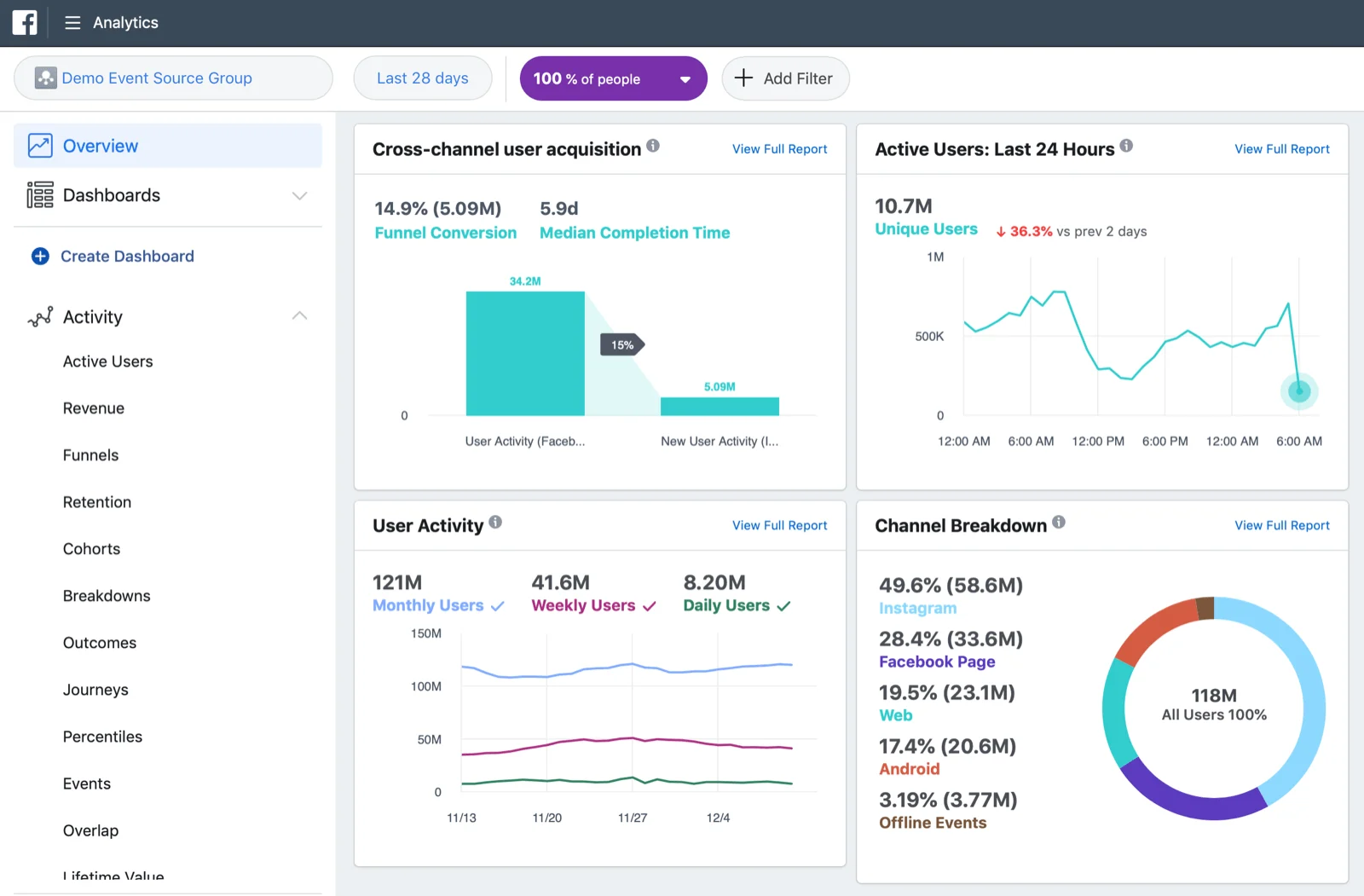
Private dashboards in Facebook's analytics tool could be accessed by other admins of the same app, exposing sensitive data. An attacker with admin permissions could view private dashboards by directly accessing their dashboard IDs.
 Published on medium.com
Rohit kumar
The full write-up lives on its author's site
It belongs to its author, so we link to it rather than copy it. The other two tabs are our own rewrites, checked against it.
Context
Facebook's analytics tool lets an application's administrators build dashboards over the data the analytics product collects for that app. When a dashboard is created, its creator can set its privacy to "Public" or "Private". The report treats a private dashboard as one that other admins of the app should not be able to open.
The researcher found that this expectation did not hold: a dashboard marked private could still be opened by other admins of the same developer application. The report classifies the issue as a privacy and authorisation problem in the Facebook web product.
Setup
Two accounts are needed, both holding admin permission on the same developer application:
- USER A, the dashboard creator.
- USER B, another admin of the same app.
Both accounts are managed through the developer portal at:
https://developers.facebook.com/apps
No special tooling is required beyond two browser sessions, one per account.
Finding it
The analytics dashboard list lives under a per-app path that includes the application ID:
https://www.facebook.com/analytics/APP_ID/dashboards
Following the steps, a dashboard created by one admin was visible to another admin of the same app, and switching it to private did not remove that access. Since the private flag is presented to the creator as a privacy control, After the dashboard was made private, USER B could still load it.
Exploitation
Step 1: Open the dashboards page as USER A
From the USER A account, visit:
https://www.facebook.com/analytics/APP_ID/dashboards
Step 2: Start creating a dashboard
The sidebar on this page offers an option to create a dashboard.
Step 3: Fill in the details and leave the dashboard public
Click the create option and fill in the required details. At this point the privacy checkbox is left unchecked, so the dashboard stays public for now.
Step 4: Create the dashboard and confirm USER B can reach it
Click the Create Dashboard button. The dashboard is now ready and, as expected for a public dashboard, it is also accessible to the other admins of the application. To confirm, open the same dashboards URL from the USER B account:
https://www.facebook.com/analytics/APP_ID/dashboards
Step 5: Make the dashboard private as USER A
Back in the USER A account, tick the private checkbox on the dashboard.
Step 6: Reload as USER B and observe that access remains
After the dashboard is private, USER B should no longer be able to see it. Return to the USER B account and reload the tab that had the dashboard open: it is still accessible.
Step 7: Reach the dashboard directly by its ID
The dashboard no longer appears in the list on the home page, but it can still be loaded by supplying its identifier in the dashboard_id parameter:
https://www.facebook.com/analytics/464468544452617/dashboards/?dashboard_id=489192518646886
In this URL 464468544452617 is the application ID and 489192518646886 is the dashboard ID. The researcher notes that the dashboard ID can be recovered from browser history, in the case where the admin had opened the dashboard before it was made private.
Step 8: Enumerate dashboard IDs
The researcher also notes that these dashboards can be reached by brute-forcing the dashboard_id parameter, so a known or previously seen ID is not strictly required.
Root cause
The report does not explain why the private dashboard remained accessible; it only shows that it did.
Impact
A private dashboard created by one admin of an application can be read by any other admin of the same application, which leads to exposure of the sensitive data shown on that dashboard. The report says private dashboards could be accessed by other admins of the app, leading to sensitive data exposure. Within those conditions, the privacy control the creator selected is not honoured.
Fix
Facebook deployed a fix, confirmed on 25 January 2020, five days after triage. The report does not describe the code change.
Timeline
| Event | Date |
|---|---|
| Reported | 14 January 2020 |
| Pre-Triaged | 16 January 2020 |
| Triaged | 18 January 2020 |
| Fix Deployed & Confirmed | 25 January 2020 |
| Bounty Awarded | 28 January 2020 |
Variants to test
- Object-level authorisation on saved views. On any analytics or reporting product with public/private saved objects (dashboards, reports, segments, filters), create an object as one user, mark it private, and fetch it by ID as a second user with the same role. A positive result is a full response containing the object's data rather than a permission error.
- List versus detail endpoints. Compare what the list endpoint returns with what the detail endpoint returns for the same object. If the private object disappears from the list but still loads by ID, the check is only in the listing layer.
- Identifier enumeration. Where IDs are sequential or otherwise guessable, request neighbouring IDs as a lower-privileged user. A positive result is any object belonging to another user being returned.
- Role-based bypass. Repeat the fetch as different roles within the same tenant (admin, analyst, viewer) to see which role the check actually keys on. A positive result is a role that should not see the object receiving it.
- Stale references after a privacy change. Open an object while it is public, have the owner switch it to private, then reload without changing the URL. A positive result is the object still rendering, which shows the privacy change is not re-evaluated on fetch.
What happened, in plain words
Facebook runs an analytics product for people who build applications on its platform. Analytics means collecting numbers about how an app is used: how many people opened it, which screens they visited, and so on. The product lets an app's administrators arrange those numbers into dashboards: pages that show charts and figures in one place, a bit like a personal noticeboard where you pin the reports you care about.
When someone creates a dashboard, they can choose whether it is Public or Private. The creator can set a dashboard to Public or Private; the report shows that a private dashboard was still accessible to other admins. That is the promise the setting makes to the creator.
Rohit Kumar found that the promise was not kept. A dashboard marked private could still be opened by other admins of the same application. After the dashboard was made private it no longer appeared in the list on the home page, but it could still be loaded by its dashboard_id. The report calls this a privacy and authorisation problem in the Facebook web product.
The screenshot at the top of the write-up is the article's title card, showing the headline "Private Dashboards were accessible by other Admins in Analytics Dashboard" with the author's name and the publication date.
The idea you need first: authorisation
Before the steps, one concept. When you log in to a website, the site knows who you are. That is authentication: proving you are who you say you are, like showing your passport at a border. Authorisation is the next question: now that I know who you are, are you allowed to do this particular thing? A hotel key card authenticates you as a guest; authorisation decides which rooms it opens.
A broken authorisation bug (sometimes called broken access control) is when a site checks who you are but not whether you should be allowed to see or change a specific thing. The site trusts that because you are logged in, or because you hold some role, you may access anything that role can reach. The fix is to check, for every individual item, whether this particular user is allowed to touch this particular item.
That is exactly the shape of this bug. USER B is a genuine admin of the application, so the site is happy that USER B is logged in and has a role. What it fails to check is whether USER B is allowed to see this one private dashboard, which belongs to USER A.
Setup: two accounts, one app
To reproduce the issue you need two Facebook accounts, both holding admin permission on the same developer application. Admin permission means the account can manage the app: change its settings, see its data, and use its analytics. Both accounts are managed through Facebook's developer portal, the website where developers create and configure their apps:
https://developers.facebook.com/apps
That URL is the developer portal's app list. You do not need any special tools: two browser sessions, one logged in as each account, are enough. A browser session is simply one logged-in browser profile; using two different browsers, or one normal window and one private window, keeps the two logins separate.
The two accounts are named in the report as:
- USER A, the person who creates the dashboard.
- USER B, another admin of the same app, who should not be able to see USER A's private dashboard.
Finding it
The list of dashboards for an app lives at a web address that includes the application's ID. An ID here is just a long number that uniquely identifies something, like a customer number. Every app on Facebook has one, and the analytics pages are built around it:
https://www.facebook.com/analytics/APP_ID/dashboards
In that address, APP_ID is a placeholder for the real number of the application. When you visit it while logged in as an admin, you see the dashboards belonging to that app.
Following the steps, a dashboard created by one admin was visible to another admin of the same app, and switching it to private did not remove that access. Since the private flag is presented to the creator as a privacy control, the fact that a second admin could still load the dashboard looked wrong. The dashboard no longer appeared in the list, but could still be fetched by its dashboard_id.
Exploitation, step by step
Step 1: Open the dashboards page as USER A
Log in as USER A and visit:
https://www.facebook.com/analytics/APP_ID/dashboards
This is the starting point: the page that lists the app's dashboards and offers the controls to create and manage them. You are doing this as USER A because USER A will be the owner of the dashboard, the person whose privacy choice should be respected.
Step 2: Start creating a dashboard
The sidebar on this page offers an option to create a dashboard. A sidebar is the column of links and buttons down one side of the page. Clicking the create option opens the form where you describe the new dashboard.
Step 3: Fill in the details and leave the dashboard public
Fill in the required details. At this point the privacy checkbox is left unchecked, so the dashboard stays public for now. A checkbox is the small square you tick to turn an option on. Leaving it unticked means "public", which is the default and the state we want for the first half of the test: we need to show that USER B can see the dashboard while it is public, so that the later change to private is the only thing that differs.
Step 4: Create the dashboard and confirm USER B can reach it
Click the Create Dashboard button. The dashboard is now ready and, as expected for a public dashboard, it is also accessible to the other admins of the application. To confirm, open the same dashboards URL from the USER B account:
https://www.facebook.com/analytics/APP_ID/dashboards
Step 5: Make the dashboard private as USER A
Back in the USER A account, tick the private checkbox on the dashboard. Ticking the private checkbox is the change under test.
Step 6: Reload as USER B and observe that access remains
After the dashboard is private, USER B should no longer be able to see it. Return to the USER B account and reload the tab that had the dashboard open. It is still accessible. Reloading means asking the browser to fetch the page again from the server, so the server gets a fresh chance to say no. It does not say no.
The report does not explain why the private dashboard remained accessible.
Step 7: Reach the dashboard directly by its ID
The dashboard no longer appears in the list on the home page, but it can still be loaded by supplying its identifier in the dashboard_id parameter:
https://www.facebook.com/analytics/464468544452617/dashboards/?dashboard_id=489192518646886
A parameter is a piece of information attached to the end of a web address, after a question mark, that tells the page what to show. Here dashboard_id is the name of the parameter and 489192518646886 is its value. In this URL, 464468544452617 is the application ID and 489192518646886 is the dashboard ID.
The researcher notes that the dashboard ID can be recovered from browser history, the list your browser keeps of pages you have visited, in the case where the admin had opened the dashboard before it was made private. So even though the dashboard has vanished from the list, the address of the page is still sitting in the browser's memory of where you have been.
Step 8: Enumerate dashboard IDs
The researcher also notes that these dashboards can be reached by brute-forcing the dashboard_id parameter. Brute-forcing means trying many values in turn, often with a script, until one works. The report notes the dashboard_id parameter can be brute-forced. The point is that a known or previously seen ID is not strictly required: the identifier is the only thing standing between an admin and someone else's private dashboard, and identifiers can be found or guessed.
Why it works
Impact
A private dashboard created by one admin of an application can be read by any other admin of the same application, which leads to exposure of the sensitive data shown on that dashboard. Sensitive data here means the analytics figures the dashboard displays, which the creator chose to keep private. The report says private dashboards could be accessed by other admins of the app, leading to sensitive data exposure. Within those conditions, the privacy control the creator selected is not honoured.
Fix
Facebook deployed a fix, confirmed on 25 January 2020, five days after triage.
Timeline
| Event | Date |
|---|---|
| Reported | 14 January 2020 |
| Pre-Triaged | 16 January 2020 |
| Triaged | 18 January 2020 |
| Fix Deployed & Confirmed | 25 January 2020 |
| Bounty Awarded | 28 January 2020 |
Triaged means the security team reviewed the report and accepted it as a real issue. A bounty is the payment some companies make to researchers who report valid bugs.
Variants to test
These are the same kind of test applied to other products and other shapes of the same mistake. Each one is a way to ask: does this site check permission on the individual item, or only on the list?
- Object-level authorisation on saved views. On any analytics or reporting product with public/private saved objects (dashboards, reports, segments, filters), create an object as one user, mark it private, and fetch it by ID as a second user with the same role. A positive result is a full response containing the object's data rather than a permission error. A segment is a saved slice of users, and a filter is a saved set of conditions; both are things people save and expect to keep private.
- List versus detail endpoints. Compare what the list endpoint returns with what the detail endpoint returns for the same object. If the private object disappears from the list but still loads by ID, the check is only in the listing layer. An endpoint is simply one address on a server that answers a particular kind of request.
- Identifier enumeration. Where IDs are sequential or otherwise guessable, request neighbouring IDs as a lower-privileged user. A positive result is any object belonging to another user being returned. Sequential means the numbers run in order, like 101, 102, 103, so trying the neighbours is easy.
- Role-based bypass. Repeat the fetch as different roles within the same tenant (admin, analyst, viewer) to see which role the check actually keys on. A positive result is a role that should not see the object receiving it. A tenant is one organisation's separate space inside a shared product.
- Stale references after a privacy change. Open an object while it is public, have the owner switch it to private, then reload without changing the URL. A positive result is the object still rendering, which shows the privacy change is not re-evaluated on fetch. Stale means out of date: the page you already have open still reflects the old, public state.
Glossary
- Admin permission: the right to manage an application, including its settings and its analytics data.
- Analytics: the collection and display of numbers about how an app or website is used.
- Authentication: proving who you are, for example by logging in.
- Authorisation: deciding whether a known user is allowed to do a specific thing.
- Broken authorisation: a bug where a site checks who you are but not whether you may access a particular item.
- Brute-forcing: trying many possible values in turn, usually with a script, until one works.
- Browser history: the list a browser keeps of pages you have visited.
- Checkbox: a small square you tick to turn an option on or off.
- Dashboard: a page that gathers charts and figures in one place.
- Dashboard ID: the long number that uniquely identifies one dashboard.
- Endpoint: one address on a server that answers a particular kind of request.
- Enumeration: systematically trying a range of identifiers to find ones that exist.
- ID: a number or string that uniquely identifies something.
- Parameter: a piece of information attached to a web address, after a question mark, telling the page what to show.
- Private / Public: the two privacy states of a dashboard; private means only the creator should see it, public means other admins may see it.
- Rendering: building the page that the browser displays.
- Sensitive data: information the owner expects to keep restricted.
- Session: one logged-in browser profile; two sessions keep two accounts separate.
- Sidebar: the column of links and buttons down one side of a page.
- Stale: out of date, still showing an older state.
- Tenant: one organisation's separate space inside a shared product.
- Triaged: reviewed and accepted as a real issue by the security team.


