The story of My First $xxx Bug Bounty From Facebook
When a page admin used the mobile Facebook site to post a photo, check-in or other content while acting as the page, the post was attributed to the admin's personal account instead of the page. This revealed the identity of the page admin to anyone who could see the post.
 Published on medium.com
So after a lot of time and effort , I thought my aim in this lockdown is only to find valid bugs in Facebook . I reported 15 bugs to facebook initially but 7 of them were informative and rest of them(u do the math) were dupes.
The full write-up lives on its author's site
It belongs to its author, so we link to it rather than copy it. The other two tabs are our own rewrites, checked against it.
Context
This is a write-up of a first valid bug bounty finding on Facebook, made through the mbasic interface at m.facebook.com. The feature involved is Pages: a Facebook Page can be managed by one or more admins, and the interface lets an admin act either as themselves or as the Page. When you post "Acting as [Page_name]", the content should be attributed to the Page, not to the person behind it.
The researcher calls the bug Page Admin Disclosure: in certain posting flows the post was published by the admin's personal account instead of the Page, revealing which user administers the Page. The report was submitted on 5 April 2020 and the fix was confirmed on 4 May 2020.
Setup
- Target:
m.facebook.com(the mbasic domain, as the author calls it). - Roles: a user account (referred to in the steps as
UserA) that is an admin of a Page, and the Page itself, referred to asTesting. - Precondition: the attacker needs access to an account that administers at least one Page, and the ability to post to that Page.
- No special tooling is described. The work was done by hand in the mbasic interface.
The author notes this was a learning exercise after a run of unsuccessful reports: 15 bugs reported to Facebook initially, 7 closed as informative and the rest duplicates.
Finding it
The researcher moved to the mbasic domain and created a Page, then went through the functions available there. In the post options of the Page, there was a More option. Clicking on the …More option produced something unexpected: although the session was acting as Testing (the Page), the post was uploaded by the Page admin.
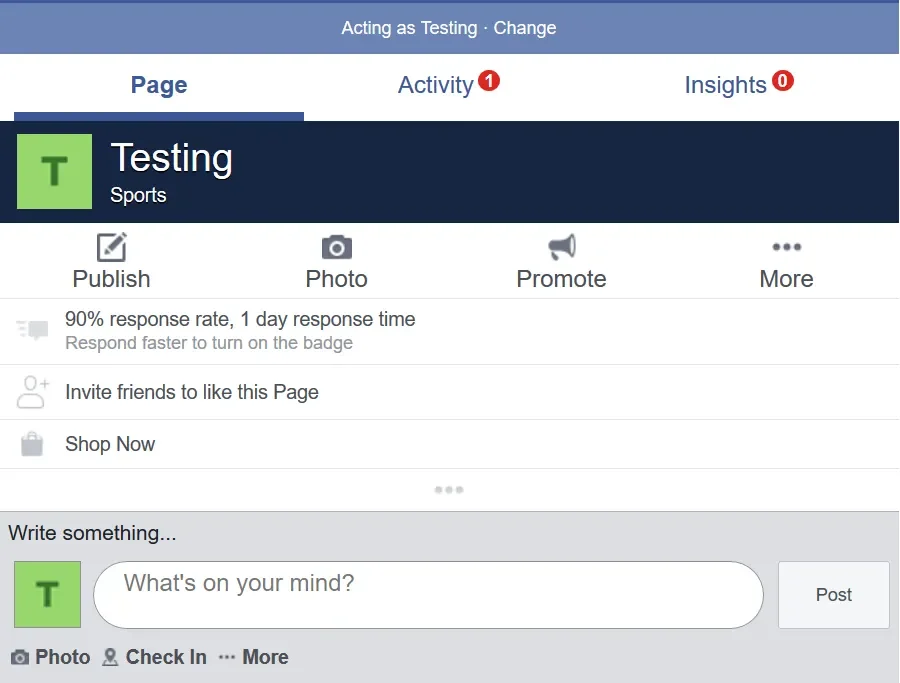
The same happened with other post types. When the Page tries to post features such as Photos & videos, check in, and so on, the post is not published by the Page but by the admin. That difference in attribution is the disclosure: it ties the Page to the personal account that manages it.
Exploitation
These are the steps as they were sent to Facebook.
Step 1: log in as the Page admin
Suppose UserA is admin of a Page. Go to m.facebook.com and log in with UserA's account.
Step 2: act as the Page and post text
Go to the Page menu, select Acting as [Page_name], and post a text, for example:
Hello World
The text is posted by the Page. This is the expected behaviour and establishes the baseline.
Step 3: act as the Page and use another post type
Again select the Acting as [Page_name] option and try to post a photo, a check in, or click on more options.
Step 4: publish
Upload a photo, do a check in, or use more, then click on post.
The post is then published by UserA, even though the Acting as [Page_name] option was selected. The Page attribution is lost and the admin's identity is exposed instead.
Root cause
The report does not describe the server-side code, so the cause can only be inferred. The report does not describe the cause.
Impact
Under the conditions above, an admin posting a photo, check in or other non-text content while acting as the Page would have their personal account shown as the author. Anyone who can see the post learns which user administers the Page, which breaks the separation between a Page and the person running it.
Fix
Facebook confirmed the fix on 4 May 2020.
Timeline
| Event | Date |
|---|---|
| Report submission | 5 April 2020 |
| Pre-triage | 7 April 2020 |
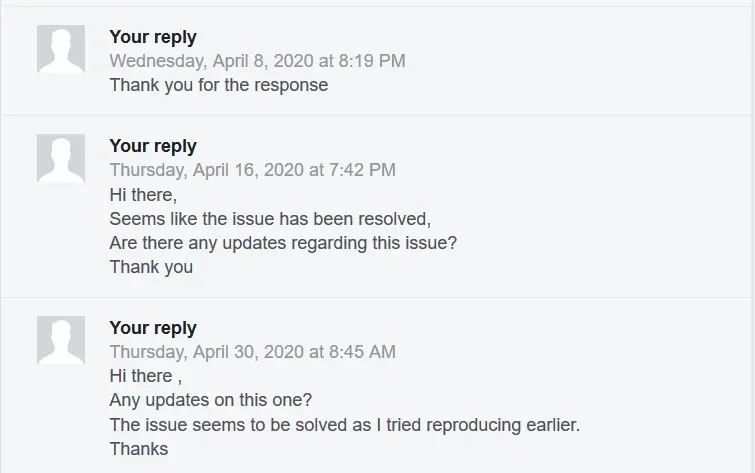
| Triaged | 8 April 2020 |
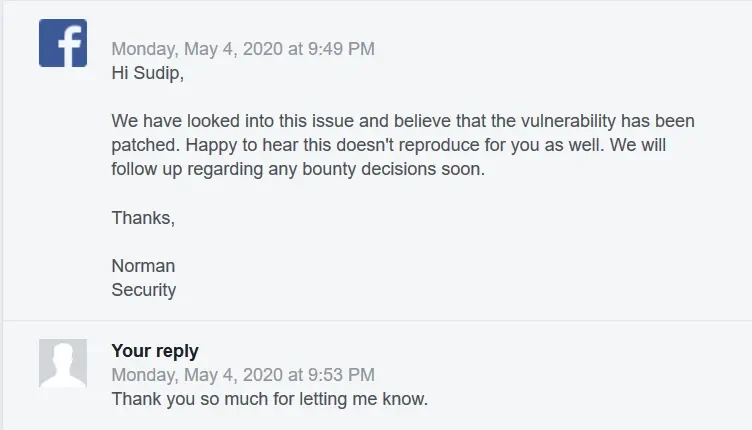
| Follow-ups ("me panicking") | 16 April, 30 April 2020 |
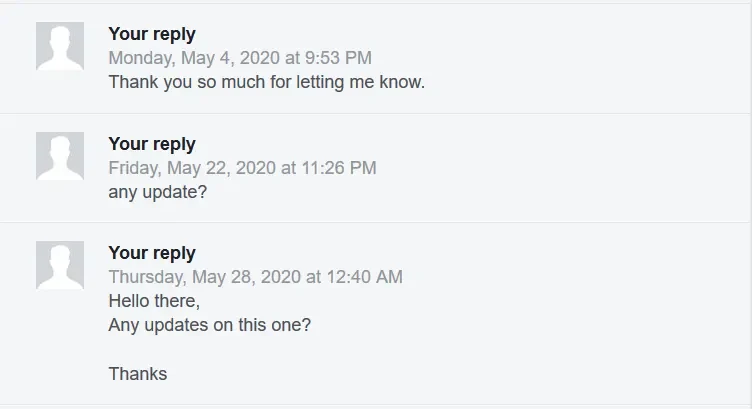
| Confirmation of fix | 4 May 2020 |
| Further follow-ups ("panic attacks again") | 22 May, 28 May 2020 |
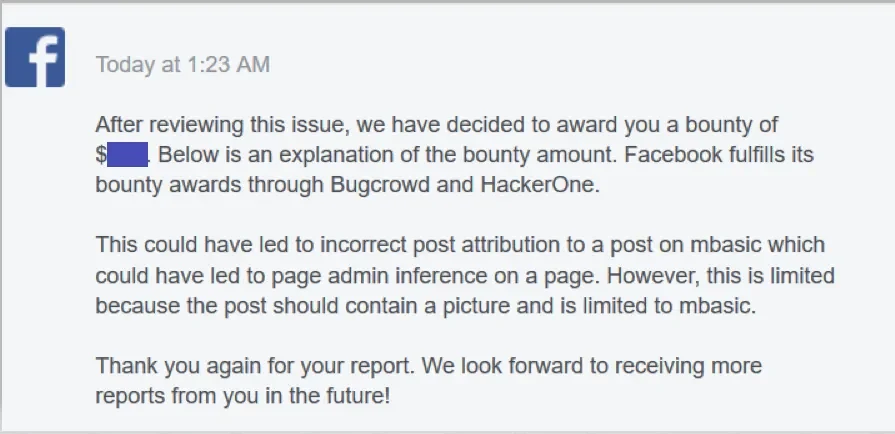
| Bounty awarded | 30 May 2020 |
A proof-of-concept link was included in the report: https://drive.google.com/file/d/[redacted]/view.
Variants to test
- Other post types on the same interface. Try every composer available while acting as a Page (photo, check in, more) and check the author of the published item. A positive result is a post attributed to the personal account instead of the Page. A positive result is the same attribution fallback on a different surface. A positive result is any content type that leaks the acting user's identity. A positive result is the admin's identity appearing in the edit history or confirmation messages.
What happened, in plain words
A security researcher found a bug on Facebook's mobile site (the simple version called mbasic, at m.facebook.com). Facebook lets you create a Page, for example for a business or a club. A Page is managed by one or more people called admins. When an admin posts something, they can choose to post as themselves or as the Page. The bug was that for some types of posts, like photos or check-ins, the post appeared to be written by the admin's personal account even when the admin had chosen to act as the Page. That revealed which personal account runs the Page. The researcher reported it, Facebook fixed it, and paid a bounty (a reward). This article explains the whole story for someone who has never done security testing before.
Background: what is a Page, an admin, and "acting as"?
On Facebook, a Page is a public profile for a business, organisation, or public figure. It is not the same as a personal profile. A Page can have one or more admins: people who manage it. When an admin creates a post, Facebook lets them choose the identity to use: either their own personal account or the Page. This choice is shown as Acting as [Page_name]. If you pick the Page, the post should show the Page as the author, not you. That separation matters because the admin might not want their personal account publicly linked to the Page.
The researcher calls the bug Page Admin Disclosure. Disclosure here means revealing information that was supposed to stay hidden: specifically, which personal account administers the Page.
The setup
- Target:
m.facebook.com, the simple mobile version of Facebook (the author calls it the mbasic domain). - Roles: a personal account (called
UserAin the steps) that is an admin of a Page, and the Page itself (calledTesting). - Precondition: you need an account that manages at least one Page, and you need to be able to post to that Page.
- Tools: none. Everything was done by hand in the browser.
The researcher had been trying bug bounties for over a year without a valid finding. Before this bug, they had reported 15 bugs to Facebook: 7 were closed as informative (meaning Facebook decided they were not security issues) and the rest were duplicates (someone else had already reported them).
How the bug was found
The researcher decided to look at the mbasic interface. They created a Page and explored the available functions. In the post options of the Page, there was a More option. When they clicked on the …More option, something unexpected happened: although they were acting as Testing (the Page), the post was uploaded by the Page admin.
The same thing happened with other post types. When the Page tries to post features such as Photos & videos, check in, and so on, the post is not published by the Page but by the admin. That difference in attribution is the disclosure: it ties the Page to the personal account that manages it.
Step-by-step: how to reproduce it
These are the steps exactly as they were sent to Facebook.
Step 1: log in as the Page admin
Suppose UserA is admin of a Page. Go to m.facebook.com and log in with UserA's account.
Why this step? You need to be logged in as someone who can act for the Page. This is the starting point for all the following actions.
Step 2: act as the Page and post text
Go to the Page menu, select Acting as [Page_name], and post a text, for example:
Hello World
What this code is: This is just the text you type into the post box. It is not code; it is the content of the post.
Why this step? Posting a simple text while acting as the Page shows the normal, expected behaviour: the post appears as written by the Page. This gives you a baseline to compare against later.
Step 3: act as the Page and use another post type
Again select the Acting as [Page_name] option and try to post a photo, a check in, or click on more options.
Why this step? You are testing whether the same identity choice works for other types of content. The bug appears when you use these other post types.
Step 4: publish
Upload a photo, do a check in, or use more, then click on post.
The post is then published by UserA, even though the Acting as [Page_name] option was selected. The Page attribution is lost and the admin's identity is exposed instead.
Why this matters: Anyone who can see the post now knows which personal account runs the Page. That breaks the separation between the Page and the person behind it.
Why did this happen? (Root cause)
The report does not include the server-side code, so we can only infer the cause. The report does not describe the cause.
Impact
Under the conditions above, an admin who posts a photo, check in, or other non-text content while acting as the Page would have their personal account shown as the author. Anyone who can see the post learns which user administers the Page. The report does not describe any further access gained; it is limited to this disclosure.
The fix
Facebook confirmed the fix on 4 May 2020.
Timeline
| Event | Date |
|---|---|
| Report submission | 5 April 2020 |
| Pre-triage | 7 April 2020 |
| Triaged | 8 April 2020 |
| Follow-ups ("me panicking") | 16 April, 30 April 2020 |
| Confirmation of fix | 4 May 2020 |
| Further follow-ups ("panic attacks again") | 22 May, 28 May 2020 |
| Bounty awarded | 30 May 2020 |
A proof-of-concept link was included in the report: https://drive.google.com/file/d/[redacted]/view.
Other places to test the same idea
If you want to look for similar bugs, here are some variations to try. Each one describes what to do and what a positive result looks like.
- Other post types on the same interface. Try every composer available while acting as a Page (photo, check in, more) and check the author of the published item. A positive result is a post attributed to the personal account instead of the Page. A positive result is the same attribution fallback on a different surface. A positive result is any content type that leaks the acting user's identity. A positive result is the admin's identity appearing in the edit history or confirmation messages.
Glossary
- Bug bounty: A program where organisations reward people for finding and reporting security vulnerabilities.
- Page: A public profile on Facebook for a business, organisation, or public figure, managed by admins.
- Admin: A person who manages a Page.
- Acting as [Page_name]: A setting that lets an admin post on behalf of the Page instead of their personal account.
- mbasic: The simple, low-data version of Facebook's mobile website, at
m.facebook.com. - Attribution: The identity shown as the author of a post.
- Disclosure: The act of revealing information that was supposed to be hidden.
- Informative: A report that the vendor decides is not a security issue.
- Duplicate: A report of a bug that has already been reported by someone else.
- Pre-triage: An initial review of a report by the vendor before full assessment.
- Triaged: A report that has been reviewed and confirmed as a valid security issue.
- Proof of concept (PoC): A demonstration, often a video or set of steps, that shows the bug is real.
- Root cause: The underlying reason why a bug occurs.
- Impact: The potential harm or consequence of a vulnerability.
- Code path: A sequence of instructions in a program that handles a particular action.
- Context: In this context, the information about which identity (Page or user) is being used.
- Fallback: A default behaviour when the intended behaviour is not available.
- Composer: The interface for creating a post (text, photo, etc.).
- Edit history: A record of changes made to a post.
- Confirmation messages: Notifications shown after an action, such as a post being published.



