Beating a Filter That Only Checks Once: Traversal Sequences Stripped Non-Recursively
An image-loading endpoint stripped path traversal sequences from the filename parameter in a single non-recursive pass, so a crafted input reassembled into a working traversal sequence after stripping. An attacker could use this to read files outside the intended directory, and the lab was solved by retrieving a file listing.
 Published on medium.com
Lab eight had no filter at all. Lab nine blocked traversal sequences, but an absolute path slipped past it untouched.
The full write-up lives on its author's site
It belongs to its author, so we link to it rather than copy it. The other two tabs are our own rewrites, checked against it.
Context
This is the tenth lab in a Web Security Academy series and the third path traversal lab in a row, each one built on top of the last. The feature under test is the same kind of endpoint as in the previous two labs: an image is loaded through a filename parameter.
Lab eight had no filter at all. Lab nine blocked traversal sequences, but an absolute path slipped past it untouched. This lab blocks traversal sequences too, and this time absolute paths do not work either. The developers closed both of the earlier holes. There is still a third one.
Setup
Burp's filtered history was used to skip past the clutter and find the relevant request.
Finding it
The endpoint was located the same way as in the two previous labs: an image loaded through a filename parameter, found by filtering Burp's history.
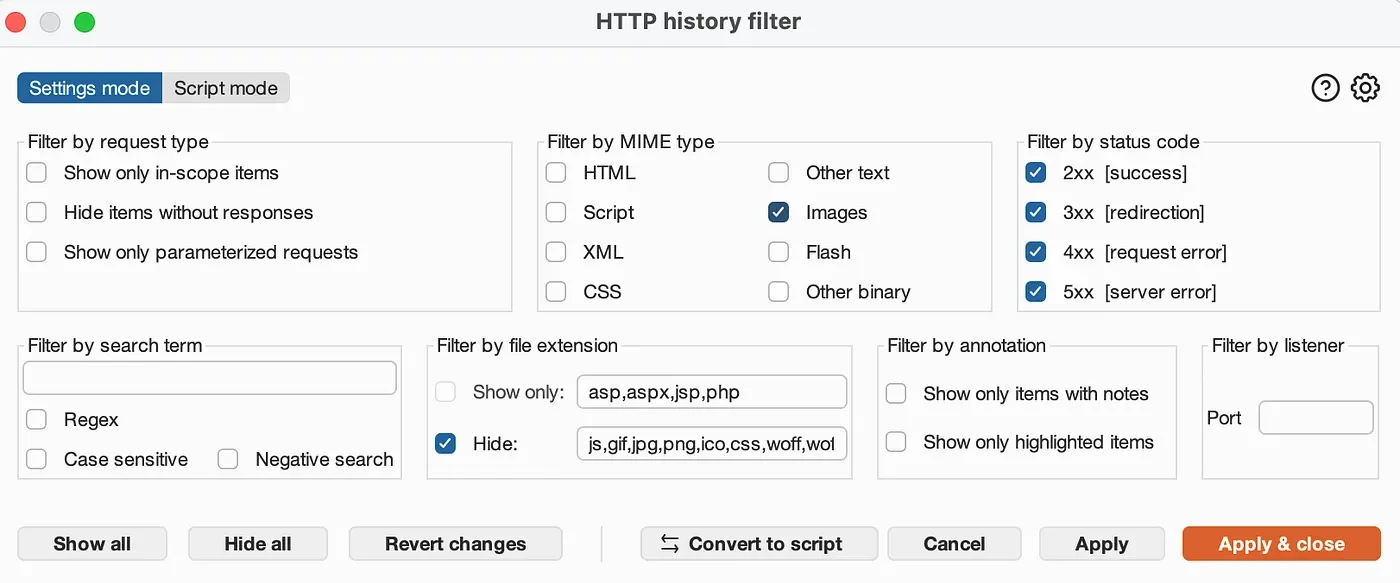
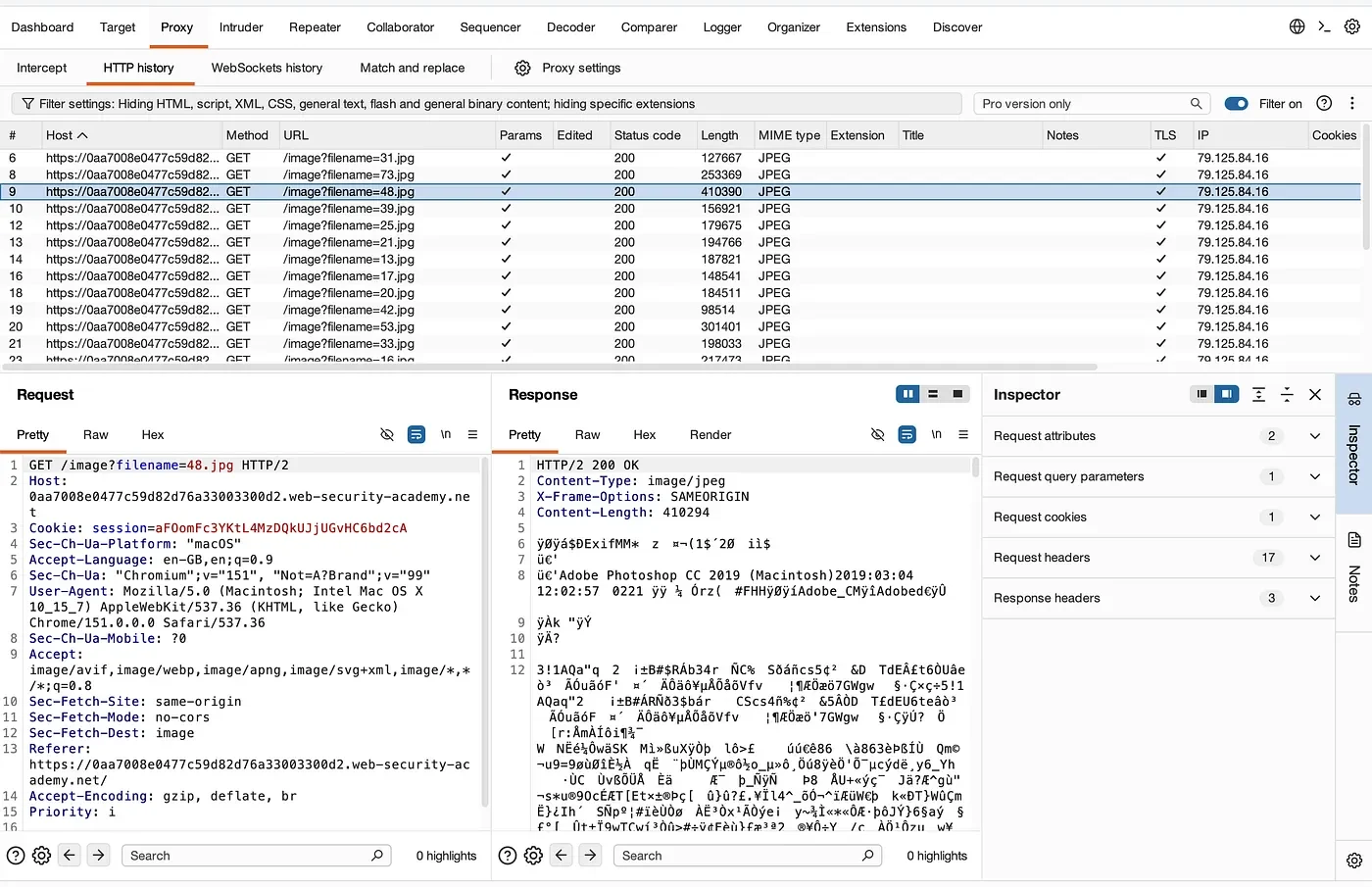
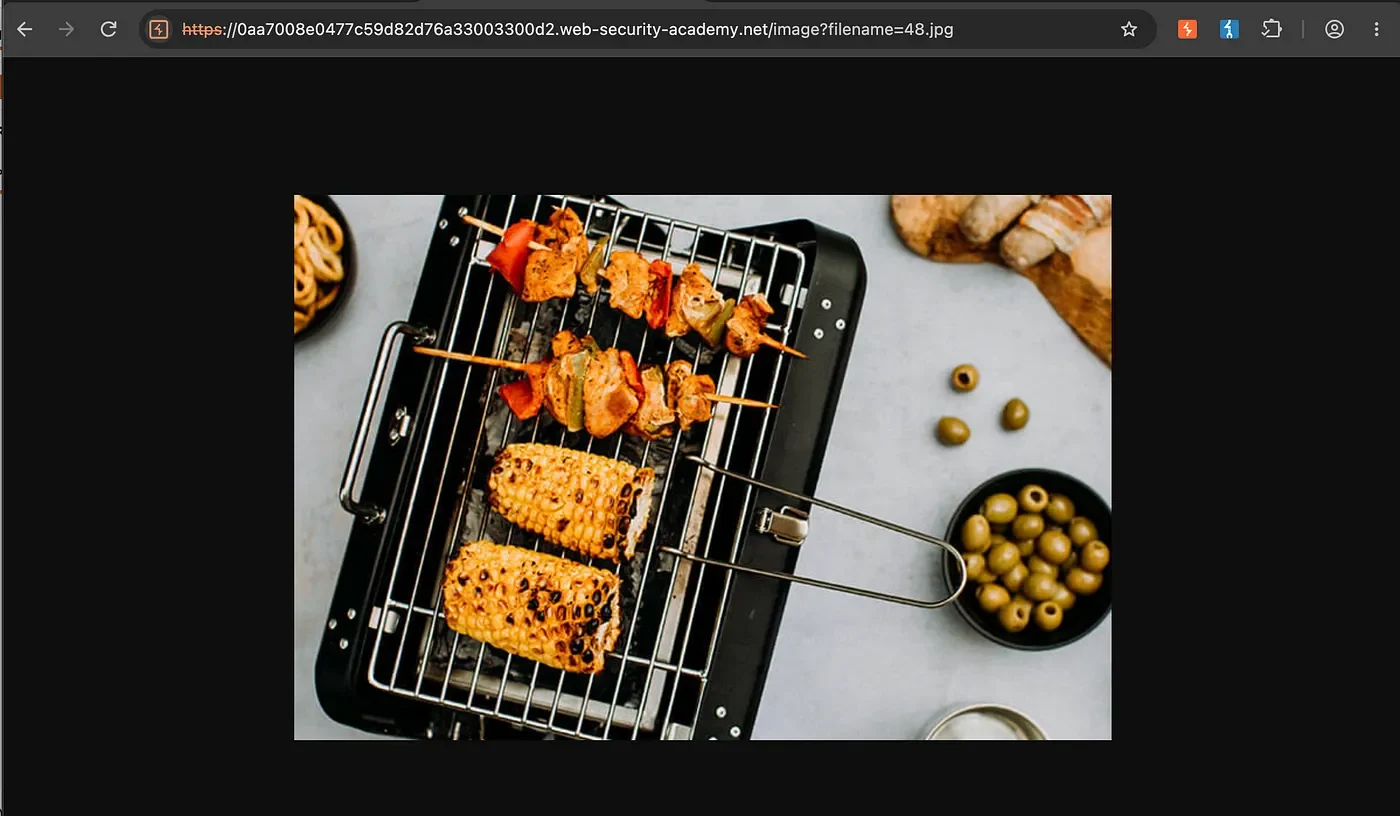
From there, the two techniques that had worked in the earlier labs were tested.
Exploitation
Step 1: plain traversal
A plain traversal payload, climbing back toward the root, came back as a bad request with a not found message. The filter caught it.
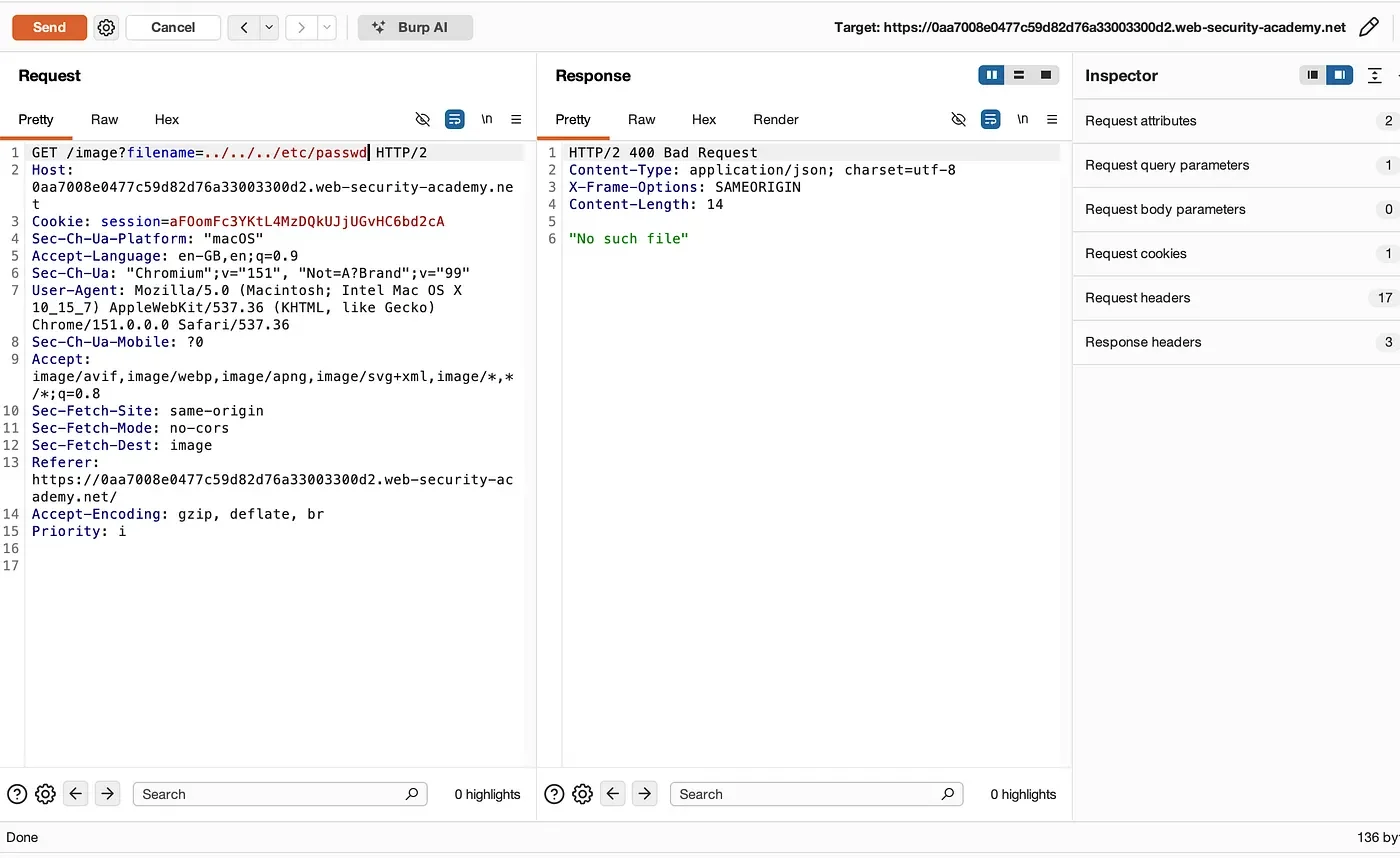
Step 2: absolute path
Next, the absolute path trick that had bypassed the previous lab's filter entirely. Same result. Rejected.
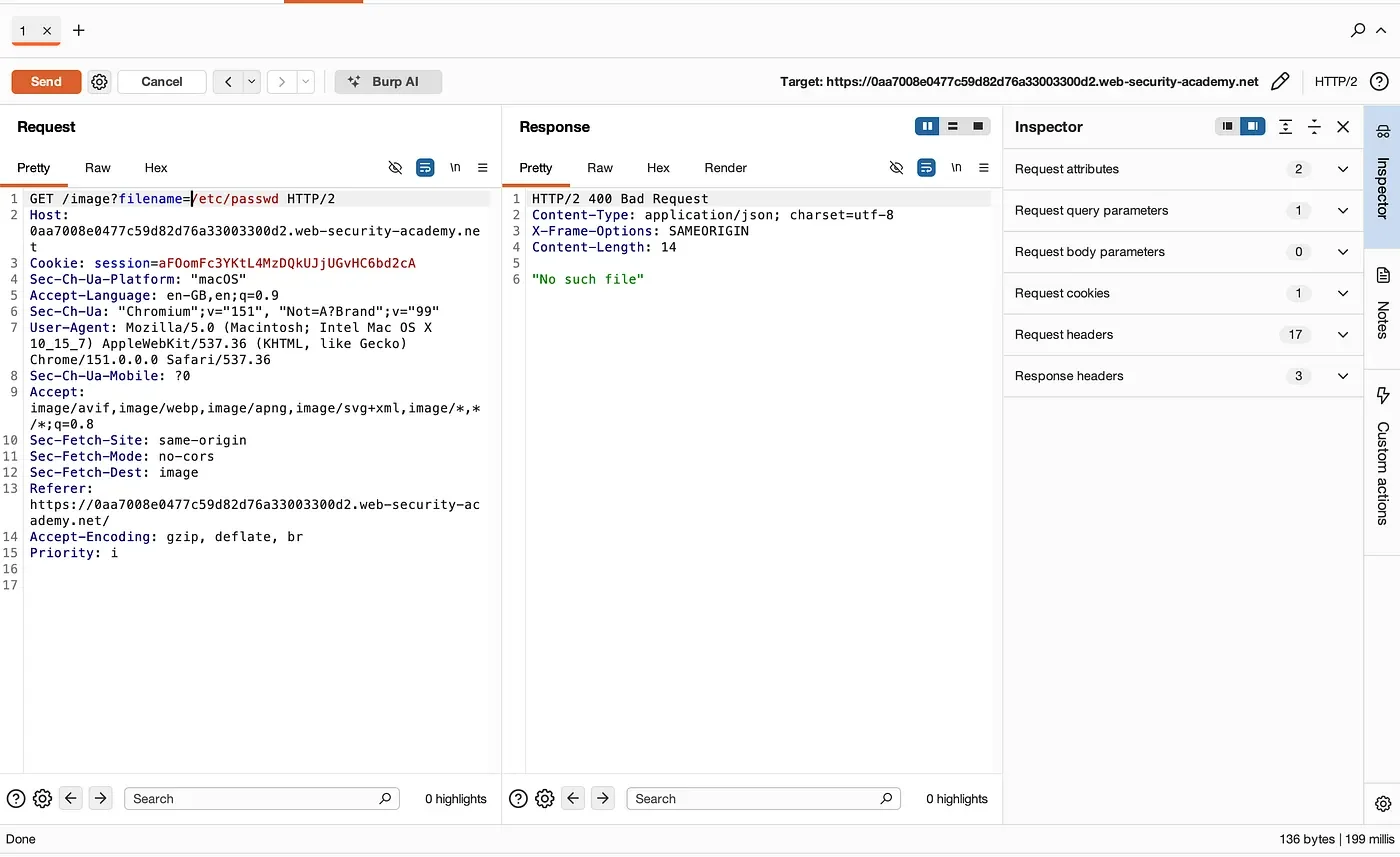
Two known techniques, two dead ends. That ruled out an unfiltered application and ruled out a filter that only checks for relative sequences while ignoring absolute ones. Something else was going on.
Step 3: exploiting the single pass
The filter removes traversal sequences from the input, but it runs once, a single pass over the string, not repeatedly until nothing is left to remove. If a payload is built so that removing one sequence from the middle of it leaves a new, working sequence behind, the filter never gets a second look.
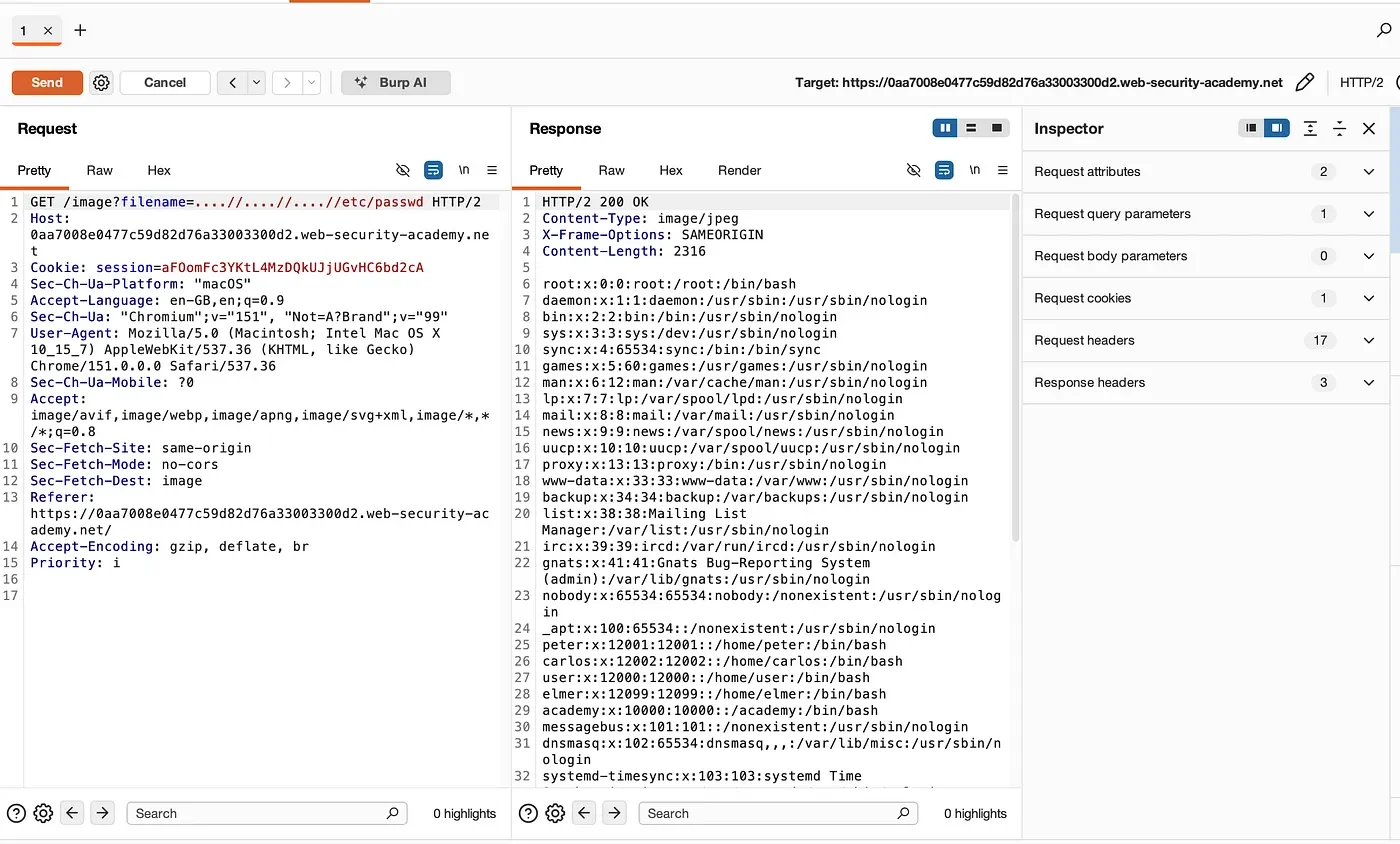
A sequence of four dots followed by two slashes contains a working traversal sequence buried inside it. Strip that inner piece out, and what is left over reassembles into the exact traversal sequence the filter was trying to block in the first place.
Chaining three of those together, then landing on the target file, went straight through. The response came back with the full file listing.
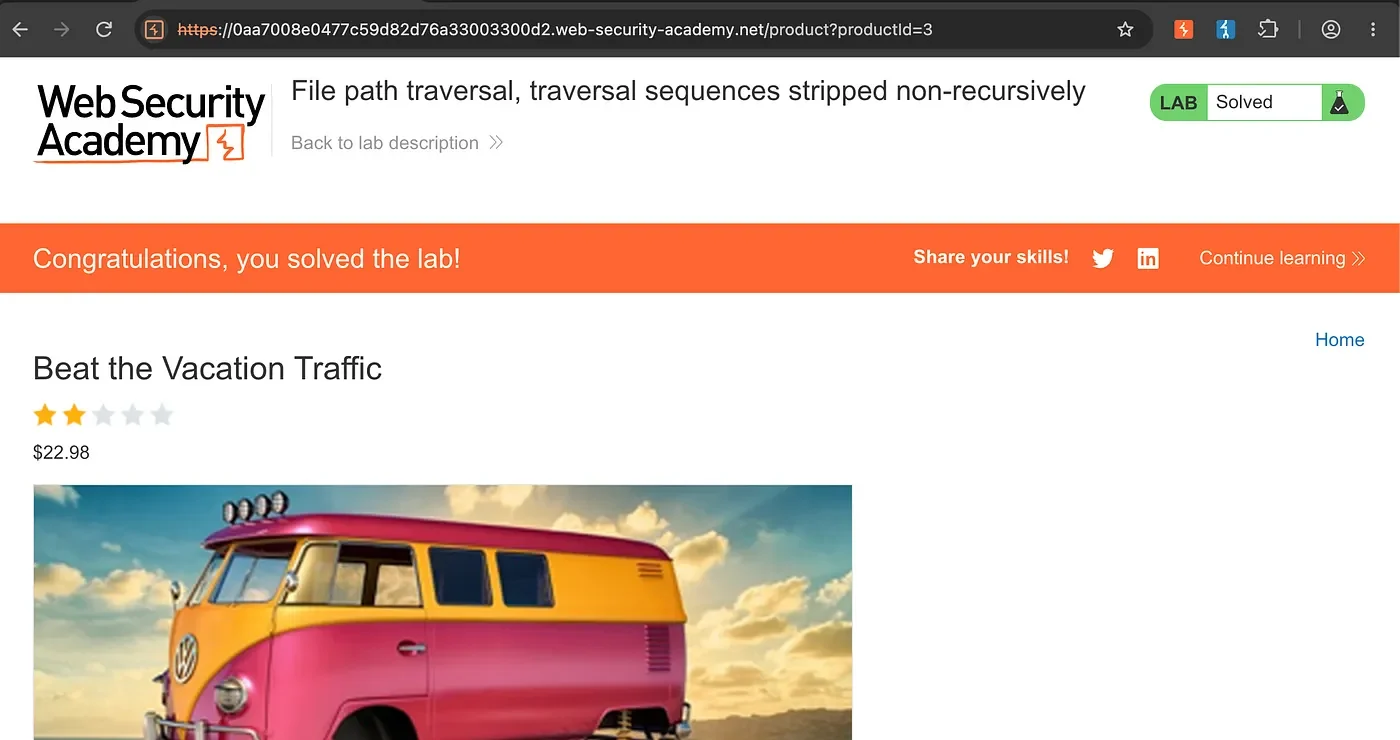
The lab marked itself solved.
Root cause
The filter removes traversal sequences from the input, which against a simple payload is a real fix. The mistake is that the removal runs once, a single pass over the string, rather than repeatedly until nothing is left to remove. The filter trusts its own output after that one pass.
Because the bad substring and the surrounding characters were chosen specifically to interact, removal creates something new: the inner sequence is stripped, and the remaining characters reassemble into the traversal sequence the filter was trying to block. The fix is not wrong in what it removes. It is wrong in stopping after doing it once.
Impact
The report does not describe the impact beyond the lab: the response returned the full file listing, and the lab marked itself solved. In general terms, a traversal that reaches the filesystem can expose files outside the intended image directory, but the report makes no claims about what was reachable in a real deployment.
Fix
The durable version of this defence re-checks its own output: strip the pattern, then check again, and keep checking until a full pass finds nothing left to remove. Anything short of that leaves the same kind of gap this lab is built around. The report does not say whether the lab's code was changed.
- Nested sequences: send a payload where removing one traversal sequence leaves another behind, and see whether the response returns content from outside the intended directory.
- Repeated passes: try payloads that need two or three rounds of stripping before they become dangerous, and check whether the filter stops after the first.
- Absolute paths: test whether absolute paths are rejected as well as relative sequences, since a filter that only handles one of the two leaves the other open.
- Encoding: try encoded forms of the traversal sequence and see whether the filter decodes before or after stripping.
Takeaways
- A filter's first pass is not automatically its last word. Test what its own output looks like.
- Ruling out known techniques first, plain traversal, then absolute paths, is useful groundwork, not wasted effort. It narrows down which specific weakness you are dealing with.
- Removing a harmful pattern only works if removal is applied until none of the pattern remains, not just once.
What happened, in plain words
A website had a feature that shows pictures. You asked for a picture by name, and the server fetched the file with that name and sent it back. The trick is that the name is just text the server trusts, and text can be written to point somewhere else entirely, such as a file outside that folder.
This is called path traversal. Think of a hotel receptionist who is told "fetch the guest list from room 12". If a guest says "fetch it from room 12, then go up two floors and take the one in room 30", a careless receptionist follows the directions literally. Path traversal is the same idea with folder names: the input says "start in the images folder, then climb up out of it, then read this other file".
The site's developers knew about this and added a filter: a piece of code that looks at the name you sent and removes the dangerous part before using it. In this lab the filter removes the dangerous part, but only once. It does not look again at what is left. The researcher built a name that is still dangerous after that one removal, and the response came back with the full file listing.
This is the tenth lab in a Web Security Academy series and the third path traversal lab in a row. Each one builds on the last. Lab eight had no filter at all. Lab nine blocked traversal sequences, but an absolute path slipped past it untouched. This lab blocks traversal sequences too, and this time absolute paths do not work either. The developers closed both of the earlier holes. There is still a third one.
The pieces you need to know
Before the steps make sense, here are the few ideas the whole thing rests on.
A server and a request. When you open a page, your browser sends a request to a server, a computer somewhere that holds the site's files and answers. The server sends back a response, usually a page, an image, or an error message. A request is like posting a letter with an address on it; the response is the reply.
A parameter. Many addresses carry extra information after a question mark, for example ?filename=cat.jpg. The part after the = is a parameter value: a piece of text the server reads and acts on. The server uses the parameter's value to decide which image file to open. A parameter is like the "special instructions" line on a delivery form.
A path. Files on a computer live in folders inside folders. A path is the written route to a file, like images/cat.jpg, meaning "inside the images folder, the file cat.jpg". Two dots, .., mean "go up one folder". So ../ means "climb out of the current folder". String several together and you can climb from a deep folder all the way to the top of the disk. That is the traversal sequence the filter is trying to remove.
An absolute path. A relative path starts from wherever you currently are. An absolute path starts from the very top of the disk and names the whole route, like a full postal address rather than "two doors down". Lab nine's filter only looked for the climbing kind and ignored the full-address kind.
A filter. A filter is code that inspects input and changes or rejects it. A spam filter removes junk words from an email; this filter removes traversal sequences from the filename. Filters are common and useful. The question is always whether they are complete.
Burp Suite and its history. Burp Suite is a tool that sits between your browser and the server and records every request and response. Its history is a long list of everything that passed through. Filtering that history means searching the list for the request you care about instead of scrolling through hundreds of unrelated ones, like using the search box in your email instead of reading every message.
A lab. Web Security Academy labs are small, deliberately vulnerable practice sites. You attack them, and when you succeed the lab marks itself solved. Nothing real is harmed.
Finding the feature
The endpoint was located the same way as in the two previous labs: an image loaded through a filename parameter, found by filtering Burp's history. An endpoint is simply a particular address on the server that does a particular job, like a specific counter in a large office.
These screenshots show the search through Burp's recorded traffic that narrowed the long list down to the request that loads an image by filename. The point of this step is to find the one request worth experimenting with, rather than guessing.
Trying what worked before
Step 1: plain traversal
A plain traversal payload, climbing back toward the root, came back as a bad request with a not found message. The filter caught it.
A payload is just the value you put into the parameter to test the server. "Plain traversal" means the obvious version: a filename that starts inside the images folder and then uses ../ to climb upwards towards the top of the disk, aiming at a file outside the images folder. The server answered with a bad request and a not found message, and the filter caught it. This is the expected, healthy behaviour, and it tells the researcher the filter is at least doing something.
Step 2: absolute path
Next, the absolute path trick that had bypassed the previous lab's filter entirely. Same result. Rejected.
An absolute path names the file from the very top of the disk, with no climbing at all. In lab nine this sailed straight past a filter that only looked for climbing sequences. Here it was rejected too, so the developers had closed that hole as well.
Two known techniques, two dead ends. That ruled out an unfiltered application and ruled out a filter that only checks for relative sequences while ignoring absolute ones. Something else was going on. Ruling things out is not wasted effort: each failed attempt removes one explanation and points at the next.
The idea behind the bypass
The filter removes traversal sequences from the input, but it runs once, a single pass over the string, not repeatedly until nothing is left to remove. A string here just means the text of the filename. A single pass means the filter walks through that text one time, deletes what matches, and stops.
Think of a spell-checker that fixes a typo once and never looks at the corrected sentence again. If the correction itself creates a new typo, nobody notices. Or think of a bouncer who checks each guest's bag once at the door; if a guest can rearrange the contents after the check, the check was pointless.
If a payload is built so that removing one sequence from the middle of it leaves a new, working sequence behind, the filter never gets a second look. It already did its one job and moved on.
A sequence of four dots followed by two slashes contains a working traversal sequence buried inside it. Strip that inner piece out, and what is left over reassembles into the exact traversal sequence the filter was trying to block in the first place. In other words, the dangerous pattern is hidden inside a longer piece of text, and deleting the inner part causes the outer leftovers to join up into the dangerous pattern.
Chaining three of those together, then landing on the target file, went straight through. The response came back with the full file listing.
A file listing is what the server returns when asked for a folder rather than a single file: instead of one picture, it shows the names of everything in that folder. Getting a full file listing is the proof that the traversal worked.
The lab marked itself solved.
Why this happens
The filter removes traversal sequences from the input, which against a simple payload is a real fix. The mistake is that the removal runs once, a single pass over the string, rather than repeatedly until nothing is left to remove. The filter trusts its own output after that one pass.
Because the bad substring and the surrounding characters were chosen specifically to interact, removal creates something new: the inner sequence is stripped, and the remaining characters reassemble into the traversal sequence the filter was trying to block. The fix is not wrong in what it removes. It is wrong in stopping after doing it once.
What it could mean in the real world
The report does not describe the impact beyond the lab: the response returned the full file listing, and the lab marked itself solved. In general terms, a traversal that reaches the filesystem lets an attacker read files outside the intended image directory, but the report makes no claims about what was reachable in a real deployment. Reading files you were never meant to see can expose configuration, credentials or other data, which is why the class of bug matters, but that is general background rather than something this report demonstrates.
How to fix it
The durable version of this defence re-checks its own output: strip the pattern, then check again, and keep checking until a full pass finds nothing left to remove. Anything short of that leaves the same kind of gap this lab is built around. The report does not say whether the lab's code was changed.
- Nested sequences: send a payload where removing one traversal sequence leaves another behind, and see whether the response returns content from outside the intended directory.
- Repeated passes: try payloads that need two or three rounds of stripping before they become dangerous, and check whether the filter stops after the first.
- Absolute paths: test whether absolute paths are rejected as well as relative sequences, since a filter that only handles one of the two leaves the other open.
- Encoding: try encoded forms of the traversal sequence and see whether the filter decodes before or after stripping. Encoding means writing characters in an alternative form, for example as a percent sign followed by two digits, which browsers and servers understand as the same character.
Takeaways
- A filter's first pass is not automatically its last word. Test what its own output looks like.
- Ruling out known techniques first, plain traversal, then absolute paths, is useful groundwork, not wasted effort. It narrows down which specific weakness you are dealing with.
- Removing a harmful pattern only works if removal is applied until none of the pattern remains, not just once.
Glossary
- Absolute path: a file route written from the very top of the disk, naming every folder on the way, rather than starting from the current folder.
- Burp Suite: a tool that sits between a browser and a server, recording requests and responses so you can inspect and change them.
- Endpoint: a specific address on a server that performs a specific job, such as loading an image by filename.
- Encoding: writing characters in an alternative form, such as a percent sign followed by two digits, that software decodes back to the original character.
- File listing: the server's response when asked for a folder instead of a single file, containing the names of the items in that folder.
- Filter: code that inspects input and removes or rejects parts it considers dangerous.
- Lab: a deliberately vulnerable practice site used for learning, which marks itself solved when the exercise is completed.
- Parameter: a named piece of text attached to a request, such as
filename=cat.jpg, whose value the server reads and acts on. - Path: the written route to a file through folders, for example
images/cat.jpg. - Path traversal: an attack where input that should name a file inside one folder is written to climb out of it and reach other files.
- Payload: the value you put into a parameter when testing, designed to make the server behave in a way it should not.
- Relative path: a file route that starts from the current folder, using
..to climb upwards. - Request: the message a browser sends to a server asking for a page, an image or another resource.
- Response: the server's reply to a request, such as a page, an image or an error message.
- Server: the computer that holds a site's files and answers requests from browsers.
- Single pass: one run through a piece of text, after which the filter stops and does not re-examine its own output.
- String: a piece of text that software stores and manipulates.



