When Blocking the Obvious Payload Isn’t Enough: Absolute Path Bypass
The application blocked directory traversal sequences in a filename parameter but still accepted absolute filesystem paths, which path-joining functions use directly and discard the intended base directory. An attacker could read files outside the intended images folder, such as an account listing.
 Published on medium.com
This lab sits right next to the last one in the same vulnerability family, but the fix the developers attempted, and the way it failed, makes it worth its own writeup. The lab is titled “File path traversal, traversal sequences blocked with absolute path bypass,” and that title is basically the whole plot: someone…
The full write-up lives on its author's site
It belongs to its author, so we link to it rather than copy it. The other two tabs are our own rewrites, checked against it.
Context
This is the ninth lab in a series on PortSwigger's Web Security Academy, and it belongs to the same file path traversal family as the lab before it. The lab is titled "File path traversal, traversal sequences blocked with absolute path bypass", and the title describes the whole situation: the developers patched the obvious hole and left a second route to the same file open beside it.
The target is a storefront, in this case a pet-experience shop rather than the clothing site used in the previous lab. The feature under test is image loading: the application takes a filename from the user and uses it to read a file from disk, then returns that file. Normally the filename refers to a product image inside the application's own images folder, and the browser receives an ordinary product picture.
Setup
The work was done with Burp, using the proxy history and Repeater. The report does not name any accounts, roles or software versions. The only precondition is the one the lab provides: an endpoint that accepts a filename in its query string and serves the corresponding file.
Finding it
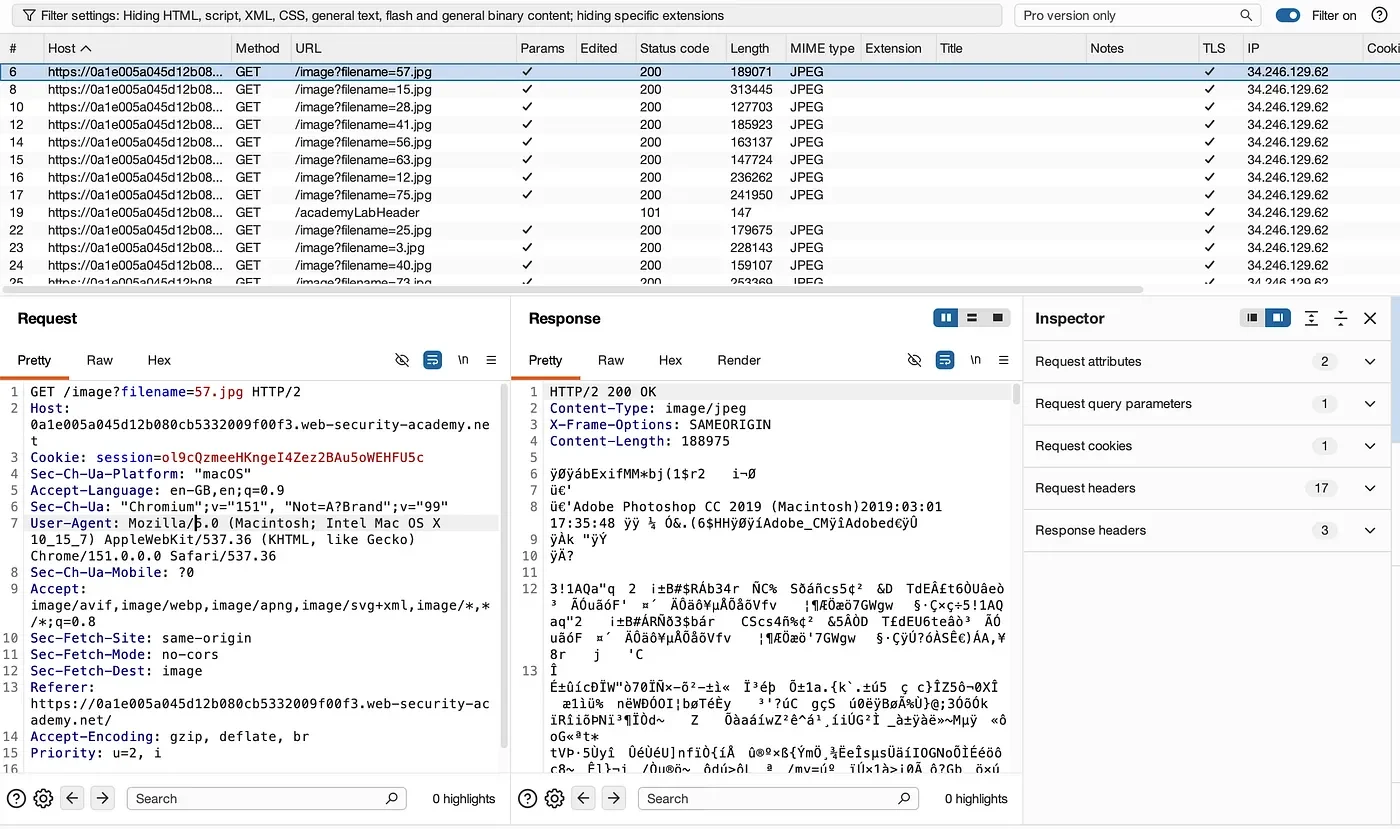
The starting point was Burp's proxy history, filtered the same way as in earlier labs in the series to remove static asset noise. That surfaced an image-loading request that took a filename directly in its query string, the same kind of endpoint as in the previous lab.
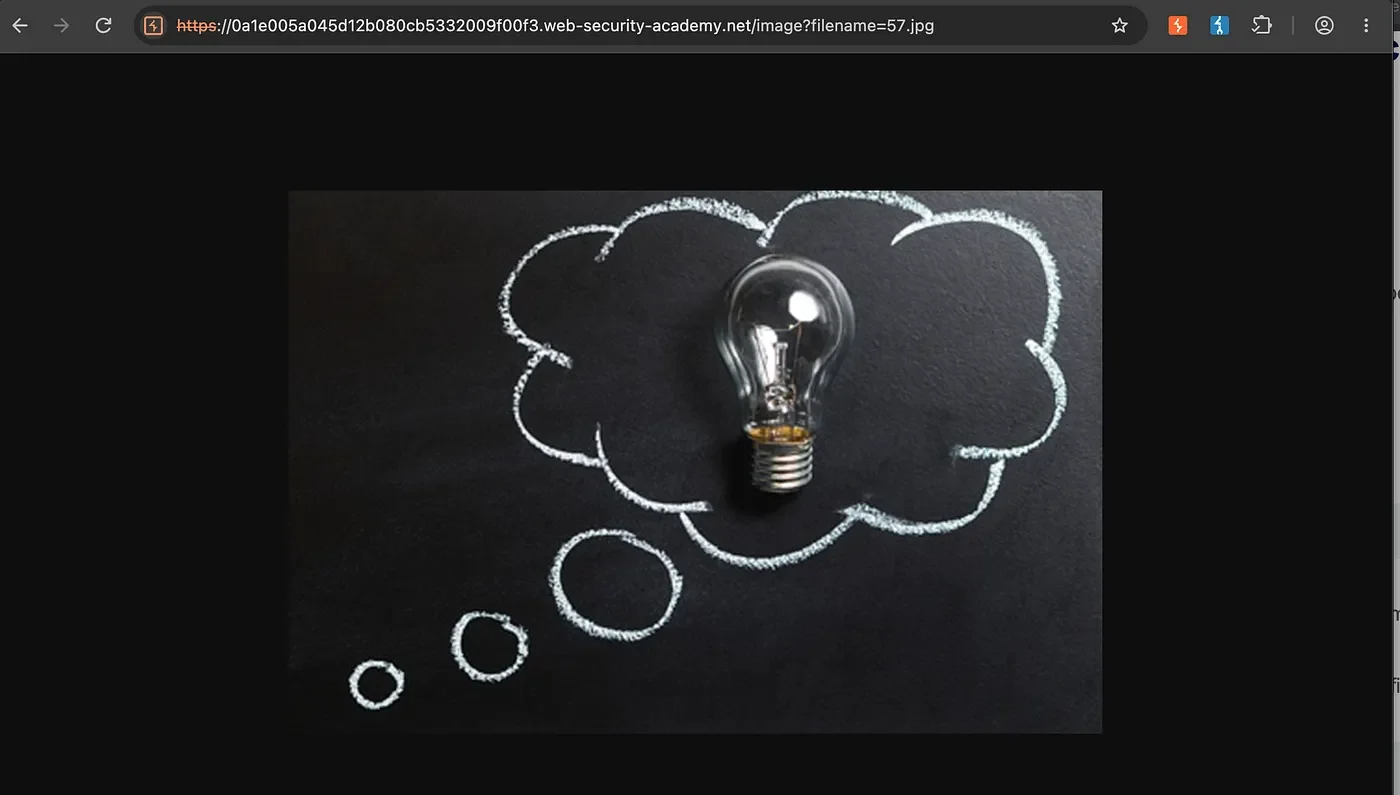
Loading that request directly in the browser confirmed the endpoint behaved as expected: the filename parameter returned a normal product image, with nothing unusual about the response.
Exploitation
Step 1: try the payload from the previous lab
The first attempt was the same relative traversal sequence that had worked on the previous lab, climbing back up several directory levels toward the filesystem root. This time the target file was not returned. That confirmed the application was actively filtering for that specific pattern, rather than simply storing its files somewhere the earlier trick could not reach.
Step 2: skip relative references entirely
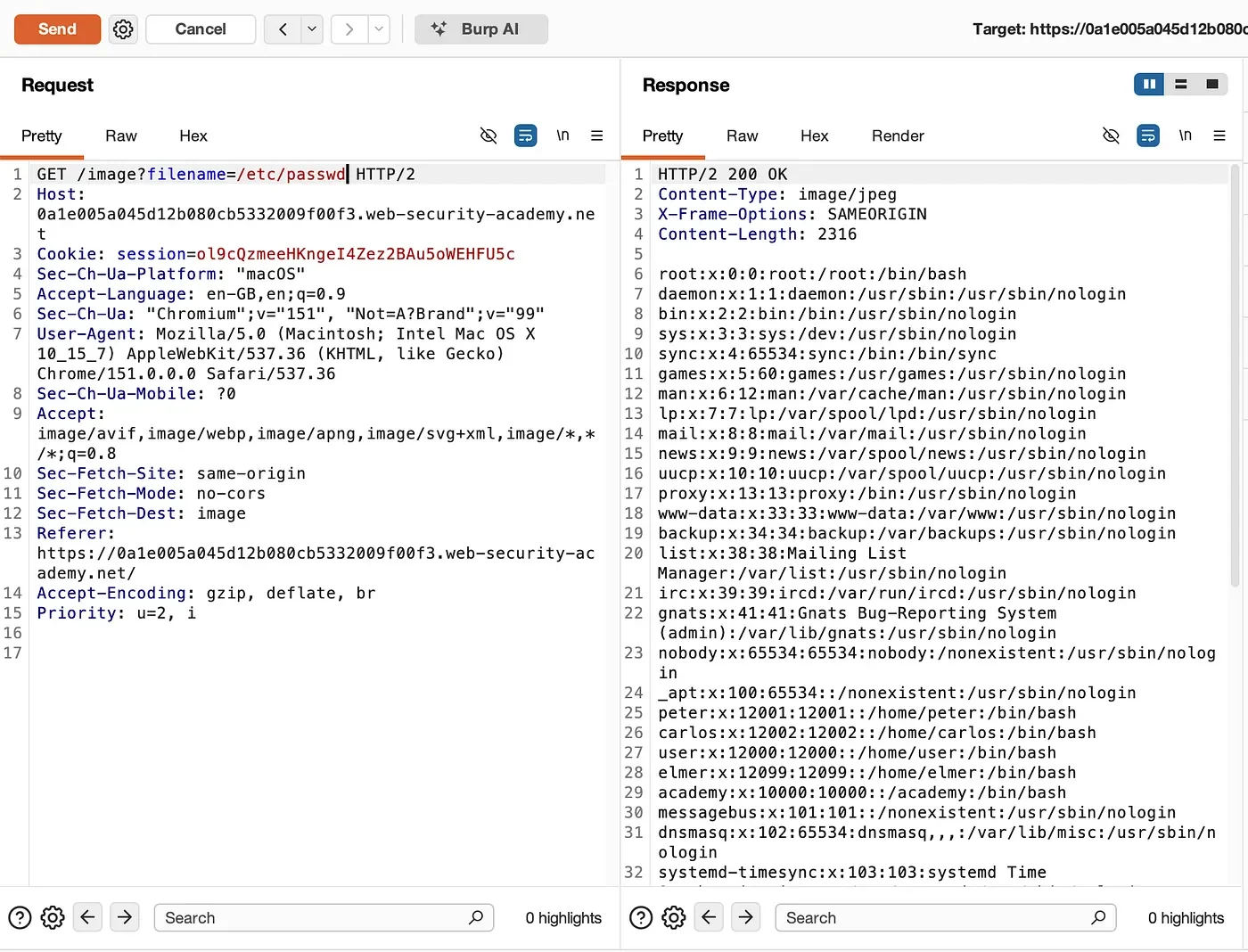
Instead of trying to sneak a relative sequence past the filter with encoding or obfuscation, the simpler move was to avoid relative references altogether. In Repeater, the filename value was replaced with a direct, fully qualified path to the target file: an absolute path containing no traversal sequence anywhere, just the plain location on the filesystem.
The response returned the same recognisable account listing seen in the previous lab. The filter had not been defeated on its own terms through some clever workaround; it had been avoided altogether, because the input never contained anything resembling the pattern it was built to detect.
Step 3: confirm
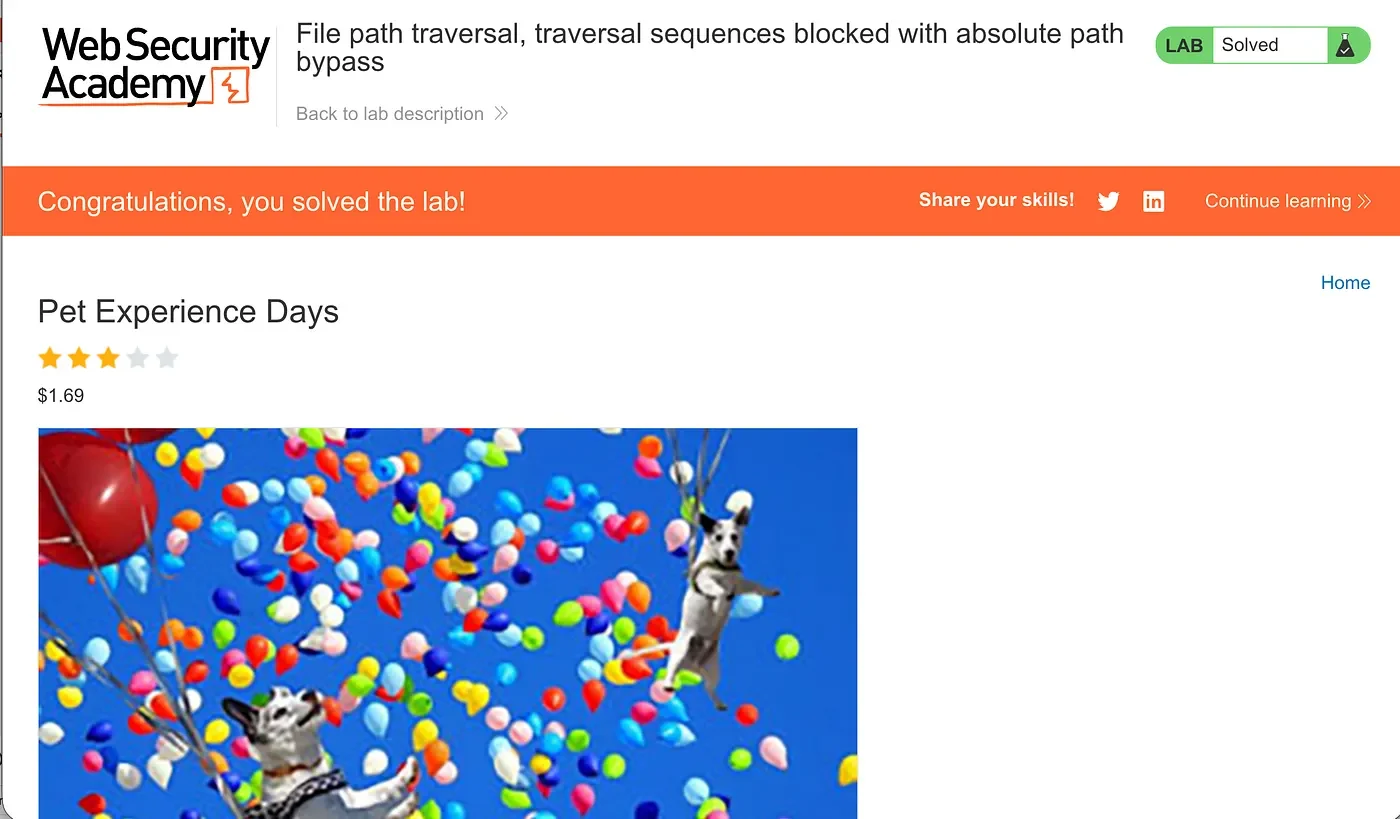
The lab marked itself solved immediately, with no further steps needed.
Root cause
The application joins a fixed base directory, such as an internal images folder, with the user-supplied filename to build the path it opens on disk. On most systems, when a base directory is joined with a path that already starts at the filesystem root, the path-joining behaviour built into many languages and frameworks discards the base directory and uses the supplied path as given. That is documented, intentional behaviour, not a bug in those languages.
A relative reference such as a traversal sequence only has an effect once it is combined with the base directory, climbing upward from wherever the base sits. That combination step is exactly what the filter watches for. An absolute path needs no combination at all: it already names a complete location on its own, so the filter's pattern matching never triggers.
The developers blocked one known string pattern rather than the underlying weakness. The filter reasons about the surface shape of the input, not about the invariant that matters: whether the final, fully resolved path stays inside the folder the application meant to restrict access to.
Impact
In the lab, supplying an absolute path as the filename value returned the account listing from outside the intended images directory, without any traversal sequence. The report describes this in the context of the lab only and does not assess real-world exposure, affected versions or severity.
Fix
A more robust fix, as described in the report, is to validate the final resolved path after joining: check explicitly that it is actually located inside the intended base directory, rather than trying to anticipate and enumerate every possible phrasing of a malicious input. That checks the outcome instead of pattern-matching the input. The report does not say whether the lab's developers changed anything.
Variants to test
- Send an absolute path as the filename value, for example a fully qualified path to a known file such as the account listing used here. A positive result is the contents of a file outside the images directory.
- Send the relative traversal payload that the filter is known to block, as a baseline. A positive result here is a rejection or a response without the target file, confirming the filter is active.
What happened, in plain words
A shop website had a feature that showed product pictures. The browser asked the site for a picture by name, and the site read that file from its own folder on the server and sent it back. The developers knew that people sometimes try to trick such features into reading files from other folders, so they added a check that blocked the usual trick. The check worked: the usual trick stopped working.
But the check only looked for one particular pattern in the name. The researcher sent a different kind of name instead, one that pointed straight at a file elsewhere on the server without using the blocked pattern at all. The site accepted it and returned a file it was never supposed to show. The lesson is that blocking one known attack is not the same as fixing the weakness behind it.
The lab and the feature
This is the ninth lab in a series on PortSwigger's Web Security Academy, a set of practice websites built so people can learn security hands-on. This lab belongs to the same family as the one before it: file path traversal. That term means making a program read a file from somewhere it was not meant to read from, by controlling part of the file path it uses.
The lab is titled "File path traversal, traversal sequences blocked with absolute path bypass". The title is a summary of the whole situation: the developers closed the obvious hole and left a second route to the same file open right beside it.
The target is a storefront, here a pet-experience shop rather than the clothing site used in the previous lab. The feature under test is image loading. The application takes a filename from the user, uses it to read a file from disk, and returns that file. Normally the filename refers to a product image inside the application's own images folder, and the browser receives an ordinary product picture.
The tools used
The work was done with Burp, a tool that sits between your browser and a website and lets you watch and edit the requests going back and forth. Two parts of it matter here:
- Proxy history: a running list of every request the browser made while Burp was watching, which you can scroll through and search.
- Repeater: a screen where you take one captured request, change part of it, send it again, and read the reply, as many times as you like.
The report does not name any accounts, roles or software versions. The only precondition is the one the lab provides: an endpoint that accepts a filename in its query string and serves the corresponding file.
Two more terms worth knowing before we go on:
- Endpoint: a specific address on a website that does a specific job, like a counter in a shop that handles one kind of request.
- Query string: the part of a web address after a question mark, made of name and value pairs, such as
?filename=cat.jpg. It is how a browser passes small pieces of information to the server in the address itself.
Finding the starting point
The starting point was Burp's proxy history, filtered the same way as in earlier labs in the series to remove static asset noise. Static assets are things like style sheets, fonts and scripts that load automatically with every page; they clutter the list and are rarely interesting, so filtering them out leaves the requests that actually carry data.
That filtering surfaced an image-loading request that took a filename directly in its query string, the same kind of endpoint as in the previous lab.
Loading that request directly in the browser confirmed the endpoint behaved as expected: the filename parameter returned a normal product image, with nothing unusual about the response. This step matters because you want to know what normal looks like before you change anything. If you do not establish the baseline, you cannot tell an odd result from a broken request.
Trying the obvious attack first
Step 1: the payload from the previous lab
The first attempt was the same relative traversal sequence that had worked on the previous lab, climbing back up several directory levels toward the filesystem root. A traversal sequence is a piece of text like ../ that means "go up one folder" in a file path. Stacking several of them walks upward through the folder structure, the way you might click the "up" button in a file browser several times to get from a deep folder to the top of the drive.
This time the target file was not returned. That confirmed the application was actively filtering for that specific pattern, rather than simply storing its files somewhere the earlier trick could not reach. In other words, the site was not accidentally safe; it was deliberately checking the input and rejecting the known bad shape.
Step 2: skip relative references entirely
Instead of trying to sneak a relative sequence past the filter with encoding or obfuscation, the simpler move was to avoid relative references altogether. Encoding means disguising characters so a filter does not recognise them; obfuscation means any other trick that hides the real meaning of the input. Both are ways of fighting the filter on its own terms.
In Repeater, the filename value was replaced with a direct, fully qualified path to the target file: an absolute path containing no traversal sequence anywhere, just the plain location on the filesystem.
An absolute path is the opposite of a relative one. A relative path says "start where you are and walk from here". An absolute path says "this exact spot, regardless of where you are", like giving a full postal address instead of saying "two doors down". On a filesystem it starts at the root, the top of the drive, and names every folder down to the file.
The response returned the same recognisable account listing seen in the previous lab. The filter had not been defeated on its own terms through some clever workaround; it had been avoided altogether, because the input never contained anything resembling the pattern it was built to detect.
Step 3: confirm
The lab marked itself solved immediately, with no further steps needed.
Why the bypass works
The application joins a fixed base directory, such as an internal images folder, with the user-supplied filename to build the path it opens on disk. Think of it as a shop assistant who is told "all stock is in the back room" and then handed a note with a location on it. Normally the note says something like "shelf 3", and the assistant looks on shelf 3 of the back room.
On most systems, when a base directory is joined with a path that already starts at the filesystem root, the path-joining behaviour built into many languages and frameworks discards the base directory and uses the supplied path as given. That is documented, intentional behaviour, not a bug in those languages. It is closer to a rule of the road than a mistake: if someone gives you a complete address, you do not stick it on the end of your own address.
A relative reference such as a traversal sequence only has an effect once it is combined with the base directory, climbing upward from wherever the base sits. That combination step is exactly what the filter watches for. An absolute path needs no combination at all: it already names a complete location on its own, so the filter's pattern matching never triggers.
The developers blocked one known string pattern rather than the underlying weakness. The filter reasons about the surface shape of the input, not about the invariant that matters: whether the final, fully resolved path stays inside the folder the application meant to restrict access to. An invariant is simply a rule that must always hold true, in this case "the file we open must live inside our images folder".
What the impact is
In the lab, supplying an absolute path as the filename value returned the account listing from outside the intended images directory, without any traversal sequence. The report describes this in the context of the lab only and does not assess real-world exposure, affected versions or severity.
How to fix it properly
A more robust fix, as described in the report, is to validate the final resolved path after joining: check explicitly that it is actually located inside the intended base directory, rather than trying to anticipate and enumerate every possible phrasing of a malicious input. That checks the outcome instead of pattern-matching the input.
Going back to the shop comparison: instead of teaching the assistant to refuse notes that contain the word "upstairs", you check the shelf the assistant actually walks to, and refuse if it is not in the back room. The first approach fails the moment someone writes the same instruction differently. The second holds no matter how the note is worded.
The report does not say whether the lab's developers changed anything.
Other things worth testing
- Send an absolute path as the filename value, for example a fully qualified path to a known file such as the account listing used here. A positive result is the contents of a file outside the images directory.
- Send the relative traversal payload that the filter is known to block, as a baseline. A positive result here is a rejection or a response without the target file, confirming the filter is active.
Glossary
- Absolute path: a file location written out in full from the top of the filesystem, so it means the same thing no matter where you start from.
- Account listing: a file on the server containing account information, used in this lab as the file to read.
- Base directory: the folder an application intends to read files from, which it combines with the user-supplied name.
- Burp: a tool that sits between browser and website so you can inspect and edit requests.
- Endpoint: a specific address on a website that performs one job.
- Encoding: rewriting characters in another form so that a filter may not recognise them.
- Filesystem root: the top level of a drive or filesystem, from which all folders branch downward.
- Filter: a check in the application that inspects input and rejects it if it matches a pattern.
- Invariant: a rule that must always remain true, such as "the opened file stays inside the images folder".
- Obfuscation: any trick that hides the real meaning of input from a filter.
- Path traversal: making a program read a file outside the folder it was meant to use, by controlling part of the file path.
- Payload: the specific piece of input an attacker sends to trigger a behaviour.
- Proxy history: Burp's running list of every request the browser made while Burp was watching.
- Query string: the name and value pairs after a question mark in a web address.
- Relative path: a file location described by starting from where you already are and walking from there.
- Repeater: Burp's screen for editing one captured request and resending it repeatedly.
- Static asset: a file such as a style sheet, font or script that loads with every page and rarely carries interesting data.
- Traversal sequence: text such as
../meaning "go up one folder" in a file path. - Validate: check a value against a rule and reject it if the rule is broken.



