From 3,99 to 1,650 USD (Part I) – Simple Vertical Privilege Escalation by Changing HTTP Response
The application returned an 'isAdm' parameter in HTTP responses that could be changed from false to true, and an 'Edit' parameter from 2 to 1, allowing a staff account to gain administrator privileges. An attacker with a staff account could modify settings and configurations reserved for administrators.

Bug Report / Web Apps / Write-Up
The full write-up lives on its author's site
It belongs to its author, so we link to it rather than copy it. The other two tabs are our own rewrites, checked against it.
Context
This is a write-up about a vertical privilege escalation on a private bug bounty program. The researcher does not name the program, and the report gives no product name, no endpoint paths and no version numbers. What the report does say is that the target is a web application that only allows registration with phone numbers carrying a specific country code, and that registration requires verifying that number. The application has at least two roles: an administrator and a staff member. The feature that matters for the finding is the login flow: after authentication the server returns a response containing role and permission flags, and the client uses those flags to decide what the user can see and do.
The report is the first part of a series. The author states that the same target yielded one P2, one P3 and two P4 findings. The bounty for this issue was 1,000 USD. The title refers to going "from 3,99 to 1,650 USD", and 3.99 USD was the cost of a one-week premium virtual phone number used to create the second account.
Setup
Accounts and roles
The researcher needed two accounts on the same entity: one registered as administrator and one as staff. Because the target only accepts a specific country code, and the researcher had no colleague in that country to help, the registration itself became the first obstacle.
Attempts that failed:
- Several bypasses to register with the researcher's own phone number.
- Free public SMS receivers. As expected, the numbers were already in use.
- Password reset against those public numbers, which the target blocked. The researcher assumes this is because many people try the same trick.
What worked was a pair of virtual number applications:
- 2ndline, free with several conditions, used for the first account.
- Hushed, the premium option, which cost 3.99 USD for one week of access, used for the second account.
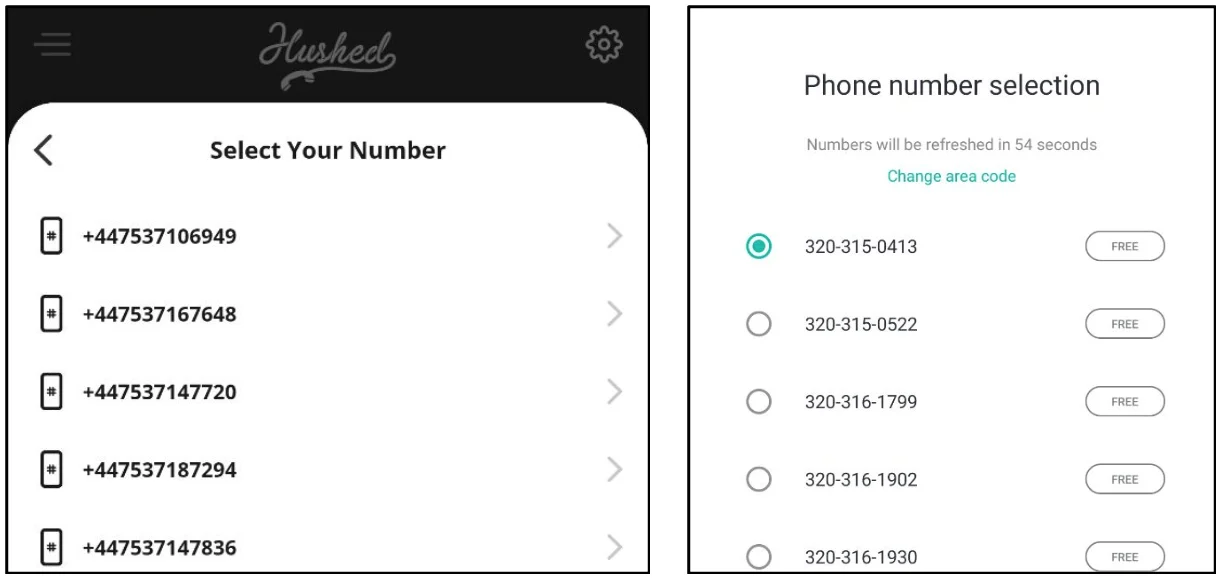
With those two numbers the researcher registered two accounts on the same entity, one as administrator and one as staff. The one-week limit on the paid number meant the testing had to be efficient.
Tooling
The only tool named is Burp Suite, specifically its ability to intercept server responses. The report notes that similar tools have the same feature. Intercepting responses is what makes the whole attack possible: it lets the tester modify a value after the server has produced it but before the client receives it.
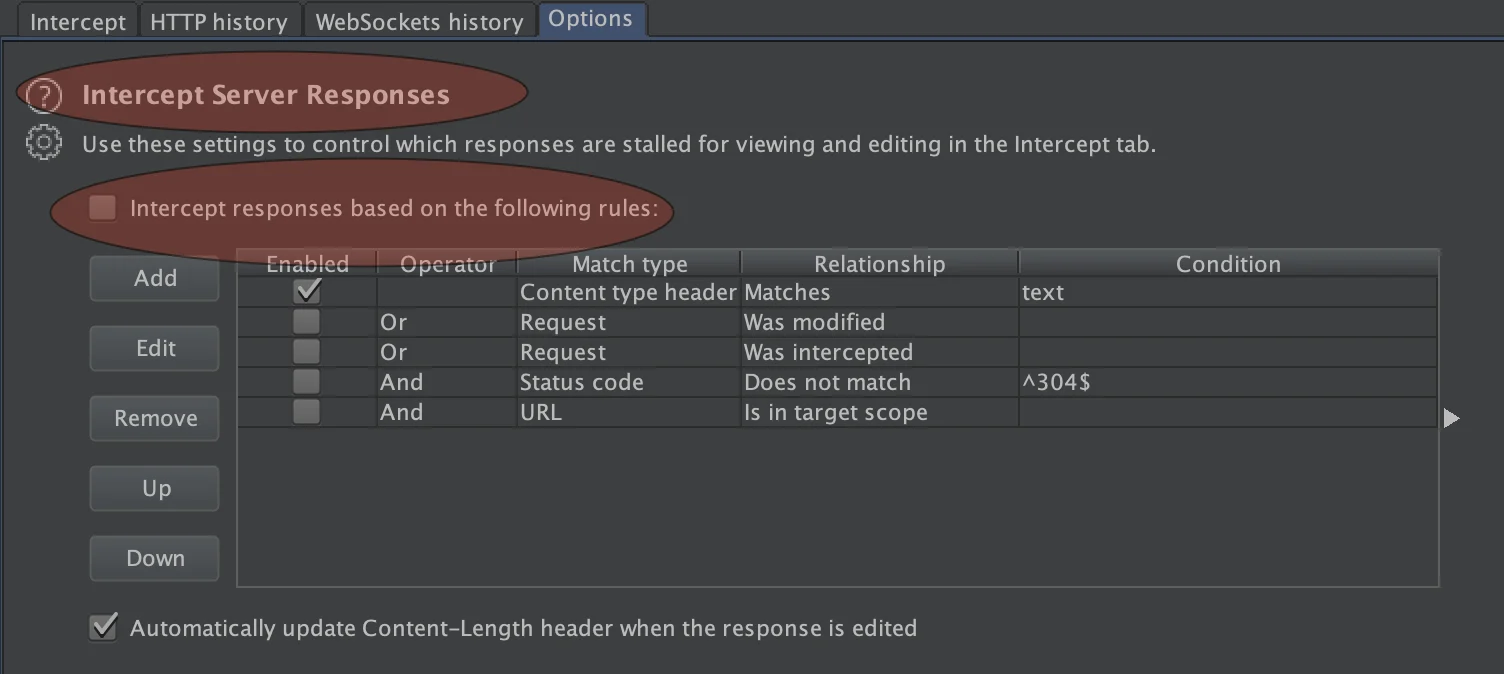
No versions, extensions or configuration details are given.
Finding it
With two accounts of different privilege, the researcher went after logic bugs first, and privilege escalation in particular. The report lists the general approaches used when you hold two accounts:
- Change user IDs from one account to another on POST, GET or any other HTTP method.
- When the application uses POST and changing the user ID does not work, switch the request from GET to POST, and vice versa.
- Access protected URLs directly from the low-level account. The report gives the generic example of an administrator URL such as
https://target/protect-urlbeing requested from a low-level account. - Analyse how sessions are created, in particular whether they are predictable.
The finding itself came from reading the login response. The researcher looked for common flags such as isAdm, isAdmin, isAdministrator or anything similar, on the reasoning that "Adm" can mean "Root". On this target, the login response contained an isAdm parameter, and it appeared on three different endpoints within a single request. That caught the researcher's attention.
Comparing the two accounts showed a clean difference: isAdm is set to true when logging in as administrator and to false when logging in as staff.
Exploitation
Step 1: flip isAdm on the staff login
The first attempt was to intercept the staff login response and change isAdm from false to true on all three endpoints where it appeared, hoping the account would gain administrator rights.
The result was partial. The staff account's status changed completely from staff to administrator, but the account still could not modify anything that an administrator can normally modify. As the researcher puts it, it was like having the highest privilege account with no privileges at all. Reporting that alone would have been weak: what is the impact of an administrator tag that cannot perform administrative actions?
Step 2: find the parameter that actually gates changes
Since the account could not change anything, something else in the application had to be granting the right to make changes. Going back to the HTTP response, the researcher found an Edit parameter and compared it between the two accounts:
| Account | isAdm |
Edit |
|---|---|---|
| administrator | true |
1 |
| staff | false |
2 |
The assumption was that Edit was blocking the staff account from changing settings and configurations even after it carried the administrator tag.
Step 3: change both parameters together
The researcher re-ran the login with the staff account and modified both values in the intercepted response:
- Log in with the staff account. In the HTTP response,
isAdmhas the valuefalseandEditis set to2. - Change
isAdmtotrueandEditto1. - Forward the response. The staff account now has administrator privileges.
- To confirm the change really works, log in with another browser using that account and try changing settings or configurations that only an administrator can change. If that works, the privilege escalation has been executed successfully.
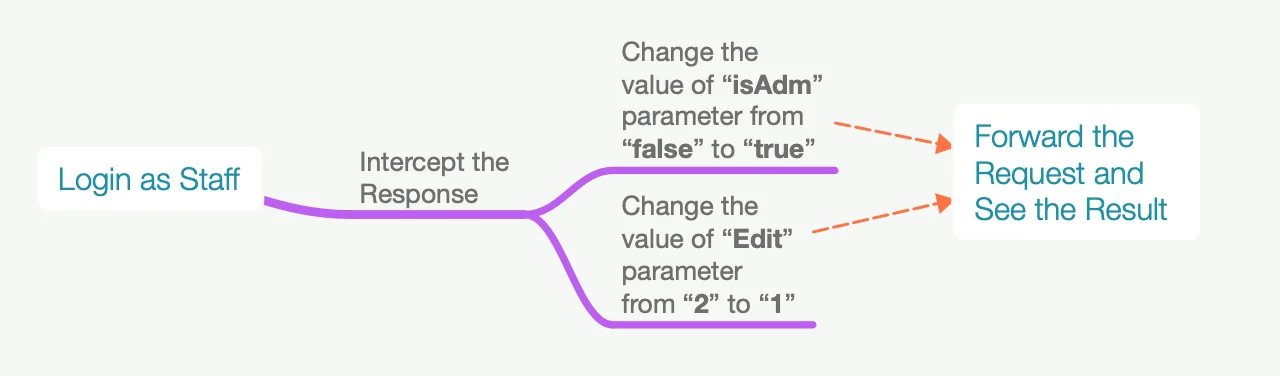
The report does not include the raw request or response, so the exact JSON or body structure, the three endpoint names and the surrounding fields are not shown. What is shown is the pair of values and the fact that isAdm appears three times in one response.
Step 4: record a proof of concept
After confirming that everything worked, the researcher recorded the activity from the beginning. The report stresses keeping the interceptor log alongside the recording: the log is often needed as proof that the behaviour can actually be reproduced, and the timestamps in the interceptor should match the times shown in the video.
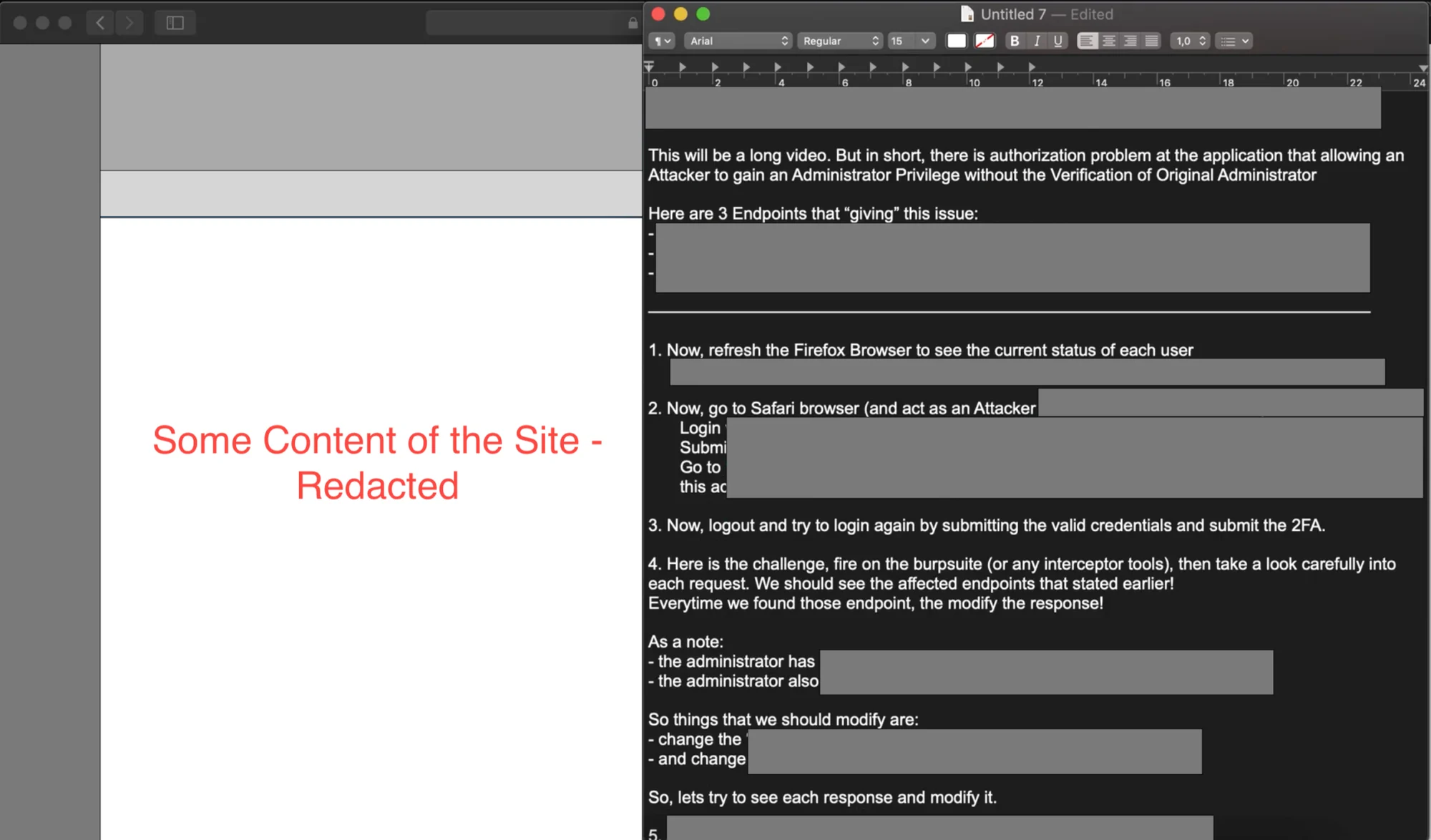
The PoC video is described as a summary of the report, with step-by-step notes intended to make reproduction easier.
Timeline and reward
About 17 days after submission the issue was marked P2, and it was fixed about a month later. The report mentions earlier intensive discussion with the program owner because of some problem, without describing what the problem was.

Root cause
The application trusted client-side state for authorisation decisions. The login response carried the role flag isAdm and the permission flag Edit, and the client used those values to decide which interface elements and actions were available. Because the flags travelled in a response the user's own browser receives, the user could rewrite them before the browser rendered the page. The report does not show server-side code, so whether the server validated the flags at all is not stated.
The two-flag design made the first attempt fail in an instructive way. isAdm controlled the displayed role, while Edit controlled the ability to change settings. Flipping only the first produced an administrator label with no capability, which suggests the two checks were implemented separately and the second one was the effective gate.
Impact
A staff-level user could escalate to full administrator capability by tampering with the login response, and could then change settings and configurations reserved for administrators. The escalation required the attacker to hold a valid account on the target, which in turn required a phone number with the accepted country code. The researcher's own route to that was a paid virtual number service, which shows the barrier is real but not prohibitive. The report does not enumerate which settings could be changed or what the downstream effect on other users or the application owner would be.
Fix
The report says the issue was fixed about a month after it was marked P2, but does not describe the change. The fix that addresses the root cause is to stop deriving authorisation from values the client can edit: the server should determine the user's role and permissions from server-side session state on every request, and every administrator-only action should be authorised on the server regardless of what the client displays. Role and permission flags in a response can remain for rendering, but they must not be the control.
Variants to test
- Role flags in login responses. Look for
isAdm,isAdmin,isAdministrator,role,typeor similar in the response body after login, and compare the values between two accounts of different privilege. A positive result is a flag that changes with role and whose modification changes what the client lets you do. - Separate capability flags. When flipping the role flag alone gives a label without power, look for a second flag such as
Edit,canEdit,permor a numeric level, and compare it across accounts. A positive result is a second value that differs by role and, once changed, unlocks actions the role flag alone did not. - Repeated flags across endpoints. The
isAdmvalue appeared on three endpoints in one response. Check every occurrence; changing only some of them may leave the client in an inconsistent state. A positive result is any change in behaviour after modifying the copies. - Server-side enforcement check. After tampering, perform the privileged action from a fresh browser session with the modified account. A positive result is the action succeeding from a fresh browser session with the modified account.
- Method and ID swaps. As the report lists, change user IDs between accounts on GET and POST, switch methods in both directions, and request administrator URLs directly from the low-level account. A positive result is any response that returns or performs administrator-only content for the lower-privileged account.
What happened, in plain words
A security researcher found a way to turn an ordinary "staff" account on a website into a full "administrator" account. The trick did not involve breaking any password or guessing any secret. It relied on a simple fact: when you log in, the website's server sends your browser a small package of information that says who you are and what you are allowed to do. The researcher used a tool to catch that package on its way to the browser, edited two of the values inside it, and sent it on. The website then treated the staff account as an administrator.
The researcher had to work a bit to get two accounts in the first place, because the site only accepted phone numbers from one particular country. They solved that by renting temporary phone numbers from two apps. One app was free with conditions, the other cost 3.99 US dollars for a week. That small payment is why the article's title talks about going "from 3,99 to 1,650 USD". This bug alone was rewarded with 1,000 dollars.
The report does not name the program or the product, and it does not give the web addresses of the pages involved. It is the first part of a series. The author says the same target produced one P2, one P3 and two P4 findings, and this article covers the P2, the privilege escalation.
The setup
Two accounts, two roles
To test whether one kind of user can do things meant for another kind of user, you need at least two accounts with different levels of access. The researcher needed one account registered as administrator and one as staff. An administrator is the person who runs the site: they can change settings and configurations. A staff member is a lower-level user who can log in but should not be able to change those settings.
The first obstacle was registration. The site only accepted phone numbers with a specific country code, and it required the person registering to verify that number, usually by receiving a text message or a call. The researcher did not have a phone number from that country, and had no colleague there to ask for help.
Three attempts failed:
- Trying several tricks to register with the researcher's own phone number.
- Using free public SMS receivers, which are websites that show text messages sent to a shared number. As you might expect, those numbers were already in use by other people.
- Trying to reset the password on accounts tied to those public numbers. The site blocked this, and the researcher assumes it is because many people try the same thing.
What worked was renting virtual phone numbers. A virtual number is a real phone number that is not tied to a physical SIM card; an app receives the calls and texts for you over the internet. The researcher used two such apps:
- 2ndline, which is free to get a number under several conditions, for the first account.
- Hushed, the premium option, which cost 3.99 US dollars for one week of access, for the second account.
With those two numbers the researcher registered two accounts on the same entity, one as administrator and one as staff. Because the paid number only lasted a week, the testing had to be done efficiently.
The tool
The only tool named in the report is Burp Suite. Burp Suite is a program that sits between your browser and a website, like a postal worker who opens every letter in both directions before delivering it. Normally your browser talks directly to the server. With Burp Suite in the middle, every request your browser sends and every response the server sends passes through the tool, and you can pause, read and edit them.
The specific feature used here is the ability to intercept server responses. Most people know about intercepting requests, which is editing what you send. Intercepting responses is the mirror image: the server has already produced its answer, and you change it before your browser sees it.
No versions, extensions or configuration details are given in the report.
Finding the weakness
With two accounts of different privilege, the researcher went after logic bugs first, and privilege escalation in particular. Privilege escalation means getting access to more power than you are supposed to have. It comes in two shapes. Vertical escalation is moving up a level, for example from staff to administrator. Horizontal escalation is moving sideways, for example from one ordinary user to another ordinary user's data. This finding is vertical.
The report lists the general approaches used when you hold two accounts:
- Change user IDs from one account to another on POST, GET or any other HTTP method. A user ID is the number or code that identifies an account, and if the server trusts whatever ID you send, you may be able to act as someone else.
- When the application uses POST and changing the user ID does not work, switch the request from GET to POST, and vice versa. GET and POST are two ways a browser can ask a server for something; some servers check one and forget the other.
- Access protected URLs directly from the low-level account. The report gives the generic example of an administrator URL such as
https://target/protect-urlbeing requested from a low-level account. If the page loads, the server is not checking who is asking. - Analyse how sessions are created, in particular whether they are predictable. A session is how a website remembers that you are logged in; if the identifier for that session can be guessed, someone else can take over your login.
The finding itself came from reading the login response. The researcher looked for common flags such as isAdm, isAdmin, isAdministrator or anything similar, on the reasoning that "Adm" can mean "Root". A flag here is just a named value in the data the server sends, usually true or false, that tells the browser something about the user. "Root" is the traditional name for the all-powerful account on a computer system, so a flag whose name contains "Adm" is a strong hint that it controls administrator status.
On this target, the login response contained an isAdm parameter, and it appeared on three different endpoints within a single request. An endpoint is one specific address or function on a server that returns data, for example the address that returns your profile or the address that returns your permissions. One request can cause the server to gather data from several endpoints and combine it into one response, which is why the same flag can appear three times.
Comparing the two accounts showed a clean difference: isAdm is set to true when logging in as administrator and to false when logging in as staff.
Exploitation
Step 1: flip isAdm on the staff login
The first attempt was to intercept the staff login response and change isAdm from false to true on all three endpoints where it appeared, hoping the account would gain administrator rights.
The result was partial. The staff account's status changed completely from staff to administrator, but the account still could not modify anything that an administrator can normally modify. As the researcher puts it, it was like having the highest privilege account with no privileges at all. Reporting that alone would have been weak: what is the impact of an administrator tag that cannot perform administrative actions?
Step 2: find the parameter that actually gates changes
Since the account could not change anything, something else in the application had to be granting the right to make changes. Going back to the HTTP response, the researcher found an Edit parameter and compared it between the two accounts:
| Account | isAdm |
Edit |
|---|---|---|
| administrator | true |
1 |
| staff | false |
2 |
The assumption was that Edit was blocking the staff account from changing settings and configurations even after it carried the administrator tag. In other words, the site had two separate locks: one that decided what label you wore, and one that decided whether the buttons actually worked. Changing the label alone was not enough.
Step 3: change both parameters together
The researcher re-ran the login with the staff account and modified both values in the intercepted response:
- Log in with the staff account. In the HTTP response,
isAdmhas the valuefalseandEditis set to2. - Change
isAdmtotrueandEditto1. - Forward the response. The staff account now has administrator privileges.
- To confirm the change really works, log in with another browser using that account and try changing settings or configurations that only an administrator can change. If that works, the privilege escalation has been executed successfully.
Step 4 matters because of how easy it is to fool yourself. If you only look at the page in the same browser where you tampered with the response, you might be seeing a cosmetic change: the page might simply draw an administrator menu because a flag said so, while the server still refuses every action. Opening a fresh browser session and actually performing an administrator-only action proves the server accepted the change, not just the page.
The report does not include the raw request or response, so the exact JSON or body structure, the three endpoint names and the surrounding fields are not shown. What is shown is the pair of values and the fact that isAdm appears three times in one response.
Step 4: record a proof of concept
After confirming that everything worked, the researcher recorded the activity from the beginning. A proof of concept, or PoC, is a demonstration that the bug is real: a recording or set of screenshots showing the steps from a clean start to the successful result. The report stresses keeping the interceptor log alongside the recording. The log is the tool's own record of every request and response it saw, and it is often needed as proof that the behaviour can actually be reproduced. The timestamps in the interceptor should match the times shown in the video, so that nobody can argue the two records come from different moments.
The PoC video is described as a summary of the report, with step-by-step notes intended to make reproduction easier.
Timeline and reward
About 17 days after submission the issue was marked P2, and it was fixed about a month later. A P2 is a priority or severity rating used by bug bounty platforms; it sits high on the scale, below the most critical level but well above minor issues. The report mentions earlier intensive discussion with the program owner because of some problem, without describing what the problem was.
Why it worked
The application trusted client-side state for authorisation decisions. "Client-side" means the part running in your own browser; "server-side" means the part running on the website's computers, which you cannot touch. The login response carried the role flag isAdm and the permission flag Edit, and the client used those values to decide which interface elements and actions were available. Because the flags travelled in a response the user's own browser receives, the user could rewrite them before the browser rendered the page. The report does not show server-side code, so whether the server validated the flags at all is not stated.
A useful comparison is a nightclub with two separate checks. The first check gives you a wristband that says "VIP". The second check is the one the bartender actually looks at before pouring a free drink. If you can print your own wristband, you look like a VIP, but the bartender still refuses. That is exactly what happened when only isAdm was changed: the account wore the administrator wristband but could not do anything. The Edit flag was the second check, and once both were altered, the door opened.
The two-flag design made the first attempt fail in an instructive way. isAdm controlled the displayed role, while Edit controlled the ability to change settings. Flipping only the first produced an administrator label with no capability, which suggests the two checks were implemented separately and the second one was the effective gate.
What an attacker could do
A staff-level user could escalate to full administrator capability by tampering with the login response, and could then change settings and configurations reserved for administrators. The escalation required the attacker to hold a valid account on the target, which in turn required a phone number with the accepted country code. The researcher's own route to that was a paid virtual number service, which shows the barrier is real but not prohibitive. The report does not enumerate which settings could be changed or what the downstream effect on other users or the application owner would be.
How it was fixed
The report says the issue was fixed about a month after it was marked P2, but does not describe the change. The fix that addresses the root cause is to stop deriving authorisation from values the client can edit: the server should determine the user's role and permissions from server-side session state on every request, and every administrator-only action should be authorised on the server regardless of what the client displays. Role and permission flags in a response can remain for rendering, but they must not be the control. In the nightclub comparison, the bartender should check a list kept behind the bar, not the wristband you printed at home.
Other places to look for the same pattern
- Role flags in login responses. Look for
isAdm,isAdmin,isAdministrator,role,typeor similar in the response body after login, and compare the values between two accounts of different privilege. A positive result is a flag that changes with role and whose modification changes what the client lets you do. - Separate capability flags. When flipping the role flag alone gives a label without power, look for a second flag such as
Edit,canEdit,permor a numeric level, and compare it across accounts. A positive result is a second value that differs by role and, once changed, unlocks actions the role flag alone did not. - Repeated flags across endpoints. The
isAdmvalue appeared on three endpoints in one response. Check every occurrence; changing only some of them may leave the client in an inconsistent state. A positive result is any change in behaviour after modifying the copies. - Server-side enforcement check. After tampering, perform the privileged action from a fresh browser session with the modified account. A positive result is the action succeeding from a fresh browser session with the modified account.
- Method and ID swaps. As the report lists, change user IDs between accounts on GET and POST, switch methods in both directions, and request administrator URLs directly from the low-level account. A positive result is any response that returns or performs administrator-only content for the lower-privileged account.
Glossary
- Administrator: the highest-level user role on the site, able to change settings and configurations that ordinary users cannot.
- Staff: a lower-level user role that can log in but should not be able to change administrator-only settings.
- Privilege escalation: gaining more access than you are supposed to have. Vertical means moving up a level (staff to administrator); horizontal means moving sideways to another user's data.
- Server: the computer that runs the website and holds the data; you never touch it directly.
- Client: the part of the system running on your own computer, normally your browser.
- Client-side state: information the browser holds and uses to decide what to show, which the user can therefore change.
- Server-side state: information kept on the server, which the user cannot edit.
- Request: the message your browser sends to a server, for example "please log me in".
- Response: the message the server sends back, for example the page or data you asked for.
- HTTP method: the verb at the start of a request. GET asks for something; POST sends something, usually form data.
- Endpoint: one specific address or function on a server that returns data or performs an action.
- Parameter: a named value inside a request or response, such as
isAdmorEdit. - Flag: a parameter that is usually
trueorfalseand signals a condition, such as whether the user is an administrator. - Session: the way a website remembers that you are logged in across multiple requests.
- Session predictability: whether the identifier for a session can be guessed, which would let someone else take over your login.
- Cookie: a small piece of data a site stores in your browser, often used to carry the session identifier.
- Token: a value, often a long random string, that proves who you are or authorises an action.
- Burp Suite: a tool that sits between your browser and a website so you can pause, read and edit requests and responses.
- Intercepting responses: pausing a server's answer on its way to the browser so you can change it first.
- Virtual phone number: a real phone number not tied to a physical SIM card, whose calls and texts are received through an app over the internet.
- SMS receiver: a website or service that shows text messages sent to a shared phone number.
- Proof of concept (PoC): a demonstration, usually a video or screenshots, showing the bug being reproduced from a clean start.
- Interceptor log: the tool's own record of every request and response it saw, used as evidence.
- P2: a severity or priority rating on a bug bounty platform, high on the scale but below the most critical level.
- Bug bounty program: an arrangement where a company pays researchers for reporting security problems in its systems.
- Bounty: the money paid for a valid report.
- Root: the traditional name for the all-powerful account on a computer system.