How I hacked hundreds of companies through their helpdesk
Helpdesk and issue-tracker systems that accept emails from any sender allowed an attacker to sign up with a company's support or no-reply address and read the verification link sent to that address, thereby joining internal Slack or Yammer teams or hijacking linked accounts. The attacker could also read and respond to support tickets and intercept password reset links sent to the support address.
 Published on medium.com
Months ago I discovered a flaw hackers can use to access a company’s internal communications. The flaw only takes a couple of clicks to potentially access intranets, social media accounts such as Twitter, and most commonly Yammer and Slackteams.
The full write-up lives on its author's site
It belongs to its author, so we link to it rather than copy it. The other two tabs are our own rewrites, checked against it.
Context
Business communication tools such as Slack, Yammer and Facebook Workplace let employees join a company's instance by signing up with their @company e-mail address. The employee receives a verification link at that internal address, clicks it, and gains access to internal communication. That sign-up flow is the door.
The keys are the features that let an outsider make a company's mail infrastructure send mail on their behalf, or read mail that arrives at a shared address. Two of them are covered here: issue trackers that create a ticket from an inbound e-mail, and customer support desks that turn inbound e-mail into tickets visible in a portal. The researcher named the combined technique Ticket Trick.
Setup
The attack needs three preconditions to line up:
- A business communication tool where anyone holding a valid @company address can join, by default, once they click the verification link.
- A way to get that verification link delivered somewhere the attacker can read it. Either a public issue tracker that accepts issues by e-mail at a unique @company address, or a support portal that creates tickets from e-mail and lets a user register with an unverified address.
- No e-mail verification on the support portal registration, or a way to bypass it.
The researcher contacted dozens of companies and affected vendors through their bug bounty programmes. No specific tooling is described beyond a browser and the vendors' own sign-up and portal features.
Finding it
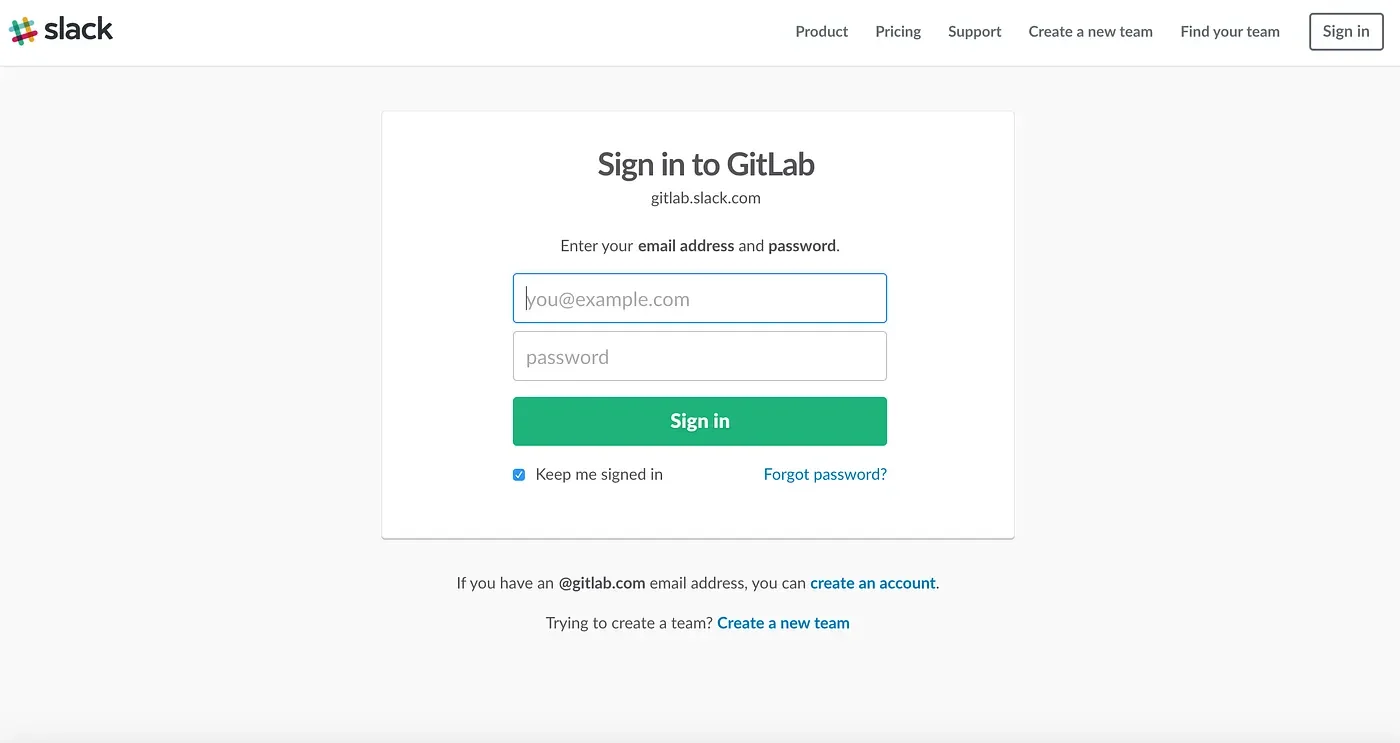
The starting point was GitLab. Anyone with a valid @gitlab.com e-mail address could join their team, which the researcher describes as a way to bypass the authentication.
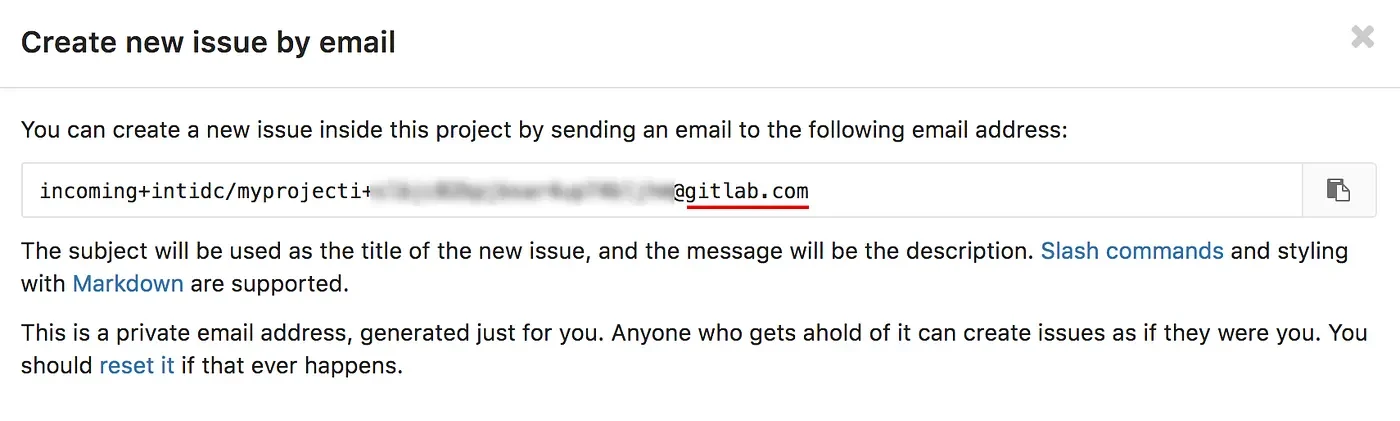
At the same time, GitLab offers a feature to create issues by e-mail: you send a message to a unique @gitlab.com address and it becomes an issue.
The two features compose badly. If the attacker can make GitLab's own mail system send a message to that issue-creating address, the message body, including any verification link, lands in an issue the attacker can read.
Exploitation
Step 1: use the issue tracker as a mailbox
The researcher tried to join GitLab's Slack team using the issue-creating e-mail address, to see what would happen.
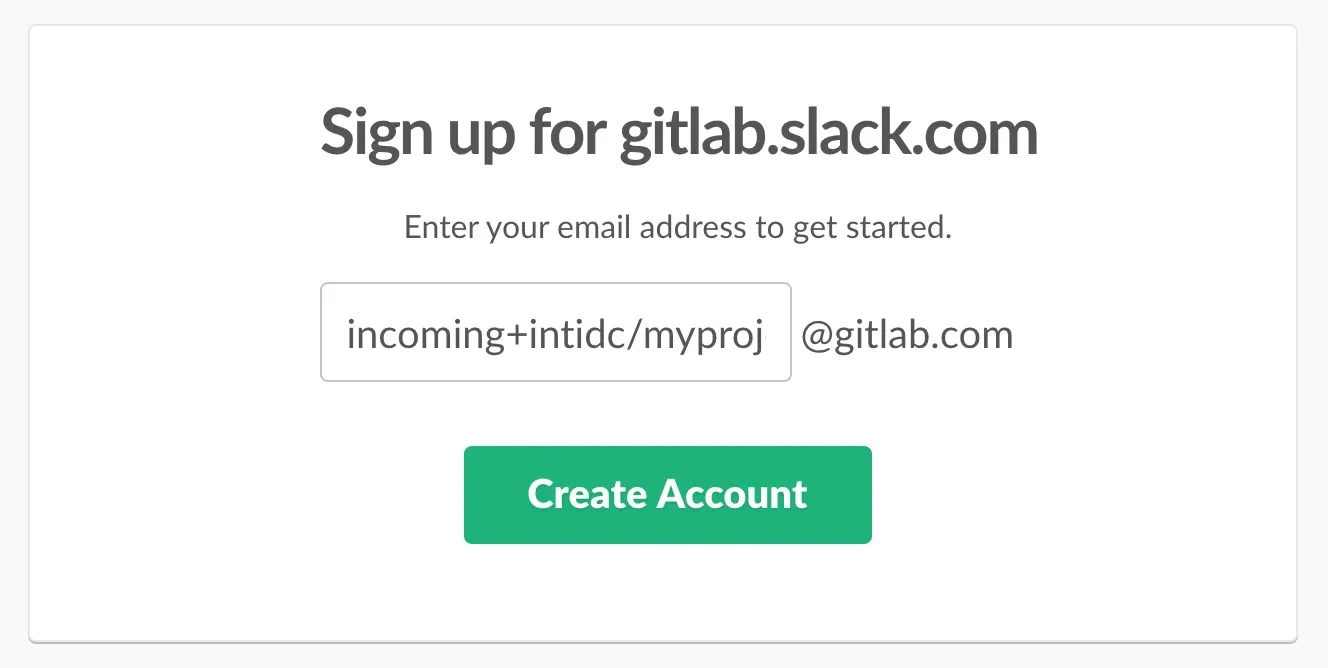
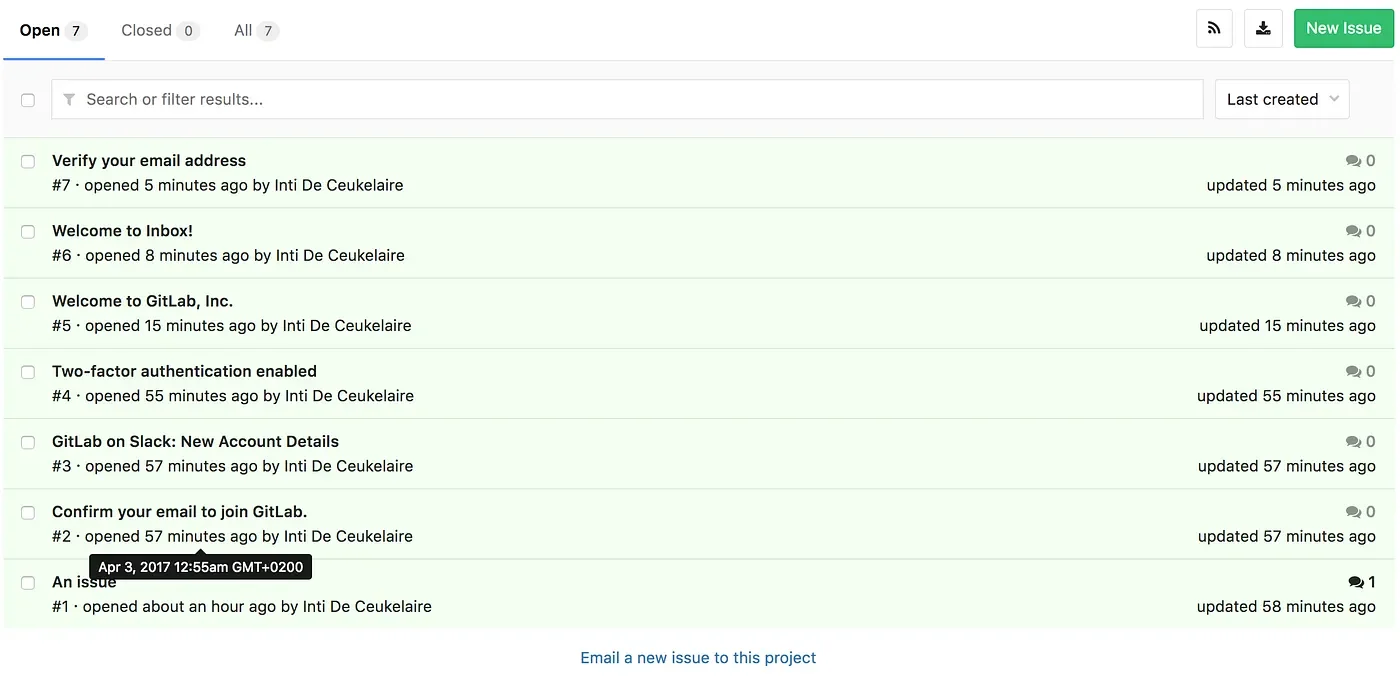
After refreshing the issue list, the verification e-mails had been added as an issue to the project.
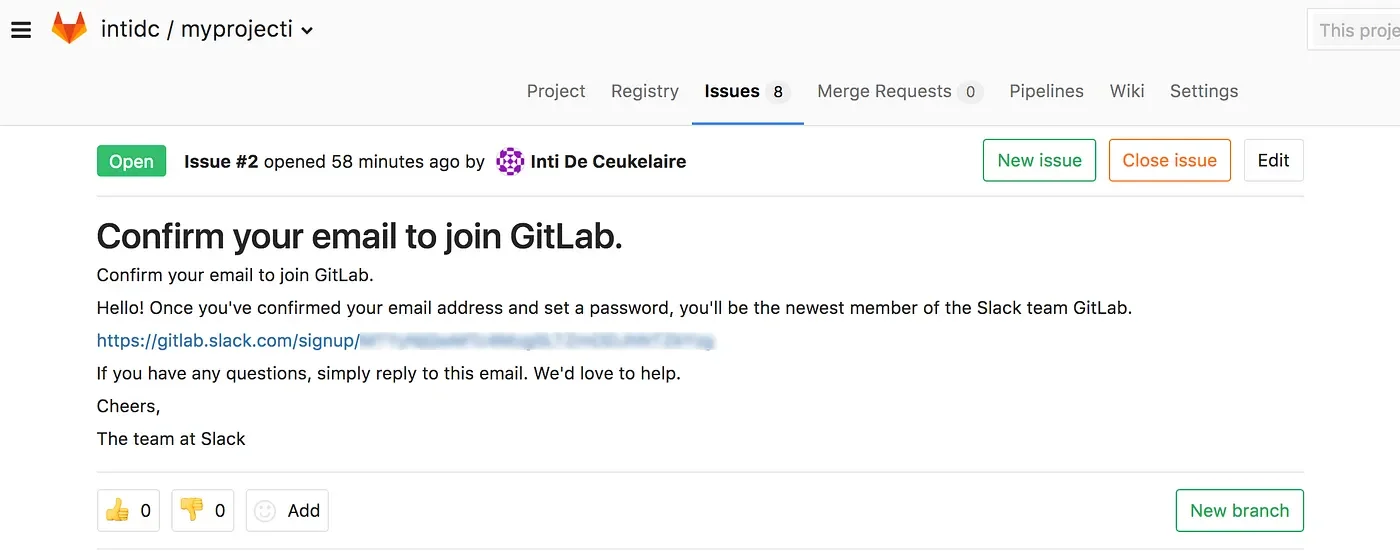
The freshly created issue contained the magic link needed to join the internal Slack team.
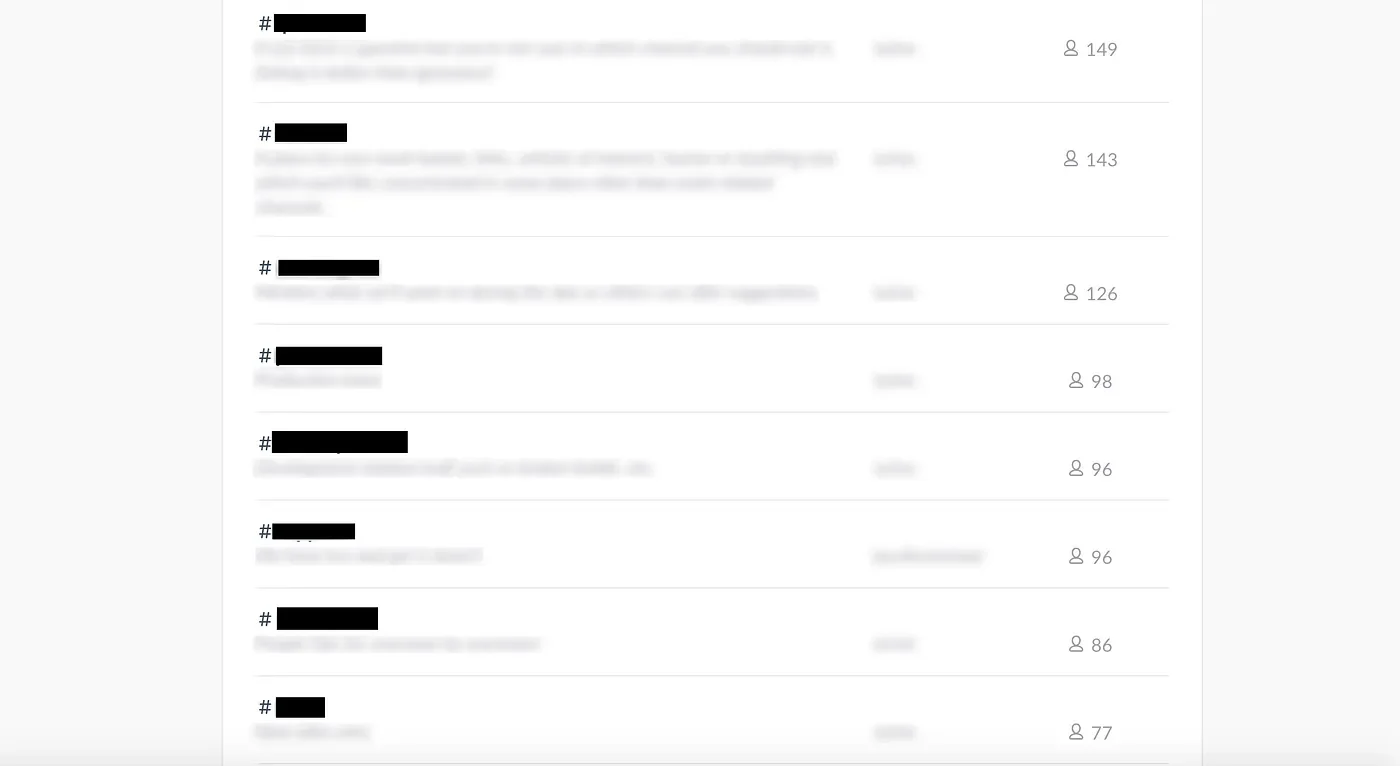
Clicking the link worked. The researcher was greeted by the list of channels available to join, then immediately removed the account and notified GitLab.
GitLab responded the same Sunday evening the report was sent.

They set their Slack to invite-only and took additional measures to warn customers about the dangers of the e-mail issue creation feature.
Step 2: move to the support desk
Only a handful of sites run public issue trackers, so the researcher looked for a more common vector. E-mails sent to [redacted] sometimes appear in an online support portal such as Zendesk, Kayako, (Fresh)Desk, WHMCS or a custom tool. The question was whether a hacker could extract links from that database.
Most support portals can be integrated with single sign-on, so an authenticated user is logged into the support desk automatically. More than half of the websites tested did not require e-mail verification, which means anyone could sign up with any e-mail address and read any support ticket created by that address. An online video sharing platform, censored in the write-up, was one of the companies without verification.
Step 3: register with the sender's address
The researcher registered an account on that platform using the same address Slack uses to send its magic verification links: [redacted].
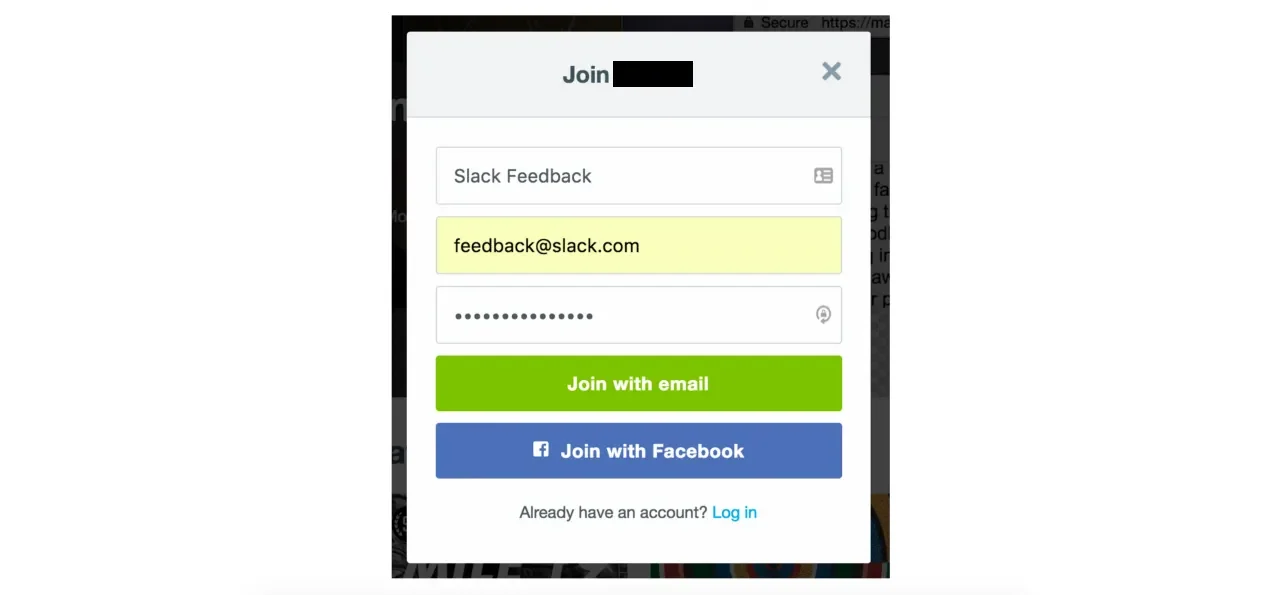
Using Slack's find your workspace feature, the researcher located the target company's Slack instance and signed up with the address support@[censored].com.
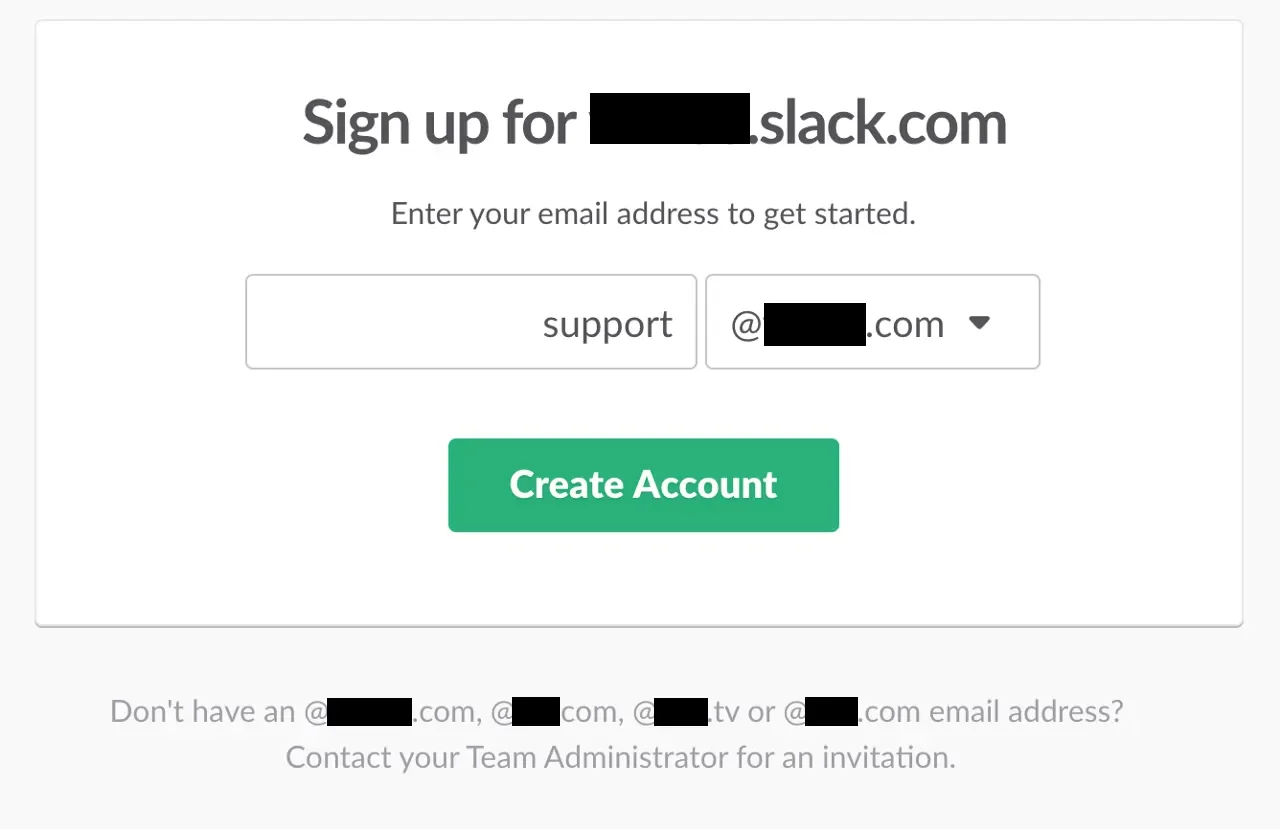
Behind the scenes, [redacted] now sends an e-mail to support@[censored].com containing the verification link. When support@[censored].com receives it, the message is classified as a support ticket created by [redacted], which is exactly the address the researcher registered with.
Step 4: read the ticket
The researcher opened the help centre to check the support tickets.
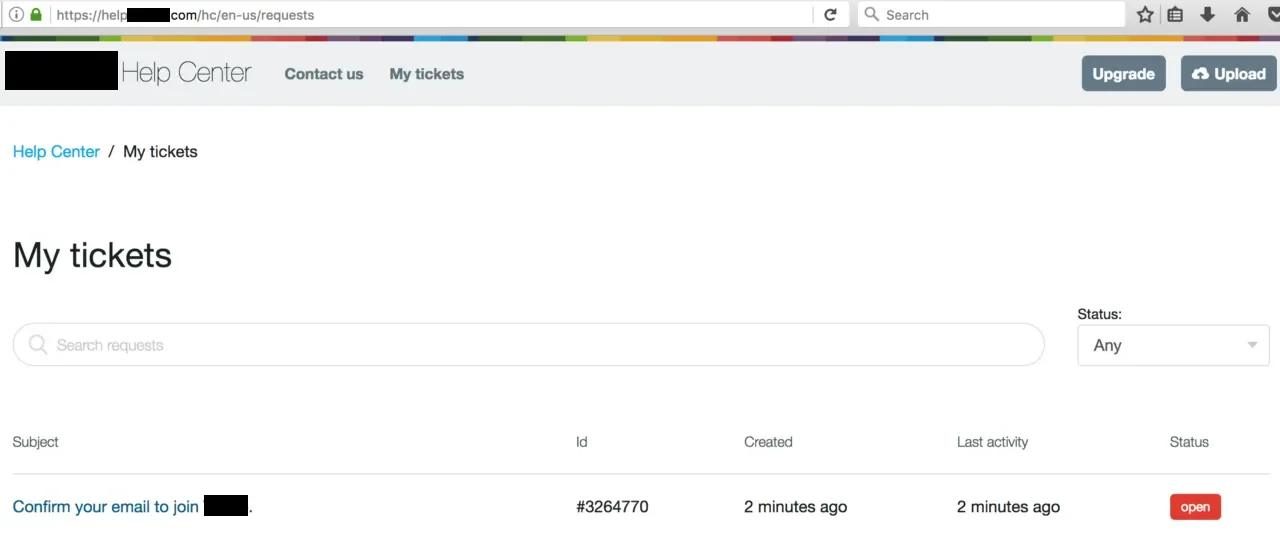
There was one open support ticket, and it contained the magic verification link needed to join the team.
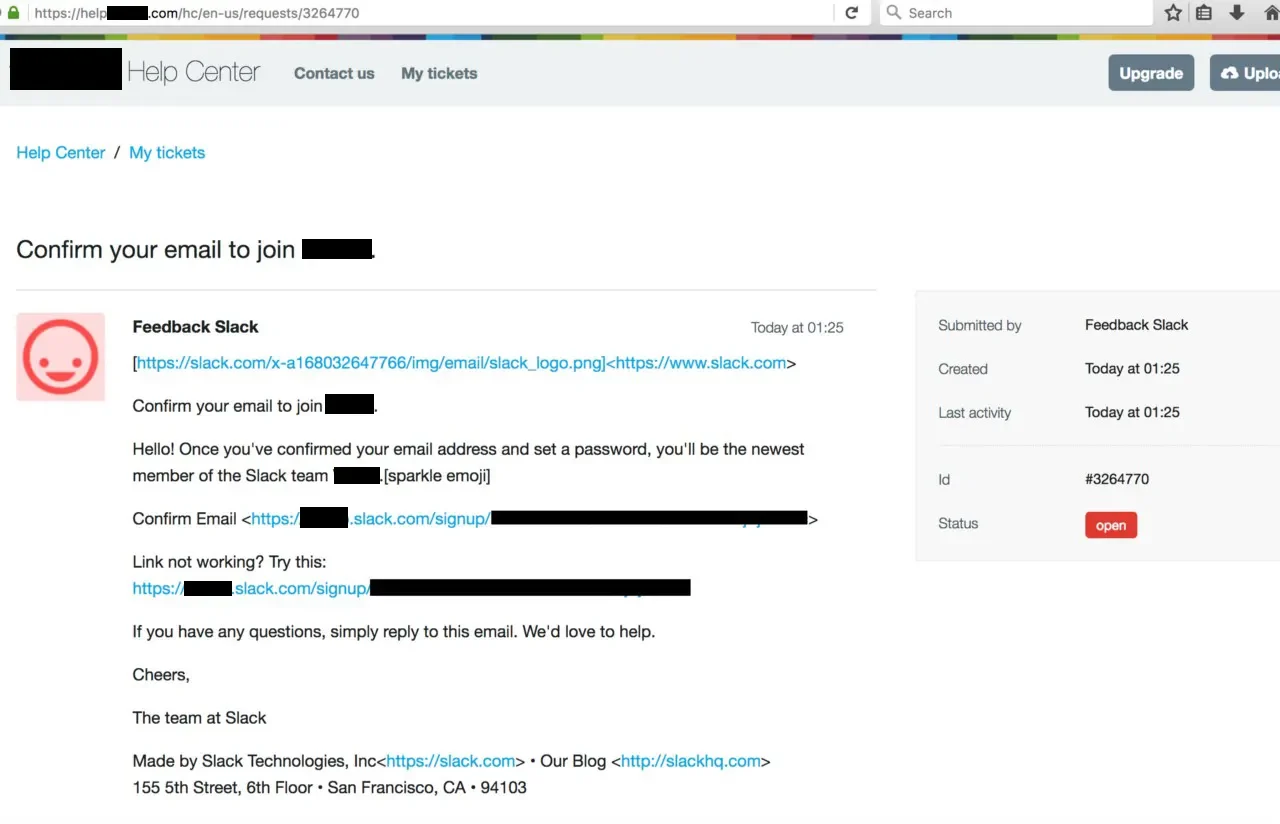
The company responded immediately and awarded a $2,000 bounty through its bug bounty programme.
Step 5: bypass verification where it exists
Any site that integrates a support portal without e-mail verification is vulnerable to this. The researcher also found two additional flaws, in Kayako and Zendesk, that allowed bypassing the e-mail verification process in their common setups. This made the attack work even when SSO was not enabled and e-mail verification was required. Both were reported through responsible disclosure on 1 June and both vendors put a fix in place.
A related case: sites that require e-mail verification at registration but not when the address is changed afterwards are vulnerable as well.
Step 6: widen the impact
If a company does not use Slack, it is not necessarily safe. Yammer is also prone to the attack.
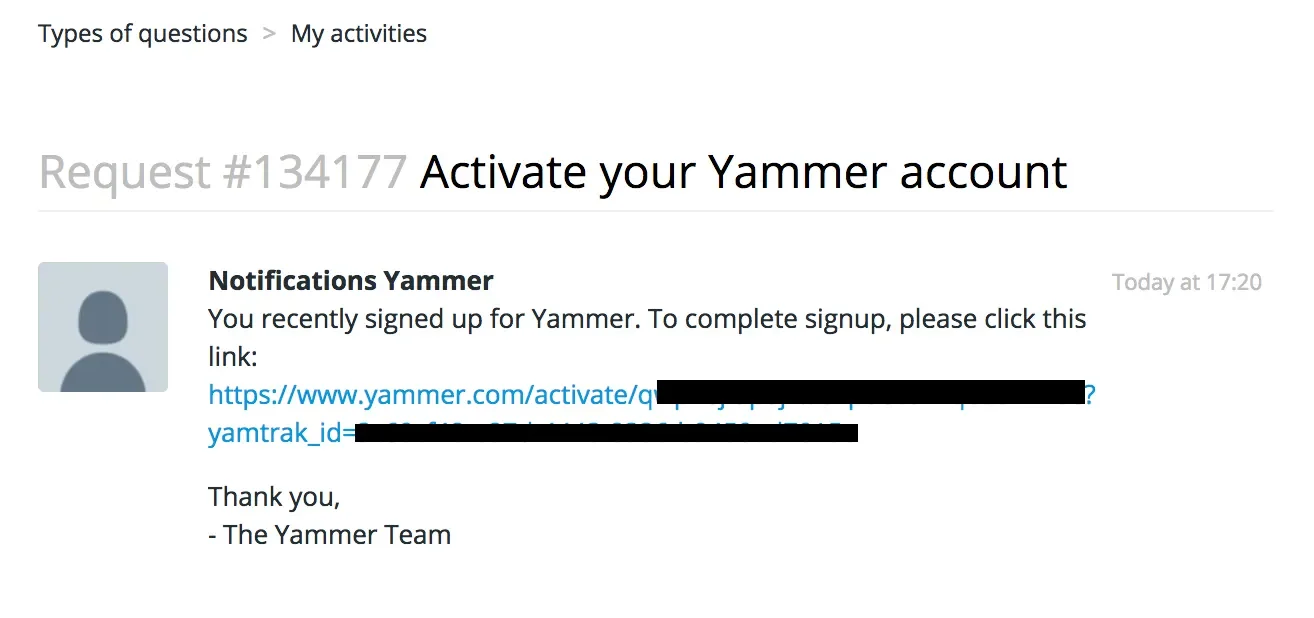
Because mail sent to support@ can be read, any password reset link sent to that address can be read too. Quite a few companies use that exact address to sign up for third-party services and social media such as Twitter, so an attacker could hijack any account linked to the support@ address.
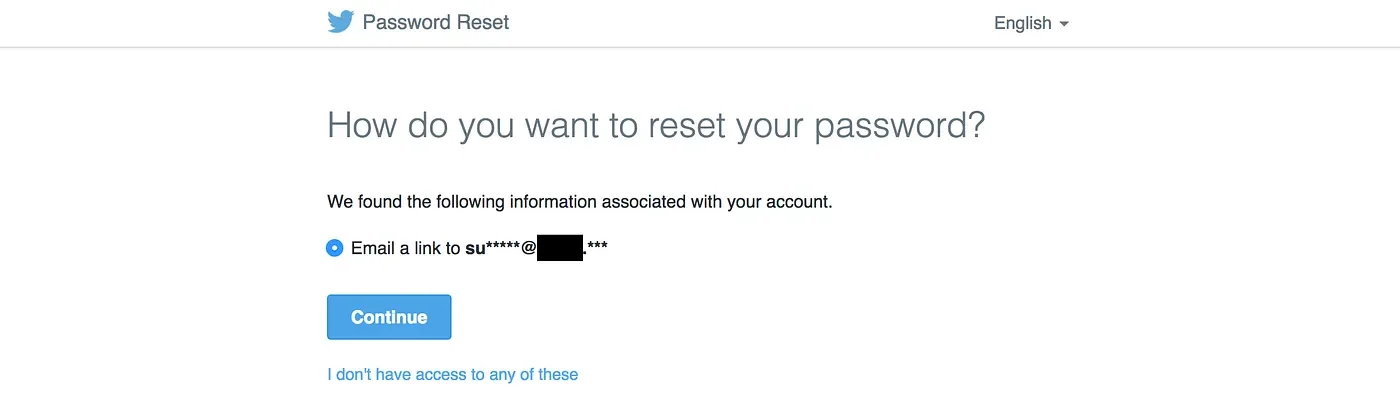
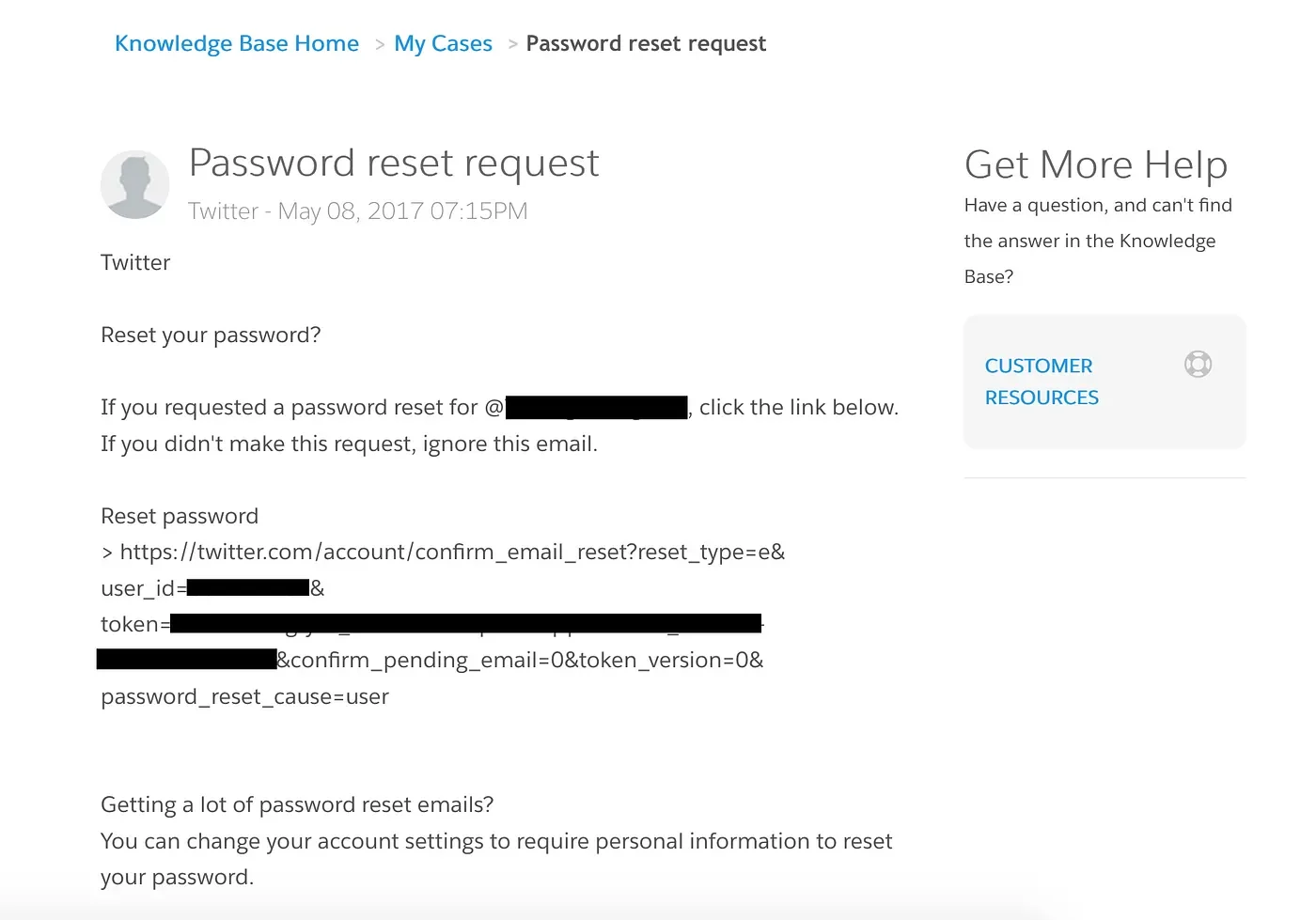
In some cases the address also had a privileged account on the website itself. By registering [redacted], an attacker could intercept the password reset token for [redacted] and gain access to privileged accounts that expose all customer information.
If none of that worked, the attacker could still read and respond to past and future support tickets created by e-mail. The researcher demonstrated this with a friend's e-mail address: after signing up with it on a vulnerable company, the message appeared under the "my support cases" tab, and every e-mail people sent to customer service could be read and answered as long as the sender had no account on the support desk. Users who believed they were talking to customer service would be talking to a hacker.
Root cause
The design flaw is that a shared, guessable inbound address such as [redacted] or a unique issue-creation address both accepts mail from anyone and exposes that mail to someone who has not proven ownership of the address. The verification link is a bearer token delivered by e-mail; whoever can read the mailbox can use it.
Existing defences did not stop it because the support portals trusted the registration e-mail without verification in more than half of the tested cases, and where verification existed, the Kayako and Zendesk flaws allowed it to be bypassed in common setups. The business communication tools themselves behaved as designed: they accepted any address on the company domain.
Impact
An attacker who can read the verification link can join the company's Slack, Yammer or Facebook Workplace instance and read internal communication. Internal impact assessments showed employees pasted passwords, company secrets and customer information into channels everyone in the team had access to.
The same access to support@ mail allows password reset links to be intercepted, so accounts registered with that address, including social media accounts, can be hijacked. Where the address holds a privileged account on the website, all customer information may be exposed. Where nothing else works, the attacker can read and reply to support tickets from people who have no account on the support desk.
The researcher notes that the bug is still out there and cannot be fixed right away.
Fix
What vendors changed:
- GitLab disabled trust for their own company domain and changed their Slack settings, and updated their documentation to warn users about the e-mail reply feature.
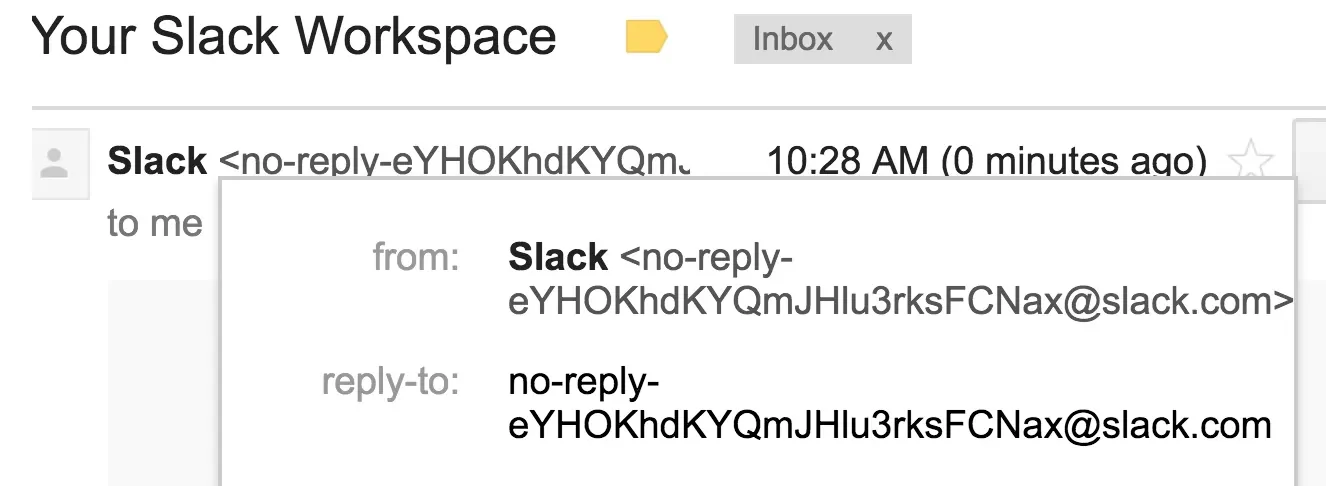
- Slack changed their no-reply e-mail address to include a random token, which prevents the attack in helpdesk software. The issue still persists for issue trackers and other e-mail integrations. Slack awarded a $1,500 bounty even though the flaw is not in Slack itself.
- Kayako and Zendesk fixed the SSO bypass and paid $1,000 and $750 respectively.
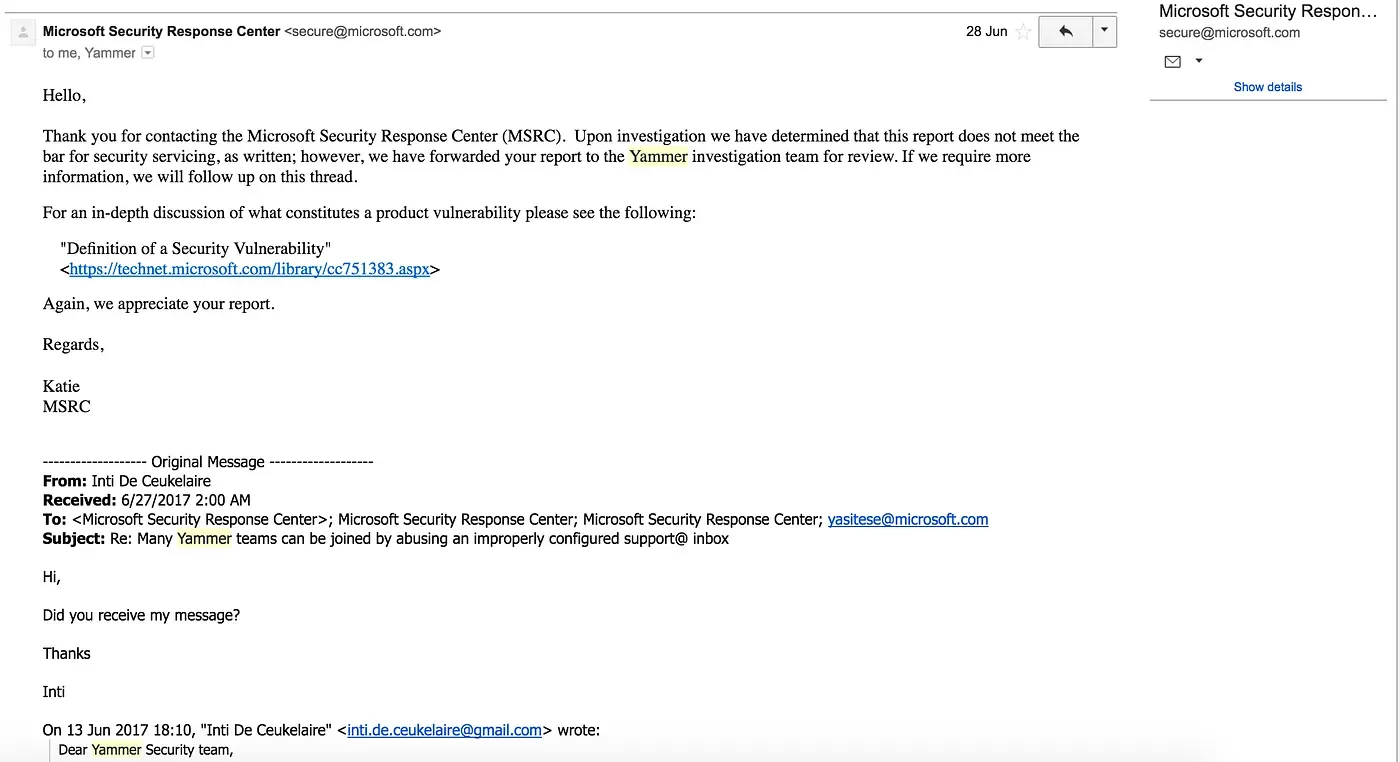
- Yammer forwarded the report to its team after a follow-up e-mail but, to date, has taken no proactive measures at a higher level.
What companies can do, per the write-up:
- Use e-mail addresses on a different domain for outbound reply handling, as AirBnb, LinkedIn and GitHub do with addresses like @reply.linkedin.com or @mail.github.com. These cannot be used to sign up for services like Yammer or Slack.
- Disable the e-mail functionality, the service portal or single sign-on, or implement proper e-mail verification.
- Do not sign up for services such as Twitter, Slack or Zendesk with the official support@ address.
What communication vendors can do: send from a randomly generated address, as Facebook Workplace does with addresses like [redacted], which an attacker cannot guess. Slack implemented the same approach.
Variants to test
- Public issue tracker with e-mail creation. Find the unique address that creates issues, then trigger a verification e-mail from a business tool to that address. A positive result is the verification message appearing as an issue you can read.
- Support portal without verification. Register with [redacted] and check whether the portal lets you in without confirming the address. A positive result is an open ticket containing a link sent to that address.
- Verification at registration but not on change. Register with a verified address, then change it to [redacted] A positive result is the portal accepting the new address without re-verification.
- SSO bypass in helpdesk software. Test the Kayako and Zendesk style setups where SSO is off and verification is on. A positive result is reading a ticket created by an address you do not own.
- Password reset interception. Send a reset for an account registered with [redacted] and look for the link in the portal. A positive result is a usable reset token.
- Privileged account via no-reply. Register [redacted] and watch for reset tokens sent to [redacted] A positive result is access to a privileged account.
- Other business tools. Repeat the join flow against Yammer and Facebook Workplace instances. A positive result is access to the company's internal workspace.
What happened, in plain words
Imagine a company building where the front door opens for anyone who can show a letter addressed to them at the company's own postal address. That is roughly how many workplace chat tools work. If you can prove you control an @company.com e-mail address, the tool lets you in.
Now imagine the company also runs a mailroom that automatically files every letter arriving at a public address, such as [redacted], into a folder that outsiders can browse. Put the two together and you have the bug: a stranger can make the company's own mail system deliver a letter to a folder the stranger can read, and that letter contains the key to the front door.
The researcher who found this called the combined technique Ticket Trick. He contacted dozens of companies and affected vendors through their bug bounty programmes. A bug bounty programme is a scheme where a company invites outsiders to look for security problems and pays them for reporting the problems privately instead of exploiting them.
The image shows the name and logo the researcher gave his finding.
The door: signing up with your @company e-mail
Tools such as Slack, Yammer and Facebook Workplace are workplace communication platforms. A company creates its own private space on the platform, often called an instance or a workspace, and its employees join it. The usual way to join is to sign up with your work e-mail address, the one ending in the company's own domain, for example @company.com.
The platform then sends a message to that address containing a verification link. A verification link is a web address with a long random string attached. Opening it proves you can read mail sent to that address, because only the person who received the message can see the link. Clicking it completes the sign-up and gives you access to the company's internal communication.
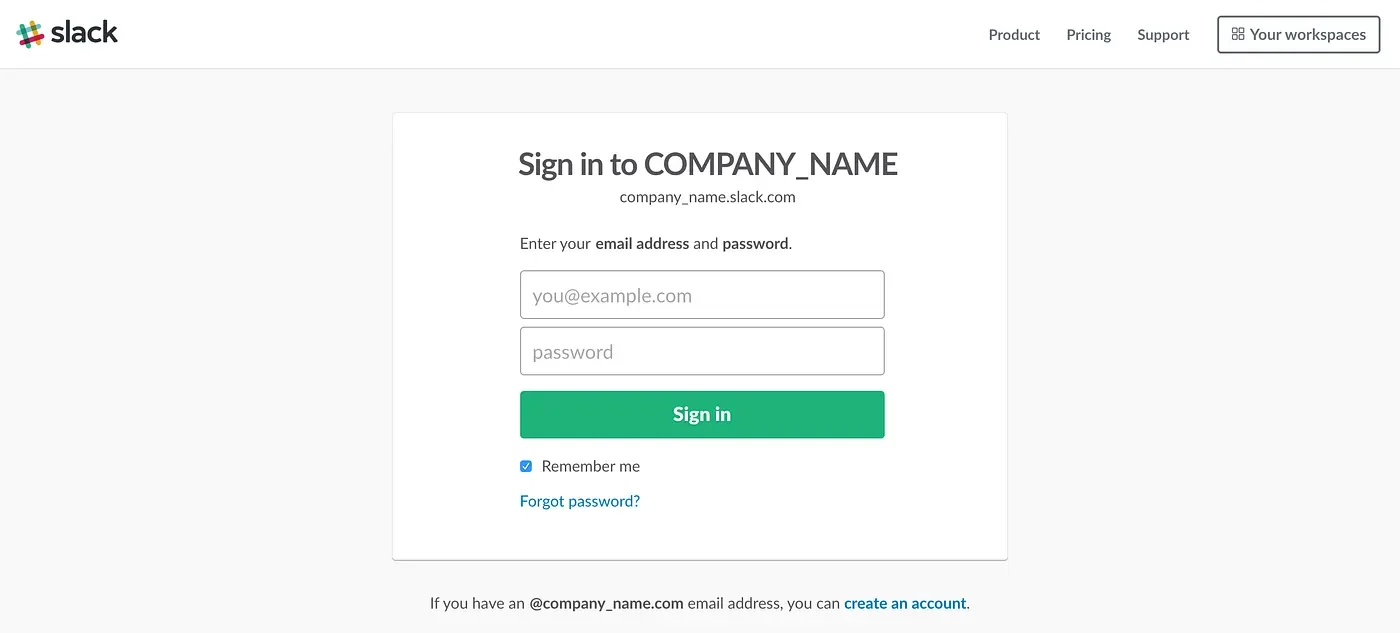
The image shows Slack's default setting: users with the same @company mail can join the team by default, and this can be replaced by SSO or set to invite-only.
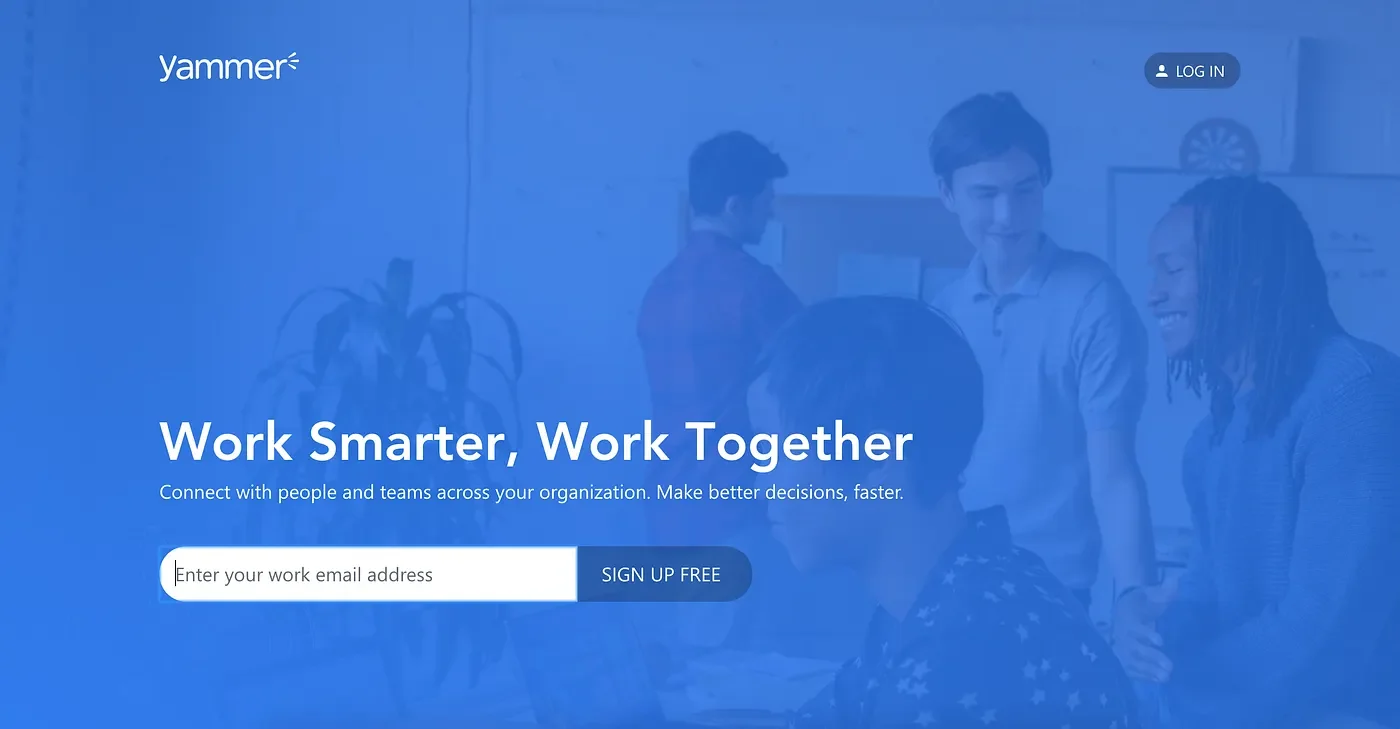
The image shows the same default for Yammer: everyone with an @company mail can join.
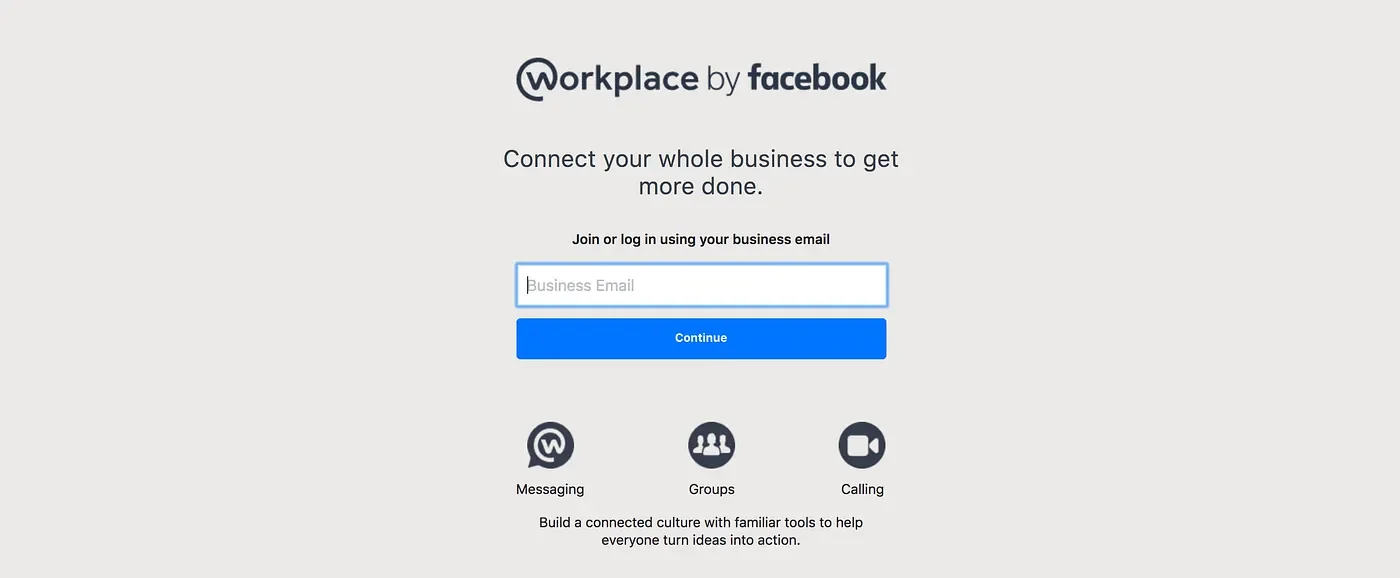
The image shows the same default for Facebook Workplace: everyone with an @company mail can join.
Two terms in those captions are worth explaining now.
- SSO, short for single sign-on, is a way of letting one central login system decide who may enter a service. Instead of the chat tool checking your e-mail address itself, it asks the company's identity system, which already knows who works there. When SSO is on, holding an
@company.comaddress is no longer enough on its own. - Invite-only means the workspace stops accepting anyone who signs up with a matching address, and only people who receive an explicit invitation can join.
So the door is open by default. The question the researcher asked was: how can someone who does not work at the company get hold of the verification link?
The keys: the helpdesk or create-by-email feature
Two features act as the key. Both are ordinary, useful features that many companies rely on every day.
- An issue tracker is software for keeping a list of tasks, bugs or requests. GitLab is one example. Many issue trackers let you create a new issue simply by sending an e-mail to a special address, so that people who are not logged in can still report something.
- A support desk, also called a helpdesk or customer support portal, is software that turns e-mails sent to a customer service address into tickets. A ticket is a record of one customer conversation. Products mentioned in the write-up include Zendesk, Kayako, (Fresh)Desk, WHMCS and custom-built tools.
Method 1: the issue tracker
The starting point was GitLab. Anyone with a valid @gitlab.com e-mail address could join their team, which the researcher describes as a way to bypass the authentication.
At the same time, GitLab offers a feature to create issues by e-mail: you send a message to a unique @gitlab.com address and it becomes an issue.
The image shows that GitLab is one of many issue trackers that provide issue creation by e-mail.
Put those two facts side by side. The chat tool will send a verification link to any address on the company domain. The issue tracker will accept mail sent to a special address on that same domain and publish the message as an issue. If the chat tool's message can be made to arrive at the issue-creating address, the verification link ends up in an issue the attacker can read.
Step 1: use the issue tracker as a mailbox
The researcher tried to join GitLab's Slack team using the issue-creating e-mail address, just to see what would happen.
After refreshing the issue list, the verification e-mails had been added as an issue to the project.
The freshly created issue contained the magic link needed to join the internal Slack team.
Clicking the link worked. The researcher was greeted by the list of channels available to join, then immediately removed the account and notified GitLab.
The image is a censored snapshot of the channel list he could see.
GitLab responded the same Sunday evening the report was sent.
They set their Slack to invite-only and took additional measures to warn customers about the dangers of the e-mail issue creation feature.
Method 2: the support desk
Only a handful of sites run public issue trackers, so the researcher looked for a more common vector. A vector, in security language, is the route an attack takes. E-mails sent to [redacted] sometimes appear in an online support portal such as Zendesk, Kayako, (Fresh)Desk, WHMCS or a custom tool. The question was whether a hacker could extract links from that database.
Most support portals can be integrated with single sign-on, so an authenticated user is logged into the support desk automatically. More than half of the websites tested did not require e-mail verification, which means anyone could sign up with any e-mail address and read any support ticket created by that address. An online video sharing platform, censored in the write-up, was one of the companies without verification.
This is the heart of the trick. When you register on a website, the site normally sends a confirmation message to the address you typed, and you have to click a link in it before the account becomes usable. That step exists to stop people from claiming addresses they do not own. If the site skips it, you can type any address you like, including one belonging to someone else, and the site will treat you as its owner.
Step 3: register with the sender's address
The researcher registered an account on that platform using the same address Slack uses to send its magic verification links: [redacted].
Using Slack's find your workspace feature, the researcher located the target company's Slack instance and signed up with the address support@[censored].com.
Behind the scenes, [redacted] now sends an e-mail to support@[censored].com containing the verification link. When support@[censored].com receives it, the message is classified as a support ticket created by [redacted], which is exactly the address the researcher registered with.
Read that sequence slowly, because it is the whole trick in three moves.
- The attacker asks Slack to send a verification link to the company's support address. Slack does so, and the message is sent from
[redacted]. - The company's support desk receives that message and files it as a ticket. The ticket records the sender as
[redacted]. - The attacker had already registered on the support portal using
[redacted], without ever proving he owned it. So the portal shows him the ticket, and the ticket contains the link.
Step 4: read the ticket
The researcher opened the help centre to check the support tickets.
There was one open support ticket, and it contained the magic verification link needed to join the team.
The company responded immediately and awarded a $2,000 bounty through its bug bounty programme.
Step 5: bypass verification where it exists
Any site that integrates a support portal without e-mail verification is vulnerable to this. The researcher also found two additional flaws, in Kayako and Zendesk, that allowed bypassing the e-mail verification process in their common setups. This made the attack work even when SSO was not enabled and e-mail verification was required. Both were reported through responsible disclosure on 1 June and both vendors put a fix in place.
Responsible disclosure means telling the vendor privately, giving them time to fix the problem, and only then talking about it publicly. A related case: sites that require e-mail verification at registration but not when the address is changed afterwards are vulnerable as well. You prove you own one address, then quietly swap it for [redacted] and the site never asks again.
Step 6: widen the impact
If a company does not use Slack, it is not necessarily safe. Yammer is also prone to the attack.
The image shows the researcher inside the Yammer intranet of an undisclosed company. An intranet is a company's private internal website, normally reachable only from inside the organisation.
Because mail sent to support@ can be read, any password reset link sent to that address can be read too. A password reset link works the same way as a verification link: it is a web address containing a secret string that lets whoever opens it set a new password. Quite a few companies use that exact address to sign up for third-party services and social media such as Twitter, so an attacker could hijack any account linked to the support@ address.
The second image shows that the researcher was able to hijack multiple Twitter accounts with over one million followers.
In some cases the address also had a privileged account on the website itself. By registering [redacted], an attacker could intercept the password reset token for [redacted] and gain access to privileged accounts that expose all customer information. A privileged account is one with extra rights, for example the ability to see every customer record.
If none of that worked, the attacker could still read and respond to past and future support tickets created by e-mail. The researcher demonstrated this with a friend's e-mail address: after signing up with it on a vulnerable company, the message appeared under the "my support cases" tab, and every e-mail people sent to customer service could be read and answered as long as the sender had no account on the support desk. Users who believed they were talking to customer service would be talking to a hacker.
Why it works
The design flaw is that a shared, guessable inbound address such as [redacted] or a unique issue-creation address both accepts mail from anyone and exposes that mail to someone who has not proven ownership of the address. The verification link is a bearer token delivered by e-mail. A bearer token is a secret that grants access to whoever holds it, with no further checks: like a cloakroom ticket, whoever has the ticket gets the coat. Whoever can read the mailbox can use it.
Existing defences did not stop it because the support portals trusted the registration e-mail without verification in more than half of the tested cases, and where verification existed, the Kayako and Zendesk flaws allowed it to be bypassed in common setups. The business communication tools themselves behaved as designed: they accepted any address on the company domain.
What an attacker could reach
An attacker who can read the verification link can join the company's Slack, Yammer or Facebook Workplace instance and read internal communication. Internal impact assessments showed employees pasted passwords, company secrets and customer information into channels everyone in the team had access to.
The same access to support@ mail allows password reset links to be intercepted, so accounts registered with that address, including social media accounts, can be hijacked. Where the address holds a privileged account on the website, all customer information may be exposed. Where nothing else works, the attacker can read and reply to support tickets from people who have no account on the support desk.
The researcher notes that the bug is still out there and cannot be fixed right away.
How it was fixed
What vendors changed:
- GitLab disabled trust for their own company domain and changed their Slack settings, and updated their documentation to warn users about the e-mail reply feature.
- Slack changed their no-reply e-mail address to include a random token, which prevents the attack in helpdesk software. The issue still persists for issue trackers and other e-mail integrations. Slack awarded a $1,500 bounty even though the flaw is not in Slack itself.
The image shows the randomised token Slack added to its no-reply address.
- Kayako and Zendesk fixed the SSO bypass and paid $1,000 and $750 respectively.
- Yammer forwarded the report to its team after a follow-up e-mail but, to date, has taken no proactive measures at a higher level.
The image shows that attackers are still able to join Yammer workspaces using the methods the researcher discovered.
What companies can do, per the write-up:
- Use e-mail addresses on a different domain for outbound reply handling, as AirBnb, LinkedIn and GitHub do with addresses like
@reply.linkedin.comor@mail.github.com. These cannot be used to sign up for services like Yammer or Slack. - Disable the e-mail functionality, the service portal or single sign-on, or implement proper e-mail verification.
- Do not sign up for services such as Twitter, Slack or Zendesk with the official
support@address.
What communication vendors can do: send from a randomly generated address, as Facebook Workplace does with addresses like [redacted], which an attacker cannot guess. Slack implemented the same approach.
Variants to test
These are the situations the researcher suggests checking, written as a checklist. Each one names what a positive result looks like, so you know when you have found something.
- Public issue tracker with e-mail creation. Find the unique address that creates issues, then trigger a verification e-mail from a business tool to that address. A positive result is the verification message appearing as an issue you can read.
- Support portal without verification. Register with
[redacted]and check whether the portal lets you in without confirming the address. A positive result is an open ticket containing a link sent to that address. - Verification at registration but not on change. Register with a verified address, then change it to
[redacted]. A positive result is the portal accepting the new address without re-verification. - SSO bypass in helpdesk software. Test the Kayako and Zendesk style setups where SSO is off and verification is on. A positive result is reading a ticket created by an address you do not own.
- Password reset interception. Send a reset for an account registered with
[redacted]and look for the link in the portal. A positive result is a usable reset token. - Privileged account via no-reply. Register
[redacted]and watch for reset tokens sent to[redacted]. A positive result is access to a privileged account. - Other business tools. Repeat the join flow against Yammer and Facebook Workplace instances. A positive result is access to the company's internal workspace.
Glossary
- Authentication: the process of proving who you are, for example by logging in or by clicking a link sent to your e-mail address.
- Bearer token: a secret that grants access to whoever presents it, with no further identity check, like a cloakroom ticket.
- Bug bounty programme: a scheme where a company pays outsiders for finding and privately reporting security problems.
- E-mail verification: a step where a website sends a message to the address you typed and asks you to click a link, to prove the address is really yours.
- Helpdesk / support desk / support portal: software that turns e-mails sent to a customer service address into tickets that staff can read and answer.
- Instance / workspace: one company's private space on a shared communication platform.
- Intranet: a company's private internal website, normally reachable only from inside the organisation.
- Invite-only: a setting where only people who receive an explicit invitation may join.
- Issue tracker: software for keeping a list of tasks, bugs or requests, often able to create a new item from an inbound e-mail.
- Password reset link / token: a web address or secret string that lets whoever opens it set a new password for an account.
- Privileged account: an account with extra rights, for example the ability to see every customer record.
- Responsible disclosure: telling a vendor privately about a flaw, giving them time to fix it, and only then publishing.
- Single sign-on (SSO): a setup where one central login system decides who may enter a service, instead of the service checking e-mail addresses itself.
- Ticket: a record of one customer conversation in a support desk.
- Vector: the route an attack takes to reach its goal.
- Verification link: a web address containing a long random string, sent by e-mail, which proves the recipient can read that mailbox when opened.



