Stored XSS in concrete5 5.7.0.4.
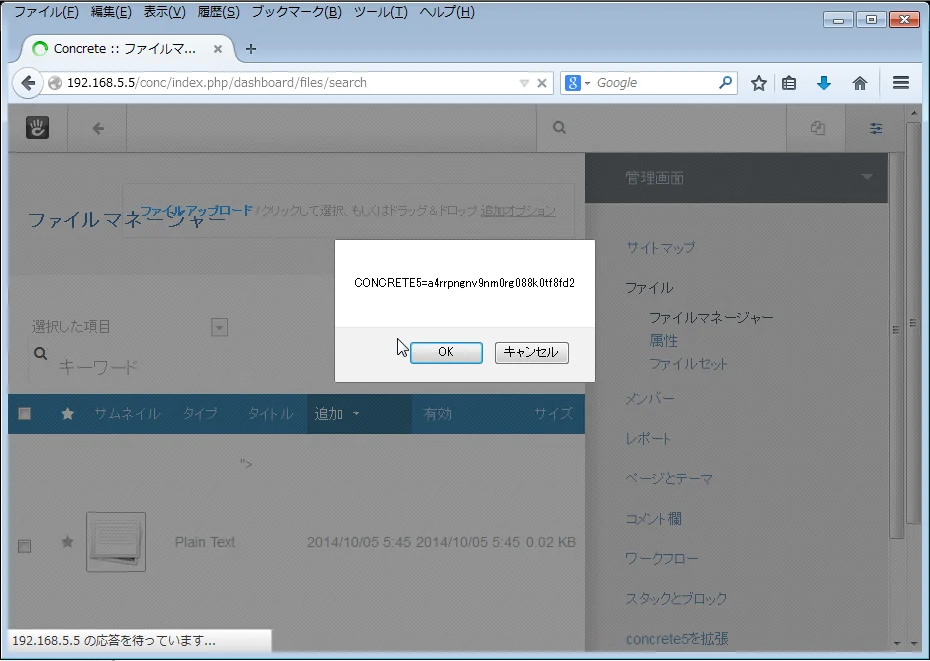
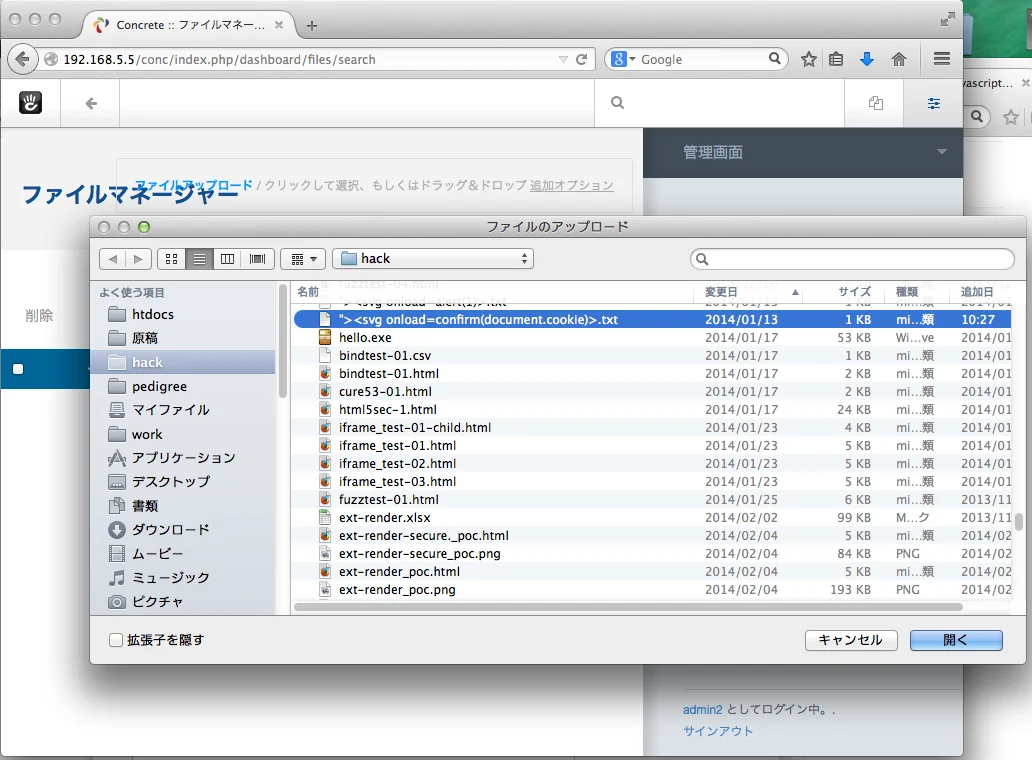
A user with file upload permission could name a file with an SVG onload payload, and the file manager displayed the filename without escaping it. When another user opened the file manager page, the JavaScript ran in their browser.
 Originally disclosed on HackerOne
- Triaged in 15 hours
- Fixed in 9 days
- Disclosed after 5 months
Hello.
I found stored XSS in concrete5 5.7.0.4.
If the user have file upload permission the user can upload the file named like "><svg onload=confirm(document.cookie)>.txt and the file name is displayed without being escaped.
and when other user access the file manager page, Execute Javascript code on page load.
Regards.
Attachments
Not written yet. The AI write-up for this report has not been written yet. The Original tab links to the source.
How it worked
Impact
An attacker could run JavaScript in another user's session when that user viewed the file manager, potentially reading cookies.
What the attacker needed
File upload permission; victim opens the file manager page
How it was found
- Have a user account with file upload permission.
- Upload a file whose name contains an SVG onload payload.
- Have another user open the file manager page.
- The script runs when the page loads.
Explained by bugbounty.wiki with AI from the original and checked against quotes from it; it can still be wrong. Read the original before relying on a detail.
Not written yet. The AI write-up for this report has not been written yet. The Original tab links to the source.
When a site shows user-supplied text without cleaning it, a malicious user can put code in that text. Here, a filename containing an SVG onload payload was shown as-is, so the browser ran the script for anyone viewing the file list. This is called stored cross-site scripting because the harmful content is saved and later shown to others.
What is XSS?
Script an attacker supplies runs in another user's browser, on the target's origin, with that user's session.




