While checking the Hacktivity in your HackerOne Program I saw many reports regarding to XSS thus I will omit the vulnerability description I'm going to report now.
After downloaded Concrete5 8.3.1 released at 12/20/17, while searching for some fields where I could insert a XSS payload I stopped into: Dashboard > Calendar & Events
###Steps to reproduce:
Open your favorite updated web browser (Firefox or Chrome)
Log into your Concrete5 instance as admin
For the ease create an user (maybe named user2) and add it to Administrators group
Open other browser window in Private or Incognito mode and log in as user2
As user2 go to Dashboard > Calendar & Events
Add a Calendar and named, for example User2 Calendar
Now, click on Add Event button and schedule an event
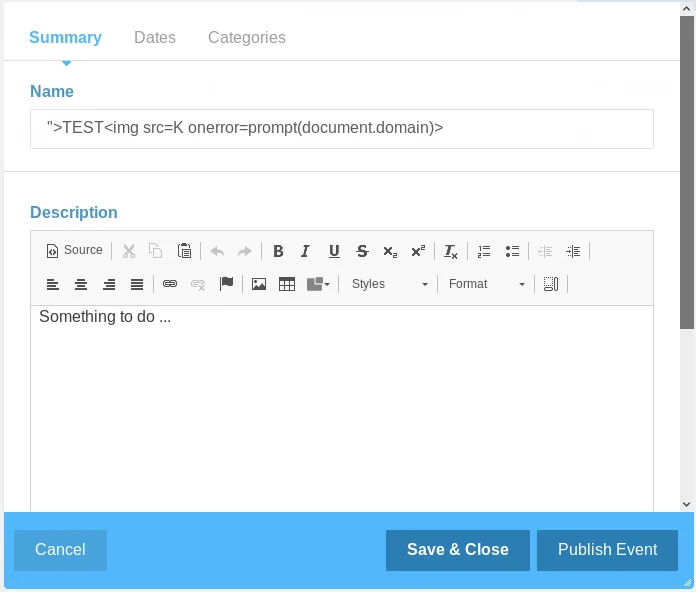
In the Name field type something like this: ">TEST<img src=K onerror={here goes mad js code}>
My inoffensive pop-up payload: ">TEST<img src=K onerror=prompt(document.domain)>event_payload.pngFrom the original on HackerOne
Click on Save & Close button
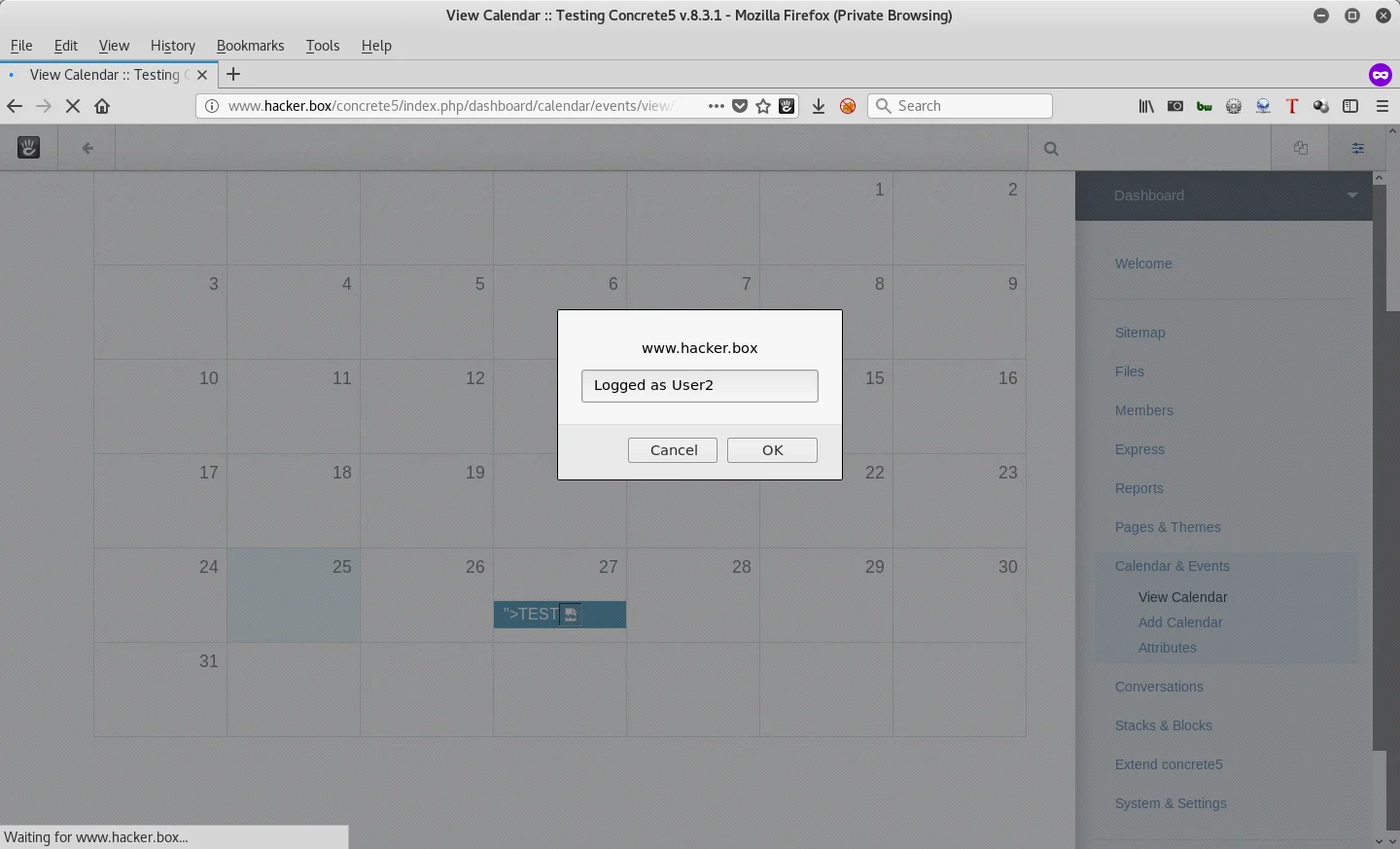
The Prompt box will appear in the context of user2 browser showing your domain event_xss_user2.pngFrom the original on HackerOne (close it)
Click on that event, select "Edit" and now click on Publish Event in order to make it public
Now go to the main web browser window where admin user is logged
Go to Dashboard > Calendar & Events
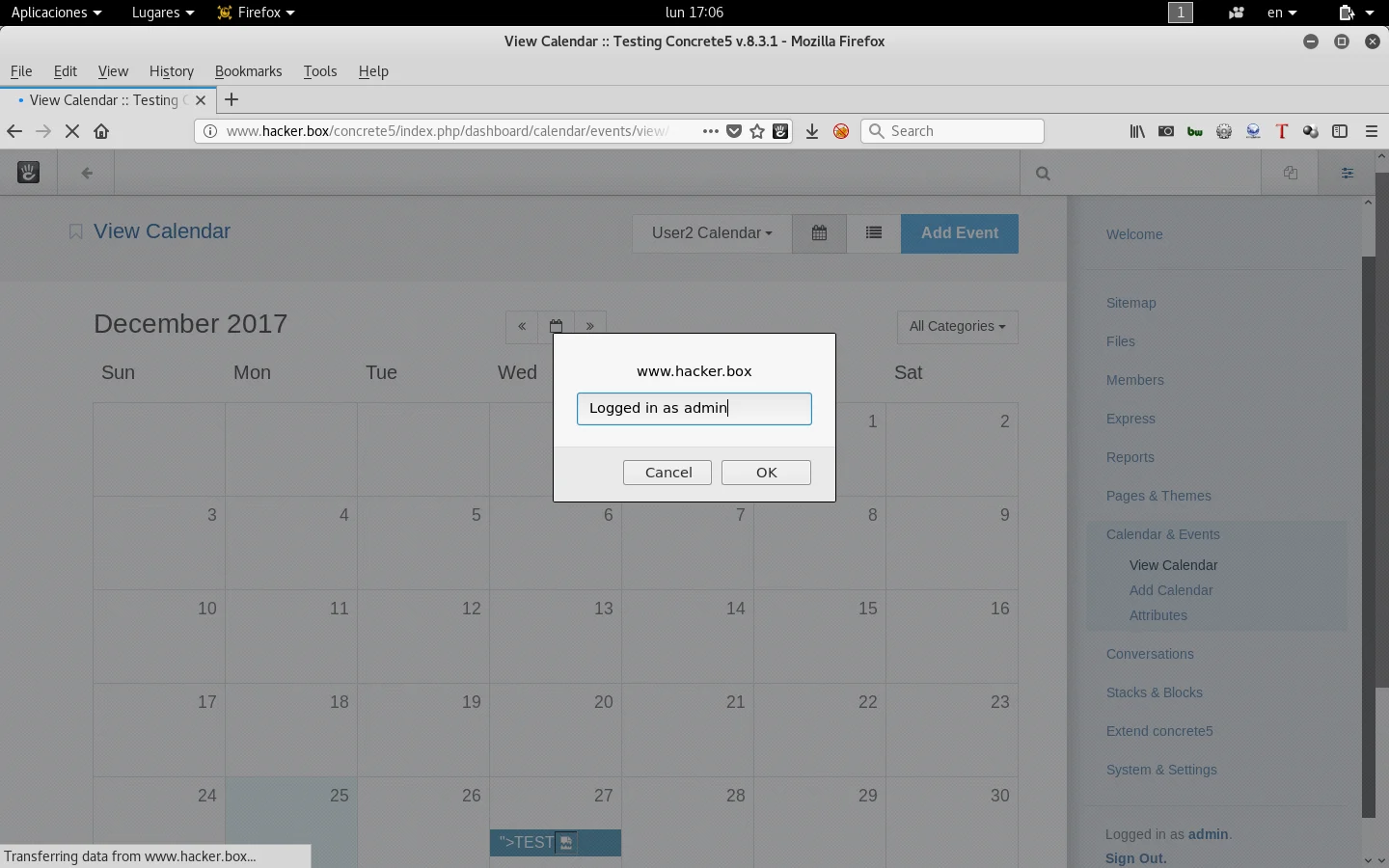
The Prompt box will appear showing the domain in the admin browser event_xss_admin.pngFrom the original on HackerOne
I made a 11 min PoC video: 'F24972'
Impact
In Step 3 I mentioned "For the ease" creating an user and add it to Administrators group. This intended behavior is in order to the new user has access to add Calendars and create Events but, for the long way or in other scenario, an administrative user can grant access to Registered Users to add calendars and events although a calendar could be in public pages if the page allows to show a calendar.
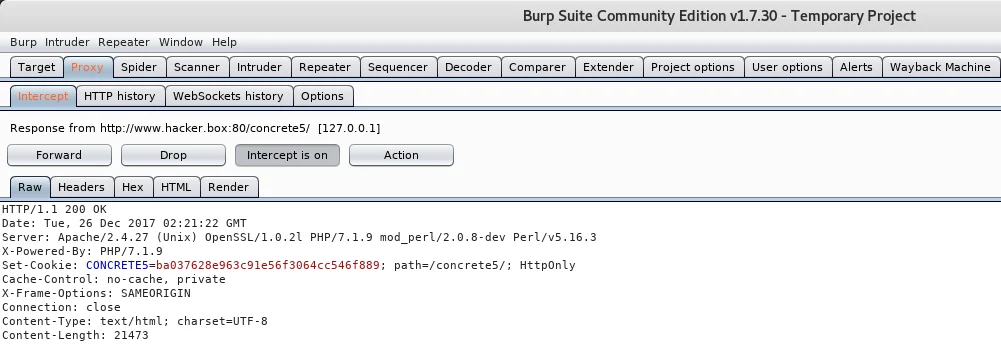
Even, if the cookie can't be stolen because it has set the HttpOnly flag
event_httponly-flag.pngFrom the original on HackerOne
and it could not be directly accessed via client-side JavaScript, If malicious user can insert JavaScript code in a field where he is allowed to. The limit of mad actions is the attacker's imagination.
Attachments
XSS_on_AddEvent_Concrete5.webmFrom the original on HackerOne
The original report as published on HackerOne, by gamliel. Images and videos are our own copies; raw HTML is shown as text. View it on HackerOne.
Not written yet. The AI write-up for this report has not been written yet. The Original tab links to the source.
Generating the AI write-up for this report.
This usually takes about 30 seconds. You can read the original meanwhile; this page updates itself.
Writing the technical write-up
Writing the version for beginners
Checking every passage against the original
What is known
A low-severity XSS bug in Concrete CMS, rated CVSS 3.9. HackerOne made it public on 1 September 2018.
About XSS
Script an attacker supplies runs in another user's browser, on the target's origin, with that user's session.
Not written yet. The AI write-up for this report has not been written yet. The Original tab links to the source.
Generating the AI write-up for this report.
This usually takes about 30 seconds. You can read the original meanwhile; this page updates itself.
Writing the technical write-up
Writing the version for beginners
Checking every passage against the original
What is XSS?
Script an attacker supplies runs in another user's browser, on the target's origin, with that user's session.