A guest user is capable of bypassing API / UI restrictions and view dependency lists of private projects through job artifacts
A guest user in a group could bypass access controls and view the dependency list of a private project by browsing a job artifact that contained the same dependency data. The attacker could access dependency information that was otherwise restricted in the UI and API.

GitLab
Originally disclosed on GitLab
- Fixed in 8 months
- Disclosed after 8 months
⚠️ Please read the process on how to fix security issues before starting to work on the issue. Vulnerabilities must be fixed in a security mirror.
HackerOne report #2189464 by ricardobrito on 2023-10-02, assigned to @ngeorge1:
Report | Attachments | How To Reproduce
Report
Summary
A guest user inside a group, by default is not allowed to view dependency lists, and if a guest user tries to access the dependency lists inside a private project in a group either through the UI or the API, the access controls do not allow him to do so (this is properly implemented). However, I have found a way for a guest user to access dependency lists of any private project of a group he is a member of, by using the job artifact that is created after the dependency scan.
Steps to reproduce
- As user A, create a public group, inside this group create a private project, say
project A. - As user A, inside project A, create the following 2 files:
requirements.txt
###
###  This file is autogenerated by pip-compile with python 3.10
###  To update, run:
###
###     pip-compile
###
contourpy==1.0.6
    # via matplotlib
cycler==0.11.0
    # via matplotlib
fonttools==4.38.0
    # via matplotlib
kiwisolver==1.4.4
    # via matplotlib
matplotlib==3.6.2
    # via
    #   -r requirements.in
    #   seaborn
numpy==1.23.5
    # via
    #   -r requirements.in
    #   contourpy
    #   matplotlib
    #   pandas
    #   scipy
    #   seaborn
packaging==21.3
    # via matplotlib
pandas==1.5.1
    # via
    #   -r requirements.in
    #   seaborn
pillow==9.3.0
    # via matplotlib
pyparsing==3.0.9
    # via
    #   matplotlib
    #   packaging
python-dateutil==2.8.2
    # via
    #   matplotlib
    #   pandas
pytz==2022.6
    # via pandas
scipy==1.9.3
    # via seaborn
seaborn==0.10.1
    # via -r requirements.in
six==1.16.0
    # via python-dateutil
.gitlab-ci.yml
include:
  - template: Jobs/Dependency-Scanning.gitlab-ci.yml

build-job:
  stage: build
  script:
    - echo "Hello, $GITLAB_USER_LOGIN!"

test-job1:
  stage: test
  script:
    - echo "This job tests something new"

test-job2:
  stage: test
  script:
    - echo "This job tests something, but takes more time than test-job1."
    - echo "After the echo commands complete, it runs the sleep command for 20 seconds"
    - echo "which simulates a test that runs 20 seconds longer than test-job1"
    - sleep 20

deploy-prod:
  stage: deploy
  script:
    - echo "This job deploys some stuff ( ... ) from the $CI_COMMIT_BRANCH branch."
  environment: production
- As user A, commit the changes so that the pipeline may run
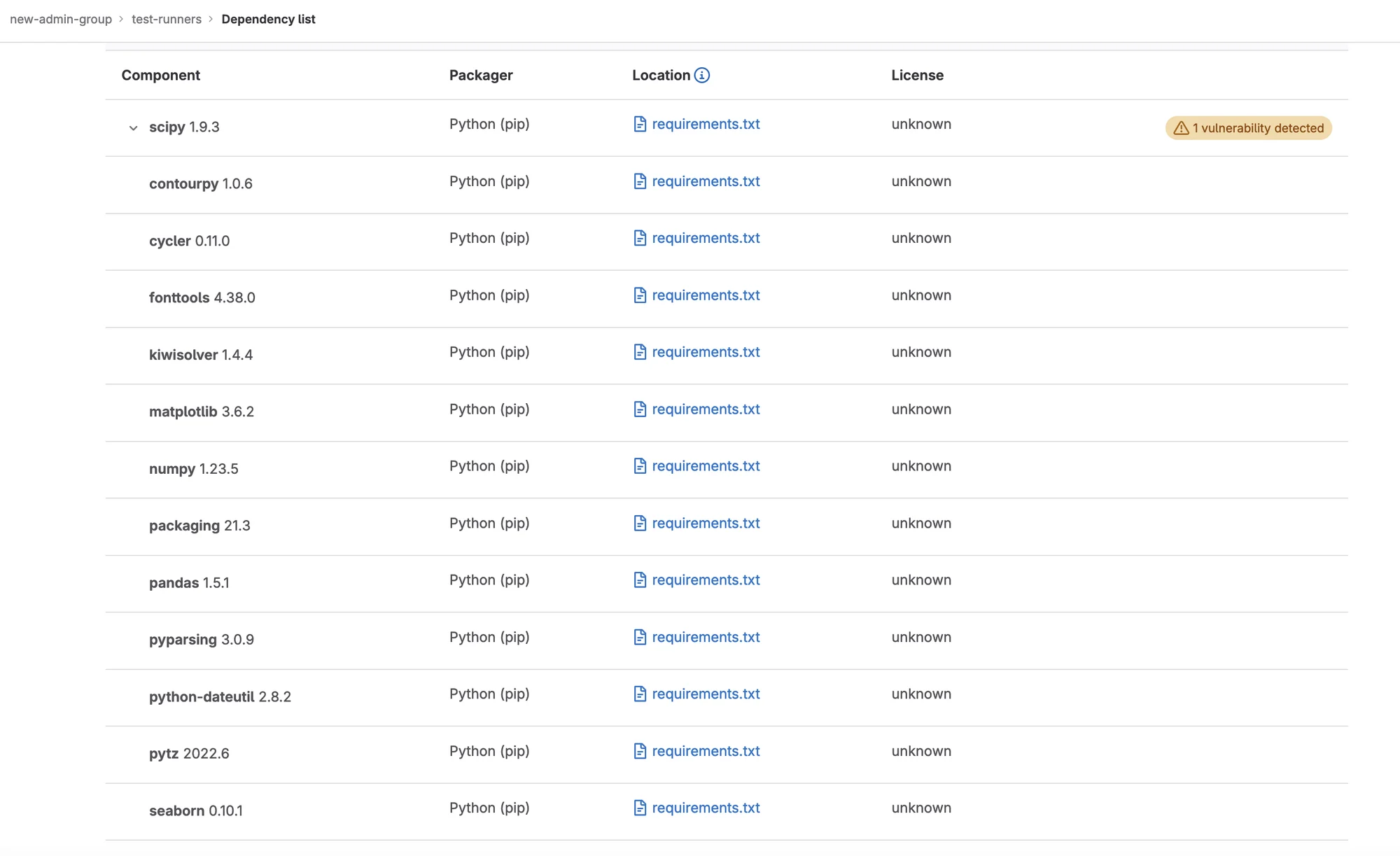
- Still as user A, go to the project path and on the left side meny go to ** secure-> dependency lists ** and you should see a list of dependencies that were found after the ci job completed:
- As user A, invite another user, say User B to the group with
guestpriviledges. - As user B, go to the project path and on the left side menu go to ** secure-> dependency lists ** and you will see the following:
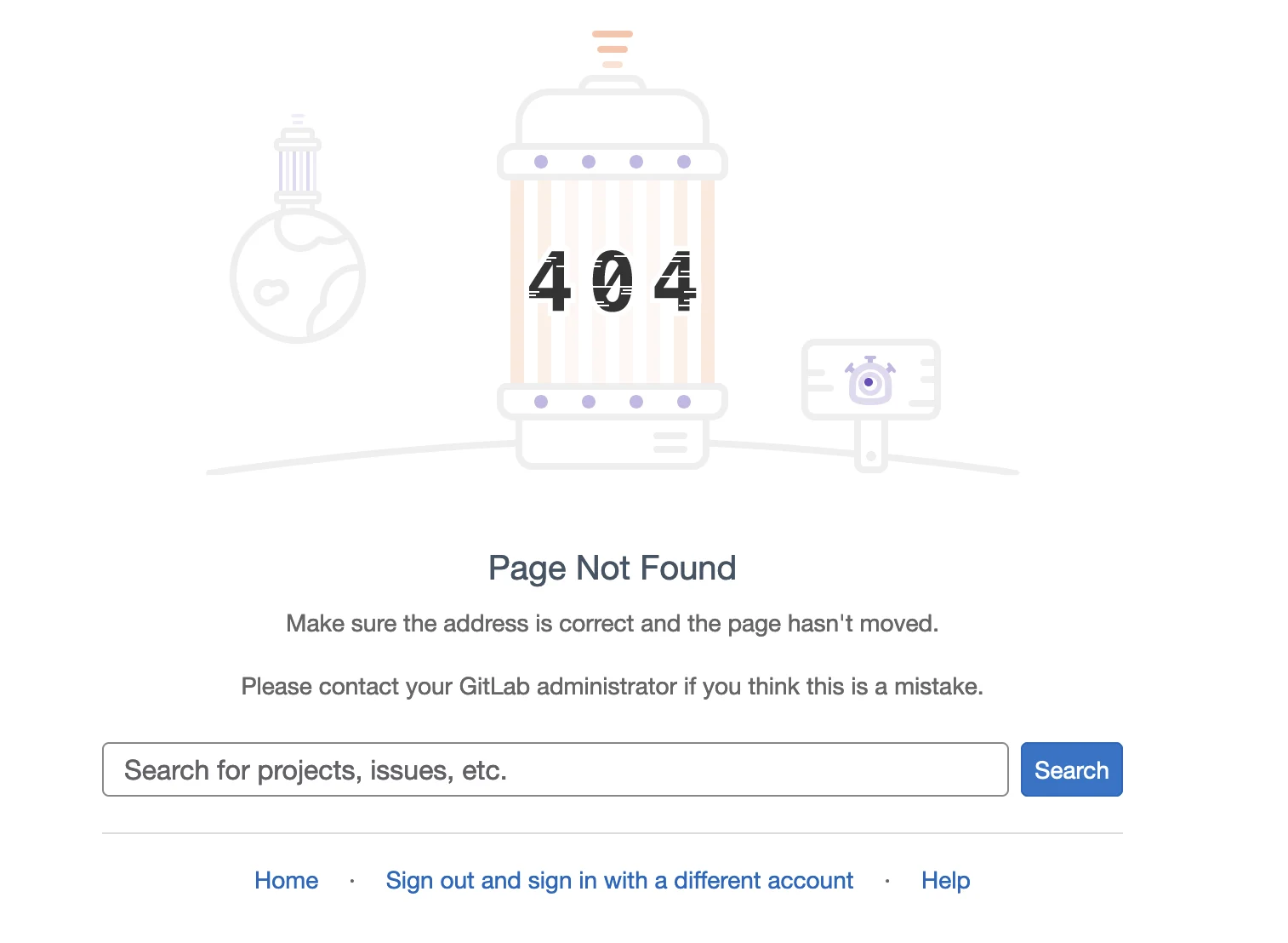
This is correct behavior because the user only has guest permissions, and this is a private prject (the user cannot even see the code).
- As user B, inside the private project, go to ** build -> jobs** and select the job with the name ** gemnasium-python-dependency_scanning ** and on the right-side under job artifacts select browse and you will be taken to a job artifact which is a json file that contains the dependency list:

{
  "bomFormat": "CycloneDX",
  "specVersion": "1.4",
  "serialNumber": "urn:uuid:24dfaf3c-57c8-420f-b4ee-5f637f11228f",
  "version": 1,
  "metadata": {
    "timestamp": "2023-10-02T13:23:03Z",
    "tools": [
      {
        "vendor": "GitLab",
        "name": "Gemnasium",
        "version": "4.4.7"
      }
    ],
    "authors": [
      {
        "name": "GitLab",
        "email": "[email protected]"
      }
    ],
    "properties": [
      {
        "name": "gitlab:dependency_scanning:input_file",
        "value": "requirements.txt"
      },
      {
        "name": "gitlab:dependency_scanning:input_file:path",
        "value": "requirements.txt"
      },
      {
        "name": "gitlab:dependency_scanning:package_manager",
        "value": "pip"
      },
      {
        "name": "gitlab:dependency_scanning:package_manager:name",
        "value": "pip"
      },
      {
        "name": "gitlab:meta:schema_version",
        "value": "1"
      }
    ]
  },
  "components": [
    {
      "name": "Pillow",
      "version": "9.3.0",
      "purl": "pkg:pypi/[email protected]",
      "type": "library",
      "bom-ref": "pkg:pypi/[email protected]"
    },
    {
      "name": "contourpy",
      "version": "1.0.6",
      "purl": "pkg:pypi/[email protected]",
      "type": "library",
      "bom-ref": "pkg:pypi/[email protected]"
    },
    {
      "name": "cycler",
      "version": "0.11.0",
      "purl": "pkg:pypi/[email protected]",
      "type": "library",
      "bom-ref": "pkg:pypi/[email protected]"
    },
    {
      "name": "fonttools",
      "version": "4.38.0",
      "purl": "pkg:pypi/[email protected]",
      "type": "library",
      "bom-ref": "pkg:pypi/[email protected]"
    },
    {
      "name": "kiwisolver",
      "version": "1.4.4",
      "purl": "pkg:pypi/[email protected]",
      "type": "library",
      "bom-ref": "pkg:pypi/[email protected]"
    },
    {
      "name": "matplotlib",
      "version": "3.6.2",
      "purl": "pkg:pypi/[email protected]",
      "type": "library",
      "bom-ref": "pkg:pypi/[email protected]"
    },
    {
      "name": "numpy",
      "version": "1.23.5",
      "purl": "pkg:pypi/[email protected]",
      "type": "library",
      "bom-ref": "pkg:pypi/[email protected]"
    },
    {
      "name": "packaging",
      "version": "21.3",
      "purl": "pkg:pypi/[email protected]",
      "type": "library",
      "bom-ref": "pkg:pypi/[email protected]"
    },
    {
      "name": "pandas",
      "version": "1.5.1",
      "purl": "pkg:pypi/[email protected]",
      "type": "library",
      "bom-ref": "pkg:pypi/[email protected]"
    },
    {
      "name": "pyparsing",
      "version": "3.0.9",
      "purl": "pkg:pypi/[email protected]",
      "type": "library",
      "bom-ref": "pkg:pypi/[email protected]"
    },
    {
      "name": "python-dateutil",
      "version": "2.8.2",
      "purl": "pkg:pypi/[email protected]",
      "type": "library",
      "bom-ref": "pkg:pypi/[email protected]"
    },
    {
      "name": "pytz",
      "version": "2022.6",
      "purl": "pkg:pypi/[email protected]",
      "type": "library",
      "bom-ref": "pkg:pypi/[email protected]"
    },
    {
      "name": "scipy",
      "version": "1.9.3",
      "purl": "pkg:pypi/[email protected]",
      "type": "library",
      "bom-ref": "pkg:pypi/[email protected]"
    },
    {
      "name": "seaborn",
      "version": "0.10.1",
      "purl": "pkg:pypi/[email protected]",
      "type": "library",
      "bom-ref": "pkg:pypi/[email protected]"
    },
    {
      "name": "six",
      "version": "1.16.0",
      "purl": "pkg:pypi/[email protected]",
      "type": "library",
      "bom-ref": "pkg:pypi/[email protected]"
    }
  ]
}
The contents are the same as the dependency list in the UI that the guest user was unable to access before.
The guest user does not have permission to access the dependency list in the UI but using this bypass he can have access to a complete list of dependencies of private projects (which he can not view the content of).
POC video
Impact
A guest user is capable of accessing the dependency list of a private project inside a group, even though it is not allowed (due to his low permissions), by using job artifacts.
Attachments
Warning: Attachments received through HackerOne, please exercise caution!
How To Reproduce
Please add reproducibility information to this section:
Possible fixes
- highlight the risk of exposing data when enabling public pipelines
- add an alert notification for users with private projects and public pipelines enabled
- update the permissions documentation
- Add permissions check to restrict access to data exposed in CI jobs and artifact similarly to what we do in the GitLab UI
- when browsing or downloading artifacts
- when displaying/downloading CI job log output?
Not written yet. The AI write-up for this report has not been written yet. The Original tab links to the source.
How it worked
Root cause
Likely, job artifacts were not subject to the same permission checks as the dependency list feature, allowing users with lower privileges to access sensitive data.
What the attacker needed
Guest access to a group; private project with dependency scanning job; job artifacts accessible to guest
The fix
A possible fix is to add permission checks restricting access to data exposed in CI jobs and artifacts, similar to the GitLab UI.
How it was found
- As user A, create a public group and a private project inside it.
- Add a requirements.txt file and a .gitlab-ci.yml that includes dependency scanning.
- Commit the changes to run the pipeline.
- As user A, verify the dependency list is visible in the UI.
- Invite user B to the group with guest privileges.
- As user B, go to the job artifacts of the dependency scanning job and browse the JSON file to view the dependency list.
Explained by bugbounty.wiki with AI from the original and checked against quotes from it; it can still be wrong. Read the original before relying on a detail.
Not written yet. The AI write-up for this report has not been written yet. The Original tab links to the source.
In GitLab, a guest user normally cannot see the dependency list of a private project. However, the same information was also saved in a file produced by a CI job, and that file was accessible to the guest user. So the guest could simply open the job artifact and read the dependencies.
What is Access control?
A user can do something their role should not allow: reach an admin function, act on a feature they have not paid for, or skip a permission check. IDOR is the special case where the object belongs to someone else.

