As Unauthenticated user [whose does not sign-up for GitLab or don't have GitLab account was able to use GitLab Duo using internal IPs of GitLab ]
An unauthenticated user could access GitLab Duo Chat by browsing to an internal GitLab IP address, bypassing the requirement to be a member of an Ultimate group with AI features enabled. The attacker could use the AI chat feature without signing up or having a GitLab account.

GitLab
Originally disclosed on GitLab
- Fixed in 3 days
- Disclosed after 3 days
⚠️ Please read the process on how to fix security issues before starting to work on the issue. Vulnerabilities must be fixed in a security mirror.
HackerOne report #2536586 by neha233 on 2024-06-05, assigned to @cmaxim:
Report | Attachments | How To Reproduce
Report
NOTE! Thanks for submitting a report! Please note that initial triage is handled by HackerOne staff. They are identified with a
HackerOne triagebadge and will escalate to the GitLab team any. Please replace all the (parenthesized) sections below with the pertinent details. Remember, the more detail you provide, the easier it is for us to triage and respond quickly, so be sure to take your time filling out the report!
Summary
(Summarize the bug encountered concisely)
Hi team,
According to GitLab :
To see or use the GitLab Duo Chat button, user must be a member of at least one group that has enabled Beta and Experimental AI-powered features. Enabling these features also entails agreeing to the GitLab Testing Agreement, and it states that availability of the testing feature will be terminated once the feature becomes generally available . The fact that you're not able to use GitLab Duo without being a member of an Ultimate group with Experimental/Beta and AI features enabled .
requirement for using GitLab Duo for a user :
- User should be member of an Ultimate group with Experimental/Beta and AI features enabled
Steps to reproduce
(Step-by-step guide to reproduce the issue, including:)
As GitLab User :
(1. Create a Group and Project [ Ultimate Plan ]
(2.navigate group settings >general > check box clicked on >Experimental/Beta and AI features enabled
(3. now user can able to use GitLab Duo
(4. User navigate his group [ ultimate plan ] > left bottom click Help ICON
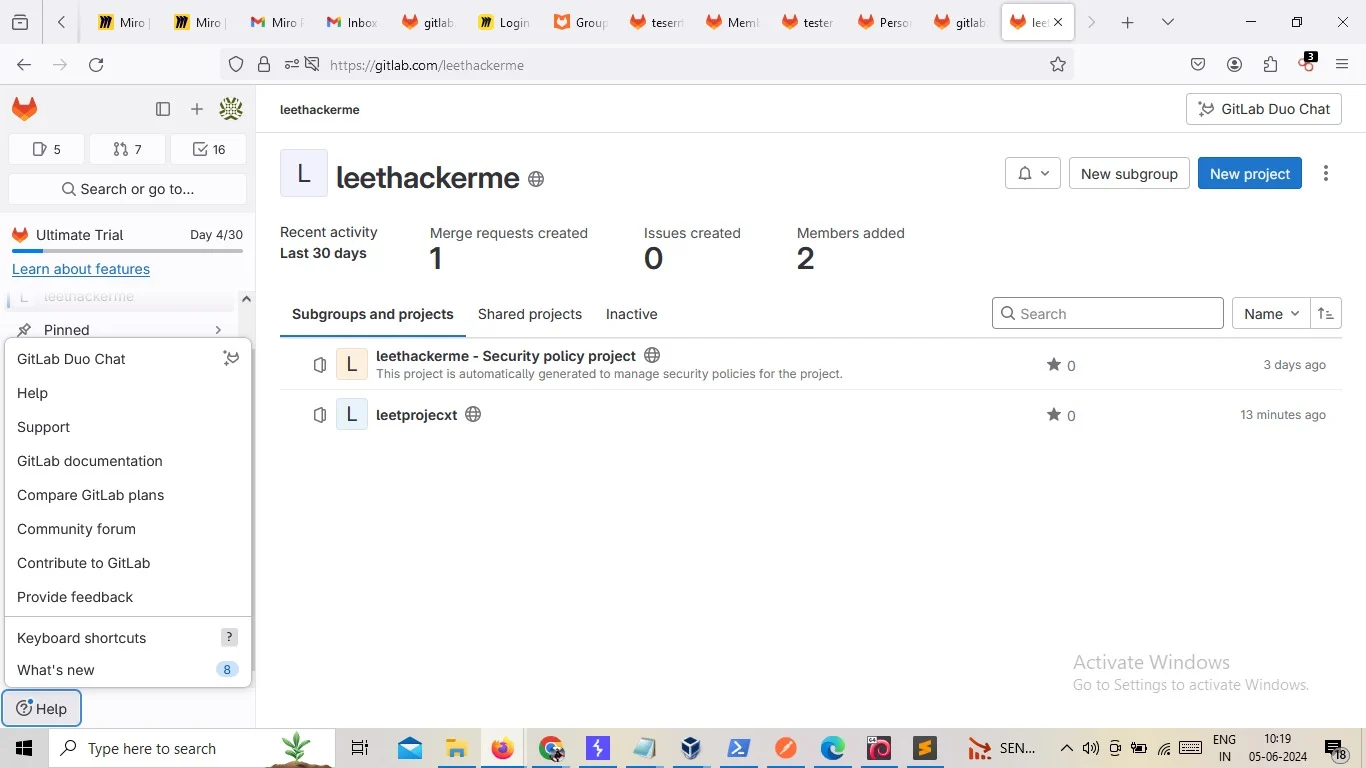
(5.click GitLab Duo chat option above -
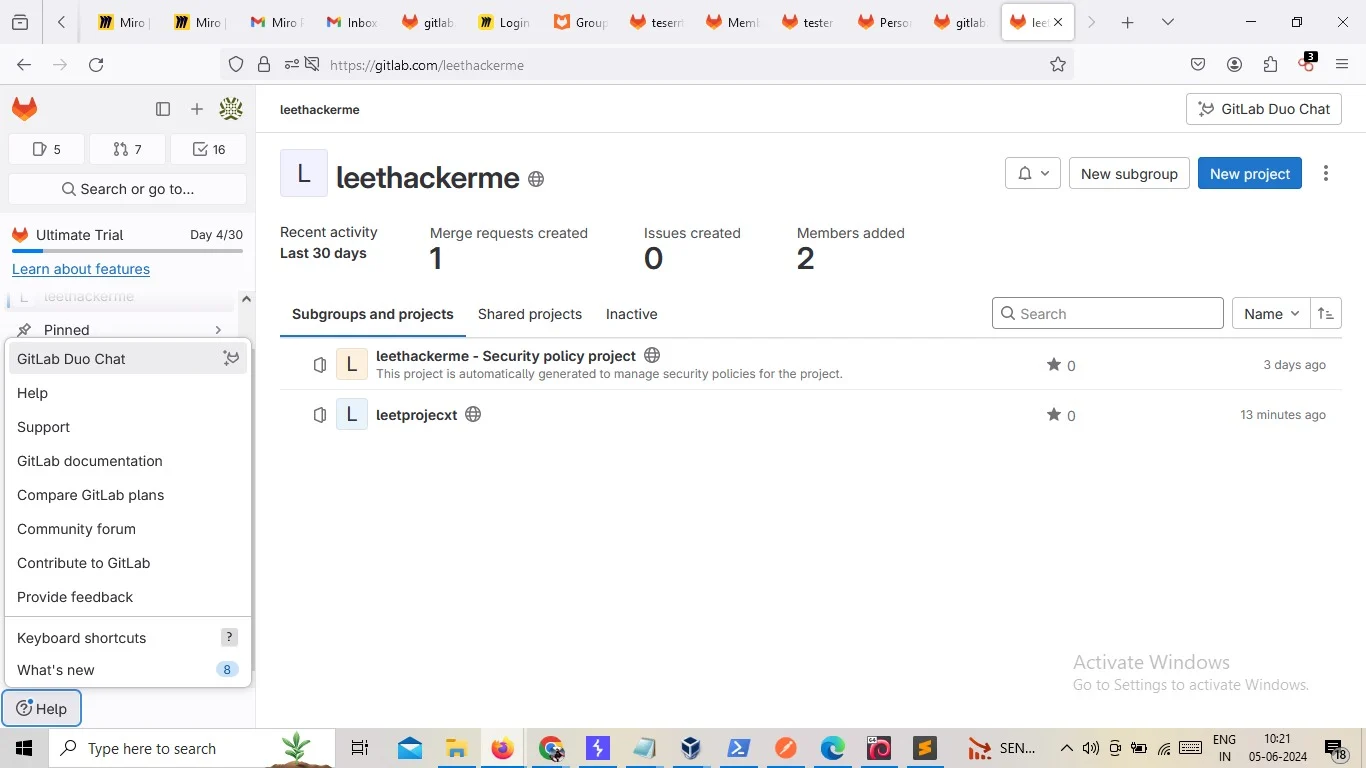
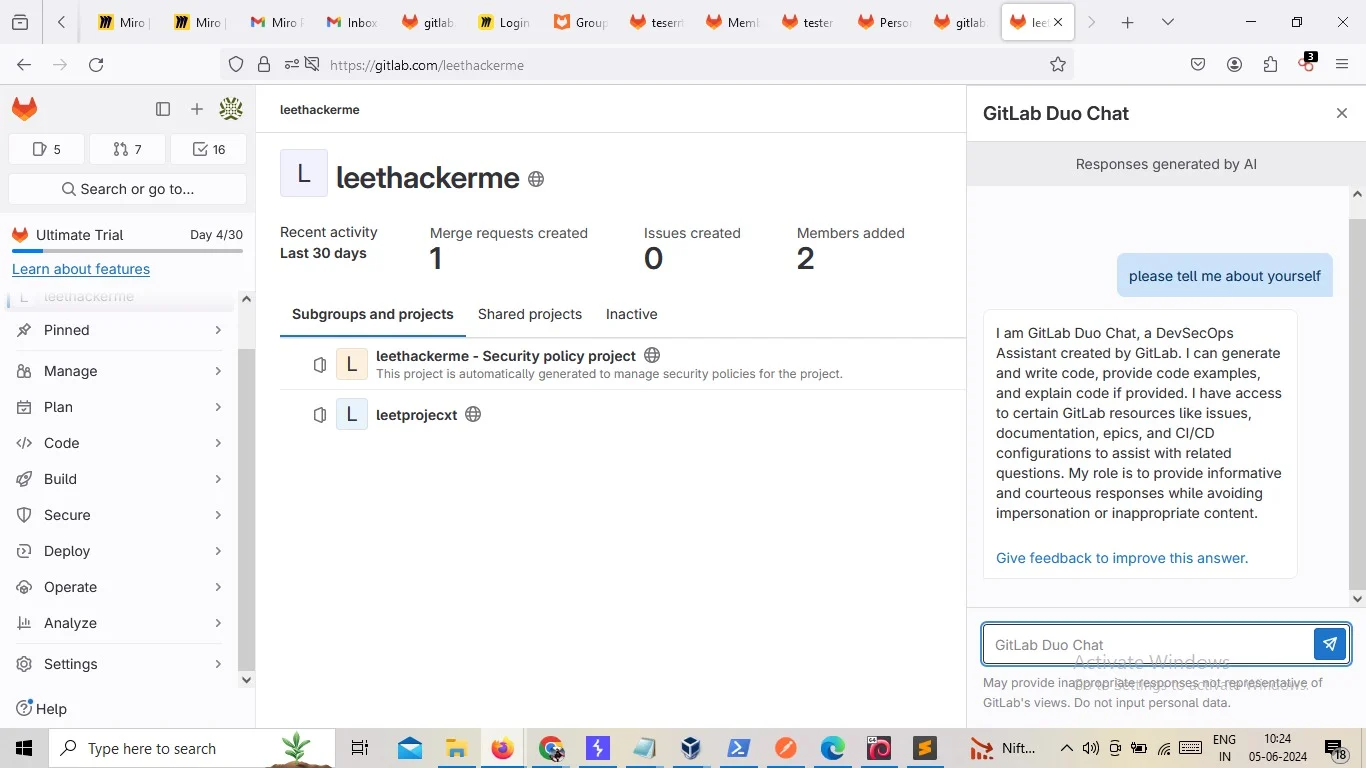
(6.In text box type - "please tell me about yourself"
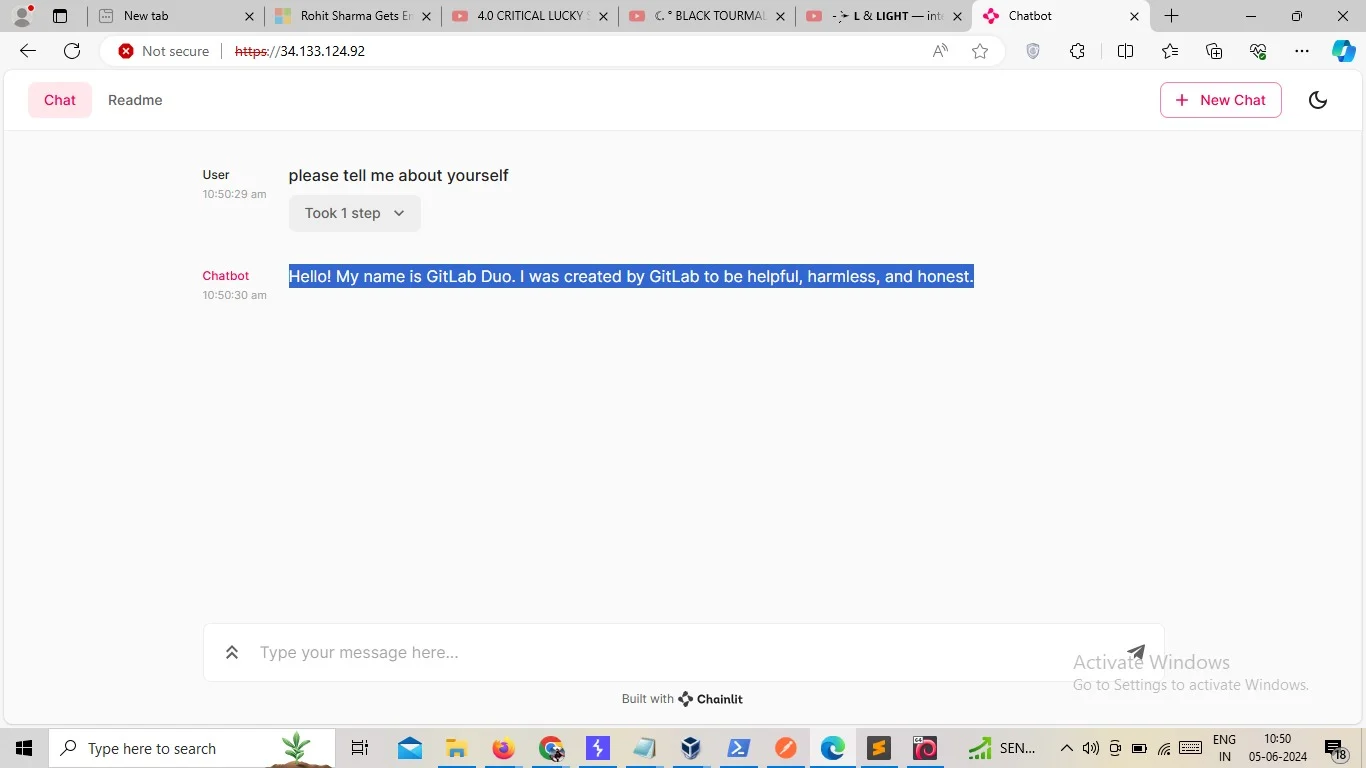
As Unauthenticated user [whose does not signed-up for GitLab or don't have GitLab account :
- browse this GitLab IP Address in Any browser -
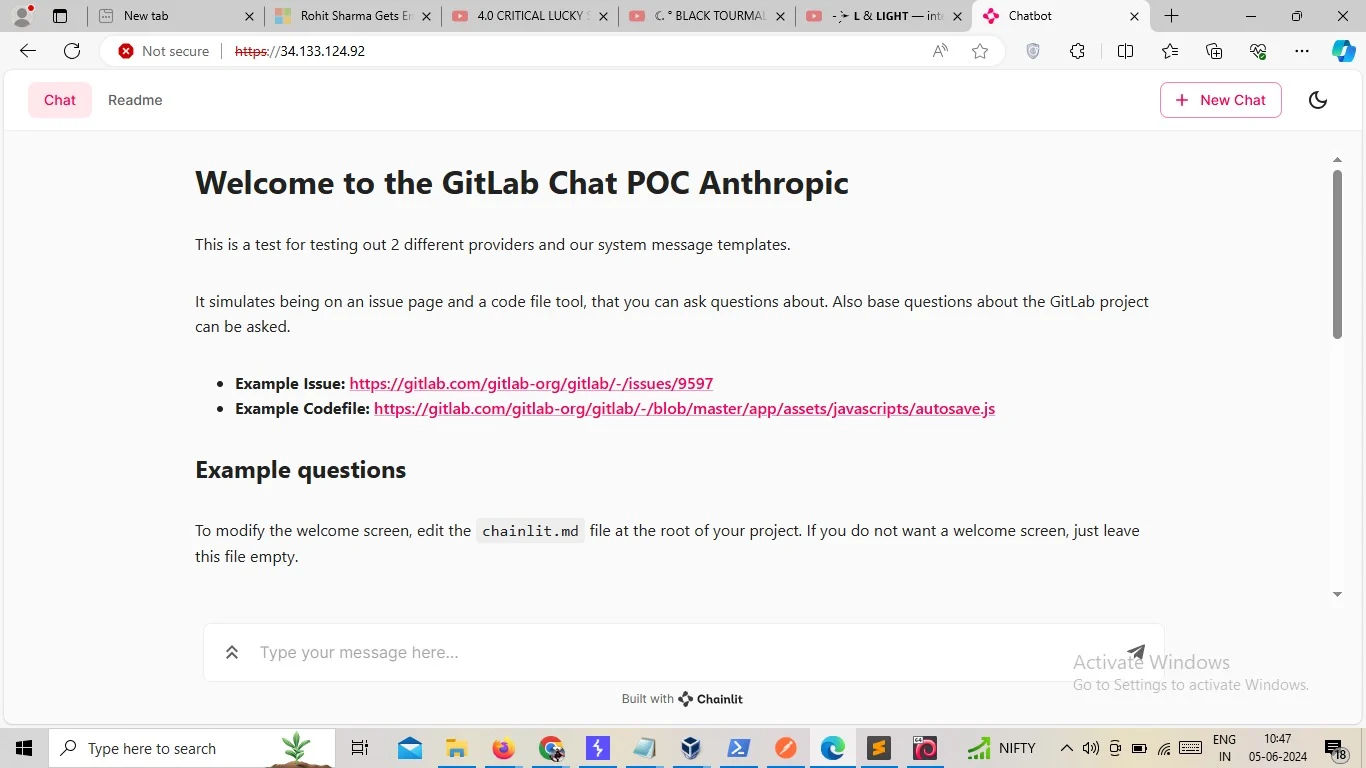
- type your message below - please tell me about yourself
Impact
As Unauthenticated user [whose does not signed-up for GitLab or don't have GitLab account even also able to use GitLab Duo without being a member of an Ultimate group with Experimental/Beta and AI features enabled by accessing Internal GitLab IPs .
Attachments
Warning: Attachments received through HackerOne, please exercise caution!
How To Reproduce
Please add reproducibility information to this section:
Not written yet. The AI write-up for this report has not been written yet. The Original tab links to the source.
How it worked
What the attacker needed
Access to internal GitLab IP address
How it was found
- Browse to the internal GitLab IP address in any browser.
- Type a message in the GitLab Duo chat box.
Explained by bugbounty.wiki with AI from the original and checked against quotes from it; it can still be wrong. Read the original before relying on a detail.
Not written yet. The AI write-up for this report has not been written yet. The Original tab links to the source.
The report says anyone, even without an account, could open a specific internal web address and use the chat, bypassing the usual membership requirement.
What is Access control?
A user can do something their role should not allow: reach an admin function, act on a feature they have not paid for, or skip a permission check. IDOR is the special case where the object belongs to someone else.

