Bypass branch restrictions with Asana integration
The Asana integration in GitLab checks branch restrictions using a substring match instead of an exact branch name match, so a branch whose name is a substring of an allowed branch (e.g., 'a' when 'main' is allowed) bypasses the restriction. An attacker with developer permissions can therefore close Asana tasks from an unexpected branch, even if only a protected branch is intended to be used.

GitLab
Originally disclosed on GitLab
- Fixed in 3 months
- Disclosed after 3 months
HackerOne report #1411216 by ooooooo_q on 2021-11-28, assigned to @rshambhuni:
Report | Attachments | How To Reproduce
Report
Summary
If you integrate the project to asana with gitlab, can close the task on the asana side by commenting with a commit comment like fix #xxx.(https://docs.gitlab.com/ee/user/project/integrations/asana.html)
The UI says that can limit the target branches in project Comma-separated list of branches to be automatically inspected. Leave blank to include all branches.
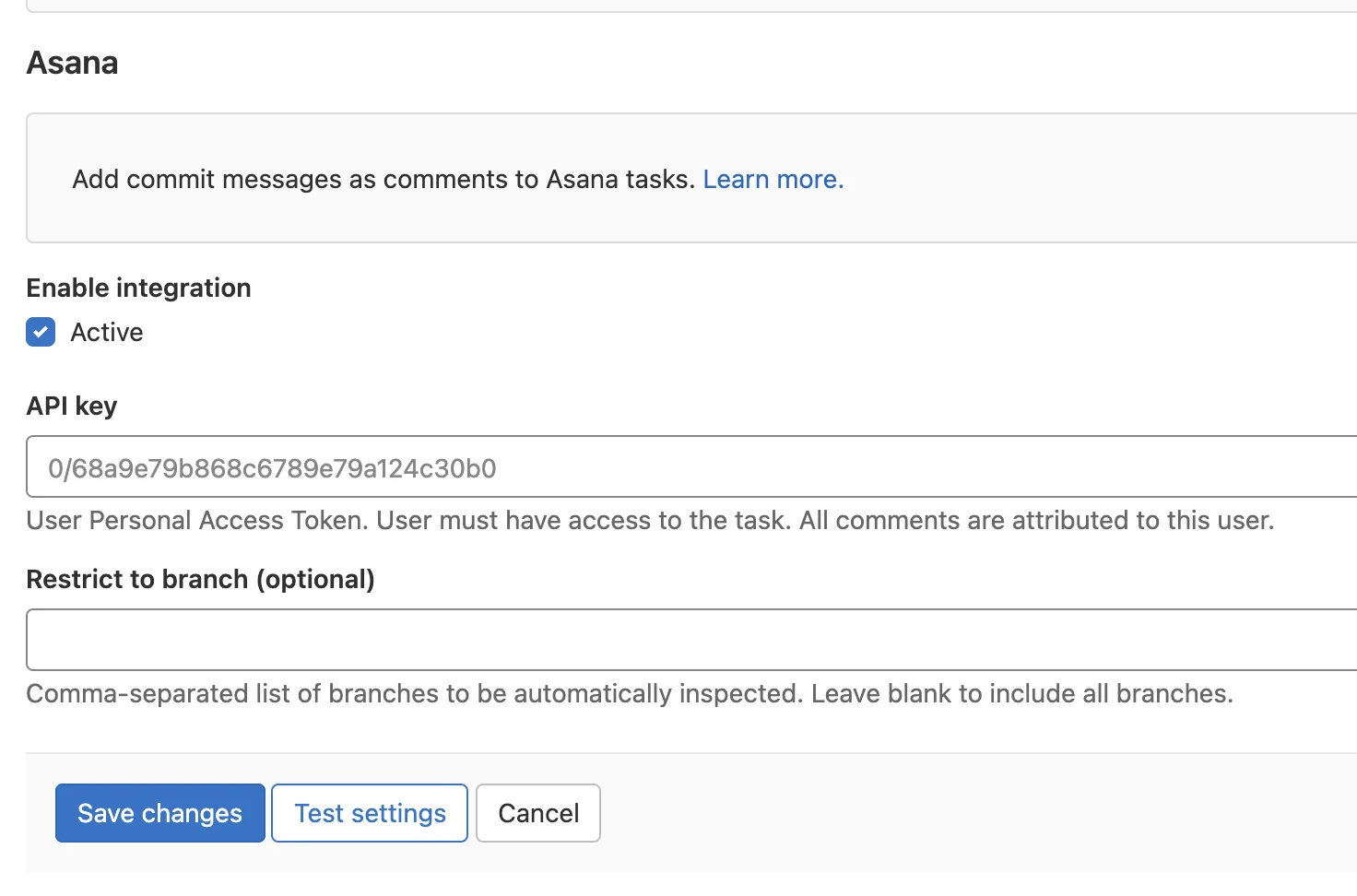
However, there is a problem in comparing branch names, so it is possible to operate from an unexpected branch.
Steps to reproduce
-
Prepare Asana personal access token.(https://developers.asana.com/docs/personal-access-token)
-
Integrate the project with Asana. (https://docs.gitlab.com/ee/user/project/integrations/asana.html)
-
Limit the target branch to
main.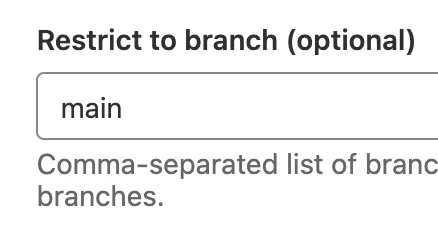
restrict_to_main.png From the original on GitLab -
Create Asana Task (e.g.
https://app.asana.com/0/1201433658824421/1201434618560116) -
Create a
abranch and writefix #xxxin the commit message.(e.gfix #1201434618560116) -
You can confirm that the task is completed on the Asana side.
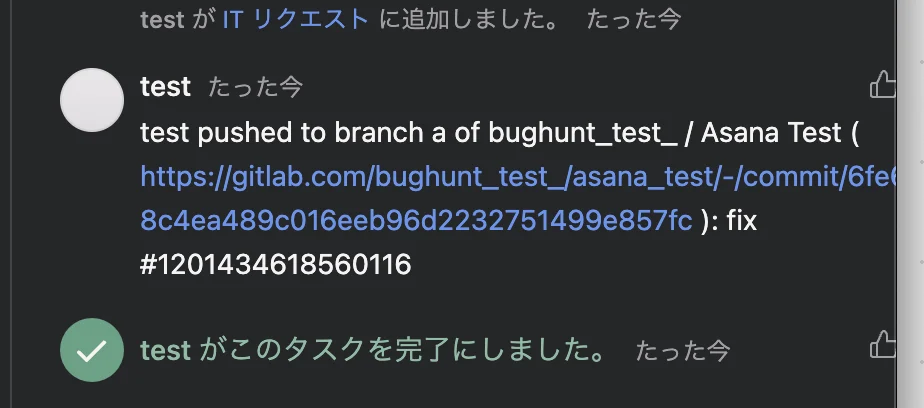
asana_2.png From the original on GitLab
Impact
Can close Asana tasks from an unexpected branch of the user.
In particular, even if intend to use only protected branch that works with Asana, can operate it from the developer permission user.
(https://docs.gitlab.com/ee/user/project/protected_branches.html)
Examples
https://gitlab.com/bughunt_test_/asana_test
What is the current bug behavior?
https://gitlab.com/gitlab-org/gitlab/-/blob/master/app/models/integrations/asana.rb#L64
    def execute(data)
      return unless supported_events.include?(data[:object_kind])

      # check the branch restriction is poplulated and branch is not included
      branch = Gitlab::Git.ref_name(data[:ref])
      branch_restriction = restrict_to_branch.to_s
      if branch_restriction.present? && branch_restriction.index(branch).nil?
        return
      end

      user = data[:user_name]
      project_name = project.full_name

      data[:commits].each do |commit|
        push_msg = s_("AsanaService|%{user} pushed to branch %{branch} of %{project_name} ( %{commit_url} ):") % { user: user, branch: branch, project_name: project_name, commit_url: commit[:url] }
        check_commit(commit[:message], push_msg)
      end
    end
branch_restriction.index(branch).nil? is a comparison between strings, not a Comma-separated list of branches.
❯ irb
irb(main):001:0> "main,develop".index("main")
=> 0
irb(main):002:0> "main,develop".index("a")
=> 1
irb(main):003:0> "main,develop".index("b")
=> nil
What is the expected correct behavior?
Comma-separated list of branches limit the branches that can be operate.
Output of checks
This bug happens on GitLab.com
Impact
Can close Asana tasks from an unexpected branch of the user.
In particular, even if intend to use only protected branch that works with Asana, can operate it from the developer permission user.
(https://docs.gitlab.com/ee/user/project/protected_branches.html)
Attachments
Warning: Attachments received through HackerOne, please exercise caution!
How To Reproduce
Please add reproducibility information to this section:
Not written yet. The AI write-up for this report has not been written yet. The Original tab links to the source.
How it worked
Root cause
The code used a substring search (String#index) to compare the branch name against the comma-separated list of allowed branches, instead of checking for an exact match.
Impact
An attacker with developer permissions could close Asana tasks from an unexpected branch, bypassing the intended restriction to protected branches.
What the attacker needed
Asana integration enabled; Asana personal access token; Developer permission on the project
How it was found
- Prepare an Asana personal access token.
- Integrate the GitLab project with Asana.
- Limit the target branch to 'main'.
- Create an Asana task.
- Create a branch named 'a' and write a commit message like 'fix #xxx'.
- Observe that the Asana task is completed.
Explained by bugbounty.wiki with AI from the original and checked against quotes from it; it can still be wrong. Read the original before relying on a detail.
Not written yet. The AI write-up for this report has not been written yet. The Original tab links to the source.
GitLab can connect to Asana so that commit messages like 'fix #123' automatically close Asana tasks. The project settings let you limit this to certain branches, but the check was flawed: it only looked for the allowed branch name anywhere inside the actual branch name. So a branch called 'a' was accepted because 'a' appears inside 'main'. This let someone with normal developer access close tasks from a branch they shouldn't have been able to use.
What is Access control?
A user can do something their role should not allow: reach an admin function, act on a feature they have not paid for, or skip a permission check. IDOR is the special case where the object belongs to someone else.

