Bypass IP restriction to delete container registeries
A user with a developer role in a group that has an IP restriction can still delete container repositories via a GraphQL mutation, even though the restriction should prevent any access. The attacker can delete container images despite not being able to list or view them.

GitLab
Originally disclosed on GitLab
- Fixed in 2 months
- Disclosed after 2 months
⚠️ Please read the process on how to fix security issues before starting to work on the issue. Vulnerabilities must be fixed in a security mirror.
HackerOne report #1907791 by ali_shehab on 2023-03-15, assigned to @cmaxim:
Report | Attachments | How To Reproduce
Report
Summary
Hi team, hope you are well if you put a restriction on the IP address on a group, the user will not be able to see the group or any project ( unless he is an admin he can only see groups, not projects ). However, a user even with a developer role is still able to delete the container although he is not allowed to list them or anything.
Steps to reproduce
- Create a group and a project with an ultimate free trail.
- Invite a user with developer permission to the group.
- Push a container registery to the project
sudo docker push registry.gitlab.com/{groupName}/{projectName}
- Now go to
Group=>General=>Permissions and group features=> Restrict access for a user. 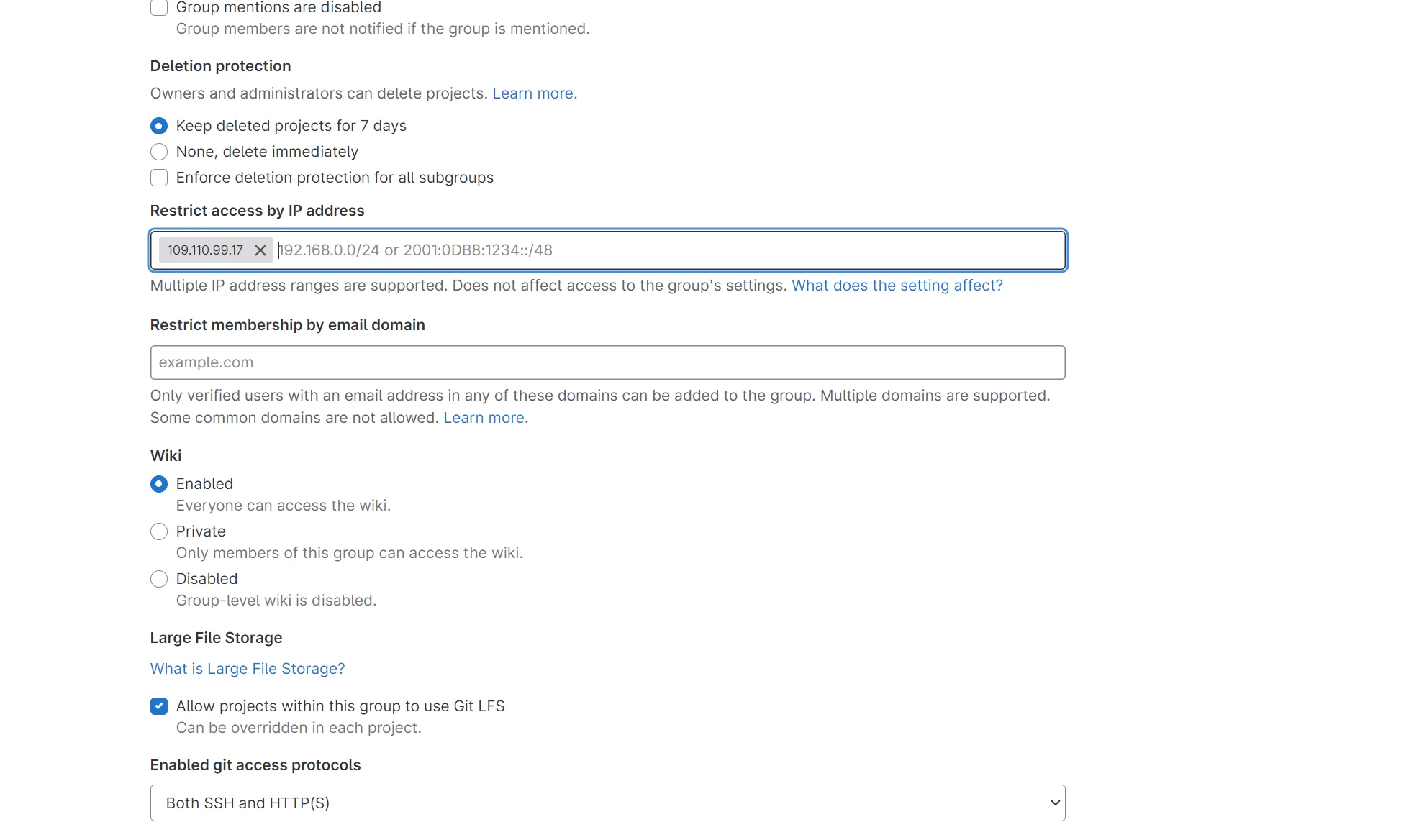
image.png From the original on GitLab - Press save/
- Now go from the browser account to the group you will see this:
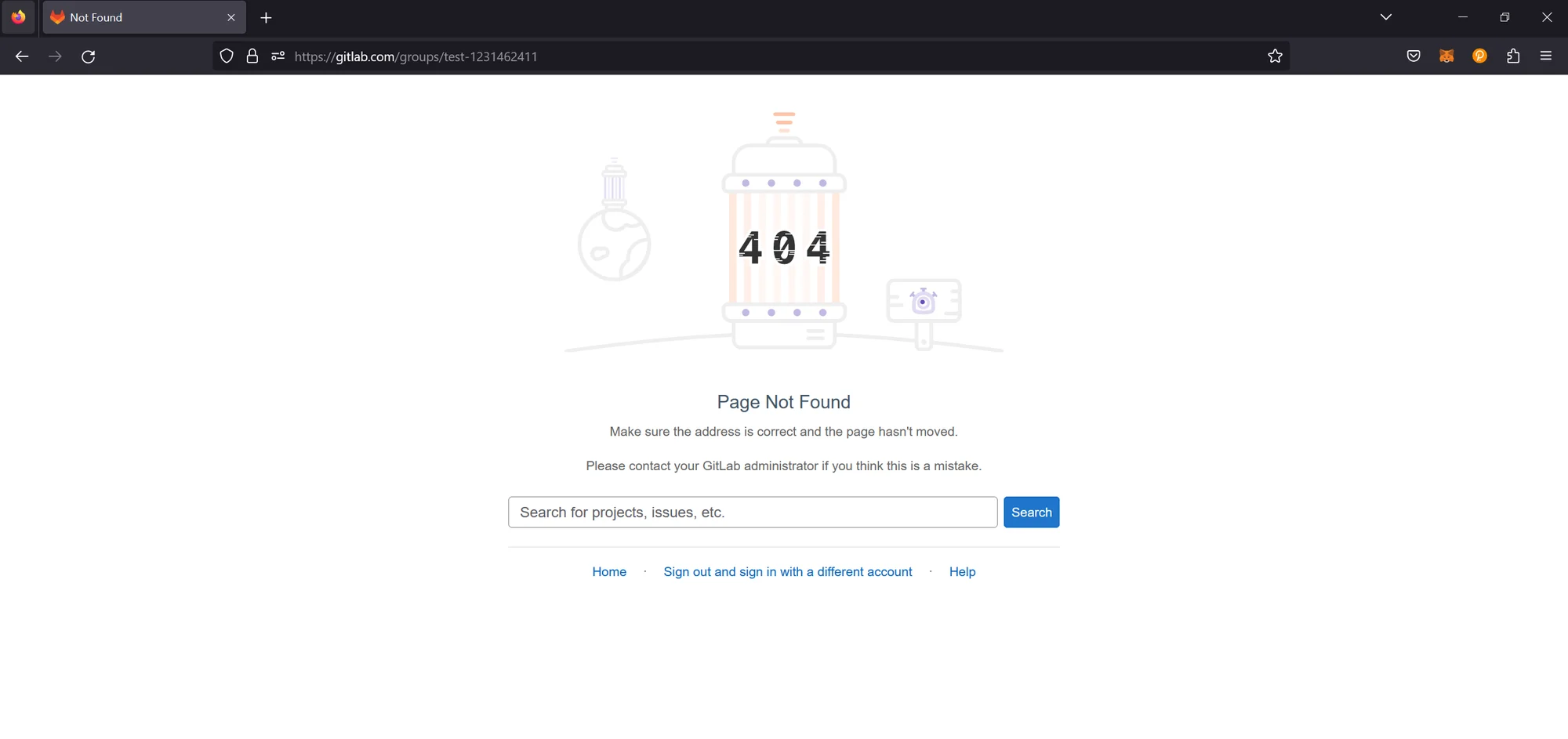
- AS you notice you are not allowed to view it or do anything with it.
- Now let us try to delete it.
- Get the container registery id above.
- Send this graphql request
[{"operationName":"destroyContainerRepository","variables":{"id":"gid://gitlab/ContainerRepository/{registeryId}"},"query":"mutation destroyContainerRepository($id: ContainerRepositoryID!) {\n destroyContainerRepository(input: {id: $id}) {\n containerRepository {\n id\n status\n __typename\n }\n errors\n __typename\n }\n}\n"}]
It will have this respone:
[{"data":{"destroyContainerRepository":null},"errors":[{"message":"Cannot return null for non-nullable field DestroyContainerRepositoryPayload.containerRepository"}]}]
Still it will be deleted.
Video
Impact
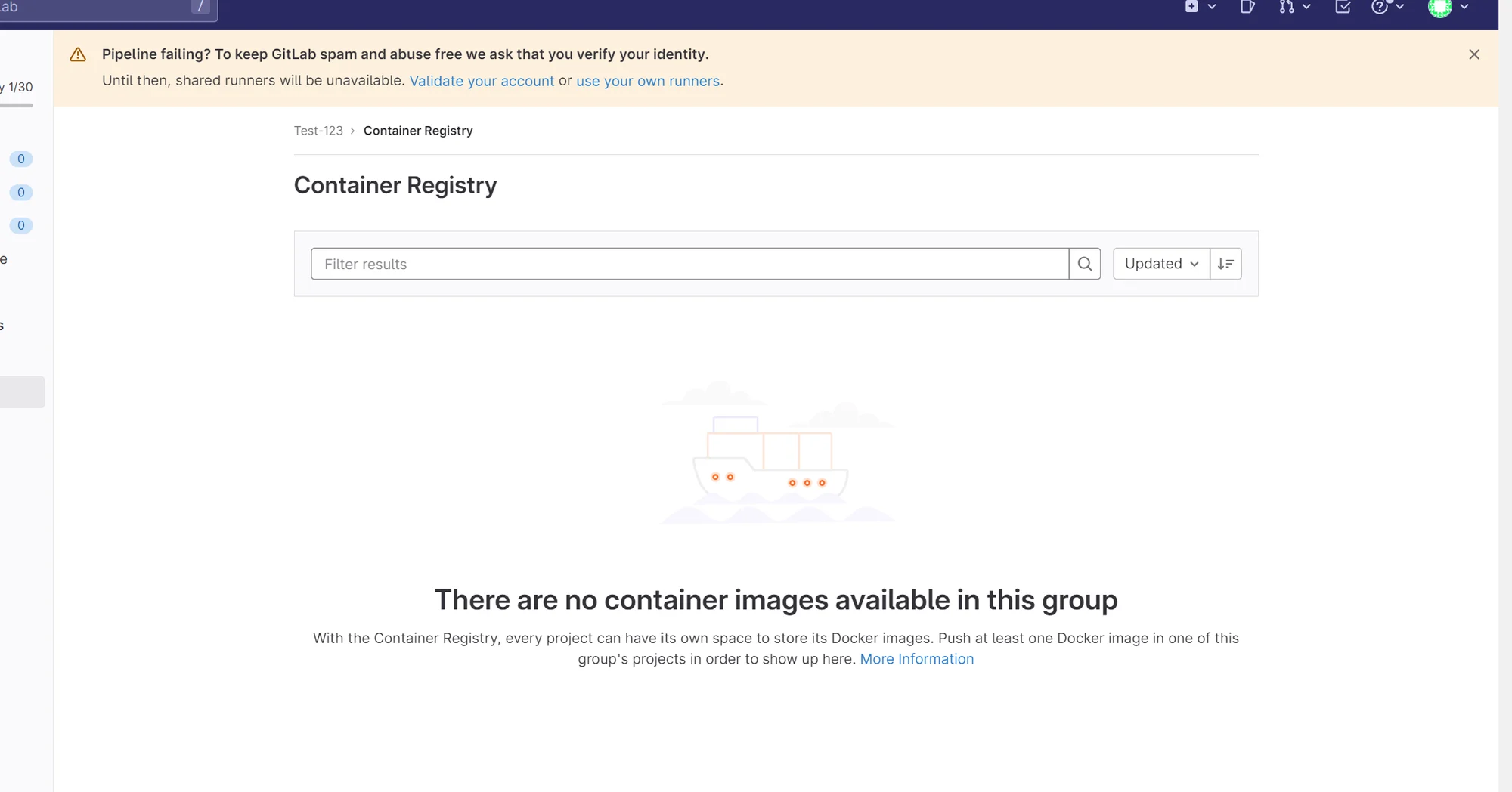
A user that has a restricted ip address can still be able to delete the container registery although this is not allowed in the REST api address and you will got 403 forbidden. Now it is deleted this is a screenshot
Attachments
Warning: Attachments received through HackerOne, please exercise caution!
How To Reproduce
Please add reproducibility information to this section:
Not written yet. The AI write-up for this report has not been written yet. The Original tab links to the source.
How it worked
Root cause
Likely the GraphQL mutation for deleting container repositories does not enforce the IP restriction that is applied to other access paths.
Impact
A user with a restricted IP address can delete container repositories even though the REST API returns 403 forbidden, so the restriction is bypassed for this action.
What the attacker needed
A GitLab group with IP restriction enabled; a user with developer role in the group; a container registry in the project
How it was found
- Create a group and a project with an ultimate free trial.
- Invite a user with developer permission to the group.
- Push a container registry to the project.
- Go to Group => General => Permissions and group features => Restrict access for a user.
- Press save.
- Send a GraphQL mutation to delete the container repository using its ID.
Explained by bugbounty.wiki with AI from the original and checked against quotes from it; it can still be wrong. Read the original before relying on a detail.
Not written yet. The AI write-up for this report has not been written yet. The Original tab links to the source.
IP restriction is a security setting that only allows people from certain network addresses to access a group. The report shows that even when this restriction is on, a user with developer permissions can still delete container images using a special API request, even though they cannot see them in the normal interface.
What is Access control?
A user can do something their role should not allow: reach an admin function, act on a feature they have not paid for, or skip a permission check. IDOR is the special case where the object belongs to someone else.

