Commit information visible through release atom endpoint for guest users
A guest user on a private GitLab project could see the commit message of a release through the project's releases Atom feed, even though guests are not supposed to see repository information such as commits. The Atom feed's summary field included the commit message without checking whether the viewer had permission to read the code.

GitLab
Originally disclosed on GitLab
- Fixed in 3 months
- Disclosed after 3 months
⚠️ Please read the process on how to fix security issues before starting to work on the issue. Vulnerabilities must be fixed in a security mirror.
HackerOne report #2573397 by ashish_r_padelkar on 2024-06-24, assigned to @kmorrison1:
Report | Attachments | How To Reproduce
Report
Summary
Hello,
As per this documentation, https://docs.gitlab.com/ee/user/permissions.html, Guest users can access GitLab Releases for downloading assets but are not allowed to download the source code nor see repository information like commits and release evidence.
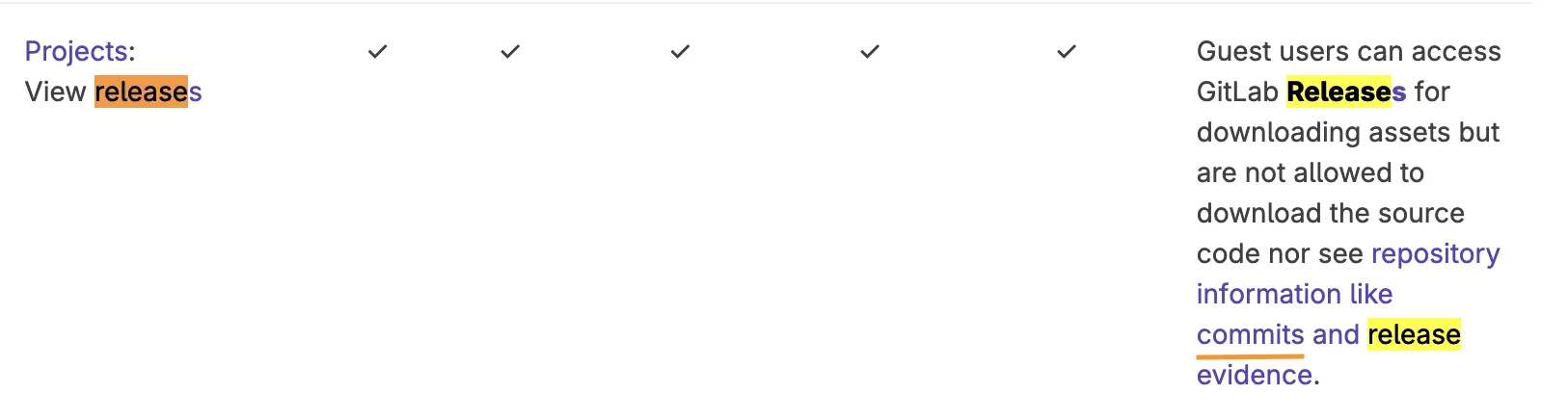
However, through release atom endpoint, guest user can see the commit of the release.
Steps to reproduce
1.Create a group.
2.Create private project underneath.
3.Now create a release within the project.
4.The release will show information like below including commit information.
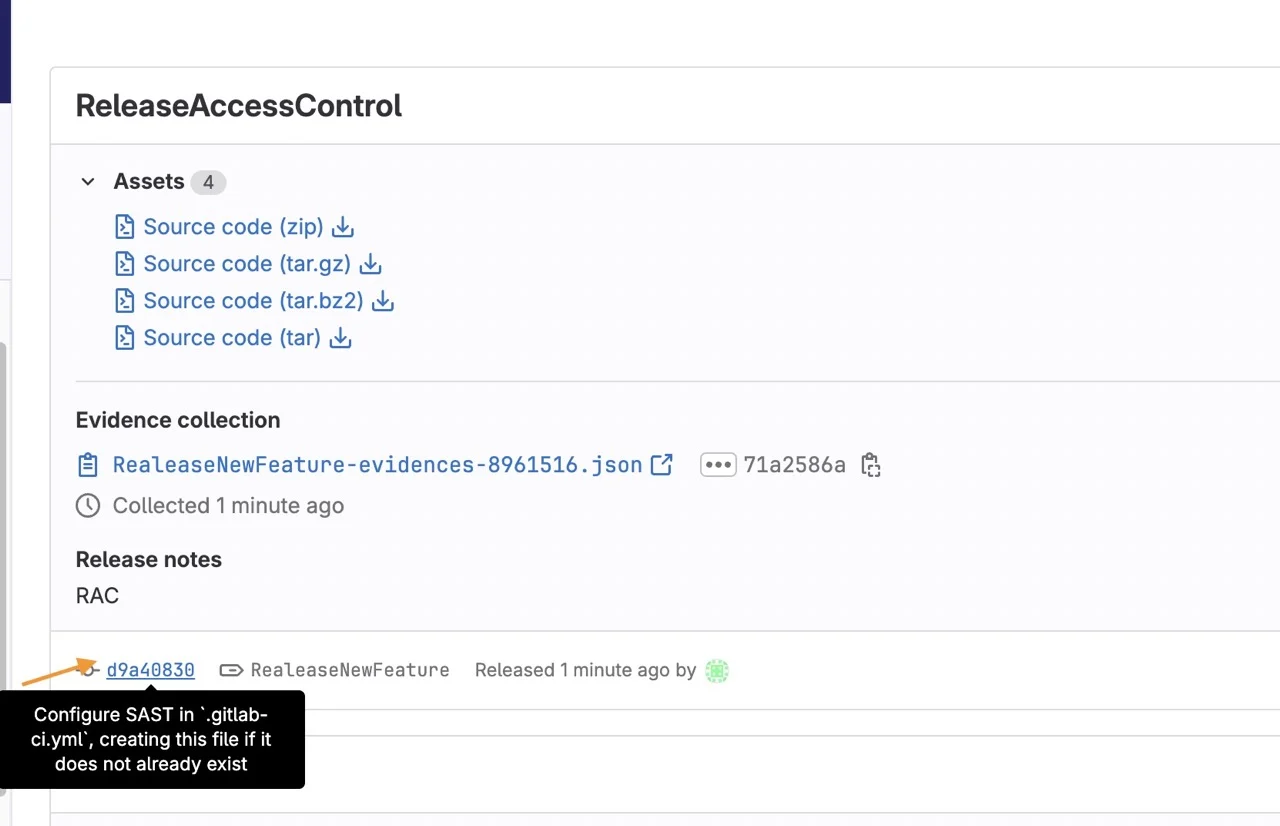
5.Now add a guest user at group level https://gitlab.com/groups/<groupName>/-/group_members.
6.Login as guest user and navigate to releases at https://gitlab.com/<groupName>/<ProjectName>/-/releases.
7.You see the release but you dont see repository information like commits and release evidence as expected and working as intended as per documentation.
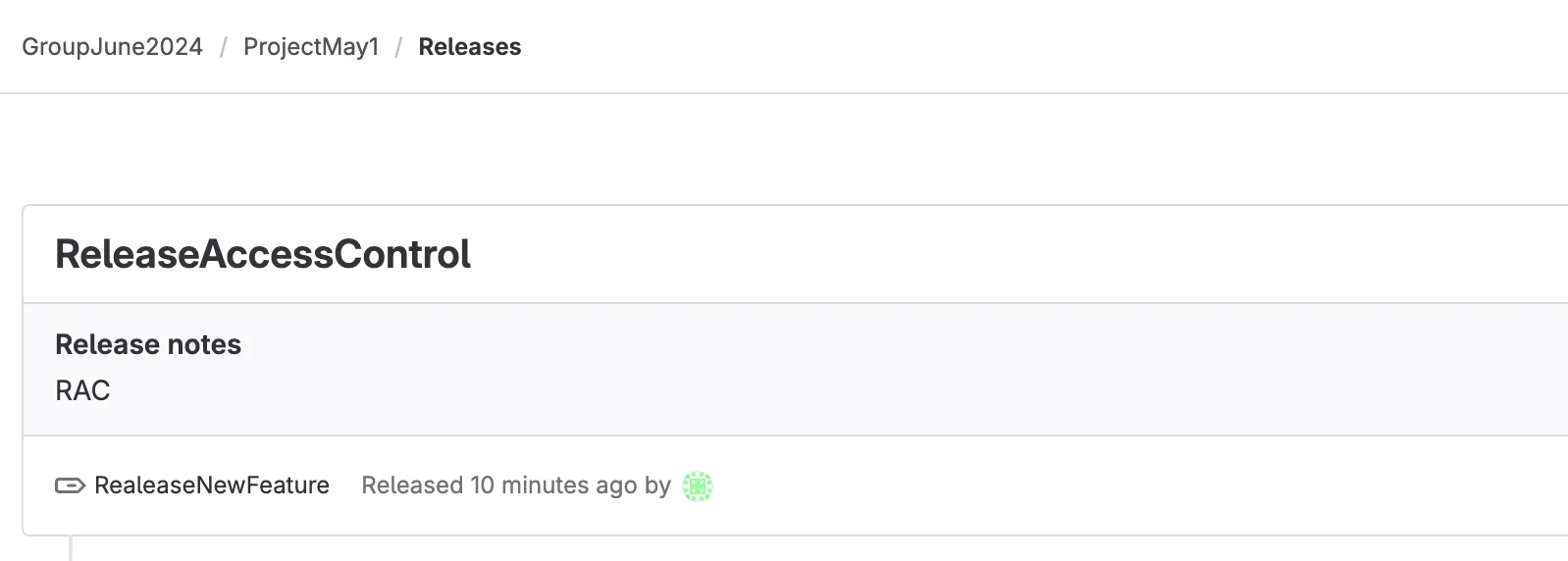
8.Now click on RSS feed button and it will open an URL like https://gitlab.com/<groupName>/<ProjectName>/-/releases.atom?feed_token=glft-<>Token-3148078.
9.In response, look for <summary> tag which contains the commit information which they shouldn't see as per documentation.
What is the current bug behavior?
Guest users are able to view commit information which they shouldnt.
What is the expected correct behavior?
Commit information should be redacted from release atom endpoint for guest users.
Output of checks
This bug happens on GitLab.com GitLab Enterprise Edition 17.2.0-pre 59d98c8baff
Regards,
Ashish
Impact
Commit information visible through release atom endpoint for guest users
Attachments
Warning: Attachments received through HackerOne, please exercise caution!
- Screenshot_2024-06-25_at_12.42.26_AM.png
- Screenshot_2024-06-25_at_12.45.30_AM_Large.jpeg
- Screenshot_2024-06-25_at_12.54.19_AM.png
- Screenshot_2024-06-25_at_12.54.50_AM.png
How To Reproduce
Please add reproducibility information to this section:
Implementation guide
For the commit.message information, first check if the current user can read code for the current repository with can?(current_user, :readf_code, project).
This is a possible fix:
diff --git a/app/views/projects/releases/_release.atom.builder b/app/views/projects/releases/_release.atom.builder
index e0295a0f38fc..d815163d659a 100644
--- a/app/views/projects/releases/_release.atom.builder
+++ b/app/views/projects/releases/_release.atom.builder
@@ -9,7 +9,7 @@ xml.entry do
   xml.id        release_url
   xml.link      href: release_url
   xml.title     truncate(release.name, length: 160)
-  xml.summary   strip_signature(release.commit.message)
+  xml.summary   strip_signature(release.commit.message) unless !can?(current_user, :read_code, @project)
   xml.content   markdown_field(release, :description), type: 'html'
   xml.updated   release.updated_at.xmlschema
   xml.published release.released_at.xmlschema
Not written yet. The AI write-up for this report has not been written yet. The Original tab links to the source.
How it worked
Root cause
Likely the Atom feed template rendered the release commit message without checking the viewer's read_code permission on the project.
Impact
A guest user could read commit information for a private project that they should not have been able to see.
What the attacker needed
A private project with a release; a guest-level account on the group
The fix
The feed should only include the commit message when the current user has permission to read the project's code; the report proposes adding that permission check to the Atom template.
How it was found
- Create a group and a private project underneath it.
- Create a release in the project so it has commit information.
- Add a guest user at group level.
- Log in as the guest and open the project's releases page.
- Open the RSS feed for the releases.
- Look in the response for the summary tag, which contains the commit information.
Explained by bugbounty.wiki with AI from the original and checked against quotes from it; it can still be wrong. Read the original before relying on a detail.
Not written yet. The AI write-up for this report has not been written yet. The Original tab links to the source.
GitLab lets you give people different roles on a project. A 'guest' is a low role that can see releases and download release files but is not meant to see the source code or its history. The releases page also offers an RSS/Atom feed, and that feed was quietly including the commit message attached to each release, so a guest could read a small piece of repository history they were not allowed to see.
What is Access control?
A user can do something their role should not allow: reach an admin function, act on a feature they have not paid for, or skip a permission check. IDOR is the special case where the object belongs to someone else.

