`Default branch file and directory locks` can be bypassed
A file lock on the default branch was not enforced when the merge request author was the same user who had locked the file. A developer could reopen an old merge request and merge changes to a locked file, bypassing the owner's lock.

GitLab
Originally disclosed on GitLab
- Fixed in 32 days
- Disclosed after 32 days
⚠️ Please read the process on how to fix security issues before starting to work on the issue. Vulnerabilities must be fixed in a security mirror.
HackerOne report #3320607 by theluci on 2025-08-29, assigned to @gandrews7:
Report | Attachments | How To Reproduce
Report
Hello, I hope you are doing well.
I found that files locked by the Owner can be edited by a Developer.
Background
Gitlab provides a feature to lock a file/directory on default branch.
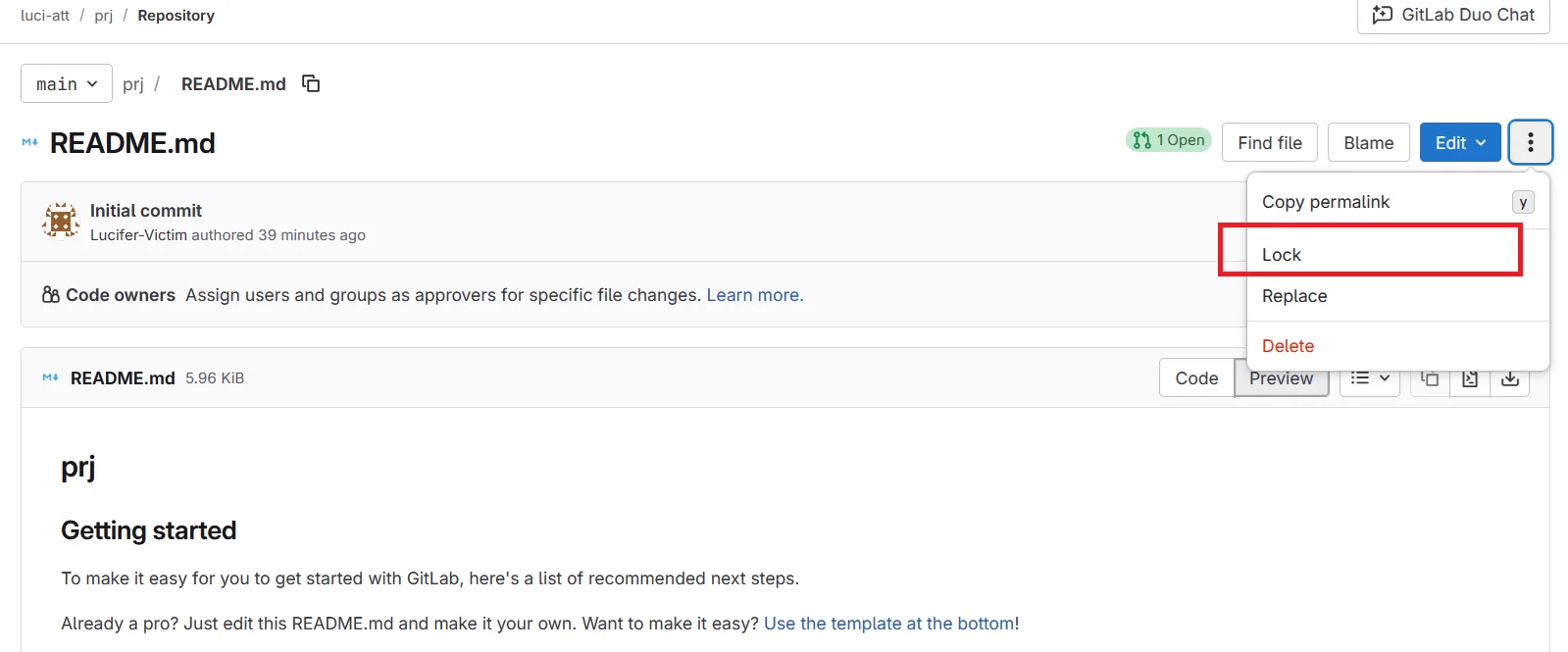
Before merging a Merge request, there is a check to ensure that no files are locked,
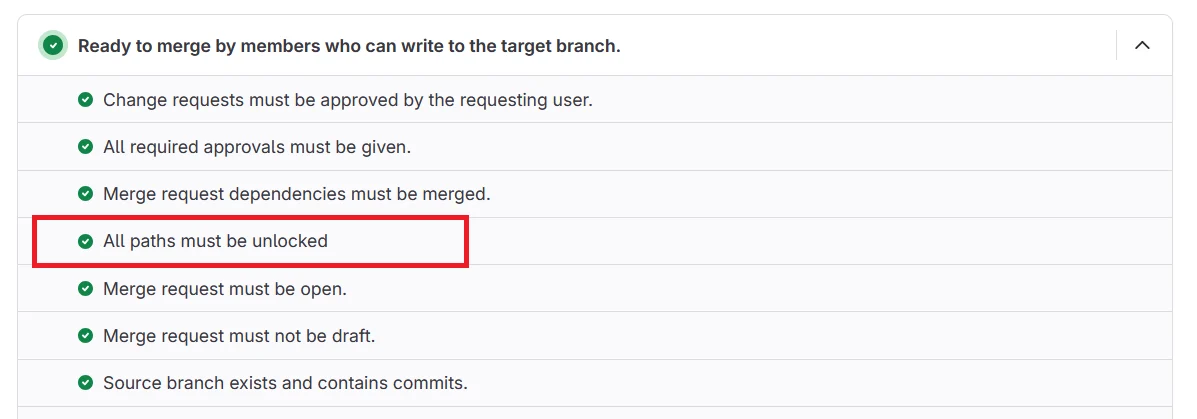
The above check is not enforced correctly can be bypassed.
Vulnerability
<------------------------------------------Important------------------------------------------->
If the author of the merge request is the same as the user who has locked the file, then the file lock is not enforced.
Taking into account that the author of the merge request is not changed even if the MR is closed and reopened, attacker can reopen an old merge request (or delete the source branch of an existing MR and then reopen the merge request) to edit the locked files.
Since the author of the merge request is the same user who has locked the file, locked files can be edited by the attacker.
<-------------------------------------------------------------------------------------------------->
Steps to reproduce
victimcreates a groupvictim-groupand starts Ultimate trial.victimnavigates tovictim-group, Manage --> Members and invitesattackeras Developer.victimcreates a projectvictim-projectinsidevictim-group.
(Initialize repository with README)
victimcreates a filetest.exewith the following code,
echo “safe code”
victimlocks thetest.exefile.victimnavigates tovictim-projectSettings --> Repository, Expand protected branches and givesattackerAllowed to merge permissions onmain.victimcreates a new branchanother, edits the README.md file and creates a merge request fromanothertomain.attackernavigates tovictim-project, Code --> Branches and deletesanotherbranch.attackergoes to Merge requests and reopens the Merge request fromanothertomain.attackercreates branchanotherand edits thetest.exefile as follows,
echo “malicious code”
attackergoes to the Merge request. (Re-opened in step 9)
It shows that all paths are unlocked even though test.exe is locked by the victim Owner.
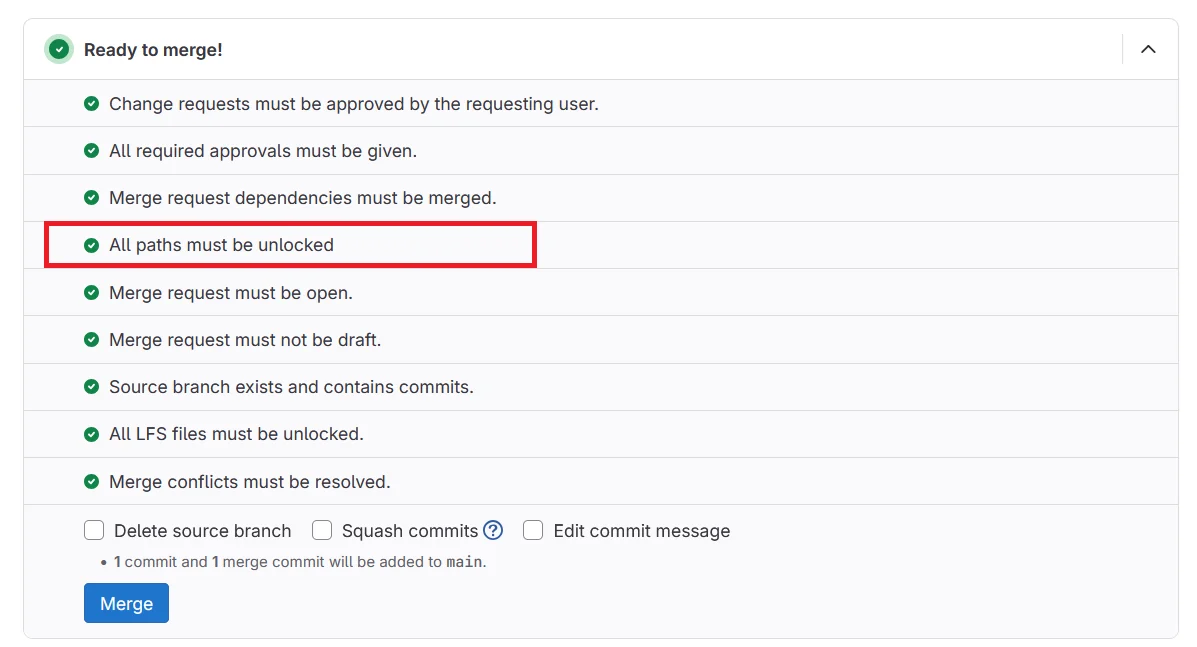
attackermerges the merge request.
attacker is able to edit locked files locked by the victim Owner.
POC
Output of checks
This bug happens on GitLab.com (Probably on instance too).
Impact
Locked files can be edited
Attachments
Warning: Attachments received through HackerOne, please exercise caution!
How To Reproduce
Please add reproducibility information to this section:
Not written yet. The AI write-up for this report has not been written yet. The Original tab links to the source.
How it worked
Impact
A developer could edit and merge changes to files the owner had locked, defeating the lock protection.
What the attacker needed
Attacker is a project Developer; attacker can merge to main; an existing merge request to reopen
How it was found
- Victim creates a group and project, invites the attacker as Developer, and locks a file.
- Victim gives the attacker merge permission on main and creates a merge request from another branch.
- Attacker deletes the source branch and reopens the merge request.
- Attacker recreates the branch with an edit to the locked file.
- The merge request shows all paths unlocked, and the attacker merges it.
Explained by bugbounty.wiki with AI from the original and checked against quotes from it; it can still be wrong. Read the original before relying on a detail.
Not written yet. The AI write-up for this report has not been written yet. The Original tab links to the source.
GitLab lets an owner lock a file on the main branch. The check that blocks merges touching locked files could be bypassed when the merge request author was also the user who locked the file. A developer could reuse an old merge request to change the locked file.
What is Access control?
A user can do something their role should not allow: reach an admin function, act on a feature they have not paid for, or skip a permission check. IDOR is the special case where the object belongs to someone else.

