Email notification about login email changed is not received when using verified linked email address
When a user changes their login email to an already verified linked email, GitLab does not send the usual 'Email Changed' notification to the previous email address. This means the account owner may not be alerted that the login email was changed.
 Originally disclosed on HackerOne
- Disclosed after 33 days
Summary
In https://gitlab.com/profile, user can update the email id to use for login to gitlab account using field "Email". Usually, when this login email id is updated, there will be 2 email sent on previous email Id with subjects as. Email 1 - Email Changed:- This tell that login email has been changed to new email. Email 2 - Confirmation instructions :- This has a confirmation link to confirm the email id.
However, when we change this login email ID to one of the email ID which is already linked in our gitlab account under https://gitlab.com/profile/emails, then none of the above 2 emails are sent to previous email ID.
I understand that as linked email ID are already verified, so no need to send the 2nd email i.e. Confirmation Instruction but the first email i.e. "Email Changed" should be sent to previous email ID stating that your login email has been changed to new one.
Steps to reproduce
- User logs in to gitlab.com using his email ID ( ex. [email protected])
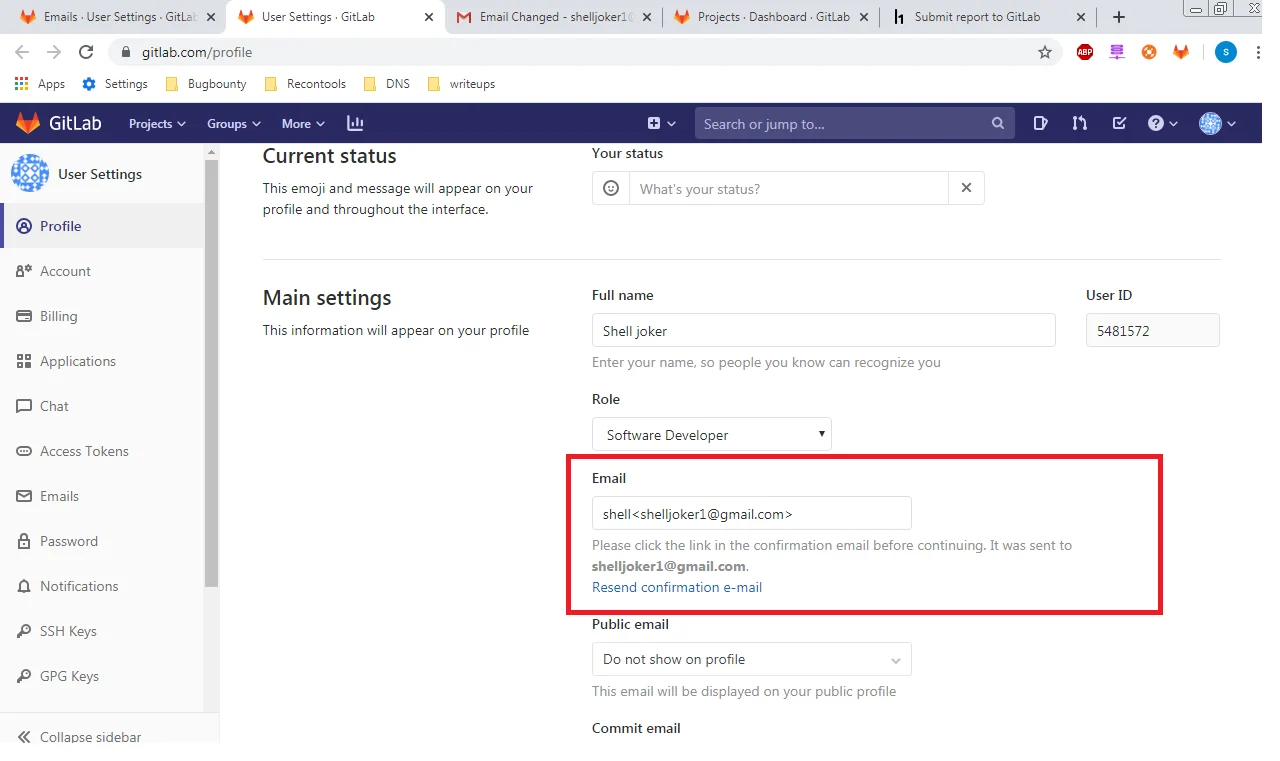
- Now, on https://gitlab.com/profile, user updates the login email id ("Email" field having "We also use email for avatar detection if no avatar is uploaded" written below it) to another email id (ex. [email protected])
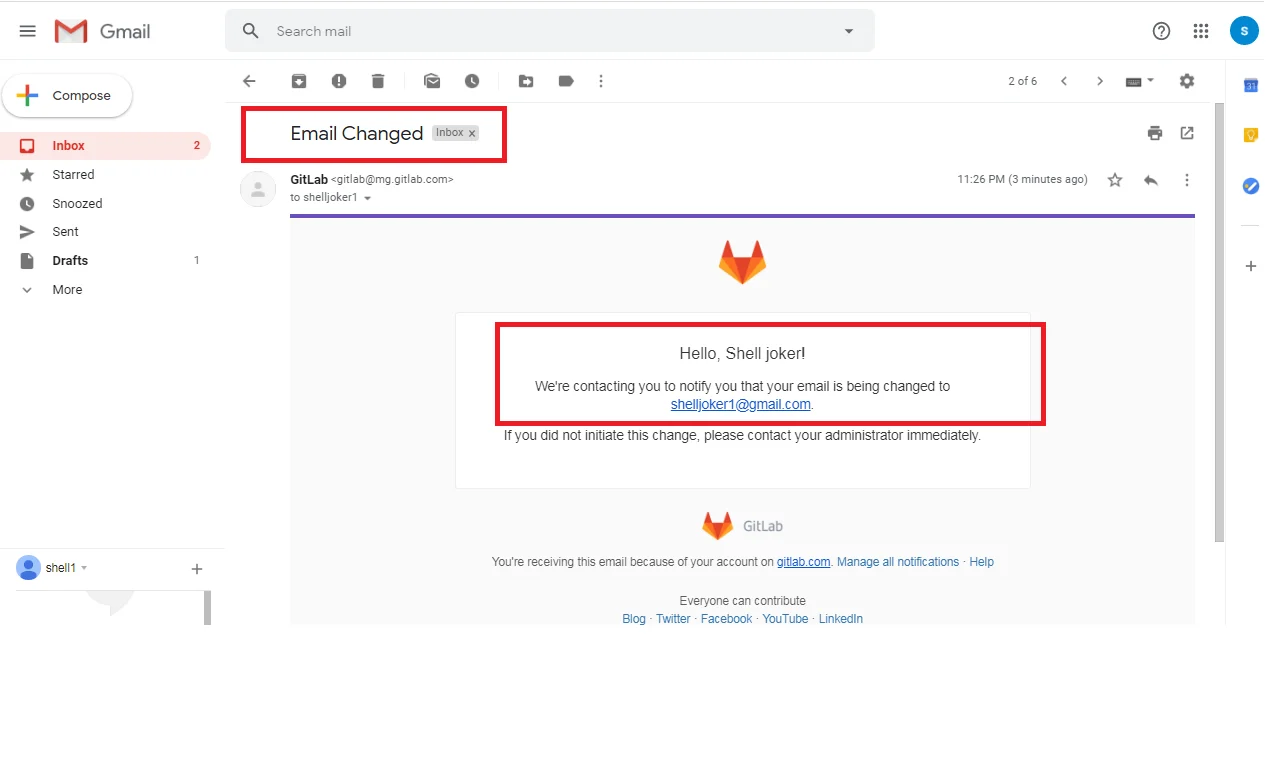
- Now, an email will go to [email protected] informing that email change action is being done. This is as expected. (Email subject : "Email Changed")
- Now, broken scenarios is as follows :
- On https://gitlab.com/profile/emails, user adds new email address (ex. [email protected]).
- [email protected] will receive email to confirm the newly added email by clicking on confirmation link received in new email.
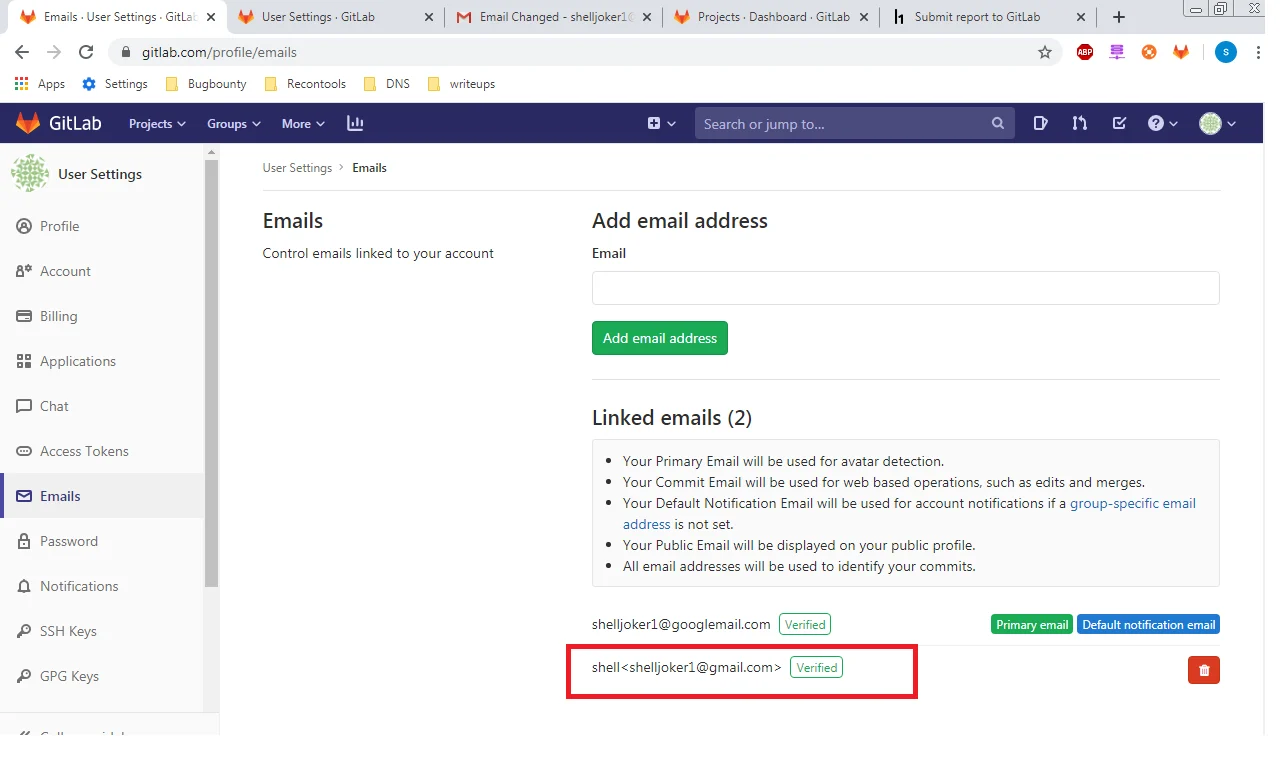
- So, one new email id i.e. [email protected] will be seen as verified under https://gitlab.com/profile/emails,
- Now if we try to update login email id on https://gitlab.com/profile (as in step 2 above) to [email protected], no email with subject as "Email Changed" will be received on [email protected].
Impact
- Account primary owner will not be aware of the fact that owner has been changed to some other email id. Although, new email is verified, "Email Changed" email will be expected by account primary owner as this happens usually (as happened in step 3 in steps above). So, consistency is not maintained in informing new changes to account primary owner.
What is the expected correct behavior?
I think there should be consistency in informing these critical account changes to account owner. "Email Changed" email is received by owner when unverified email is added. Similar should happen for verified email as body of this email is playing important role here to inform account owner of what changes happened.
Output of checks
This bug happens on GitLab.com
Results of GitLab environment info
This bug happens on GitLab.com
Attached are the POC screenshots. Please let me know if you need a video POC.
Impact
Account owner will not be aware that login email id for the gitlab account has been changed to one of the linked email id.
Attachments
Not written yet. The AI write-up for this report has not been written yet. The Original tab links to the source.
How it worked
Root cause
Likely, the notification logic only sends the 'Email Changed' email when the new email is unverified, skipping it for already verified linked emails.
Impact
The account owner may not be aware that the login email was changed to a linked email address, reducing the chance of detecting unauthorised changes.
What the attacker needed
A GitLab account; at least one verified linked email; ability to change login email
The fix
The system should consistently send the 'Email Changed' notification to the previous email address whenever the login email is changed, including when the new email is already verified.
How it was found
- Log in to GitLab using an email address.
- On the profile page, change the login email to another email address.
- Observe that an 'Email Changed' email is sent to the previous email address.
- On the emails settings page, add a new email address and verify it via the confirmation link.
- Change the login email to the newly verified linked email address.
- Observe that no 'Email Changed' email is sent to the previous email address.
Explained by bugbounty.wiki with AI from the original and checked against quotes from it; it can still be wrong. Read the original before relying on a detail.
Not written yet. The AI write-up for this report has not been written yet. The Original tab links to the source.
When you change your login email, a warning is usually sent to your old email. Here, if the new email was already verified on the account, that warning is not sent, so the owner is not alerted.
What is Access control?
A user can do something their role should not allow: reach an admin function, act on a feature they have not paid for, or skip a permission check. IDOR is the special case where the object belongs to someone else.

