Enforce SSO settings bypassed for public projects for Members without identity
SAML SSO enforcement on a public GitLab group was not applied to members who gained access through the 'invite a group' feature. An attacker in an invited group could access the protected group and its projects without signing in through the identity provider.

GitLab
Originally disclosed on GitLab
- Fixed in 4 months
- Disclosed after 4 months
⚠️ Please read the process on how to fix security issues before starting to work on the issue. Vulnerabilities must be fixed in a security mirror.
HackerOne report #2004158 by theluci on 2023-05-27, assigned to @nmalcolm:
Report | Attachments | How To Reproduce | Specific cases details
Report
Hello,
I found that Enforce SSO settings can be bypassed for public projects for Members without identity using invite a group option.
Summary
According to the documentation.
When SSO settings are enforced for public projects, they need to be enforced for Members without identity (Members that are not part of the identity provider).
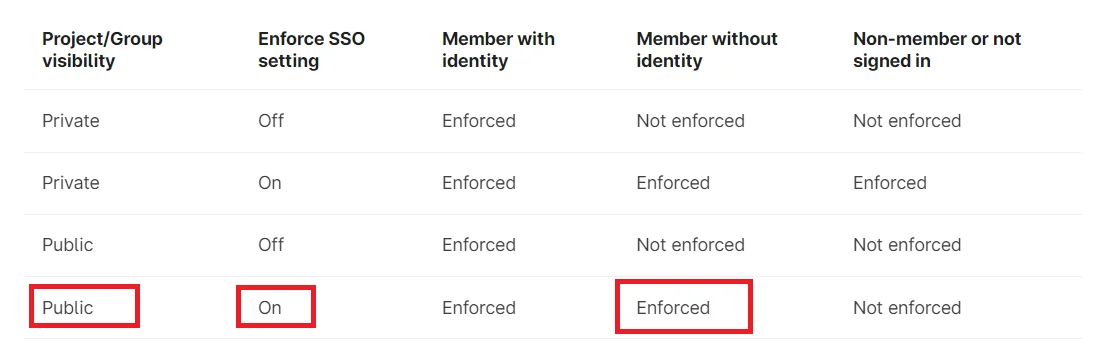
However, they are not enforced if members without identity are invited via invite a group option.
For example,
group with ultimate trial is a public group with SAML SSO set up and enforce SSO-only authentication enabled.
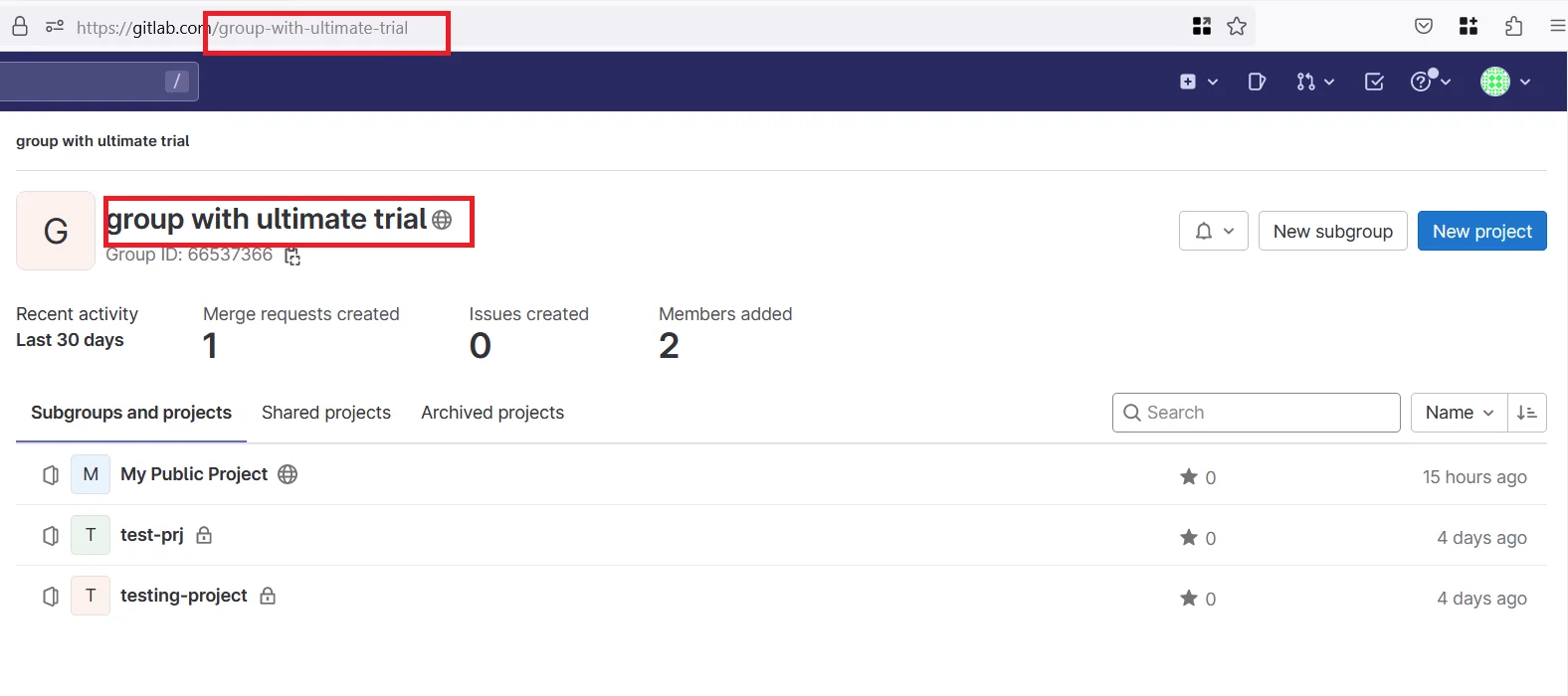

<---------------------------------------------Important------------------------------------>
Lucifer Non-SAML is a member without identity.
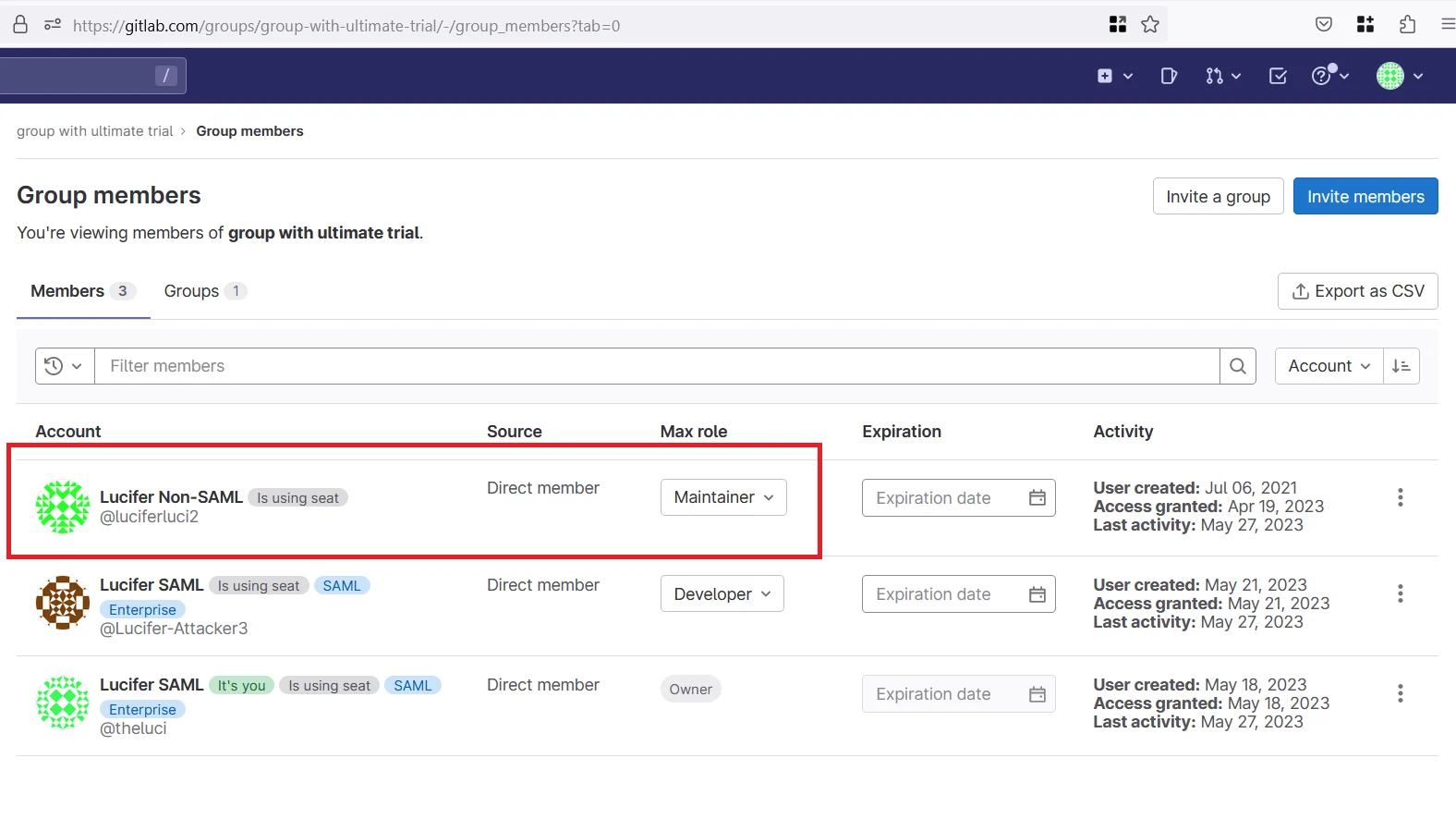
When Lucifer Non-SAML tries to visit group with ultimate trial, he is shown the following,
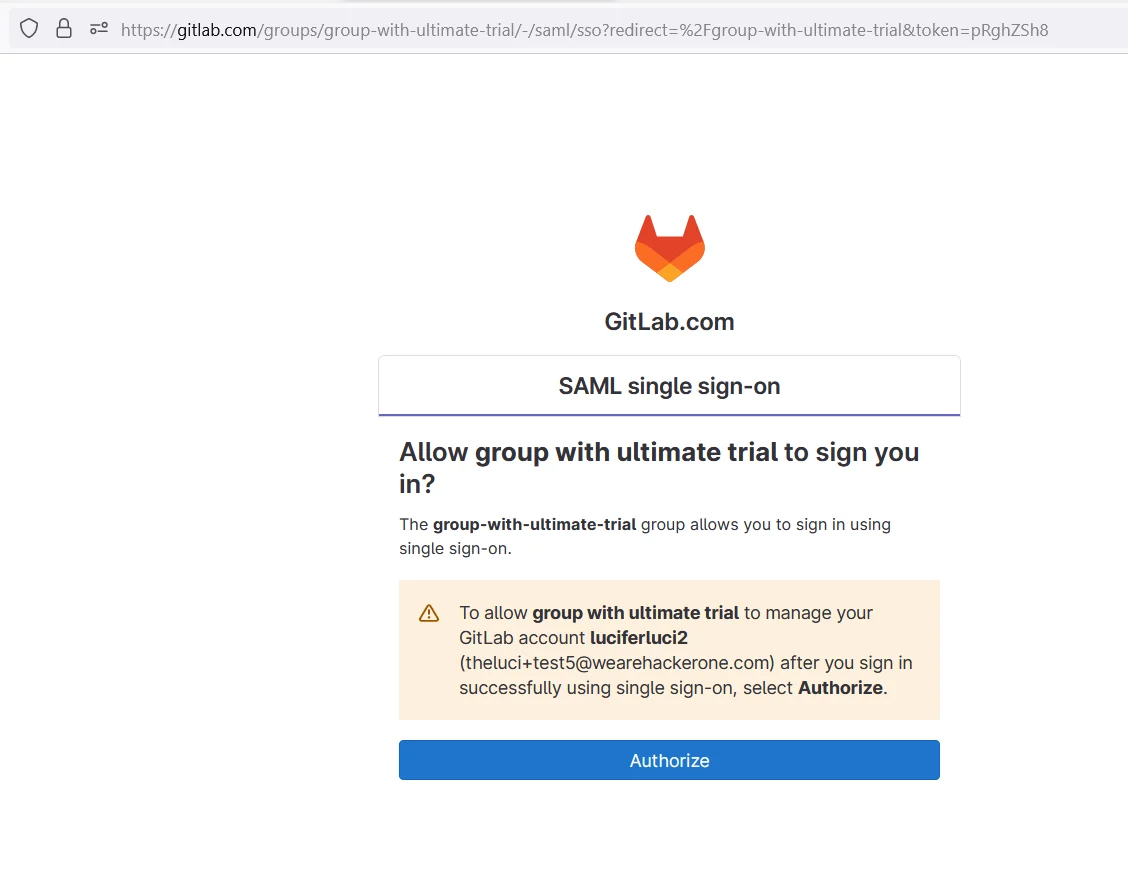
SAML SSO is enforced which is the expected behaviour.
<--------------------------- This is where the problem arises ------------------------->
group-to-be-invited is a group invited to group with ultimate trial.
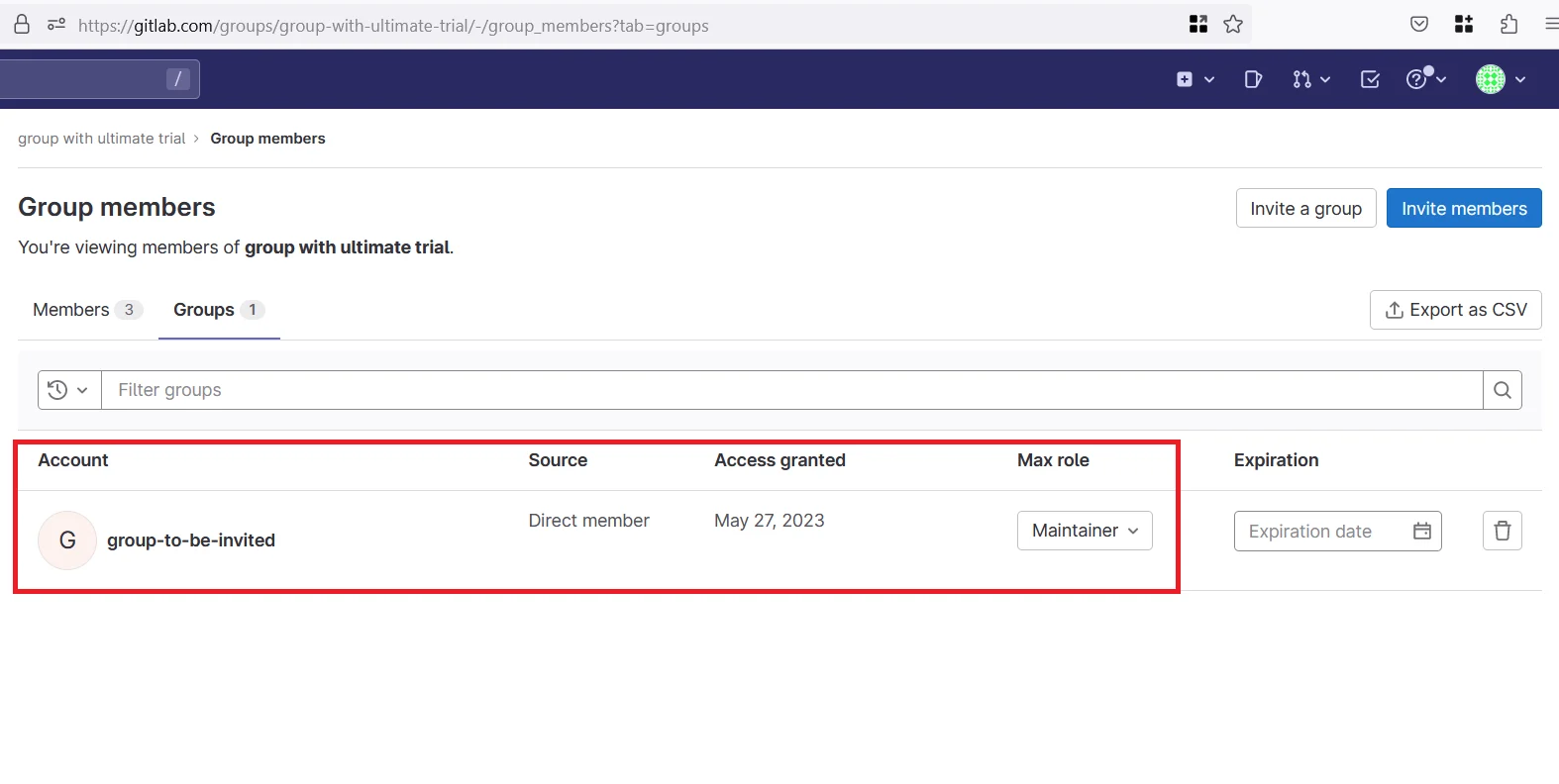
Lucifer-Attacker is a member of group-to-be-invited.
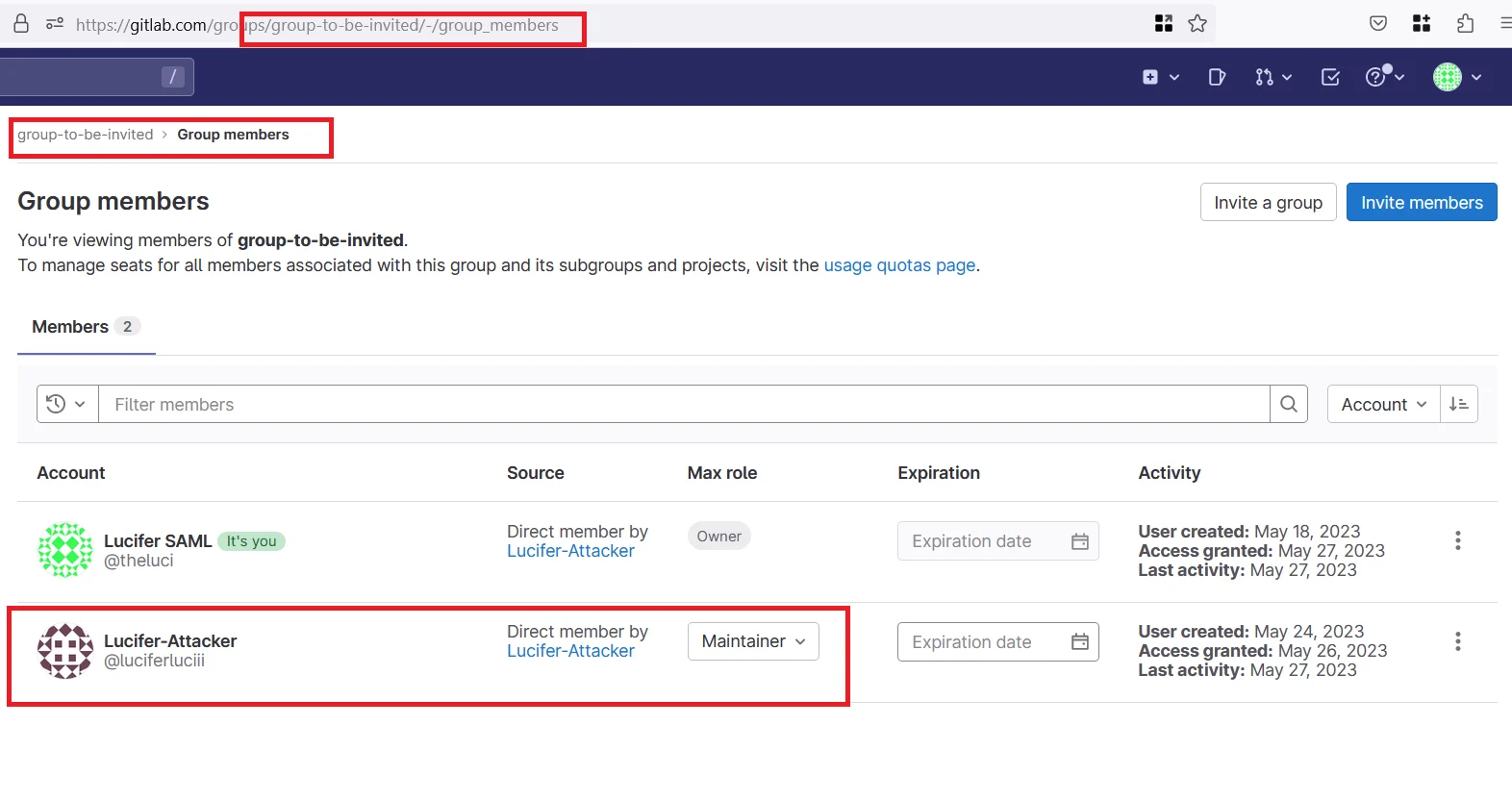
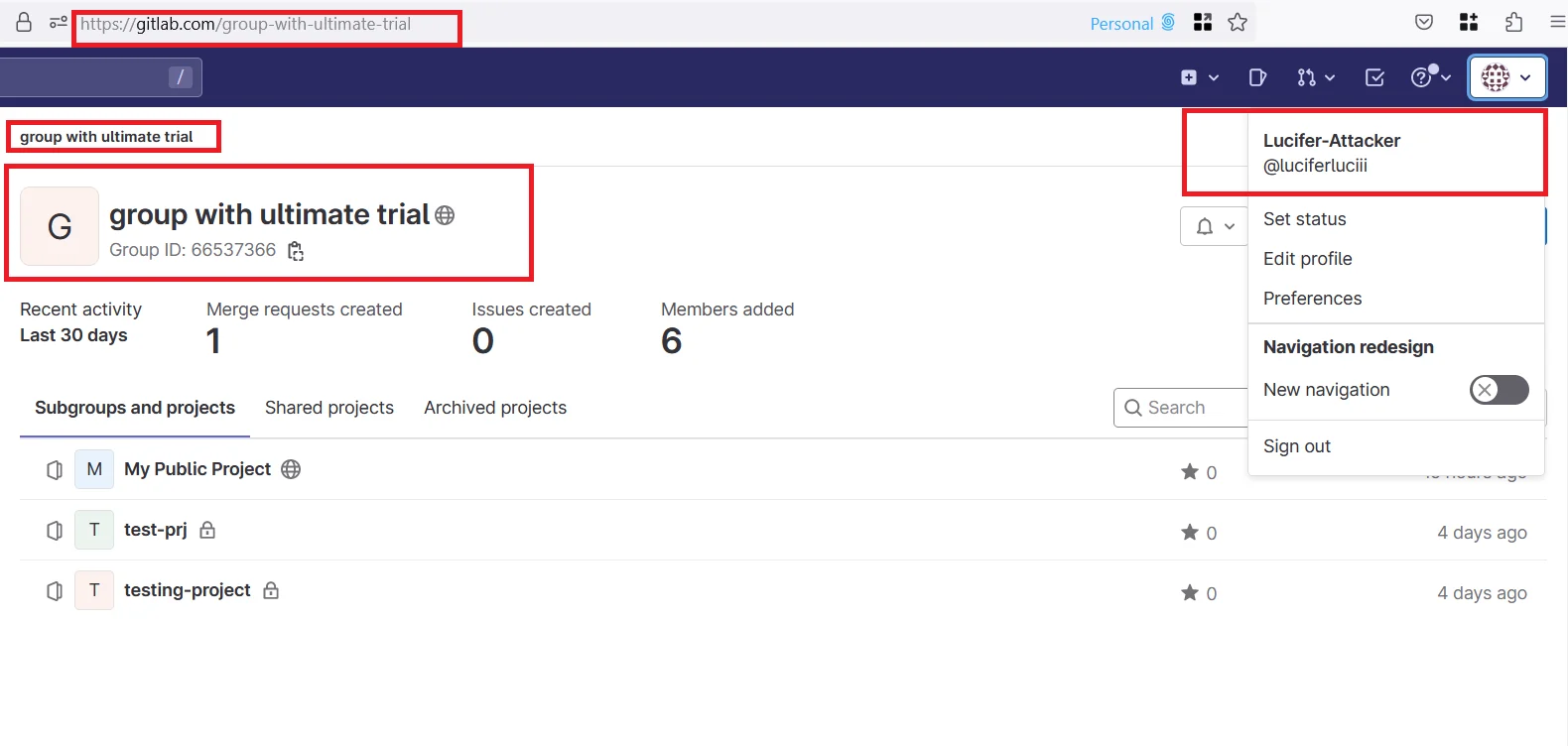
Lucifer-Attacker has access to group with ultimate trial and is a member without identity.
When Lucifer-Attacker tries to visit group with ultimate trial, SSO settings are not enforced and he is able to do so,
Steps to reproduce
victimcreates a groupvictim-groupand activates ultimate trial.victimgoes tohttps://gitlab.com/groups/<victim-group>/-/saml, setup SAML and enforce SSO.
(If you are having difficulty with setting up SAML, watch the following video how to setup SAML with Okta)
victimcreates a public projectvictim-projectinsidevictim-group.victimgoes tohttps://gitlab.com/<victim-group>/<victim-project>/edit, Expand Visibility, project features, permissions and set all settings as Only project members.victimis a member ofgroup-to-be-invitedandattackeris a maintainer ofgroup-to-be-invitedvictimgoes tohttps://gitlab.com/groups/<victim-group>/-/group_membersand clicks on Invite a group.victiminvitesgroup-to-be-invitedwith maintainer role.
Now, attacker is a member without identity of victim-group.
-
attackervisitsvictim-groupand is able to do that without SSO enforcement. -
attackervisitshttps://gitlab.com/groups/<victim-group>/-/settings/repositoryand changes some pre-defined push rules. (Shows thatattackerhas access without SSO sign in.) -
attackervisitsvictim-projectand is able to do that without SSO enforcement.
10.1 attacker is able to see the repository set as project members only, download it, fork it etc.
10.2 attacker is able to create issues, merge requests, run pipelines etc.
10.3 attacker goes to victim-project setting’s and is able to change project name, description & all the other settings.
Attacker is not able to edit the files in the repository directly but is able to do anything else that he has access permissions for.
- Attacker can create a project access token to edit the repository and affect integrity.
POC
In the above video, I have an ultimate trial so wasn't able to create a project access token, but it is possible.
<----------------------------------Important--------------------------------------------->
NOTE: To demonstrate impact I used attacker with maintainer role, however, it is not a necessity. Attacker with any role is able to bypass SSO enforcement and perform actions he has permissions for.
<----------------------------------------------------------------------------------------->
Output of checks
This bug happens on GitLab.com (Probably on instance too).
Impact
Enforce SSO settings bypassed for public projects if attacker has access via invite a group option.
Attachments
Warning: Attachments received through HackerOne, please exercise caution!
- saml-enforce-sso.png
- saml-enforce-sso-1.png
- saml-enforce-sso-2.png
- saml-enforce-sso-3.png
- saml-enforce-sso-4.png
- saml-enforce-sso-5.png
- saml-enforce-sso-6.png
- saml-enforce-sso-7.png
- Saml-sso-enforcement-bypass.mp4
How To Reproduce
Please add reproducibility information to this section:
Specific cases details
To clarify, we have an issue for following cases:
- a group (
group shared) is shared to the group where SSO (group A) is enforced (via invite group) and the SSO is not enforced members of thegroup sharedwhen accessing thegroup Aor its subgroups/projects - a project member of
project 1which belongs to a group with SSO enforced tries to access theproject 1- SSO is not enforced and should be
Not written yet. The AI write-up for this report has not been written yet. The Original tab links to the source.
How it worked
Root cause
Likely the SSO enforcement check only covers direct members and does not account for members inherited through an invited group.
Impact
A member without an identity could access the SSO-protected group and its projects, read and fork restricted repositories, run pipelines and change settings, though direct file edits were not possible without a project access token.
What the attacker needed
Victim group has SAML SSO enforced; victim group is public; attacker is in an invited group; attacker has a role in that group
How it was found
- The victim creates a group, starts an ultimate trial, sets up SAML and enforces SSO.
- The victim creates a public project in the group and restricts its features to project members only.
- The victim invites another group, of which the attacker is a maintainer, with the maintainer role.
- The attacker visits the victim group and is not asked to sign in through SSO.
- The attacker changes push rules in the group settings, showing access without SSO.
- The attacker opens the project, reads and forks the repository, creates issues and merge requests, runs pipelines and changes project settings.
Explained by bugbounty.wiki with AI from the original and checked against quotes from it; it can still be wrong. Read the original before relying on a detail.
Not written yet. The AI write-up for this report has not been written yet. The Original tab links to the source.
Single sign-on (SSO) is a rule that everyone must log in through the company's identity provider before using a group. GitLab lets owners enforce this, but the report shows that people added indirectly through another group skipped the check and could still open the group and its projects.
What is Access control?
A user can do something their role should not allow: reach an admin function, act on a feature they have not paid for, or skip a permission check. IDOR is the special case where the object belongs to someone else.

