Epic information leaks to subgroup members
A user who is only a guest of a subgroup can access epic information in the parent group, even though they are not a member of the parent group. This allows them to view the epic title, sub-epics, description, activity, discussion and number of open/closed issues.

GitLab
Originally disclosed on GitLab
- Fixed in 6 months
- Disclosed after 6 months
HackerOne report #966571 by ramboerik on 2020-08-25, assigned to @ankelly:
Report | Attachments | How To Reproduce
Report
Summary
The Gitlab documentation states that an user must be at least 'guest' of a group to access its epic information but that is bypassed by being
a member of a subgroup.
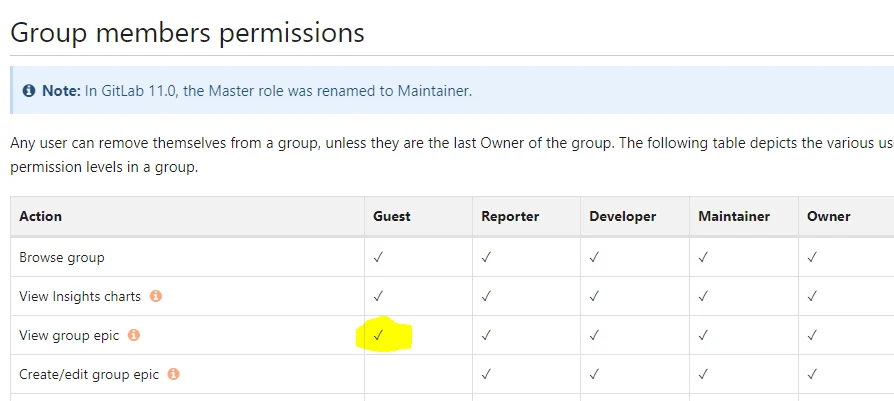
Steps to reproduce
- Create a private group with a subgroup.
- Create an empty project in the subgroup.
- Create an epic in the parent group.
- Invite a user as at least 'guest' to the subgroup.
- The invited user will now have access to the parent group's epic without permission being granted in the parent group.
Impact
A member of a subgroup has access to epic information in the parent group. This information includes the epic title, sub-epics, description, activity, discussion and number of open/closed issued.
Examples
Logged in as user tst:
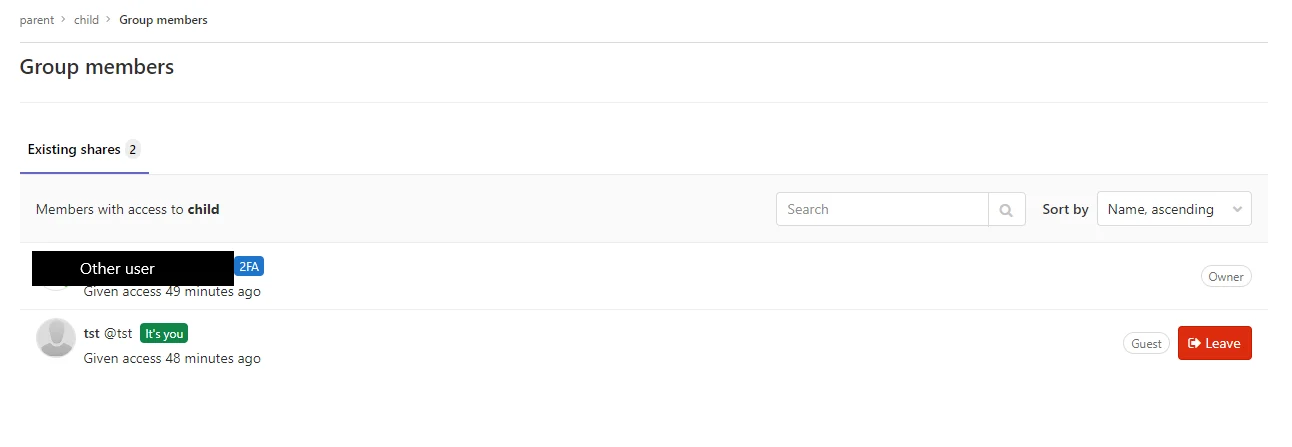
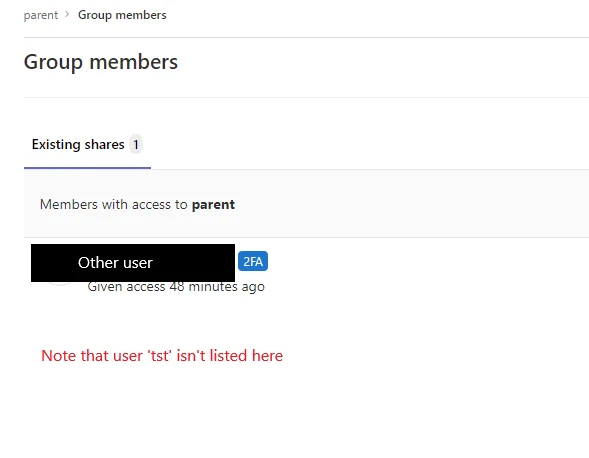
User 'tst' isn't listed as a member of the parent group.
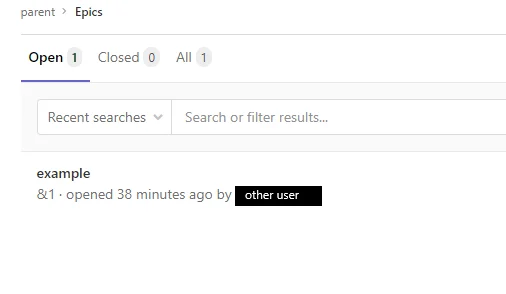
But the epic list is available.
What is the current bug behavior?
Epic information is available for users that haven't been invited to the group.
What is the expected correct behavior?
Epic information in the parent group should not be accessible without being invited to the parent group.
Output of checks
This bug happens on GitLab.com
Impact
A member of a subgroup has access to epic information in the parent group. This information includes the epic title, sub-epics, description, activity, discussion and number of open/closed issued.
Attachments
Warning: Attachments received through HackerOne, please exercise caution!
How To Reproduce
Please add reproducibility information to this section:
- Follow the directions as described above, see the attached video for details. The key to viewing the Epics seems to be in having a project in the subgroup.
Not written yet. The AI write-up for this report has not been written yet. The Original tab links to the source.
How it worked
Impact
A member of a subgroup could access epic information in the parent group, including the epic title, sub-epics, description, activity, discussion and number of open/closed issues.
What the attacker needed
A GitLab account; membership in a subgroup
How it was found
- Create a private group with a subgroup.
- Create an empty project in the subgroup.
- Create an epic in the parent group.
- Invite a user as at least 'guest' to the subgroup.
- The invited user will now have access to the parent group's epic without permission being granted in the parent group.
Explained by bugbounty.wiki with AI from the original and checked against quotes from it; it can still be wrong. Read the original before relying on a detail.
Not written yet. The AI write-up for this report has not been written yet. The Original tab links to the source.
In GitLab, groups can contain subgroups, and epics are like large tasks that belong to a group. Normally, you need to be a member of a group to see its epics, but here a user who was only added to a subgroup could still see the parent group's epics. This means private information was exposed to people who should not have seen it.
What is Access control?
A user can do something their role should not allow: reach an admin function, act on a feature they have not paid for, or skip a permission check. IDOR is the special case where the object belongs to someone else.

