ESCALATED: Blocked users can still pull/push Docker images using the internal container registry
A blocked user could still authenticate to the internal container registry with a personal access token and pull images from projects they previously had access to, and could also push new image versions if they had the necessary permission level. This exposed internal container images and allowed unauthorised uploads despite the account being blocked.

GitLab
Originally disclosed on GitLab
- Fixed in 5 months
- Disclosed after 5 months
HackerOne report #713303 by logan5 on 2019-10-13, assigned to @jeremymatos:
Summary
A blocked user is prevented from carrying out operations via the API with a personal access token or by using the GUI. However, a blocked user still has the ability to pull images from the internal container registry of any projects the user had access to (or internal projects) as long as they use an active personal access token. They also have the ability to upload new image versions as long as they had the necessary permission level to the project
PoC Setup
Local Gitlab-ce install, version: 12.3.5-ee (9dbaa740018)
User called testuser1 who will be blocked but already has developer access to testuser2_new project
User called testuser2 with a project called testuser2_new which is set to internal, this project contains a container image based on Alpine Linux
PoC
The first step is to make sure the blocked user testuser1 has a personal access token with the necessary access before they are disabled
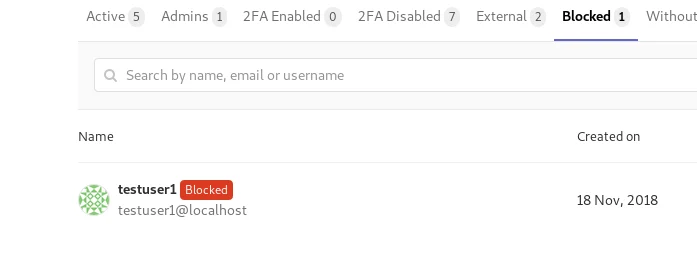
Next, as the admin, block testuser. As can be seen below, they can no longer use their personal access token for access or login to the GUI

As testuser2 create a Dockerfile in a directory similar to the below and upload it using the Docker CLI to the GitLab container registry, the docker file is listed below and the commands to upload:
FROM alpine:latest
CMD tail -f /dev/null
Docker build -t docker.local.com/testuser2/testuser2_new .
Docker push docker.local.com/testuser2/testuser2_new
Note. docker.local.com is a /etc/hosts entry for the local GitLab server
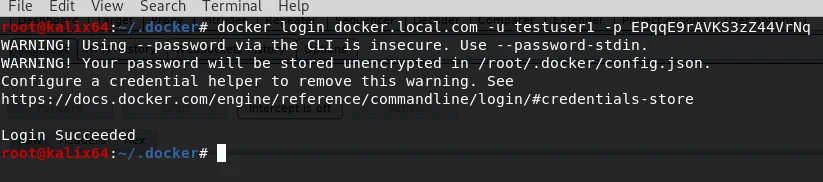
Next, as testuser1, login with the Docker client to the GitLab container registry using the personal access token created earlier. Although the user is blocked, login succeeds.
docker login docker.local.com -u testuser1 -p EPqqE9rAVKS3zZ44VrNq
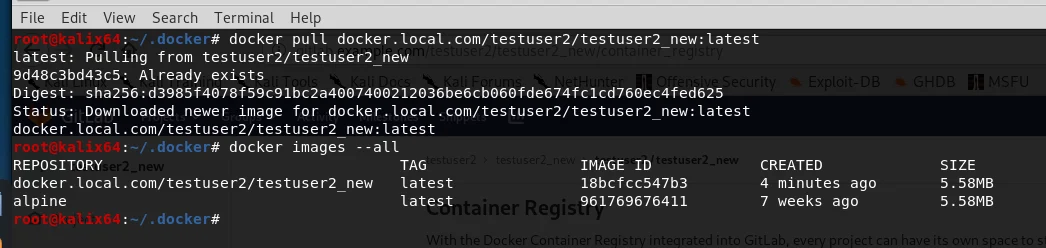
From there, pull the container image from the testuser2_new internal project. You will now have access to the images held within the registry.
docker pull docker.local.com/testuser2/testuser2_new:latest
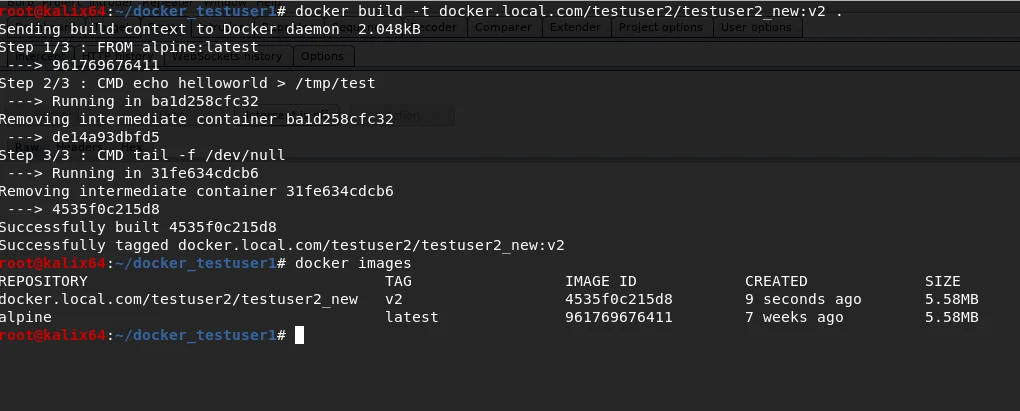
To demonstrate pushing changes to the registry as a blocked user, modify the original docker file and push the new image to the GitLab registry:
FROM alpine:latest
CMD echo helloworld > /tmp/testing
CMD tail -f /dev/null
docker build -t docker.local.com/testuser2/testuser2_new:v2 .
docker push docker.local.com/testuser2/testuser2_new:v2
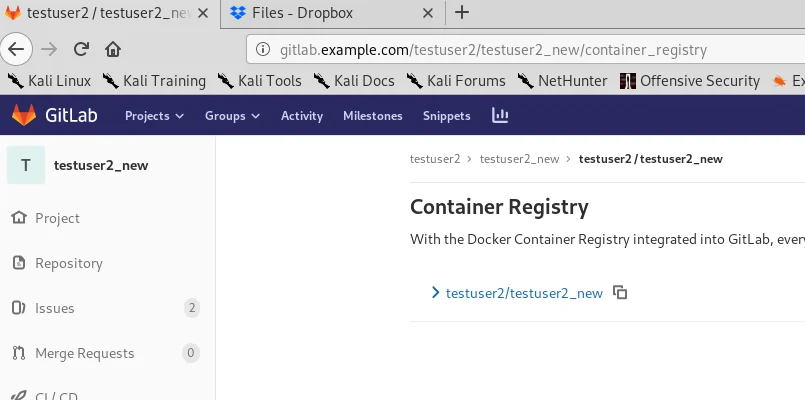
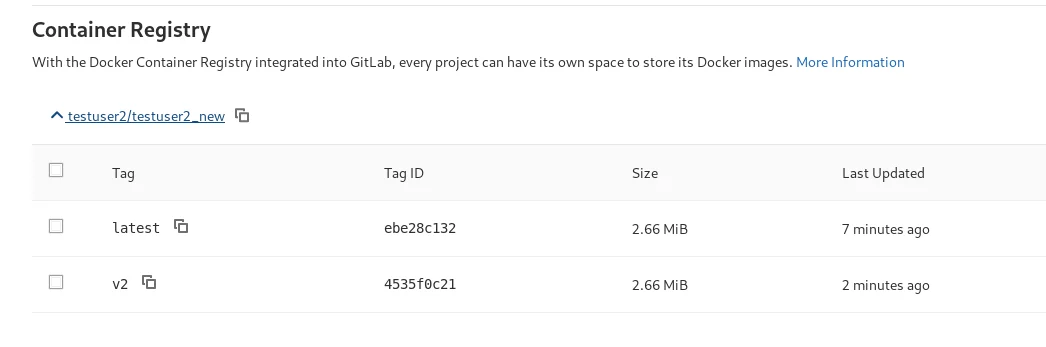
Login as testuser2 and if you view the container registry you will notice that testuser1 was able to upload new images:
Impact
This particular vulnerability exposes internal container images which may contain sensitive information to blocked users who should not have any access. It is also an issue that a blocked user still has the ability to upload new images to projects if they previously had the necessary level of access. The access should be revoked same as to what happens with personal access token usage with the API and GUI access.
Attachments
Warning: Attachments received through HackerOne, please exercise caution!
Not written yet. The AI write-up for this report has not been written yet. The Original tab links to the source.
How it worked
Root cause
Likely the container registry authentication path did not verify the user's blocked status, only the validity of the personal access token.
Impact
Blocked users could still read internal container images that may contain sensitive information and could upload new images to projects where they previously had permission.
What the attacker needed
A personal access token created before blocking; the user previously had developer access to a project; the project is internal or the user had access
The fix
The registry should revoke access for blocked users, as the API and GUI do, so their token no longer works.
How it was found
- Create a personal access token for the user before they are blocked.
- As admin, block the user and confirm API and GUI access fail.
- As another user, push a container image to the internal project registry.
- As the blocked user, log in to the registry with the personal access token.
- Pull the image from the internal project.
- Modify the image and push a new version to the registry.
Explained by bugbounty.wiki with AI from the original and checked against quotes from it; it can still be wrong. Read the original before relying on a detail.
Not written yet. The AI write-up for this report has not been written yet. The Original tab links to the source.
When an account is blocked, it should lose all access. Here, the container registry (a service that stores Docker images) did not check whether the account was blocked, so the user could still log in with an old token and download or upload images. This means sensitive files inside those images could be seen by someone who should have been shut out.
What is Access control?
A user can do something their role should not allow: reach an admin function, act on a feature they have not paid for, or skip a permission check. IDOR is the special case where the object belongs to someone else.

