Guest with "Admin push rules" permission can create project-level deploy token
A user with a custom role granting only the 'Admin push rules' permission could still create project-level deploy tokens for any project in the group. This gave them read and write access to that project's packages, repositories and registry images, which the role should not allow.

GitLab
Originally disclosed on GitLab
- Fixed in 42 days
- Disclosed after 42 days
⚠️ Please read the process on how to fix security issues before starting to work on the issue. Vulnerabilities must be fixed in a security mirror.
HackerOne report #2521480 by indoappsec on 2024-05-27, assigned to GitLab Team:
Report | Attachments | How To Reproduce
Report
Summary :
Project level Deploy token allows Owners to Read/Write Access to Project level packages, repositories, and registry images. This permission should only be accessed by owners of the Group/Project.
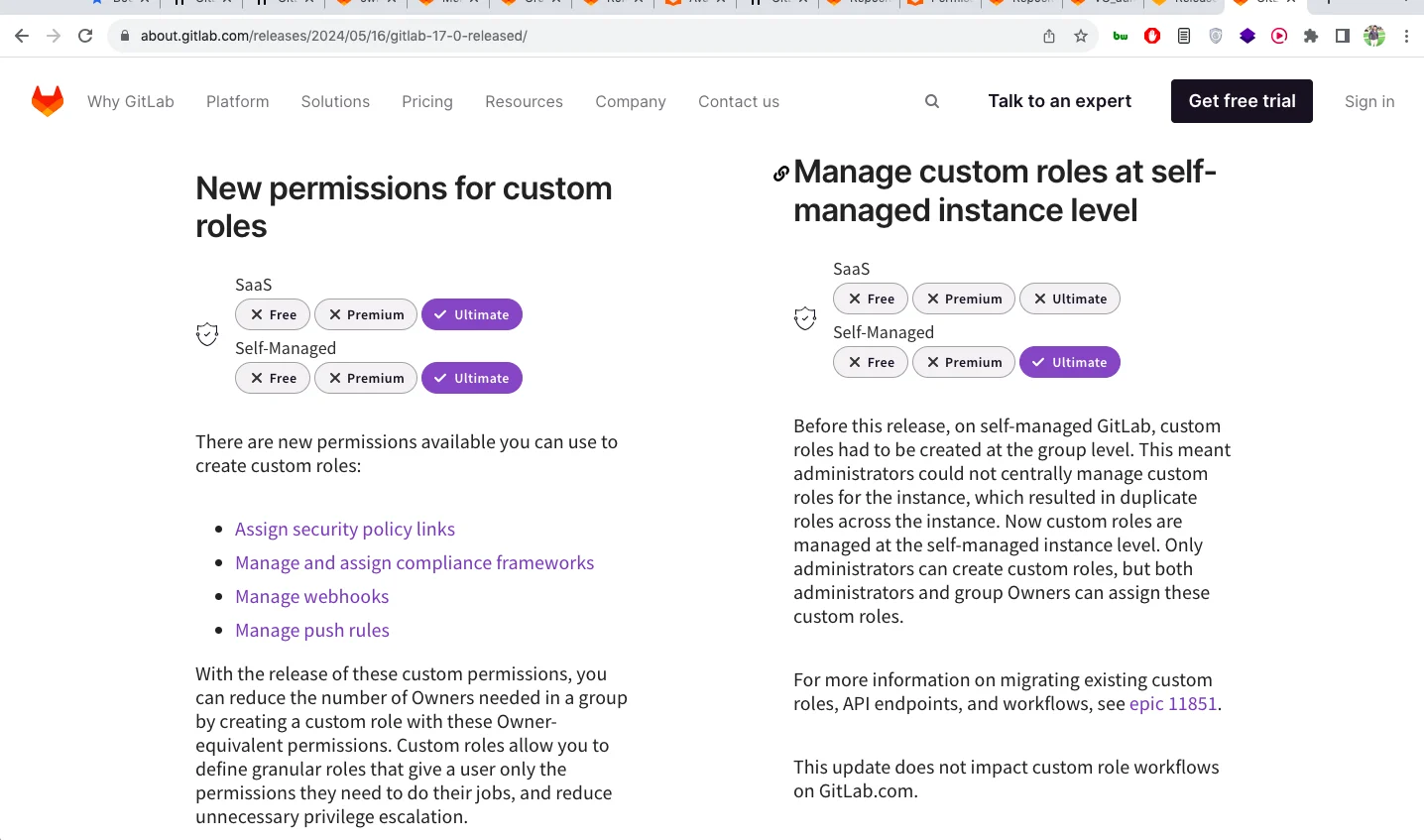
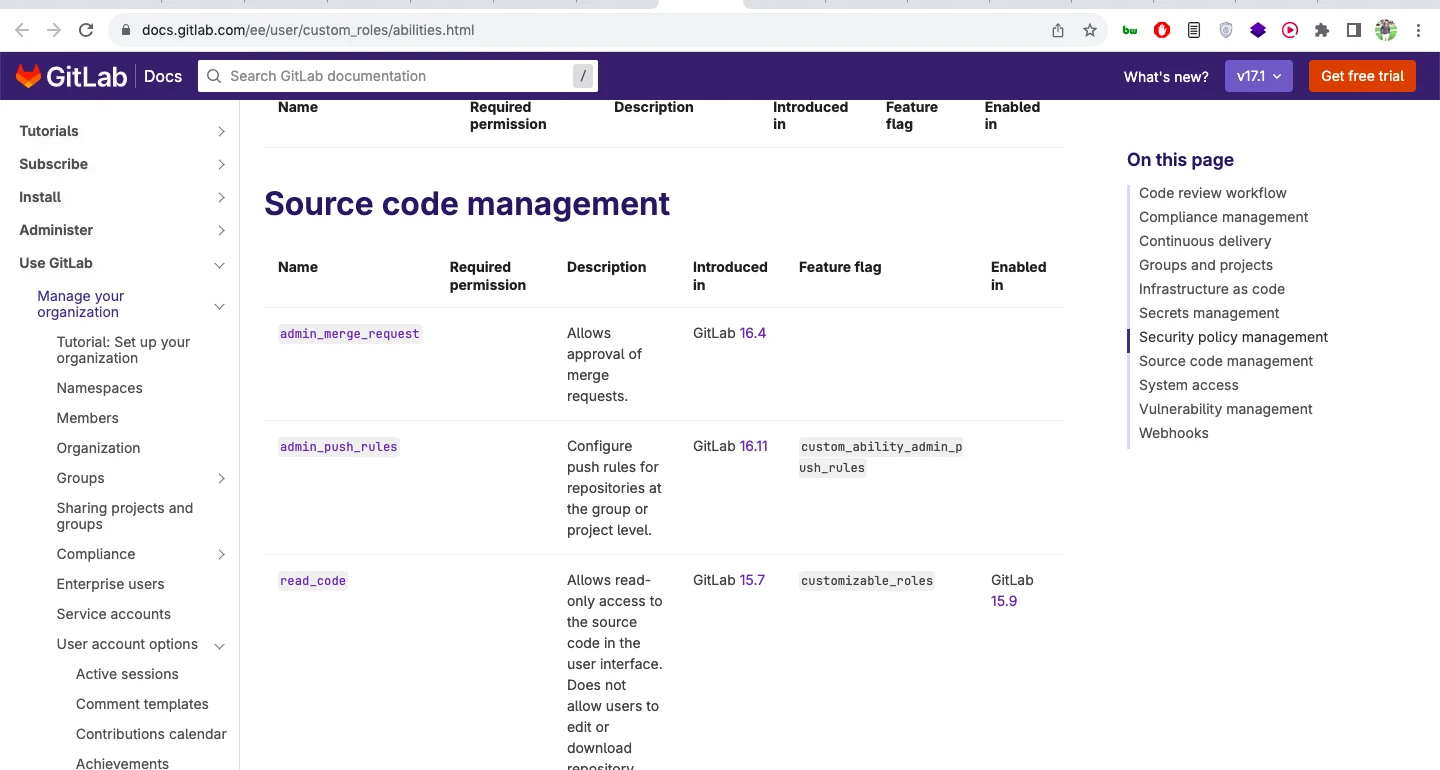
In Gitlab 17.0 Latest version Gitlab has introduced few new custom role permissions which also includes "Manage push rules" . When this permission is enabled user with this role will get access to Push rules of repository of projects and groups.
In my testing i found that when "Manage push rules" is enabled , user with this permissions is able to create/ access Project level Deploy token of any project within the Groups which gives them unauthorised Read/Write Access to Project level packages, repositories, and registry images.
Documentation and permissions :
https://about.gitlab.com/releases/2024/05/16/gitlab-17-0-released/
https://docs.gitlab.com/ee/user/custom_roles/abilities.html
Vulnerable HTTP Request :
POST /vg_admin_group_4/test-project/-/settings/repository/deploy_token/create HTTP/2
Host: gitlab.com
Cookie: cookies
User-Agent:
Accept:
Accept-Language: en-US,en;q=0.5
Accept-Encoding:
Referer: https://gitlab.com/vg_admin_group_4/test-project/-/settings/repository
X-Csrf-Token:
X-Requested-With: XMLHttpRequest
Content-Type: application/json
Content-Length: 201
Origin: https://gitlab.com
Sec-Fetch-Dest: empty
Sec-Fetch-Mode: cors
Sec-Fetch-Site: same-origin
Te: trailers

{"deploy_token":{"expires_at":null,"name":"testprojectlevel","username":"","read_repository":true,"read_registry":true,"write_registry":true,"read_package_registry":true,"write_package_registry":true}}
Sample response :
{"id":4313826,"name":"testprojectlevel","username":"gitlab+deploy-token-4313826","expires_at":null,"scopes":["read_repository","read_registry","write_registry","read_package_registry","write_package_registry"],"revoked":false,"expired":false,"token":"deploy-token"}
Steps to reproduce :
You will need Gitlab Ultimate Free trial account to reproduce the issue. You will need one owner account and one member account to reproduce the issue.
1.Login from Owner account and create a group.
2.Go to roles and permissions and create a custom role. (Ex: test custom role )
https://gitlab.com/groups/vg_admin_group_4/-/settings/roles_and_permissions
3.Select a base role as guest user and custom permission as "Admin push rule" and save the role.
4.Now add a new member in the group with test custom role . (Ex: attacker user )
5.Now create a new Private project. (Ex: org_private_project)
6.Now go to projects -- > settings -- > Repository -- > Deploy token.
7.Add a new deploy token and select all the read/Write scope.
8.Save it and intercept the request. The request would look like above mentioned request. Save this request in burp.
9.Now Login from Attacker user account and go to private project -- > settings -- > Repository.
10.You will notice that this user Only have access to Push rules of project but doesn't have access to Deploy token or any other section.
11.Now run the Captured request from Owner account in 8th step and run it from attacker user account with attacker cookies and CSRF token.
12.You will notice that request will be successful and Attacker account will get Deploy token which will have Read/Write Access to Project level packages, repositories, and registry images.
13.Attacker can attack on any project in the Group and have access to It's deploy token.
Output of checks :
This issue works on Gitlab.com . It might be working on Gitlab community/Enterprise addition.
Impact
Unauthorised access to Project level Deploy token of any project within the Groups which gives them unauthorised Read/Write Access to Project level packages, repositories, and registry images.
CVSS Score Rating :
CVSS:3.0/AV:N/AC:L/PR:L/UI:N/S:U/C:H/I:H/A:N/CR:X/IR:X/AR:X
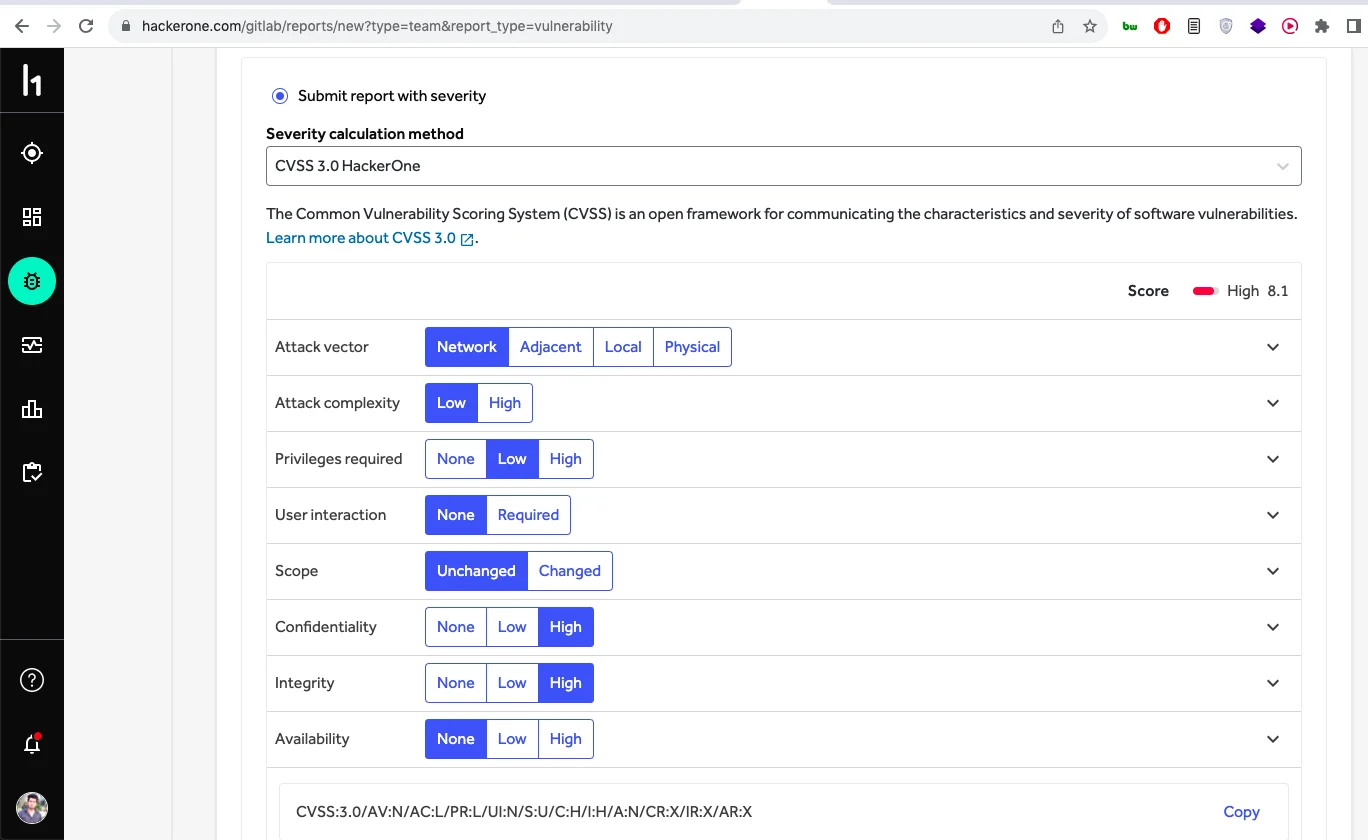
Confidentiality:High
Attacker user gets Read Access to project packages , Registry images and repositories Through Deploy tokens.
Integrity:High
Attacker user gets Read Access to project packages , Registry images and repositories Through Deploy tokens.
Availability:NA
Attachments
Warning: Attachments received through HackerOne, please exercise caution!
How To Reproduce
Please add reproducibility information to this section:
Not written yet. The AI write-up for this report has not been written yet. The Original tab links to the source.
How it worked
Root cause
Likely the deploy token create endpoint checked only for a broad ability that the 'Admin push rules' permission happened to satisfy, rather than requiring the specific deploy token permission.
Impact
A low-privileged member could obtain deploy tokens for any project in the group, giving unauthorised read and write access to that project's packages, repositories and registry images.
What the attacker needed
GitLab Ultimate (free trial); owner account to set up group and role; member account with custom role; custom role with 'Admin push rule'
How it was found
- As owner, create a group and a custom role based on guest with the 'Admin push rule' permission.
- Add a member to the group with that custom role.
- Create a private project and add a deploy token with all read/write scopes, capturing the request.
- Log in as the custom-role member and confirm they cannot see the deploy token section.
- Replay the captured request with the member's cookies and CSRF token.
- Observe that the request succeeds and a deploy token is issued to the member.
Explained by bugbounty.wiki with AI from the original and checked against quotes from it; it can still be wrong. Read the original before relying on a detail.
Not written yet. The AI write-up for this report has not been written yet. The Original tab links to the source.
A custom role with only the push rules permission could create deploy tokens for projects in the group, giving read and write access to packages, repositories and registry images.
What is Access control?
A user can do something their role should not allow: reach an admin function, act on a feature they have not paid for, or skip a permission check. IDOR is the special case where the object belongs to someone else.

