HTML injection in Global Search, can lead to XSS with CSP bypass in MR diff view
Filenames in GitLab's global search popup were inserted into the page as HTML without escaping. An attacker could create a file with a malicious name that, when searched, would execute JavaScript and bypass the Content Security Policy on gitlab.com.

GitLab
Originally disclosed on GitLab
- Fixed in 54 days
- Disclosed after 54 days
⚠️ Please read the process on how to fix security issues before starting to work on the issue. Vulnerabilities must be fixed in a security mirror.
HackerOne report #2659386 by joaxcar on 2024-08-14, assigned to @kmorrison1:
Report | Attachments | How To Reproduce
Report
Summary
An HTML injection exists in the "global search" popup when searching for files.
This is the sink in app/assets/javascripts/super_sidebar/components/global_search/command_palette/search_item.vue
 highlightedName() {
      return highlight(this.item.text, this.searchQuery);
    },

...

<span v-safe-html="highlightedName" class="gl-text-gray-900"></span>
the item.text is generated in app/assets/javascripts/super_sidebar/components/global_search/command_palette/utils.js
export const fileMapper = (projectBlobPath, file) => {
  return {
    icon: 'doc-code',
    text: file,
    href: joinPaths(projectBlobPath, file),
    extraAttrs: {
      'data-track-action': TRACKING_CLICK_COMMAND_PALETTE_ITEM,
      'data-track-label': 'file',
    },
  };
};
the data sent into here comes from here app/assets/javascripts/super_sidebar/components/global_search/command_palette/command_palette_items.vue
const response = await axios.get(this.projectFilesPath);
          this.projectFiles = response?.data.map(fileMapper.bind(null, this.projectBlobPath));
This means that filenames are sent directly into v-safe-html and filenames can contain HTML
One place in the app where this can lead to XSS in new merge request diff pages bypassing CSP on gitlab.com
Steps to reproduce
- Go to https://gitlab.com/-/snippets/new and create a new
publicsnippet with a file calledalert.jsonand the content
{"html":"<script>alert(document.domain)</script>"}
take note of the snippet ID
2. Create a new project
3. In the project create a file with this name (replace 3737908 with your snippet ID)
<i class=inline-parallel-buttons><a href=\-\snippets\3737908\raw\main\alert style="position:fixed;transform:translate3d(-2000px,-5000px,0px);width:10000px;height:20000px">
- Go to
https://gitlab.com/GROUPNAME/PROJECTNAME/-/new/mainand create a new file, fill out whatever but make sure to change thetarget branchfrommaintonew_branch. Keep "start a new merge request" checked. - Click
commit changes - Go to
https://gitlab.com/GROUPNAME/PROJECTNAME/-/merge_requests/new/diffs?merge_request%5Bsource_branch%5D=new_branch&merge_request%5Btarget_branch%5D=main(note that thesource_branch%5D=new_branchif you did not name your branch like this in step 4) - Click
Search or go to..in the upper left corner (or click/orswhich are shortcuts)
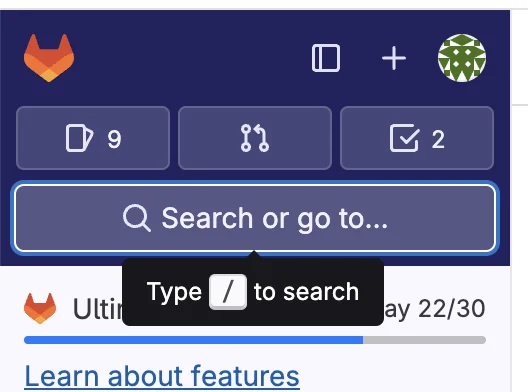
- In the search box type
~ - There should now be some result in the search list, but it will be the HTML that is now covering the whole page
- Click anywhere on the page, and an alert box should pop
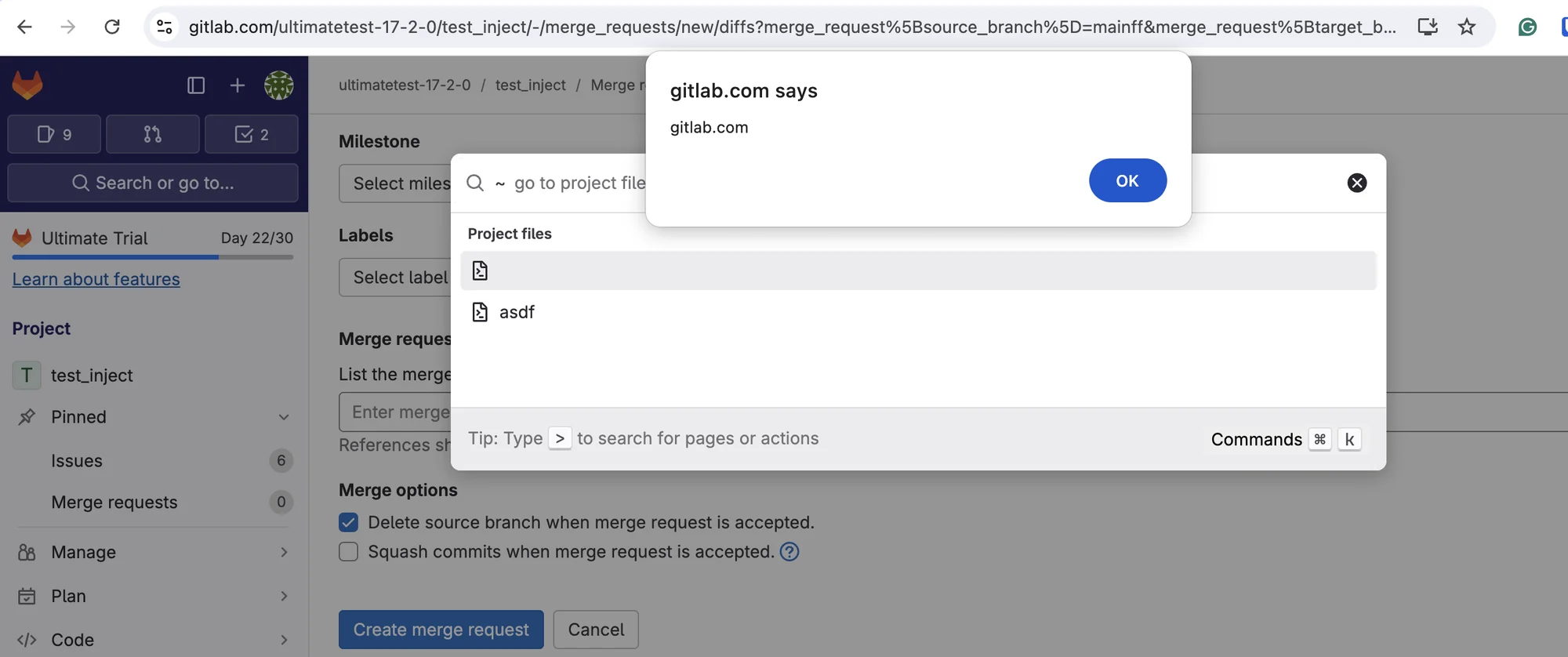
Impact
XSS with CSP bypass on gitlab.com
What is the current bug behavior?
Filenames are not escaped in global search
What is the expected correct behavior?
Filenames should not render as HTML
Output of checks
This bug happens on GitLab.com
Impact
XSS with CSP bypass on gitlab.com
Attachments
Warning: Attachments received through HackerOne, please exercise caution!
How To Reproduce
Please add reproducibility information to this section:
Not written yet. The AI write-up for this report has not been written yet. The Original tab links to the source.
How it worked
Root cause
The application used a Vue directive that renders raw HTML (v-safe-html) on filenames without proper sanitisation, allowing HTML injection.
Impact
An attacker could execute JavaScript in the context of gitlab.com, bypassing the Content Security Policy.
What the attacker needed
Ability to create a public snippet and project; victim uses global search on the merge request diff page
The fix
Filenames should be properly escaped or sanitised before being rendered in the global search results.
How it was found
- Create a public snippet with a file named alert.json containing a script payload.
- Create a new project.
- In the project, create a file with a name that contains HTML and links to the snippet.
- Create a new branch and start a merge request.
- Go to the new merge request diff page.
- Open the global search, type '~', and click the page to trigger the alert.
Explained by bugbounty.wiki with AI from the original and checked against quotes from it; it can still be wrong. Read the original before relying on a detail.
Not written yet. The AI write-up for this report has not been written yet. The Original tab links to the source.
When you search, matching filenames are shown. Here special characters in filenames were treated as HTML, so a script in a filename could run when someone searched.
What is XSS?
Script an attacker supplies runs in another user's browser, on the target's origin, with that user's session.



