Improper Authorization to Control Instance-Type Runners Resulting in Cross-Project Denial of Service
A Maintainer-level user could pause and resume shared instance-type runners through undocumented project-level web endpoints that should only be usable by administrators. This let an attacker disrupt CI pipelines in unrelated projects by making their jobs wait with no available runners.

GitLab
Originally disclosed on GitLab
- Fixed in 21 days
- Disclosed after 21 days
⚠️ Please read the process on how to fix security issues before starting to work on the issue. Vulnerabilities must be fixed in a security mirror.
HackerOne report #3253180 by abdelrahman_maged on 2025-07-15, assigned to GitLab Team:
Report | Attachments | How To Reproduce
Report
Summary
(This report builds upon my prior submission (REDACTED), which was previously closed with the comment:
“High privilege users (maintainers, owners) using a bug to sabotage/deface their own projects”
However, I have now confirmed that the issue affects projects I do not own, and therefore impacts GitLab’s shared infrastructure and the CI/CD availability of unrelated users.
By leveraging undocumented project-level web endpoints, I was able to pause and resume instance_type runners that are explicitly restricted to GitLab administrators, as documented in GitLab’s API documentation. This was done using only Maintainer-level access within my project.
To demonstrate cross-project impact, I created a second GitLab account and initialized a project under it. This new project was automatically assigned 112 shared instance-type runners, identical to those in my original account.
Using my first account, I paused one of the runners and observed the total dropped to 111 on the second account's project. I then developed a local tool that rapidly paused and resumed all 112 runners in under 2 seconds to avoid prolonged service disruption.
During this brief pause window, I modified the second project’s code and triggered a CI job. The job immediately entered a pending state, and the number of assigned runners dropped to zero—without any action taken from the second account.
This proves that an attacker with Maintainer access can impact other users' CI pipelines on GitLab.com via unauthorized control over instance_type runners.)
Steps to reproduce
(1- Create GitLab account #1 and initialize a project with default settings (shared runners enabled).)
(2- List assigned runners via /api/v4/projects/{project_id}/runners?per_page=100&page=1 and look page=2 and note shared instance_type runner IDs.)
(3- Create GitLab account #2 and a separate project. Note that it is assigned the same shared runners.)
(4- From account #1, execute the following (unauthorized) requests:
--POST https://gitlab.com/{group}/{project}/-/runners/{runner_id}/pause
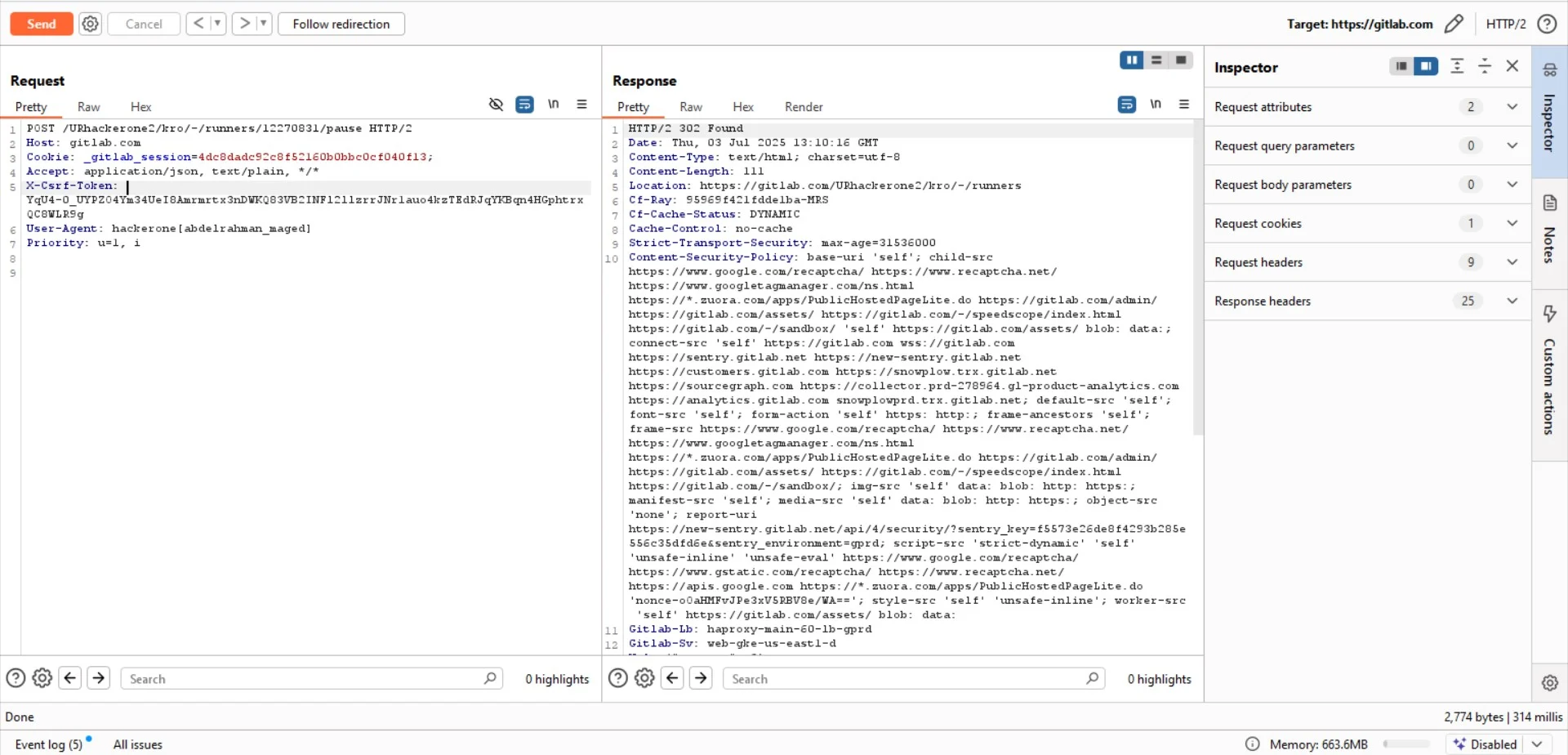
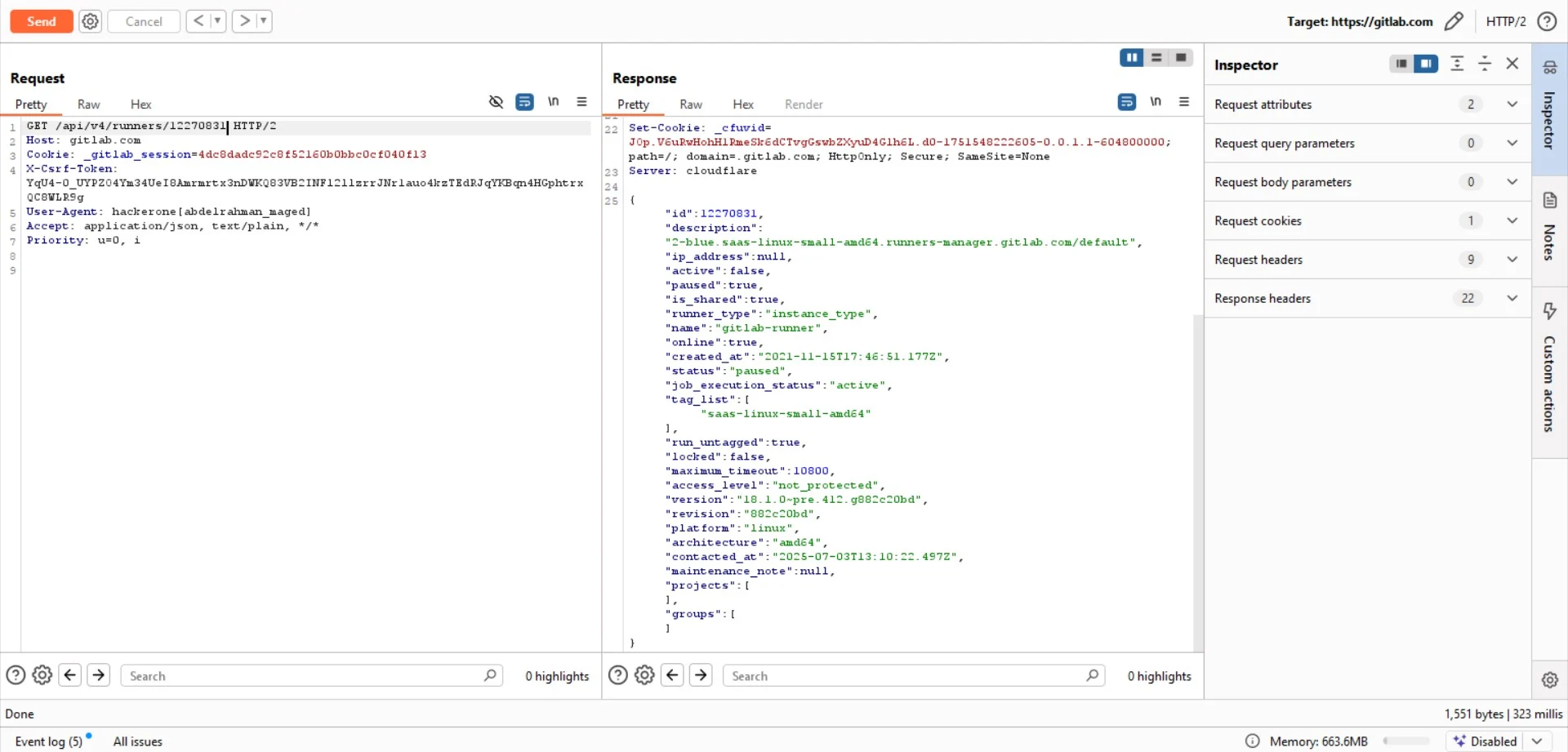
--POST https://gitlab.com/{group}/{project}/-/runners/{runner_id}/resume)
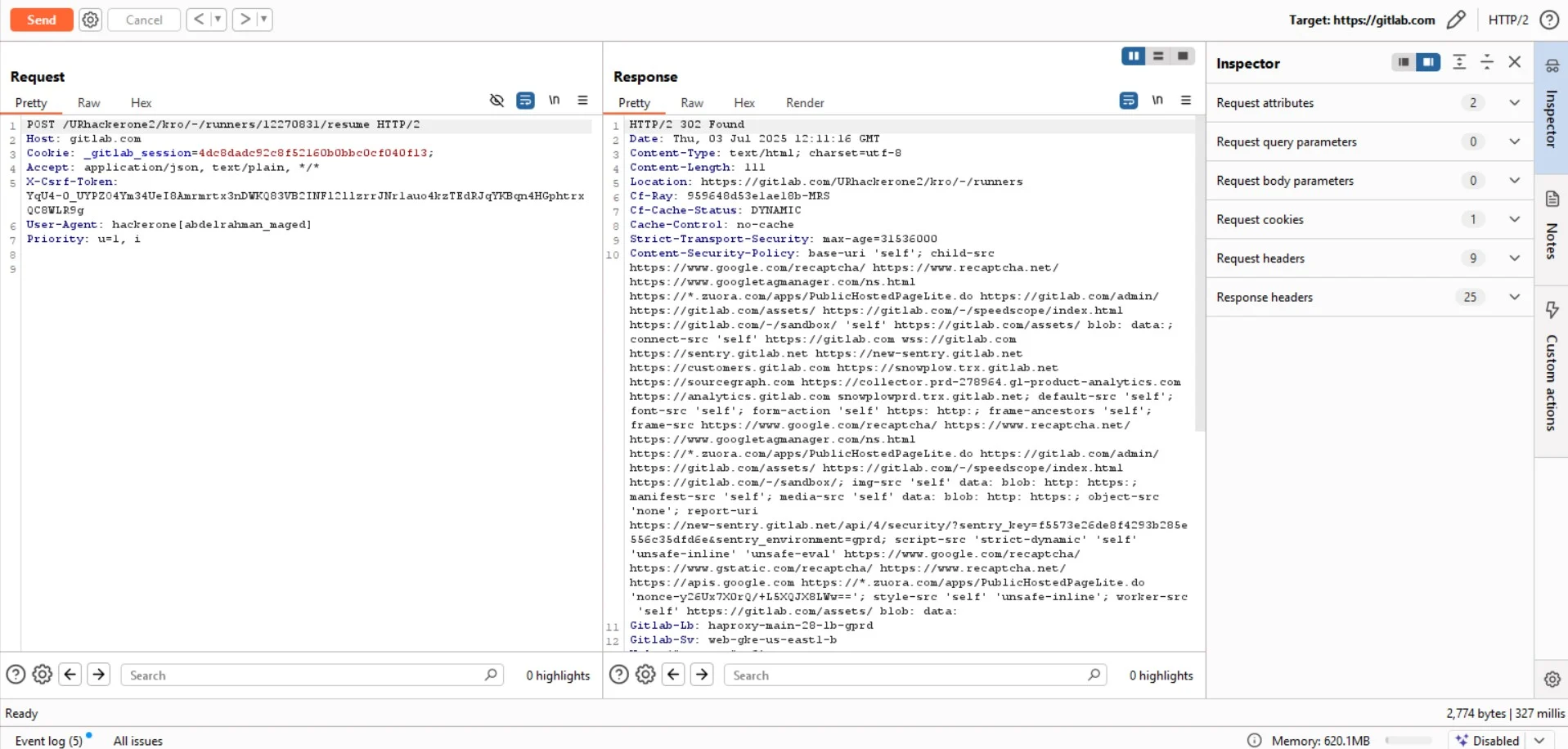
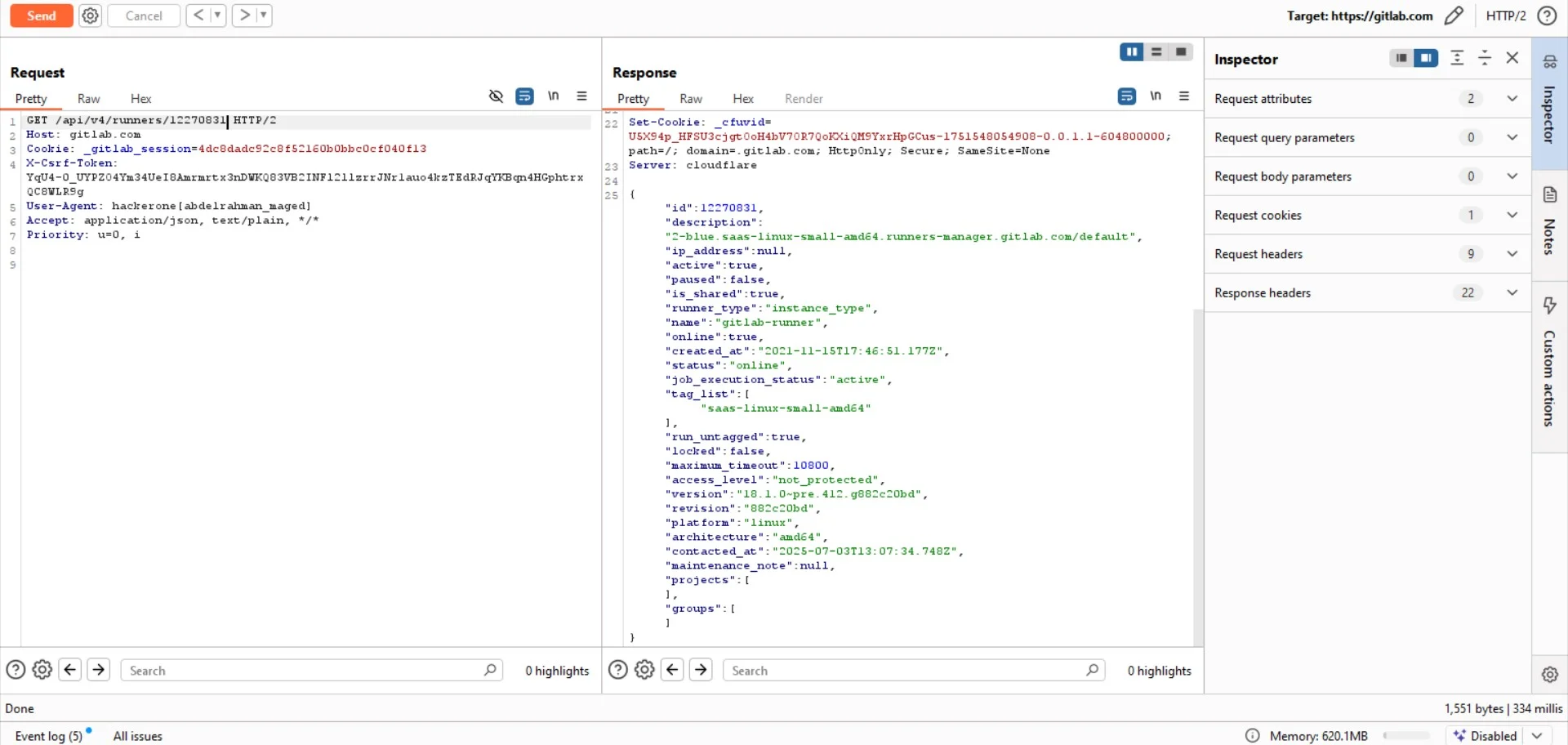
(5- Observe the runner count changing on account #2 without any interaction from it.)
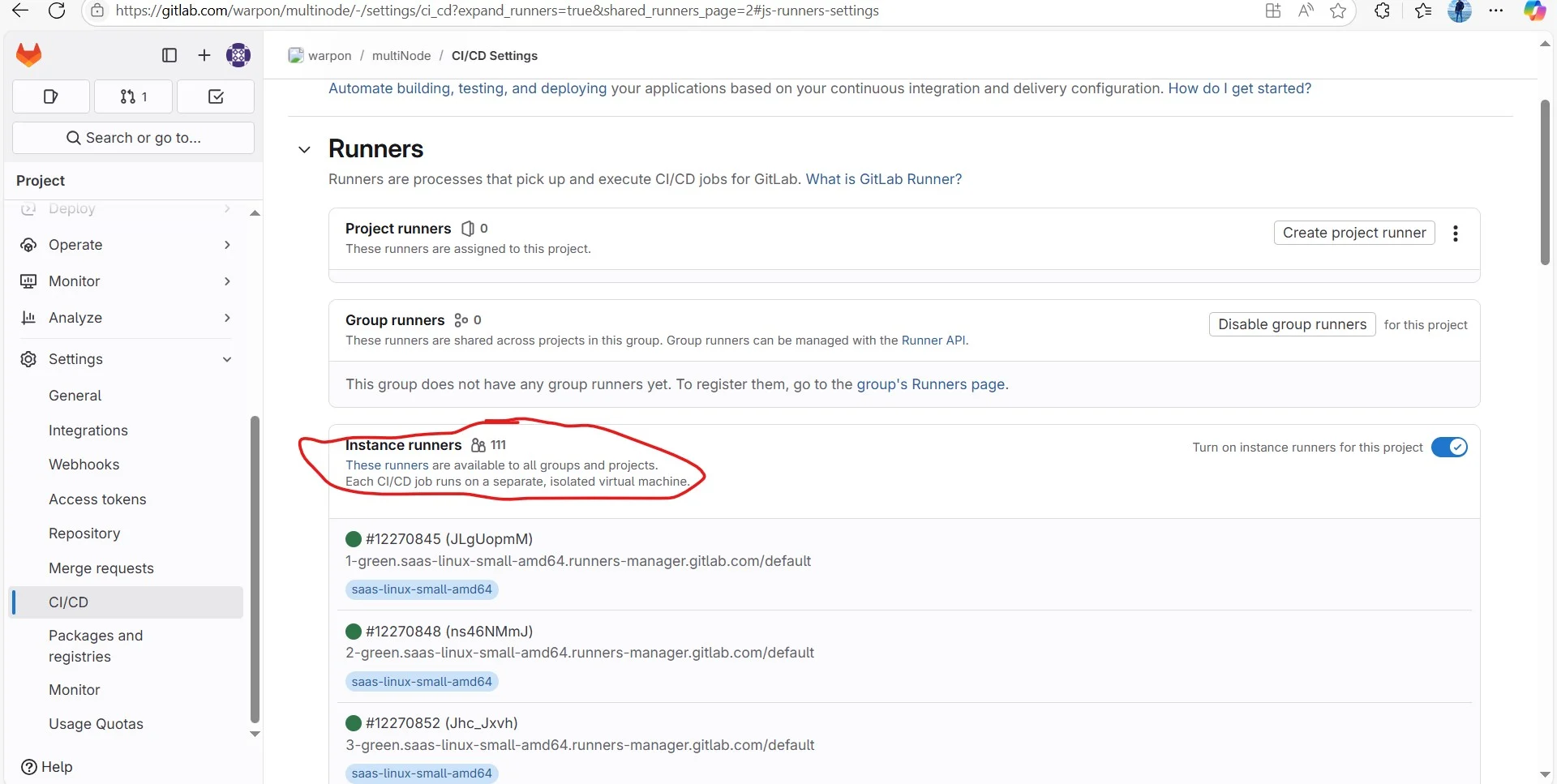
(6- During runner downtime, trigger a CI job on account #2’s project.)
(7- The job enters pending state due to lack of available runners.)
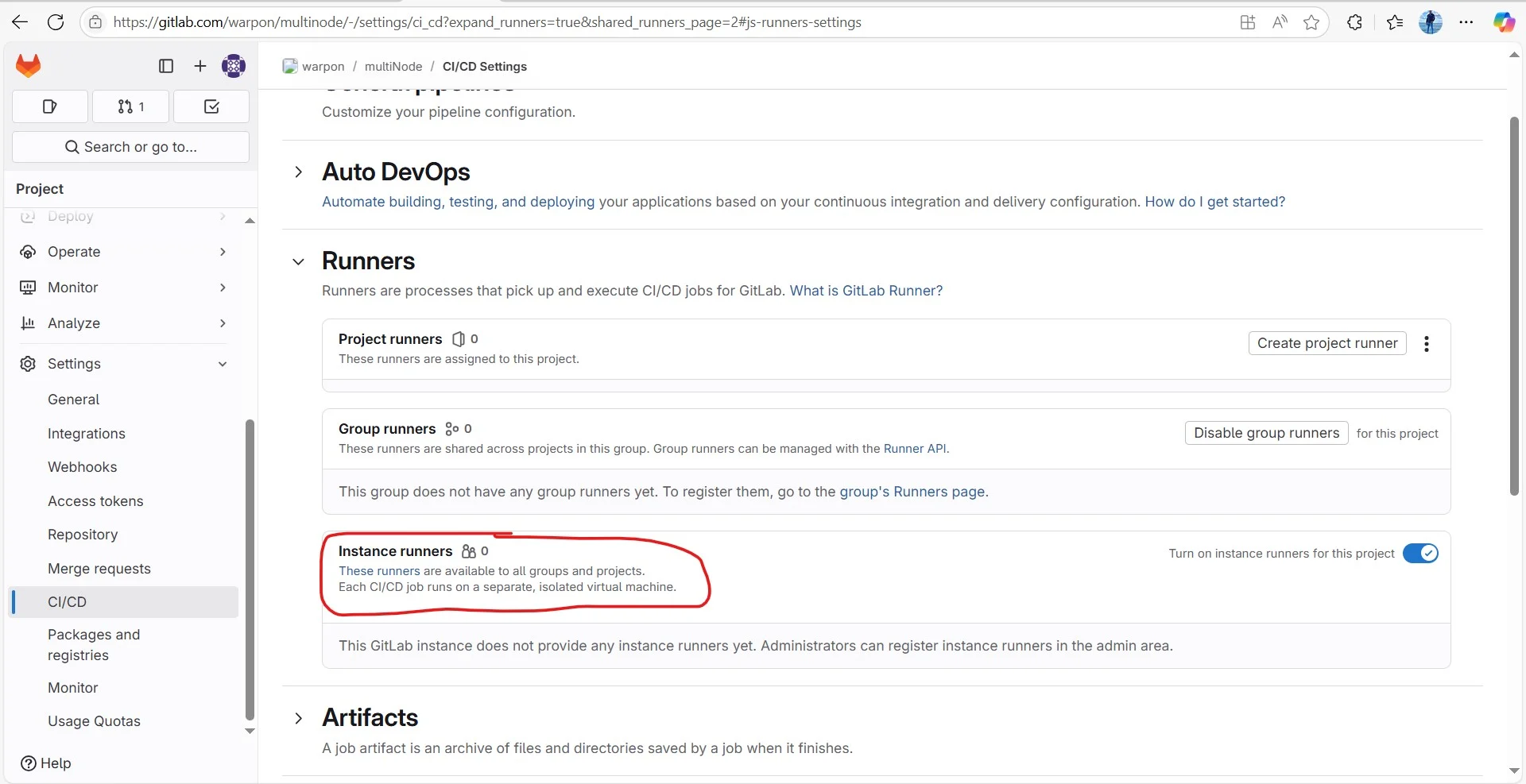
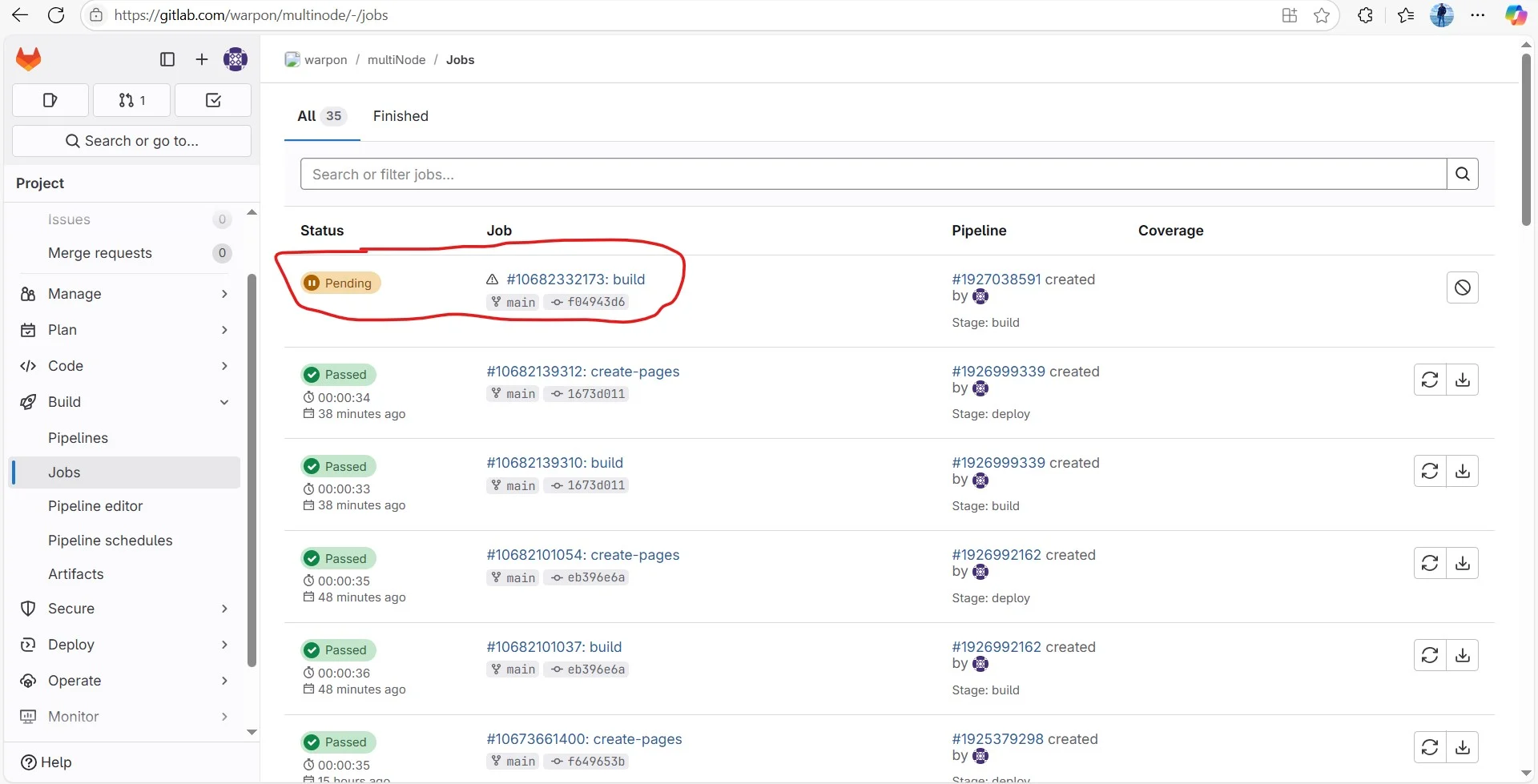
Impact
1- Privilege Escalation: Maintainer users can perform admin-only actions over shared runners (instance_type), violating GitLab’s role-based access control model.
2- Cross-Tenant Denial of Service: CI jobs in unrelated user projects are disrupted due to runner unavailability.
3- Infrastructure-Level Risk: Attacker can automate mass pausing of runners across thousands of projects, causing widespread delays.
Attachments
Warning: Attachments received through HackerOne, please exercise caution!
- 111_Runners.jpg
- paused-false.jpg
- paused-true.jpg
- pending.jpg
- POST-pause.jpg
- POST-resume.jpg
- zero-runners.jpg
How To Reproduce
Please add reproducibility information to this section:
Not written yet. The AI write-up for this report has not been written yet. The Original tab links to the source.
How it worked
Root cause
Likely the project-level runner pause and resume endpoints did not check that the runner was instance-wide and that the caller was an administrator, so any project maintainer could act on shared runners.
Impact
A maintainer could pause shared runners and cause cross-tenant denial of service, leaving unrelated projects' CI jobs pending, and could automate this at scale.
What the attacker needed
An account; Maintainer role on a project; shared runners enabled
How it was found
- Create a first account and a project with shared runners enabled.
- List the project's assigned runners through the API and note the shared instance-type runner IDs.
- Create a second account and project and confirm it has the same shared runners.
- From the first account, send pause and resume requests to the project runner endpoints.
- Watch the runner count on the second account drop without any action there.
- Trigger a CI job on the second project during the pause and see it stay pending.
Explained by bugbounty.wiki with AI from the original and checked against quotes from it; it can still be wrong. Read the original before relying on a detail.
Not written yet. The AI write-up for this report has not been written yet. The Original tab links to the source.
GitLab runs shared machines called runners that execute the automated build and test jobs (CI) for many projects. The report says a normal project maintainer, who should not have admin powers, could switch these shared runners off for everyone. That means other people's builds would sit waiting until the runners came back.
What is Access control?
A user can do something their role should not allow: reach an admin function, act on a feature they have not paid for, or skip a permission check. IDOR is the special case where the object belongs to someone else.

