locked file able to edit by dev role user using projectSyncFork graphQl api
The projectSyncFork GraphQL mutation does not check whether a file is locked, allowing a developer to update a locked file in a fork. An attacker with developer role could bypass the file lock and modify protected content.

GitLab
Originally disclosed on GitLab
- Fixed in 5 days
- Disclosed after 5 days
⚠️ Please read the process on how to fix security issues before starting to work on the issue. Vulnerabilities must be fixed in a security mirror.
HackerOne report #1890808 by vaib25vicky on 2023-03-03, assigned to GitLab Team:
Report | Attachments | How To Reproduce
Report
Summary
Locked file is updated by another user of the project using projectSyncFork graphQL api.
projectSyncFork graphQL api don't check whether file is locked or not. And this allows another user who didn't locked the file to update it contents.
Steps to reproduce on Gitlab.com
As owner of the group your-grp
- Creates a group with Ultimate trial
- Creates a public project lets say
your-grp/foo-parent - Creates fork of this project, either in the same group or different group (make sure other group also has Ultimate trial).
Lets say your-grp/foo-fork
4. Updates your-grp/foo-parent file example README.md
5. Your fork your-grp/foo-fork should be showing 1 commit behind the upstream repository msg
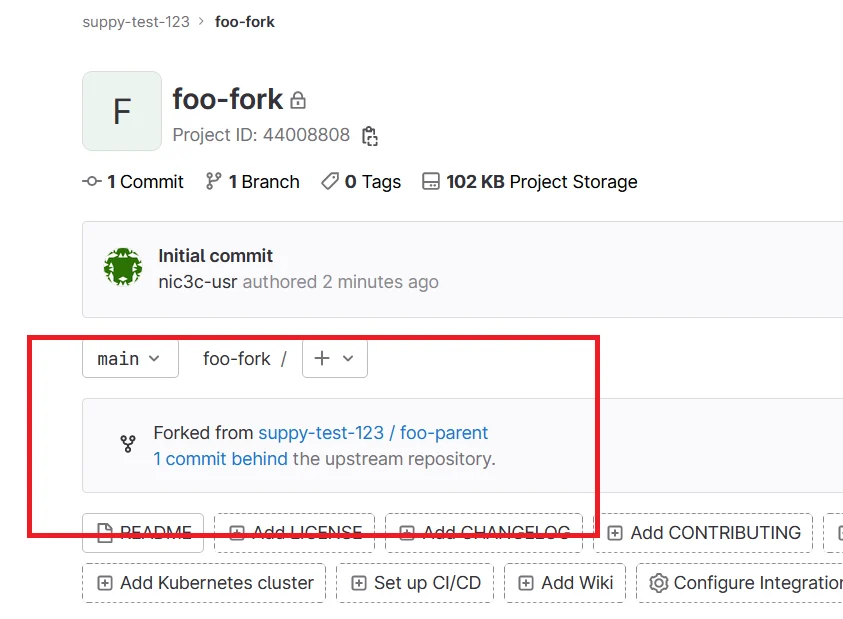
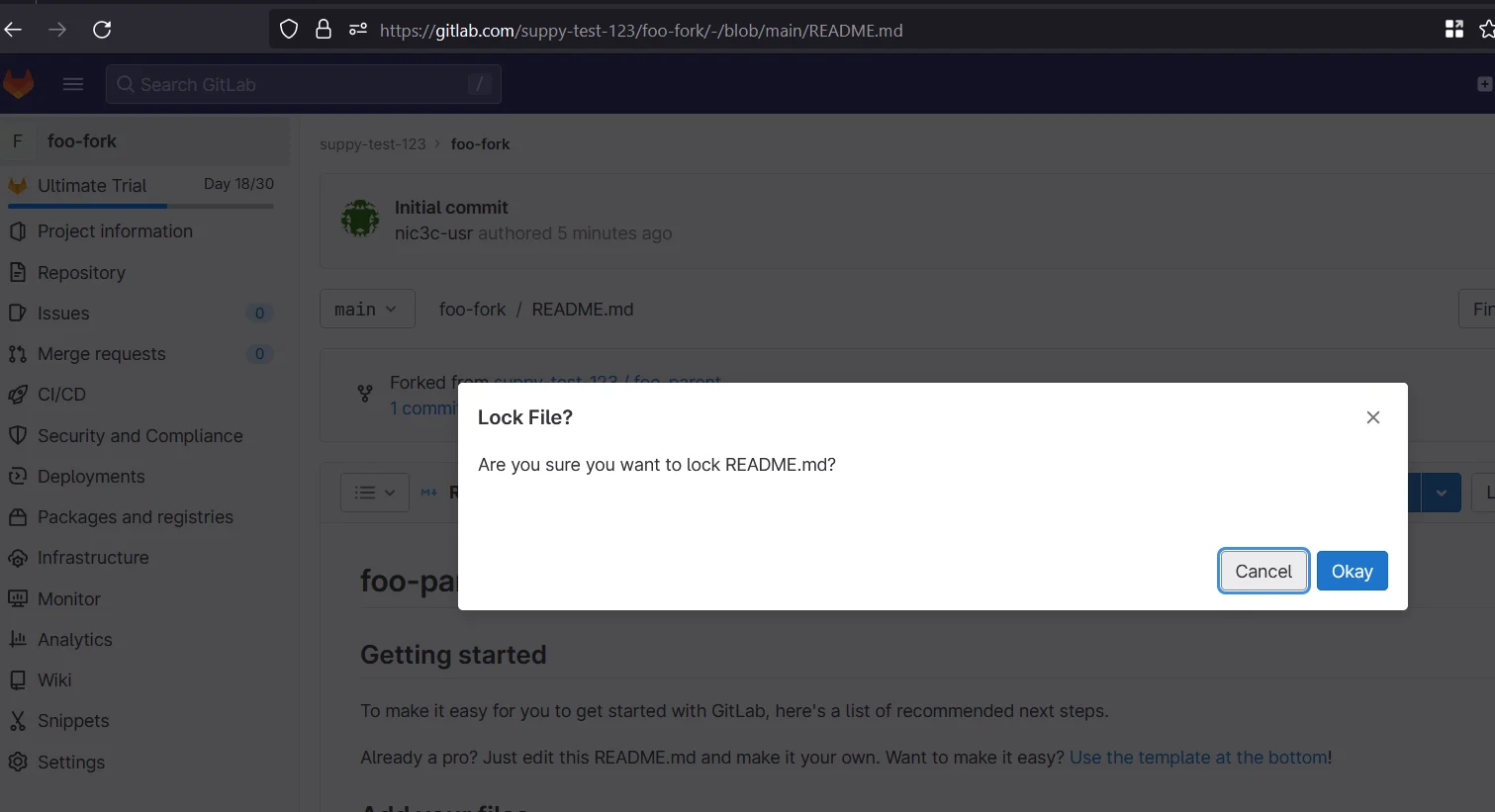
- As owner locked the file
README.mdin your fork projectyour-grp/foo-fork. Now, only you can edit this file no one else.
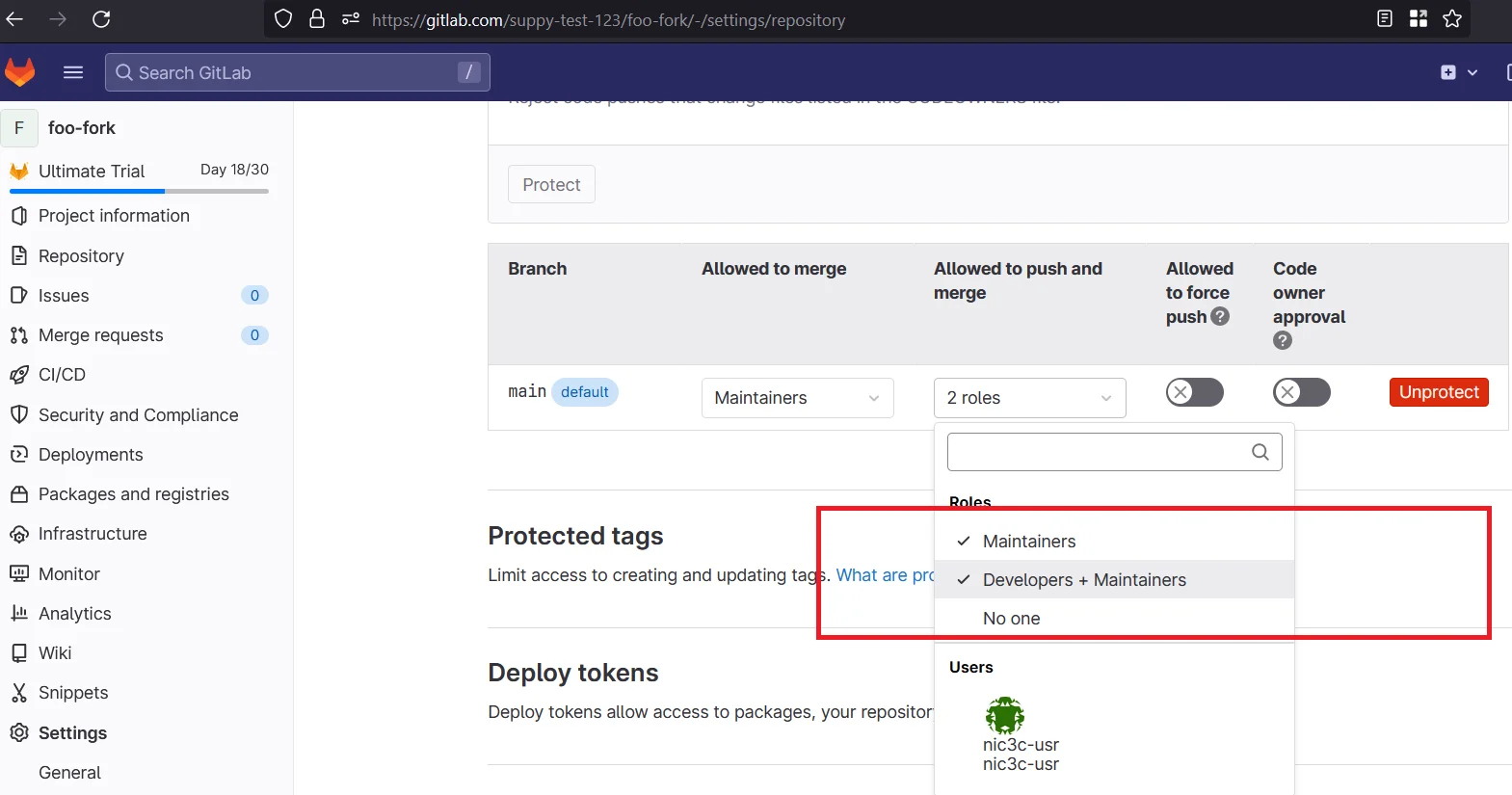
- As owner edit protected branch rule
Allowed to push and mergewith valueDeveloper & Maintainerinyour-grp/foo-fork
- As owner invites another user with developer role to the fork project
your-grp/foo-fork
As developer of the project your-grp/foo-fork
- As developer role user use the projectSyncFork graphQL api
in the project your-grp/foo-fork
mutation m{
	projectSyncFork(input:{clientMutationId:"111",projectPath:"your-grp/foo-fork",targetBranch:"main"}){
		clientMutationId
		errors

	}
}
- After success,
your-grp/foo-forklock file by ownerREADME.mdshould be updated by developer user
Impact
projectSyncFork graphQL api don't check whether file is locked or not. And this allows another user who didn't locked the file to update it contents.
This bug bypasses the owner expectations from the locked file or directory feature and allows another users to update the contents.
Attachments
Warning: Attachments received through HackerOne, please exercise caution!
How To Reproduce
Please add reproducibility information to this section:
Not written yet. The AI write-up for this report has not been written yet. The Original tab links to the source.
How it worked
Root cause
The projectSyncFork GraphQL mutation lacks a check for file locks before updating files.
Impact
A developer could bypass file locks and modify locked files, violating owner expectations.
What the attacker needed
Ultimate trial group; public project; fork in another group; developer role user
How it was found
- Create a group with Ultimate trial and a public project.
- Fork the project into another group with Ultimate trial.
- Update a file in the parent project so the fork is behind.
- Lock the file in the fork project.
- Set protected branch rule to allow Developers and Maintainers to push and merge.
- Invite a user with developer role to the fork project.
Explained by bugbounty.wiki with AI from the original and checked against quotes from it; it can still be wrong. Read the original before relying on a detail.
Not written yet. The AI write-up for this report has not been written yet. The Original tab links to the source.
A file lock is meant to stop people from changing a file. The projectSyncFork feature lets you update a fork from its parent project, but it forgot to check if the file was locked. So a user with developer access could still change a locked file.
What is Access control?
A user can do something their role should not allow: reach an admin function, act on a feature they have not paid for, or skip a permission check. IDOR is the special case where the object belongs to someone else.

