Planner user can see repository analytics
The report claims that a Planner user can access repository analytics despite documentation stating they should not. The reporter believes this is intended behaviour and suggests a documentation fix.

GitLab
Originally disclosed on GitLab
- Fixed in 48 days
- Disclosed after 48 days
⚠️ Please read the process on how to fix security issues before starting to work on the issue. Vulnerabilities must be fixed in a security mirror.
HackerOne report #2901802 by ashish_r_padelkar on 2024-12-16, assigned to @ameyadarshan:
Report | Attachments | How To Reproduce
Report
Summary
Hello,
I think this is intended behaviour but there seems to be documentation error for planner role as per here https://docs.gitlab.com/ee/user/permissions.html.
As per documentation above, Planner user shouldnt see Repository Analystics.
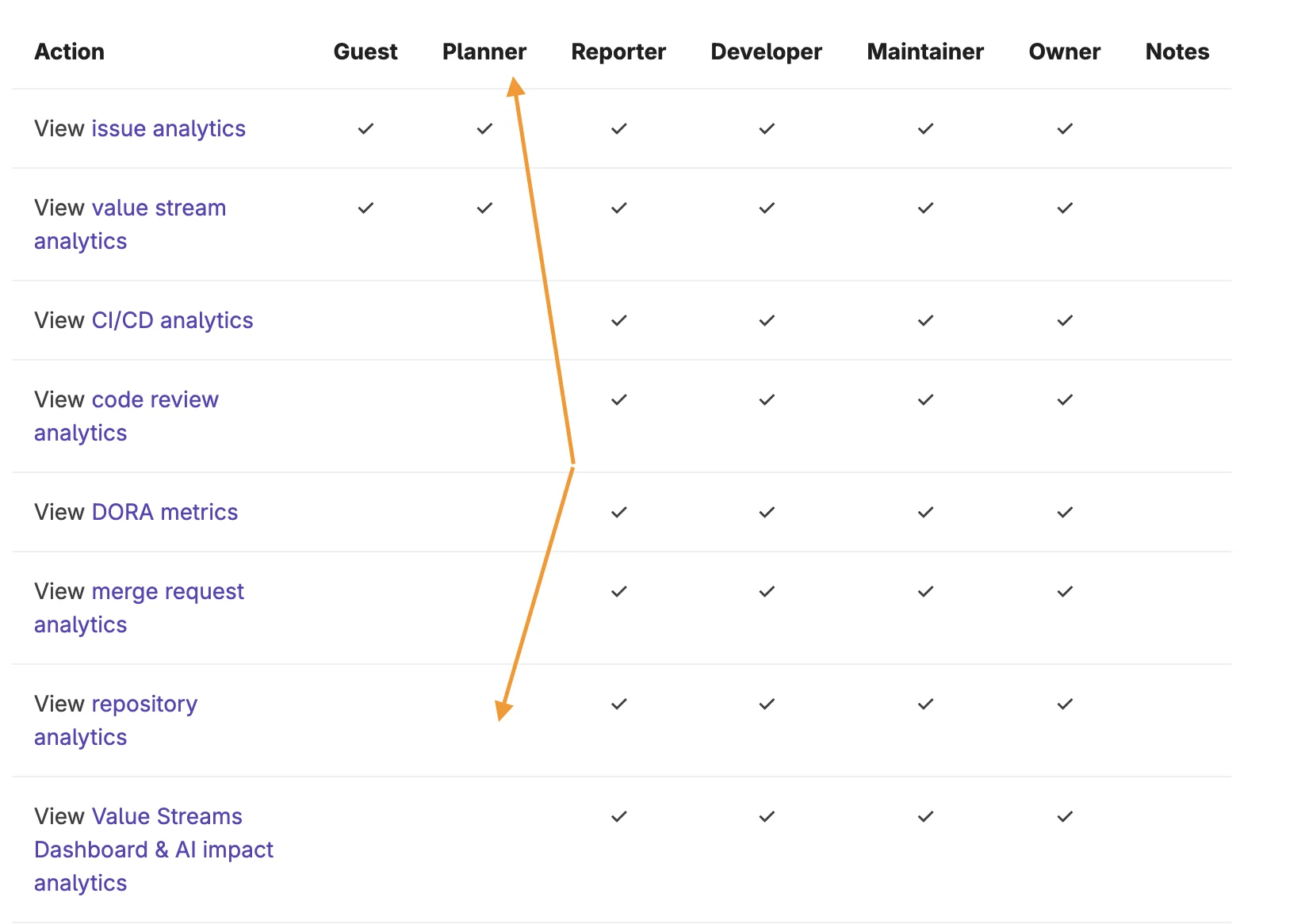
However, they can and i think this should be fixed in documentation. I reported this as it is mentioned in policy.

Steps to reproduce
1.Create a private group and private project underneath
2. Add a planner user at https://gitlab.com/groups/<groupName>/-/group_members.
3.Login as Planner user.
4.Directly navigate to project and you should be able to access Repository Analytics which contradicts the documentation
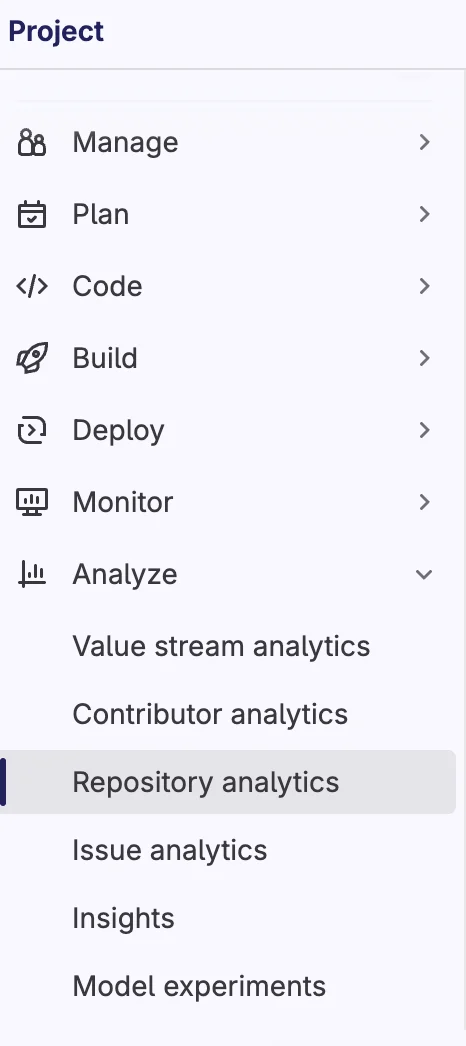
What is the current bug behavior?
Planner user can see repository analytics but seems intended. However, this need documentation fix.
What is the expected correct behavior?
Documentation fix is needed.
Output of checks
This bug happens on GitLab.com
Regards,
Ashish
Impact
As mentioned above, this is more of documentation error but such security related permission changes in documentation is eligible for reward as per policy, hence reporting it.
Attachments
Warning: Attachments received through HackerOne, please exercise caution!
- Screenshot_2024-12-16_at_3.31.13_PM.png
- Screenshot_2024-12-16_at_3.34.34_PM.png
- Screenshot_2024-12-16_at_3.37.04_PM.png
How To Reproduce
Please add reproducibility information to this section:
Not written yet. The AI write-up for this report has not been written yet. The Original tab links to the source.
How it worked
Root cause
Likely a documentation error, as the reporter states the behaviour seems intended.
Impact
A Planner user can view repository analytics, which may expose information contrary to documented permissions, but the reporter considers this intended and only a documentation issue.
What the attacker needed
A GitLab account; Planner role in a private group/project
The fix
The documentation should be updated to reflect that Planner users can access repository analytics.
How it was found
- Create a private group and private project underneath
- Add a planner user at the group members page
- Login as Planner user
- Directly navigate to project and access Repository Analytics
Explained by bugbounty.wiki with AI from the original and checked against quotes from it; it can still be wrong. Read the original before relying on a detail.
Not written yet. The AI write-up for this report has not been written yet. The Original tab links to the source.
A Planner is a user role in GitLab with certain permissions. The documentation says they should not see repository analytics, but they actually can. The reporter thinks the documentation is wrong, not the software.
What is Access control?
A user can do something their role should not allow: reach an admin function, act on a feature they have not paid for, or skip a permission check. IDOR is the special case where the object belongs to someone else.

