Smuggling content in MR with refs/replace in Gitlab
A user with Developer role could push a refs/replace reference to substitute a merge request's head commit with a different commit, so the merge request displayed one change but merged another. This allowed bypassing branch protection and injecting malicious code into a protected branch.

GitLab
Originally disclosed on GitLab
- Fixed in 2 months
- Disclosed after 2 months
⚠️ Please read the process on how to fix security issues before starting to work on the issue. Vulnerabilities must be fixed in a security mirror.
HackerOne report #1938185 by inspector-ambitious on 2023-04-07, assigned to @ottilia_westerlund:
Report | Attachments | How To Reproduce
Report
Summary
In Git, the refs/replace namespace is used to create a temporary reference that points to a commit object, allowing for the replacement or overwriting of an existing commit with a new one.
When a new commit object is created in Git, it is assigned a unique SHA-1 hash that identifies it in the repository's history.
However, an attacker with the Developer role in a repository can push a replacement reference in the refs/replace namespace, which would replace an existing commit with a malicious one. And if the head commit of a MR is replaced with a malicious one, we will get a situation where the MR will show the original commit but what would be merged will be the malicious one instead. Therefore this would allow an attacker to inject malicious code in the protected branch.
You can find a documentation on git replace here.
Steps to reproduce
To reproduce this vulnerability we will need 2 users:
victim01the victim and repository owner.inspector-ambitiousthe attacker withDeveloperaccess.
Step 1: Setup repository (in victim context victim01)
-
Create an empty (no README) private project called
replace -
Add one empty file called
a. (we need at least one commit)
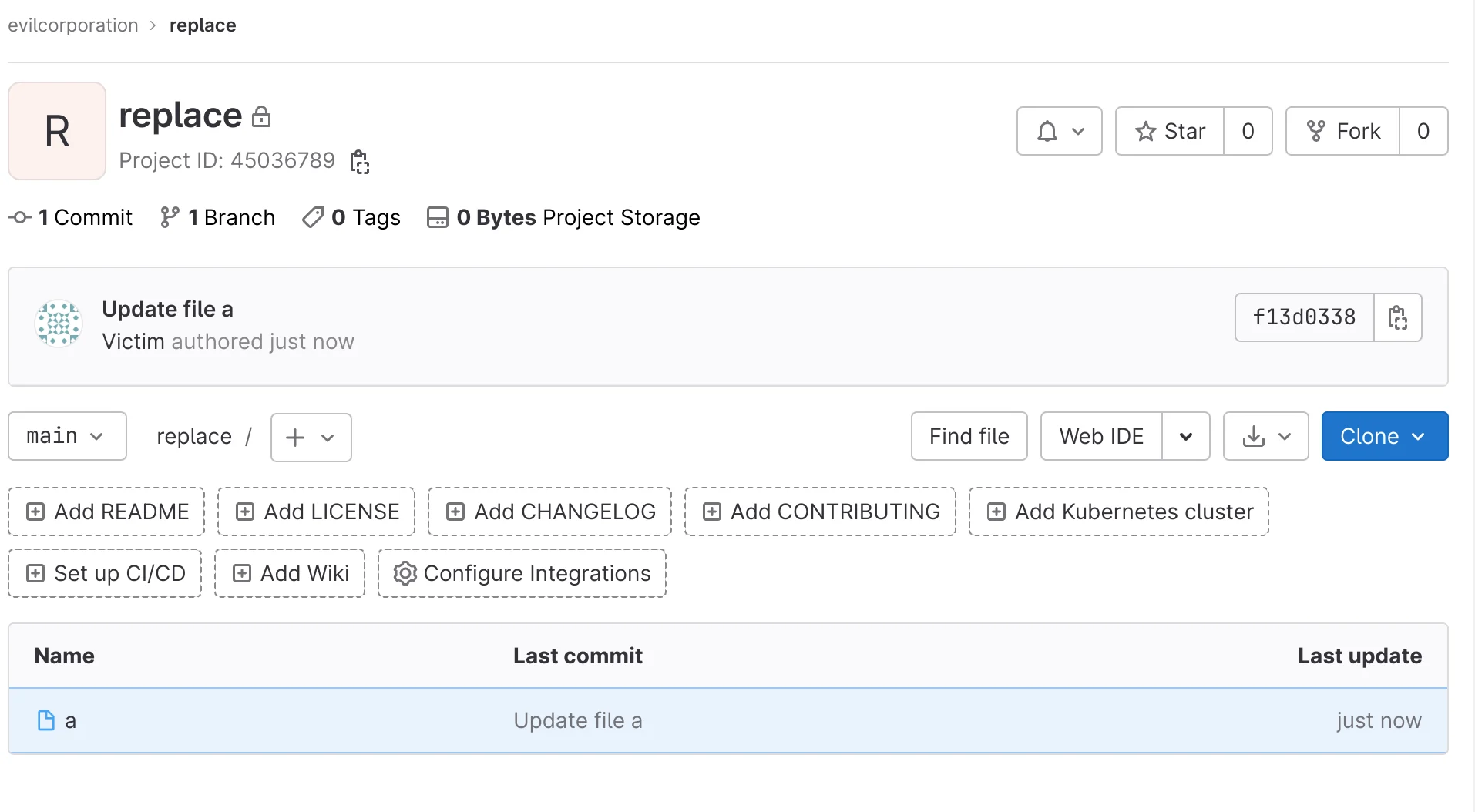
- Go to
Settings > Repository > Protected Branchesand check thatmainbranch is protected

It should be the default setup. Only maintainers can merge or push to this branch.
- Got to
Project information > Membersand inviteinspector-ambitiouswith the roleDeveloper
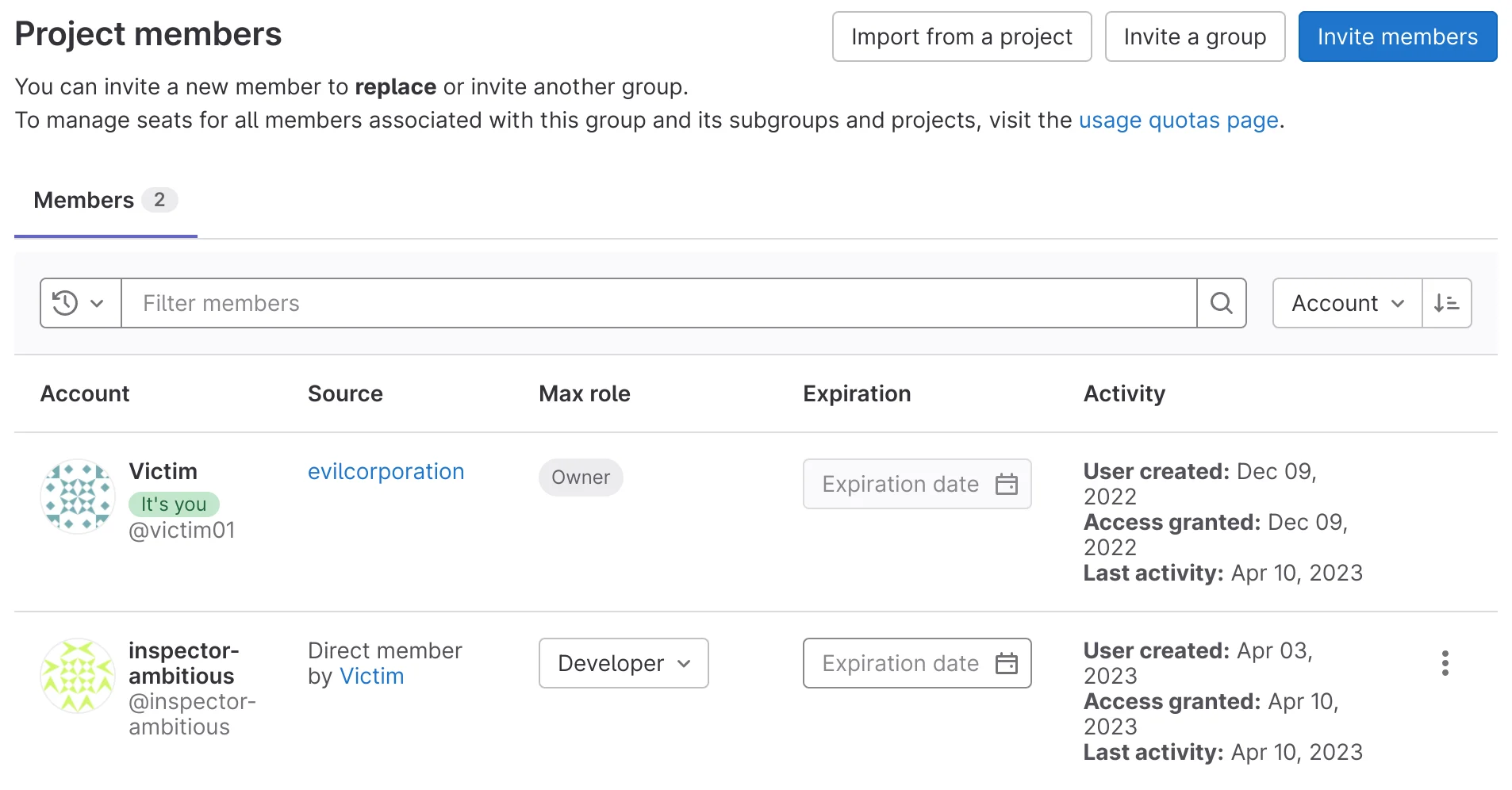
Step 2: Attack preparation (in attacker context inspector-ambitious)
** It is extremely important to respect the order of operations here **
- Create a new branch from
maincalledbfor example - Add a new empty file called
bin the branchb
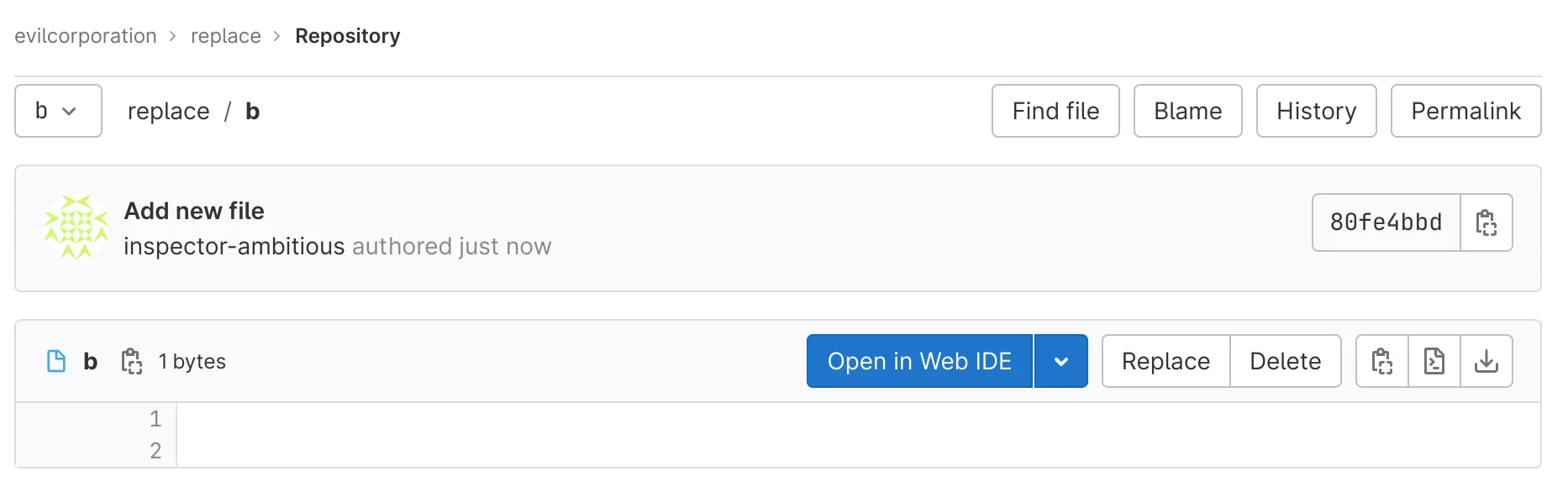
- Create a branch called
cfrommainwith an empty file calledc
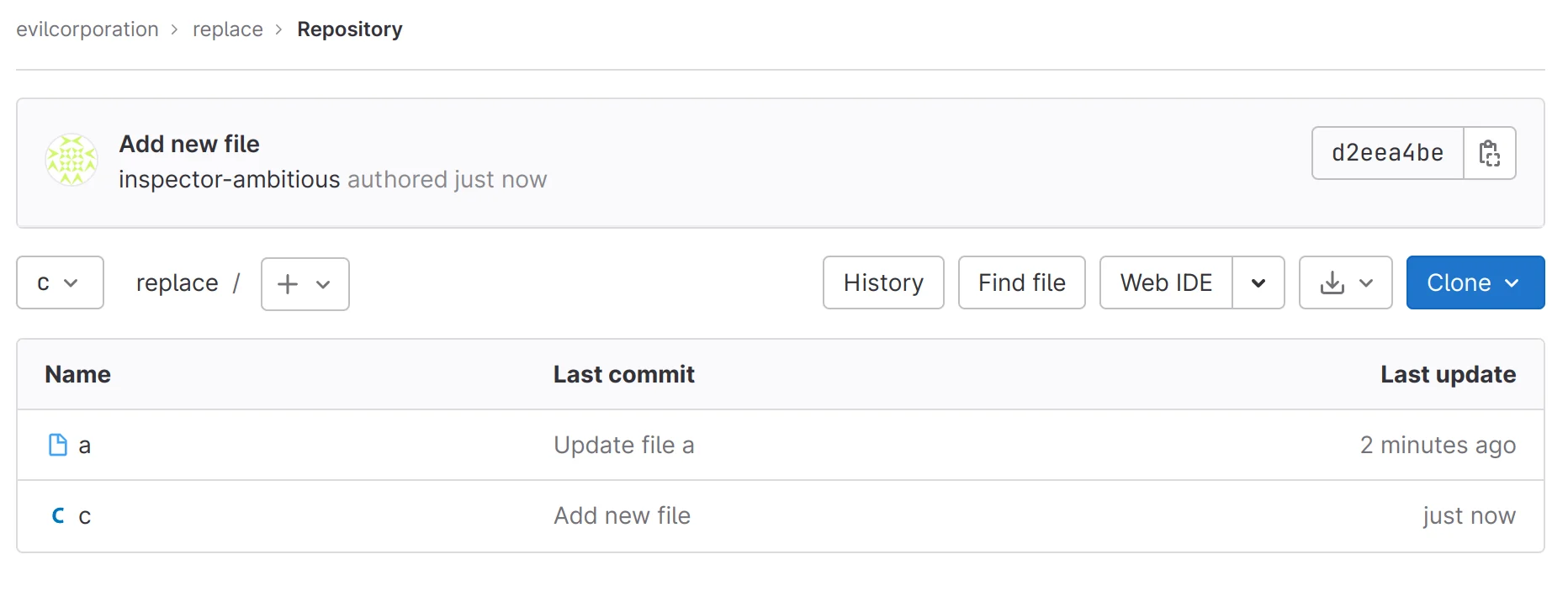
- Clone the repository and run
git ls-remotein the terminal
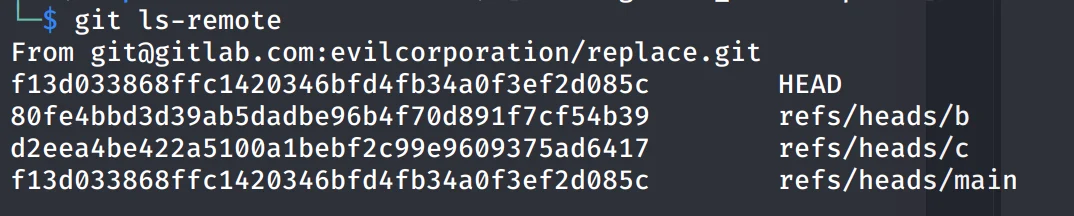
- Now push a refs/replace reference to replace commit from
bwithc
in our case based on previous output of ls-remote

running git ls-remote again we get

- Create a MR from
btomain.
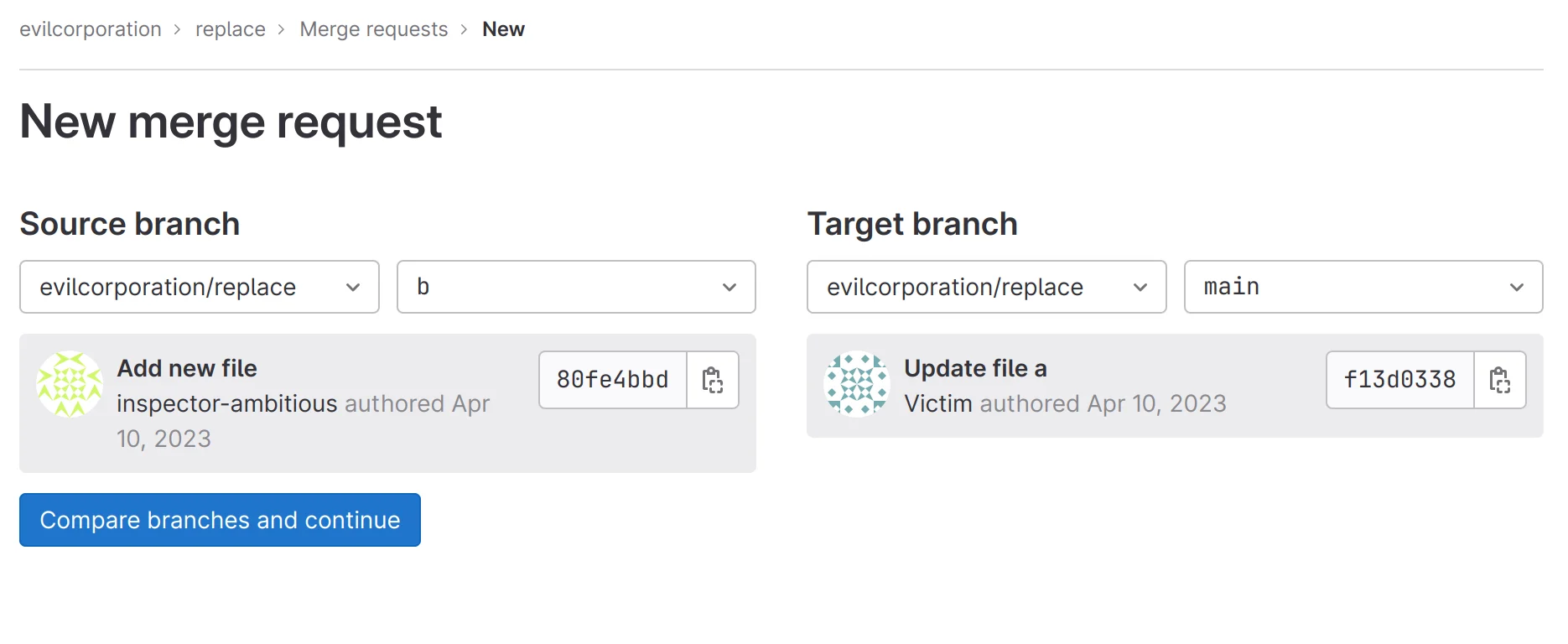
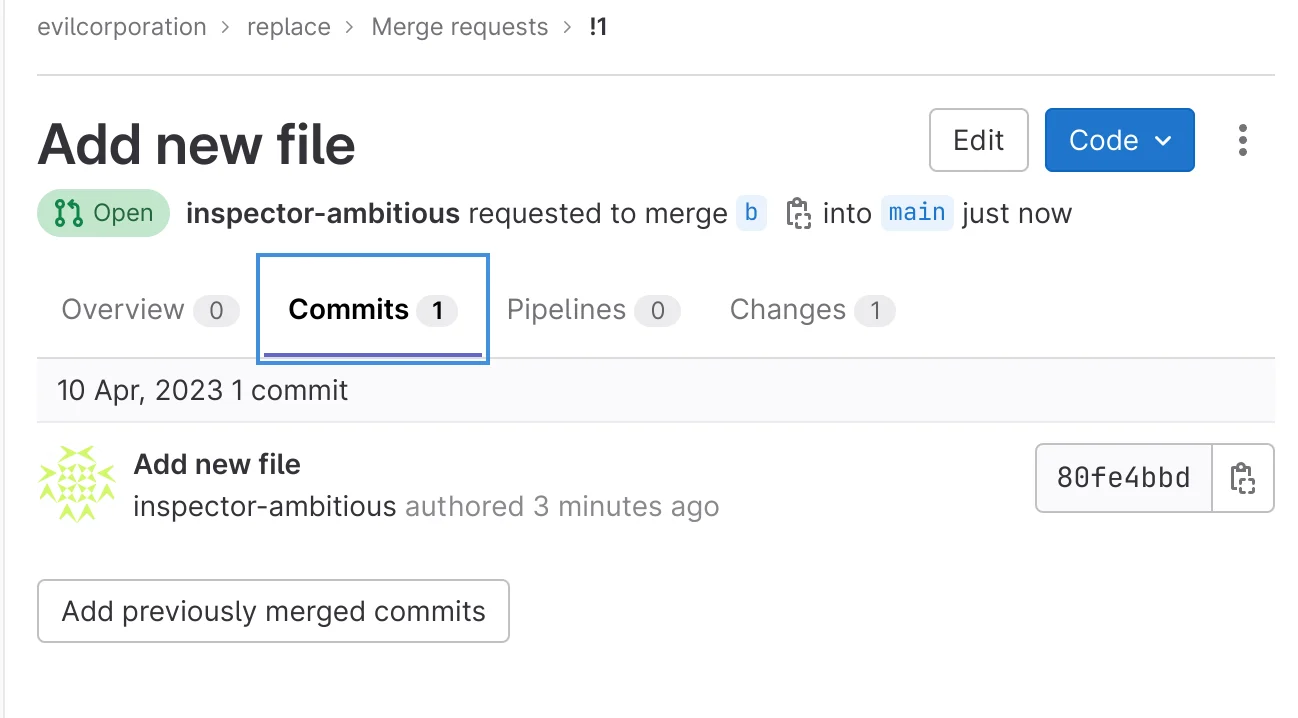
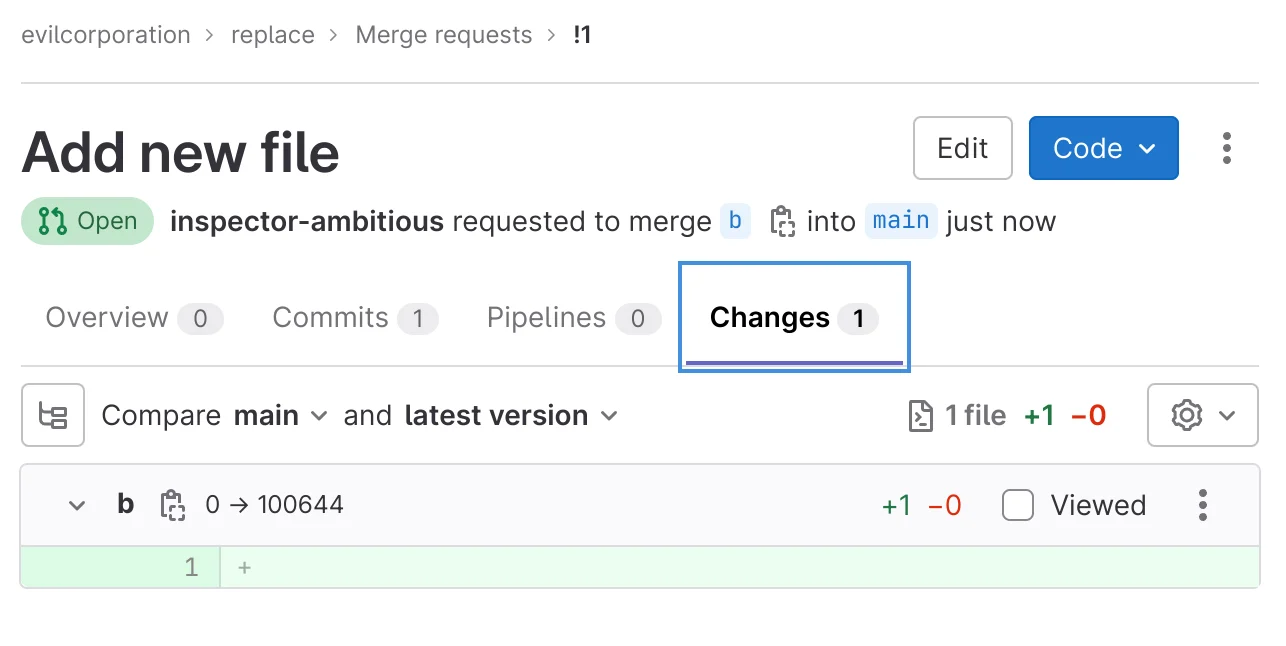
As you can see only the file b should be added when this PR is merged.
Step 3: main branch is compromised (in victim context victim01)
- Go to the pull request and merge it.
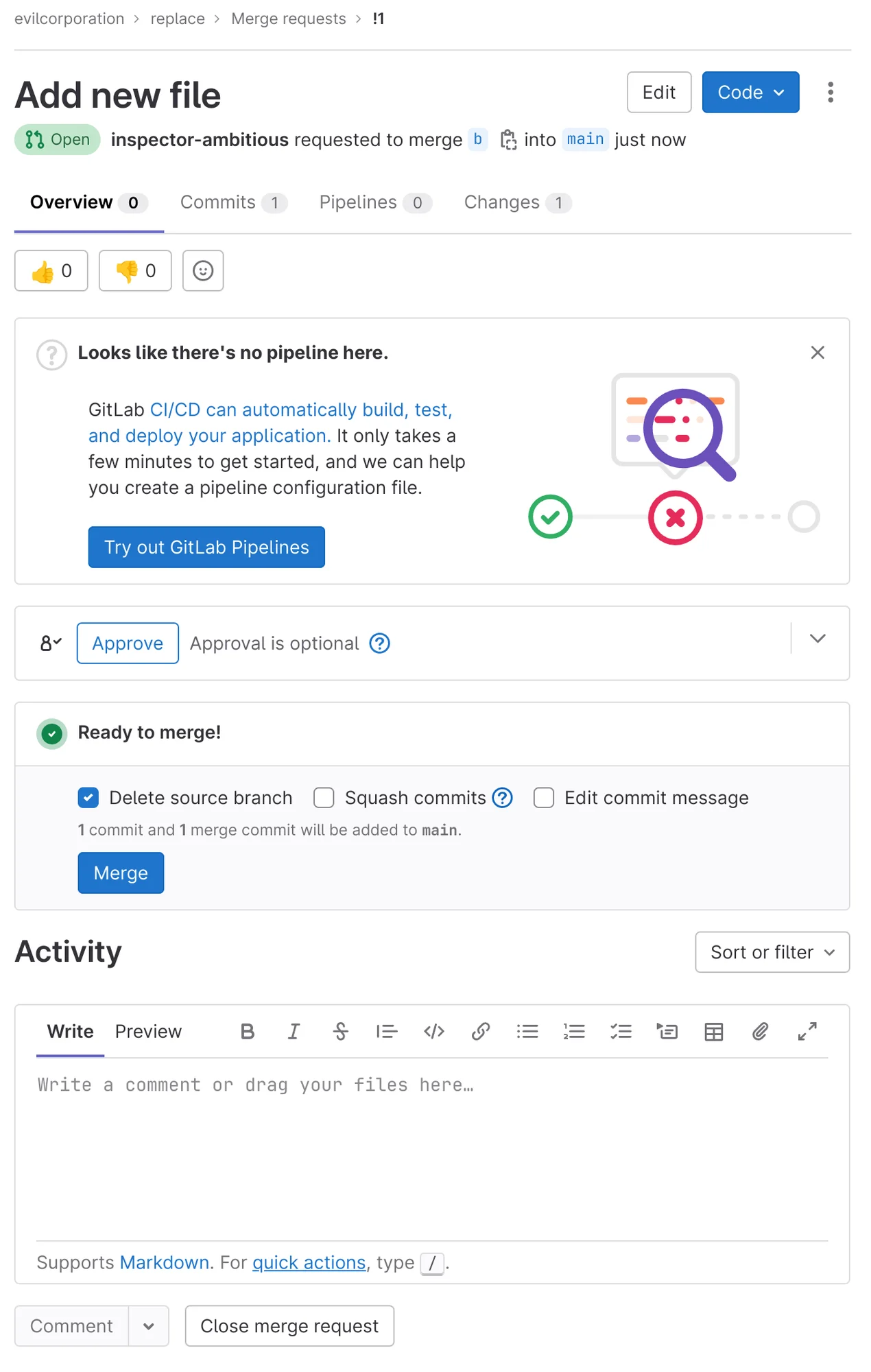
- Go to the
mainbranch
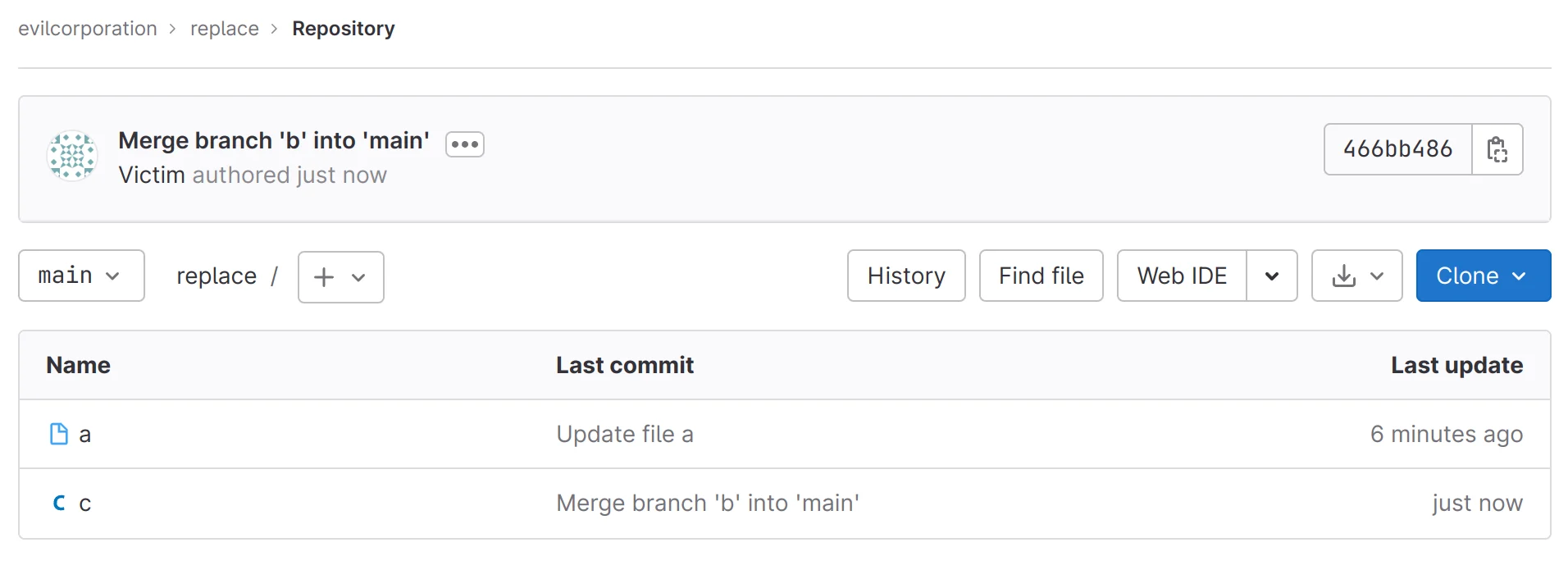
You can see the file c from c got merged !
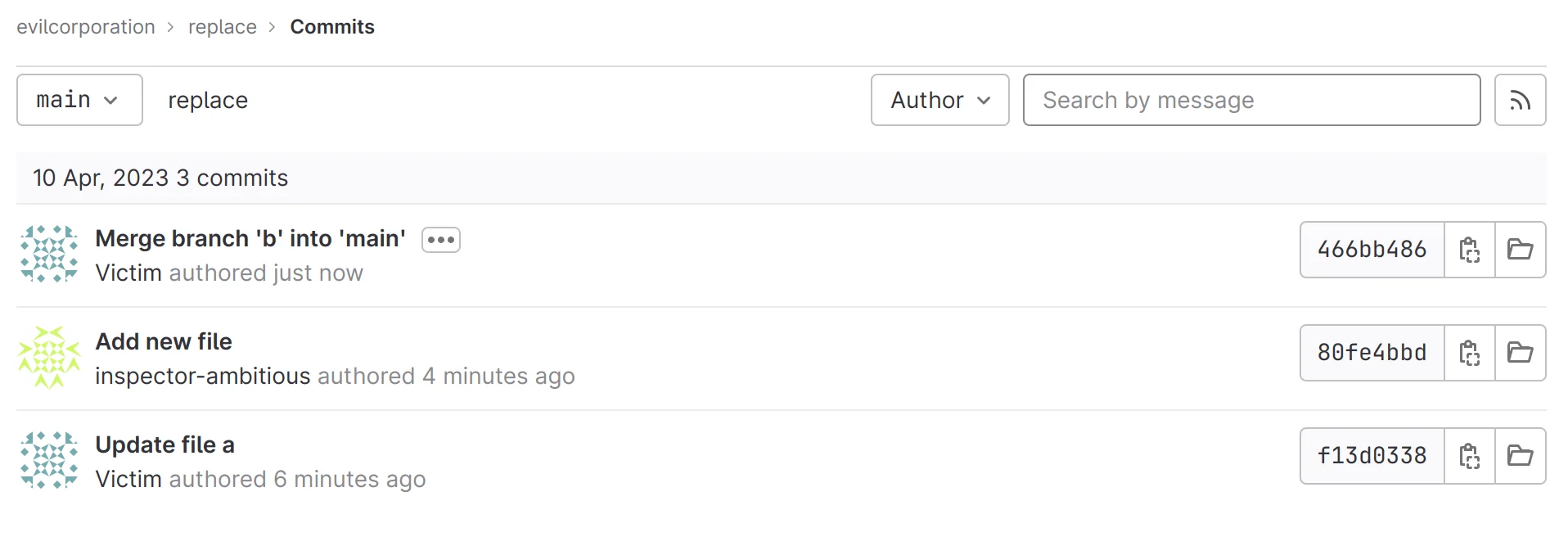
The commit history looks correct.
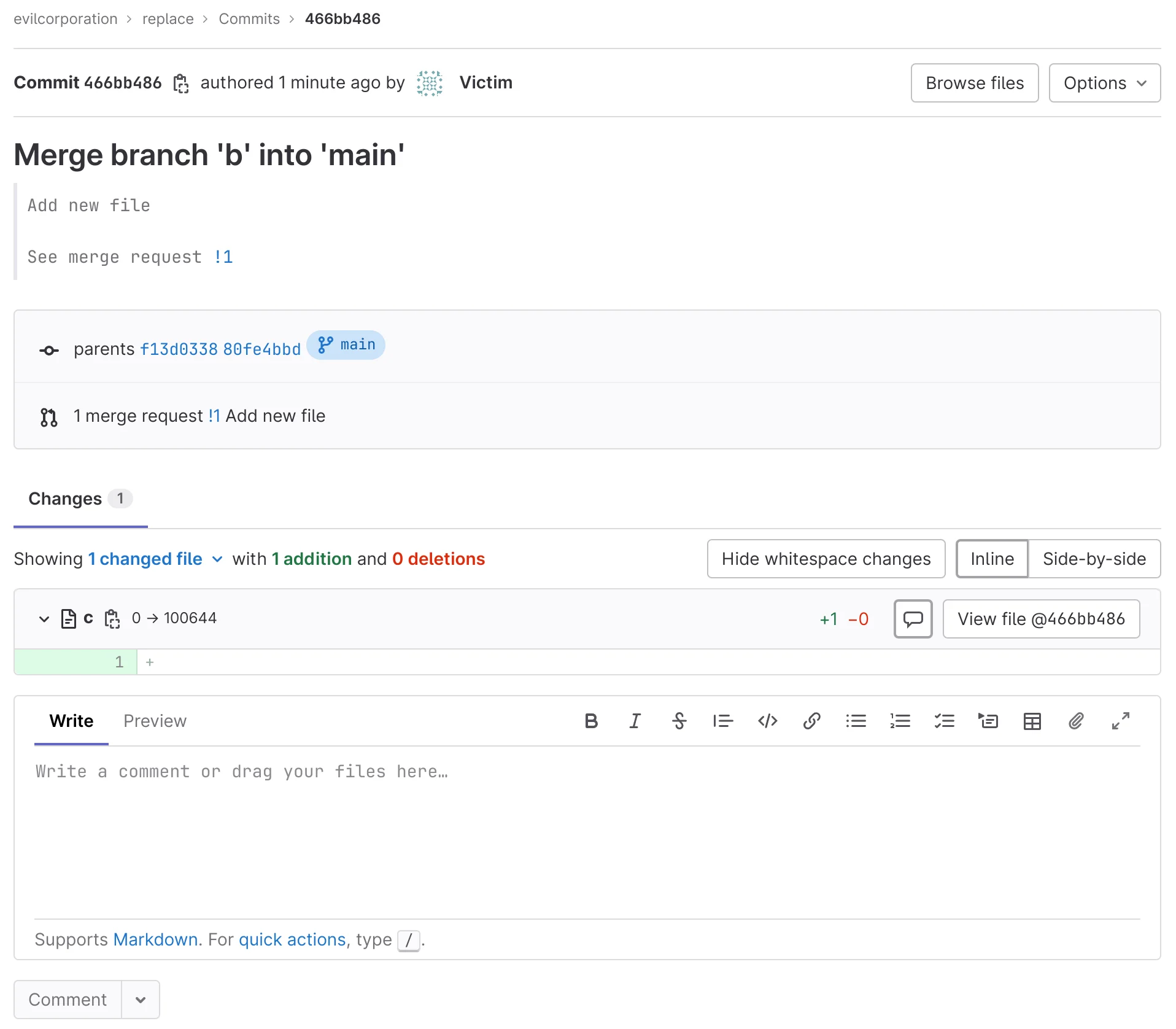
However if we look at the merge commit we see that c was added instead of b
Output of checks
This bug happens on GitLab.com, I tried to reproduce it on a local instance but somehow it didn't work out...
Impact
A collaborator can bypass branch protection and smuggle malicious content in a merge request, which could potentially introduce security vulnerabilities or other types of defects into the codebase, compromising the integrity and security of the repository. This could result in sensitive data being leaked, unauthorized access to resources, or even complete system compromise.
Attachments
Warning: Attachments received through HackerOne, please exercise caution!
- image.png
- image.png
- image.png
- image.png
- image.png
- image.png
- image.png
- image.png
- image.png
- image.png
- image.png
- image.png
- image.png
- image.png
- image.png
How To Reproduce
Please add reproducibility information to this section:
Not written yet. The AI write-up for this report has not been written yet. The Original tab links to the source.
How it worked
Root cause
Likely GitLab's merge logic did not resolve or reject refs/replace references, so the commit used for the merge differed from the one shown in the merge request.
Impact
A collaborator could bypass branch protection and merge malicious content into a protected branch, potentially compromising the repository's integrity and security.
What the attacker needed
Attacker has Developer role in the project; victim merges the merge request; protected branch exists
How it was found
- Create a private project with a protected main branch and invite the attacker as Developer.
- As the attacker, create branches b and c from main, each adding a different empty file.
- Clone the repository and list remote refs to get commit hashes.
- Push a refs/replace reference to replace the commit from branch b with the commit from branch c.
- Create a merge request from branch b to main.
- As the victim, merge the merge request and observe that the file from branch c was merged instead of the file from branch b.
Explained by bugbounty.wiki with AI from the original and checked against quotes from it; it can still be wrong. Read the original before relying on a detail.
Not written yet. The AI write-up for this report has not been written yet. The Original tab links to the source.
In Git, a commit is identified by a long code (hash). Git has a feature called refs/replace that lets you tell Git 'when you see commit X, use commit Y instead'. The report shows that GitLab did not account for this when merging a merge request, so the merge request looked like it would add one file but actually added a different one. This let a user with only Developer access (who normally cannot push to a protected branch) sneak changes into that branch.
What is Access control?
A user can do something their role should not allow: reach an admin function, act on a feature they have not paid for, or skip a permission check. IDOR is the special case where the object belongs to someone else.

