Spoofing of the contents of a protected branch by creating a tag with the same name as the protected branch
A developer could create a tag with the same name as a protected branch, causing the GitLab UI and git checkout to show the tag's contents instead of the protected branch's. This allowed spoofing of the protected branch's contents to other users.

GitLab
Originally disclosed on GitLab
- Fixed in 25 hours
- Disclosed after 25 hours
⚠️ Please read the process on how to fix security issues before starting to work on the issue. Vulnerabilities must be fixed in a security mirror.
HackerOne report #2121310 by ricardobrito on 2023-08-23, assigned to GitLab Team:
Report | Attachments | How To Reproduce
Report
Hi team,
Summary
I have found that it is possible for a user with developer role to spoof the contents of a protected branch by creating a tag with the same name as the protected branch.
Pre-requisites
- An instance admin account.
- A normal user - User A
- A normal user - User B
- Create an access token for user A
- Create an access token for user B
Steps to reproduce
-
As the instance admin, create a private group called
admin-group -
As the instance admin, create a project (private) called
admin-projectinside the group created in step 1. -
As the instance admin (now group owner), invite User A and User B as developers.
-
As the group owner, create a file called
.gitlab-ci.ymlinside the project with the following content:
build-job:
  stage: build
  script:
    - echo "Hello, ADMIN"
- As the group owner, edit the
.gitlab-ci.ymlfile using the gitlab ide:
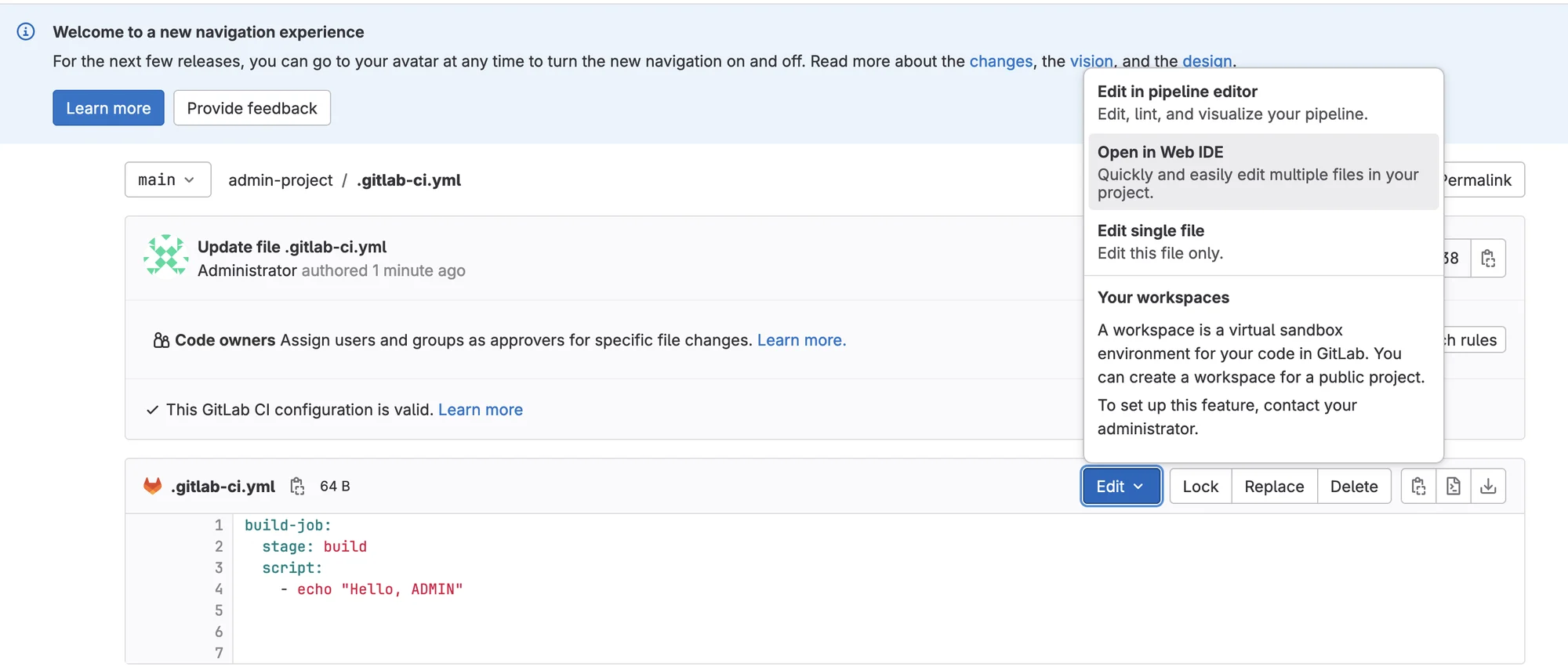
change the contents to:
build-job:
  stage: build
  script:
    - echo "Hello, ADMIN FROM BRANCH"
Commit the changes to a new branch called devel
- Still as the owner, go to the repository settings -> expand the Protected branches section, select the
develbranch and set the following rules:
Allowed to merge: maintainrers
Allowed to push and merge: maintainrers
Press the protect button
- As user A, clone the project using the gitlab token, with the following command:
git clone http://USER-A:glpat-_USER-A-TOKEN@YOUR-GITLAB-INSTANCE/admin-group/admin-project
Then run the following commands:
cd admin-project
git checkout origin/devel -b devel_tag
- Still as User A, edit the file
.gitlab-ci.ymlwith the following contents (locally):
build-job:
  stage: build
  script:
    - echo "Hello, USER A"
and save the changes.
- Still as User A, run the following commands:
git add -A
git commit -m "attack"
git push origin devel_tag:refs/tags/devel
This will push the changes to a new tag called devel.
- As User B, go to http://YOUR-GITLAB-INSTANCE/admin-group/admin-project, and click on the branches button (which should show 2, as highlighted below):
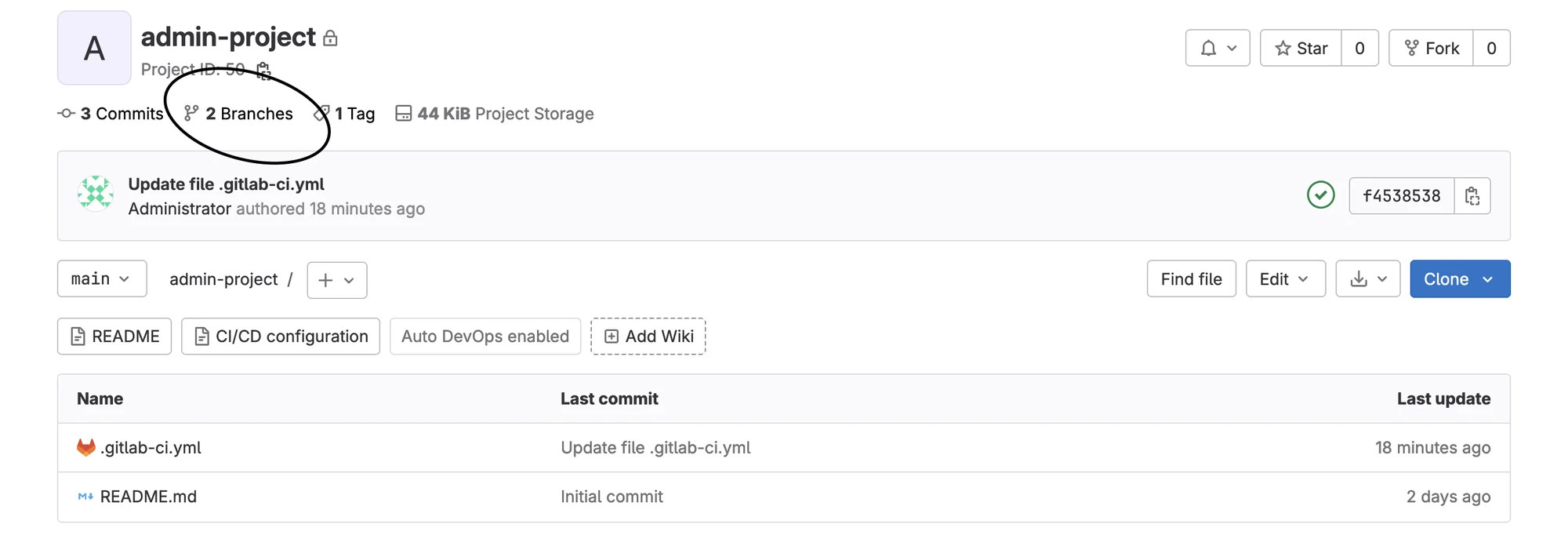
Click on the highlighted section in the image above and it will take you to http://127.0.0.1:3000/admin-group/admin-project/-/branches, where you will see 2 branches: main and devel (which is the protected branch that neither USER A or USER B have permission to push code to).

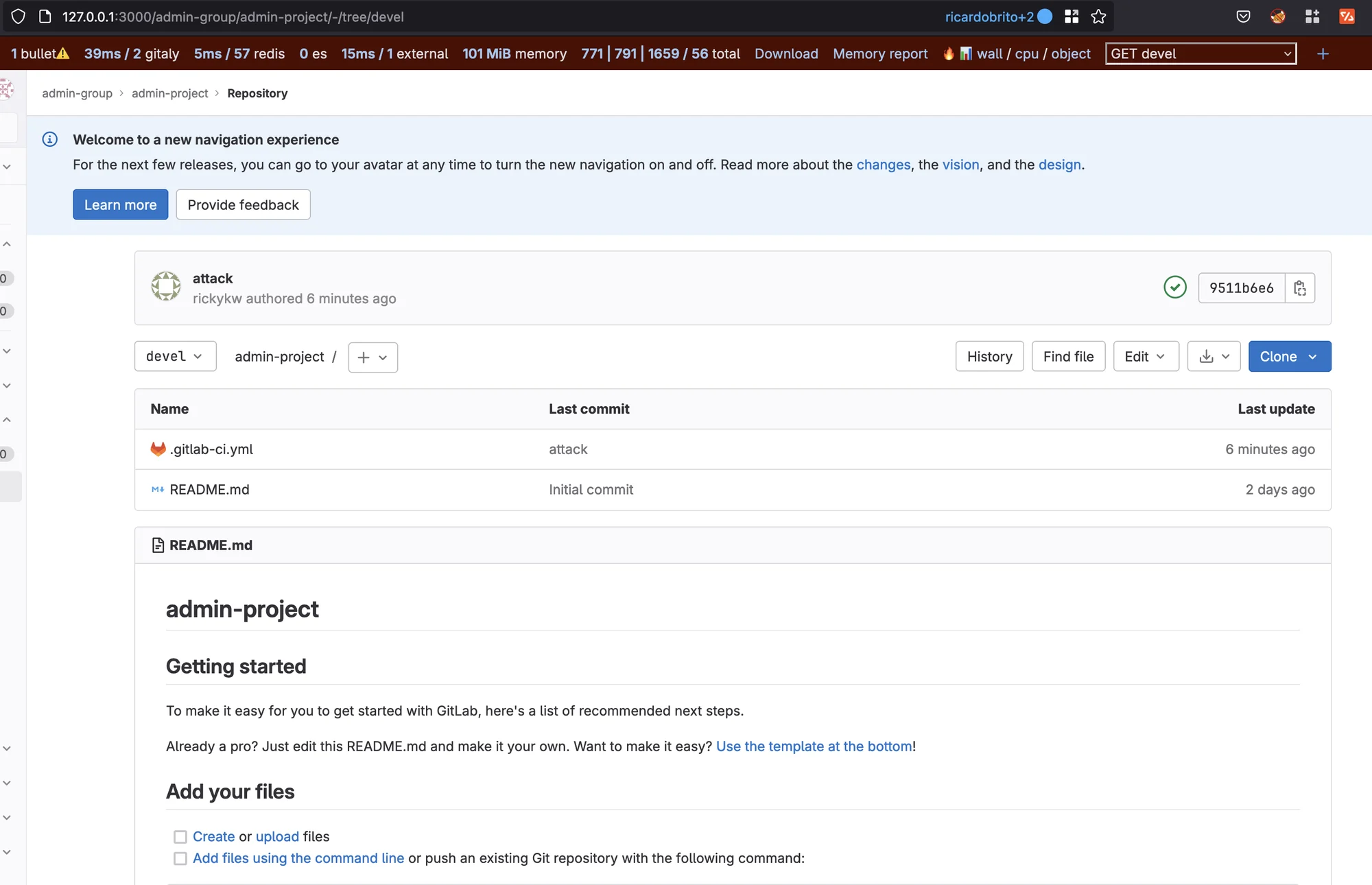
- As user B, click on the
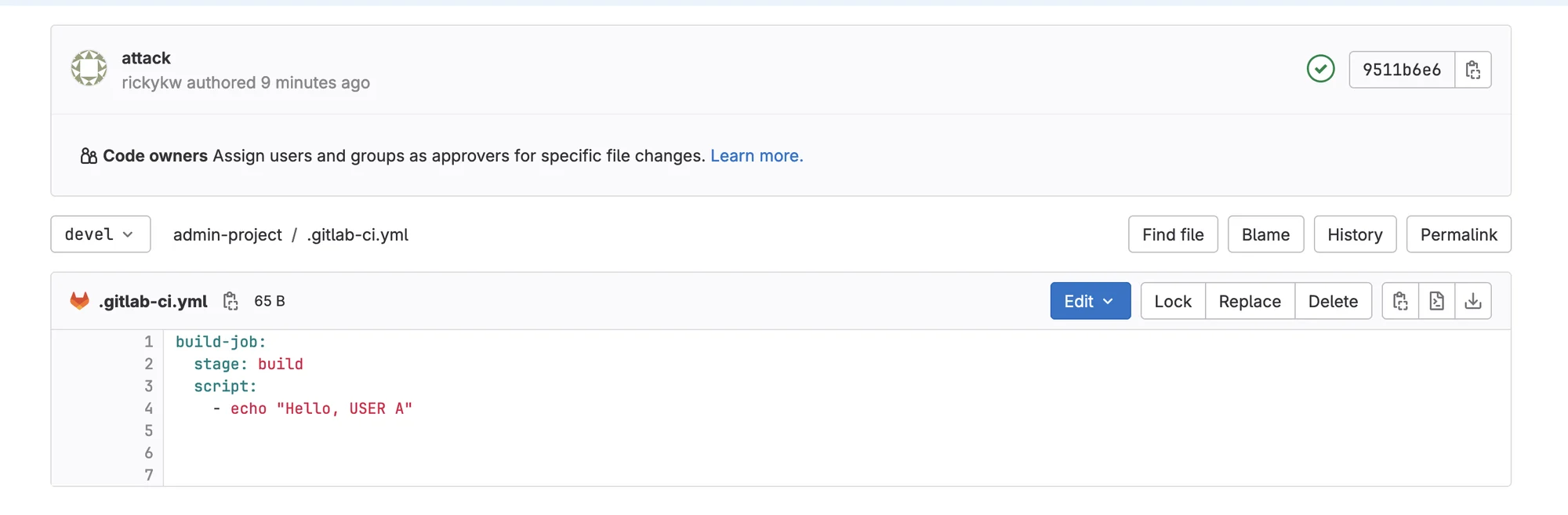
develbranch and you should see that it shows the contents that were commited and pushed by User A instead of the original protecteddevelbranch. (** Impact: The contents of the protected branch have been spoofed by a user who does not have push rights into the branch, allowing him to deliver fake content to other users**)
If User B clicks on the .gitlab-ci.yml file, he will see the contents pushed by User A:
- Still as user B, clone the project locally using the gitlab token and cd into the directory and run the following command:
git checkout devel
Then open the .gitlab-ci.yml file and you will see that it contains the contents pushed by User A, instead of the original contents of the protected branch.
Impact
The impact here is two-fold:
-
After User A makes changes to the protected branch and pushes the changes into a tag with the same name as the protected branch (say
devel), whoever visits the branches page in the UI of the project and clicks on thedevelbranch, will see the changes pushed by user A instead of seeing the contents of the original protected branch. -
If another user clones the project and checks out the
develbranch, he will be checking out the contents of the tag pushed by User A instead of the original protected branch.
Attachments
Warning: Attachments received through HackerOne, please exercise caution!
How To Reproduce
Please add reproducibility information to this section:
Not written yet. The AI write-up for this report has not been written yet. The Original tab links to the source.
How it worked
Root cause
Likely, GitLab's UI and git checkout resolve a name to a tag before a branch when both exist, so a tag with the same name as a protected branch overrides the branch's content.
Impact
A user without push rights to a protected branch could make other users see and check out attacker-controlled content when they view or checkout that branch, potentially delivering fake content.
What the attacker needed
GitLab instance; instance admin account; two normal users with access tokens; developer role on the project
How it was found
- As admin, create a private group and project, and invite two users as developers.
- As owner, create a .gitlab-ci.yml file, commit it to a new branch called devel, and protect that branch so only maintainers can push.
- As user A, clone the project, check out the devel branch, modify the file, commit, and push to a tag named devel.
- As user B, visit the branches page and click on the devel branch to see user A's content.
- As user B, clone the project and run git checkout devel to see user A's content.
Explained by bugbounty.wiki with AI from the original and checked against quotes from it; it can still be wrong. Read the original before relying on a detail.
Not written yet. The AI write-up for this report has not been written yet. The Original tab links to the source.
In Git, branches and tags are both names for commits, and they can have the same name. GitLab's web interface and git commands sometimes pick the tag when both exist, so a user without push rights to a protected branch could make it look like the branch had different content. This is a spoofing issue because other users see the attacker's content when they expect the protected branch's content.
What is Access control?
A user can do something their role should not allow: reach an admin function, act on a feature they have not paid for, or skip a permission check. IDOR is the special case where the object belongs to someone else.

