Stored XSS in merge request creation page through payload in approval rule name
A stored cross-site scripting vulnerability existed in GitLab's merge request creation page because an approval rule name was injected without proper sanitisation. An attacker could execute arbitrary JavaScript in a victim's browser when the victim opened the reviewers dropdown, bypassing the site's content security policy.

- Triaged in 16 hours
- Fixed in 46 days
- Paid in 22 days
- Disclosed after 6 months
Summary
Hi GitLab team, I found a stored XSS in merge request creation page caused by a payload in the name of an "approval rule".
Adding approval rules is a feature that is unlocked for premium subscriptions or above. This does not seem to block it from being used against regular users on for example Gitlab.com by inviting them into the "infected project".
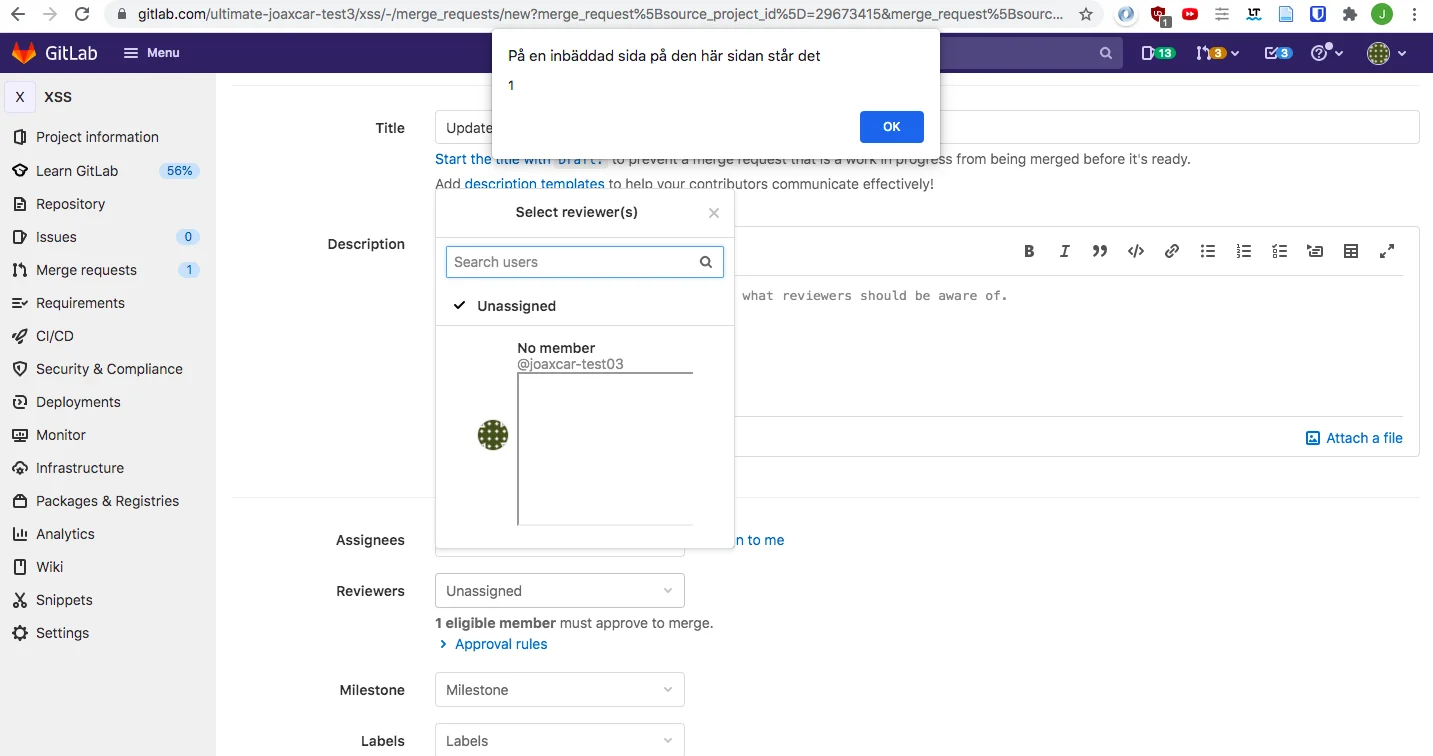
This occurs when adding an "Approval rule" to a project and giving it a javascript/html payload as the name and attaching the rule to an approver. When a user tries to create a merge request in the project and opens the "Reviewers" dropdown, information about the user with the attached rule will be shown and the rule name will be injected underneath.
With the payload
<iframe/srcdoc='<script/src=/joaxcar_group/first/-/jobs/1415515489/artifacts/raw/data/alert.js></script>'></iframe>
this XSS bypasses the current CSP on Gitlab.com (tried it with an Ultimate trial and inviting a user without a trial to the project)
As I got the impression that all XSS are treated equal when reporting a similar issue, I have not made any deeper analysis of the reason for this firing. Thought I just report it right away. Please reach back to me if you need me to research the impact deeper! As an example, it does not fire when one "edits" a MR which is a bit odd...
Steps to reproduce
- Create two user accounts,
attacker_userandvictim_user(attacker_usermust have at least premium features enabled) - Log in as
attacker_user - Create a project
xss_projectby going to https://gitlab.com/projects/new#blank_project - Go to projects settings on https://gitlab.com/attacker_user/xss_project/edit and scroll down to and expand "Merge request approvals"
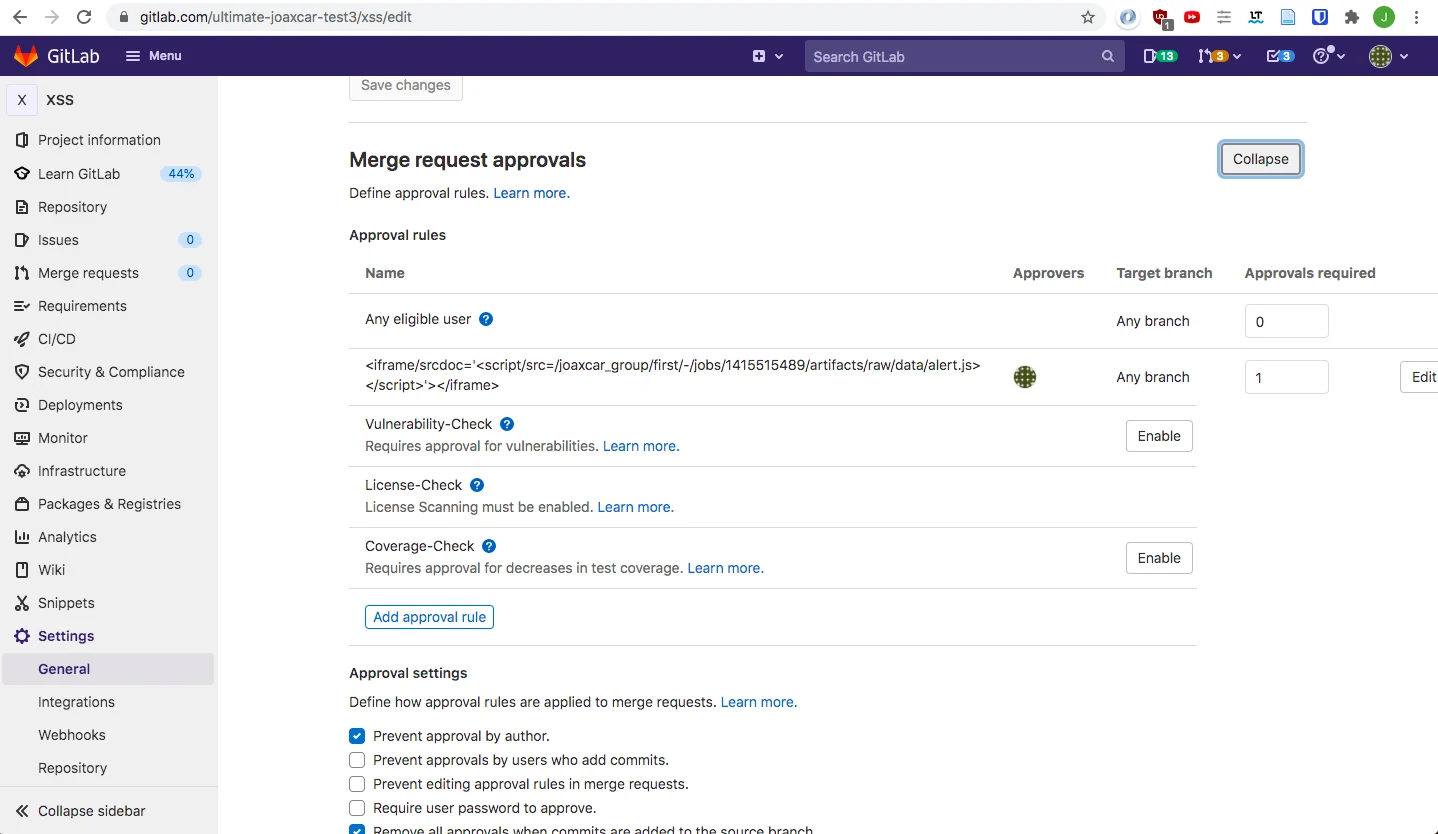
- Click "Add approval rule"
- Put the payload as the name, If on Gitlab.com use
<iframe/srcdoc='<script/src=/joaxcar_group/first/-/jobs/1415515489/artifacts/raw/data/alert.js></script>'></iframe>
if this is tested on a server without CSP feel free to use the payload
<script>alert(document.domain)</script>
- Search for and select
attacker_useras approver and click create rule.
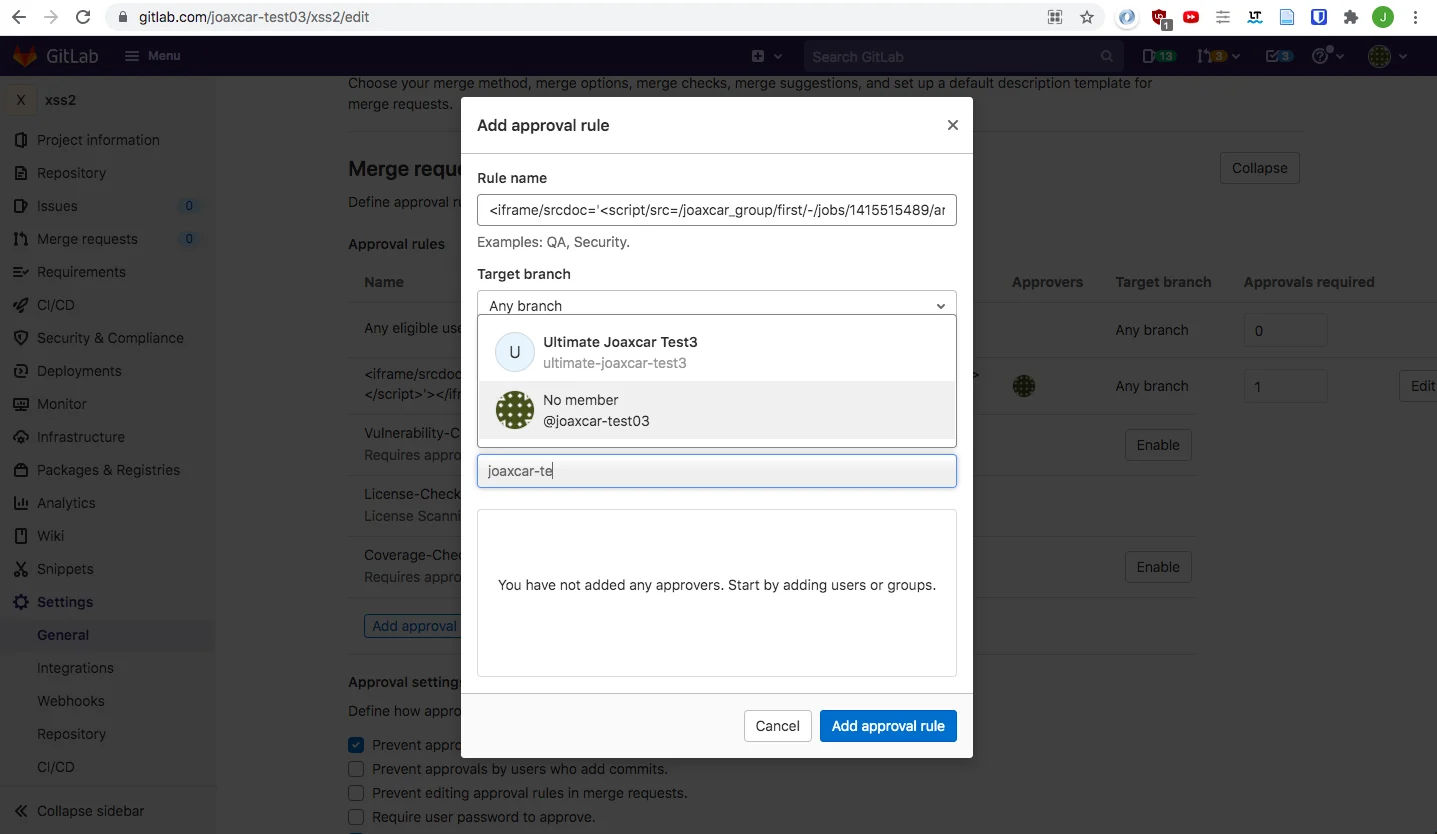
- Invite
victim_userto the project asDeveloperon https://gitlab.com/attacker_user/xss_project/-/project_members - Log out and log back in as
victim_user - Go to https://██████████/user_01/pub/-/branches/new and create a branch
new - Directly click on "Create merge request" (which will appear on the screen)
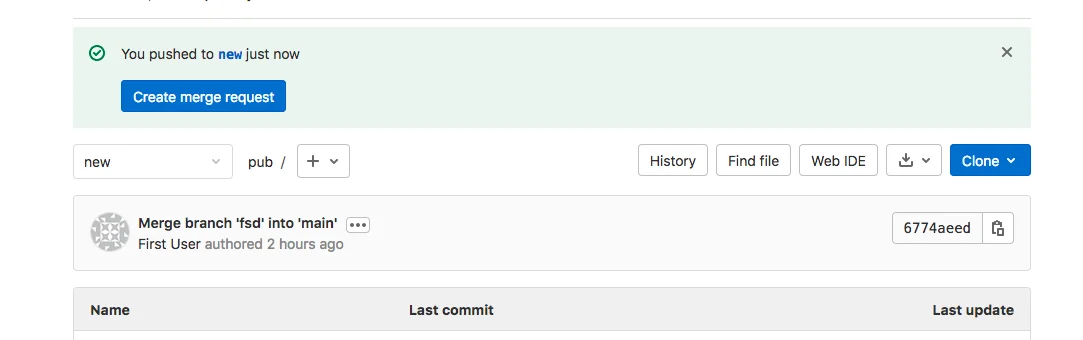
- Click on the dropdown at "Reviewers"
- Payload will trigger
Impact
Stored XSS with CSP bypass. Full Javascript functionality without restrictions, so everything from stealing data to generating and exfiltrating access tokens.
Examples
If you access my private project at Gitlab.com (https://gitlab.com/ultimate-joaxcar-test3/xss) as an admin, you should be able to create an MR and trigger payload. (Just an alert box)
What is the current bug behavior?
Approver rule name is injected in the user information without proper sanitization.
What is the expected correct behavior?
The name should be sanitized
Output of checks
This bug happens on GitLab.com
Impact
Stored XSS with CSP bypass. Full Javascript functionality without restrictions, so everything from stealing data to generating and exfiltrating access tokens.
Not written yet. The AI write-up for this report has not been written yet. The Original tab links to the source.
How it worked
Impact
An attacker could run arbitrary JavaScript in a victim's browser, potentially stealing data or access tokens, and the payload bypassed the site's content security policy.
What the attacker needed
Attacker has premium features; victim is invited to the project; victim opens the reviewers dropdown
The fix
The approval rule name should be sanitised before being displayed.
How it was found
- Create two accounts, one with premium features and one regular user.
- Log in as the premium user and create a new project.
- In project settings, expand merge request approvals and add an approval rule with a malicious name.
- Select the premium user as approver and create the rule.
- Invite the regular user to the project as a Developer.
- Log in as the regular user, create a branch, start a merge request, and open the reviewers dropdown to trigger the payload.
Explained by bugbounty.wiki with AI from the original and checked against quotes from it; it can still be wrong. Read the original before relying on a detail.
Not written yet. The AI write-up for this report has not been written yet. The Original tab links to the source.
This is a stored cross-site scripting (XSS) bug. A feature that lets project owners name approval rules did not clean up the name before showing it to other users. When a victim viewed that name on a merge request page, harmful code hidden in the name ran in the victim's browser, letting the attacker act as the victim.
What is XSS?
Script an attacker supplies runs in another user's browser, on the target's origin, with that user's session.






