Stored XSS on the Error Tracking page
The GitLab Error Tracking page rendered Sentry error data without sanitising it, so a malicious Sentry server could inject script into the page. An attacker who controls the Sentry server could run JavaScript in a victim's GitLab session and perform actions as that user.

GitLab
Originally disclosed on GitLab
- Fixed in 2 months
- Disclosed after 2 months
HackerOne report #859888 by mike12 on 2020-04-26, assigned to @jeremymatos:
Hello Gitlab!
Steps to reproduce
- Set up a Sentry server or just use this server: http://REDACTED .
-
Install Sentry Server, use this doc
-
Connect to the Sentry container:
docker exec -it sentry_onpremise_web_1 /bin/bash -
Install Vim:
apt update && apt install vim -y -
Open
stacktrace.pyfile:vim /usr/local/lib/python2.7/site-packages/sentry/interfaces/stacktrace.py -
Replace
"colNo": self.colno,with"colNo": "<img src=x onerror=alert(1)>",on line 210Diff def get_api_context(self, is_public=False, pad_addr=None, platform=None): from sentry.stacktraces.functions import get_function_name_for_frame function = get_function_name_for_frame(self, platform) data = { "filename": self.filename, "absPath": self.abs_path, "module": self.module, "package": self.package, "platform": self.platform, "instructionAddr": pad_hex_addr(self.instruction_addr, pad_addr), "symbolAddr": pad_hex_addr(self.symbol_addr, pad_addr), "function": function, "rawFunction": self.raw_function, "symbol": self.symbol, "context": get_context( lineno=self.lineno, context_line=self.context_line, pre_context=self.pre_context, post_context=self.post_context, ), "lineNo": self.lineno, - "colNo": self.colno, + "colNo": "<img src=x onerror=alert(1)>", "inApp": self.in_app, "trust": self.trust, "errors": self.errors, } if not is_public: data["vars"] = self.vars -
Exit from the container
-
Restart the container:
docker restart sentry_onpremise_web_1 -
Create a new Sentry project, use this doc
-
Capture an error using Sentry SDK. Use docs: Initialize Sentry SDK and Capture your First Error
-
Generate a Sentry auth token, use this doc
-
- Run Gitlab:
docker run --detach --hostname gitlab.example.com --publish 443:443 --publish 80:80 --publish 22:22 --name gitlab gitlab/gitlab-ce:latest - Create a new Gitlab project
- Go to
Settings->Operations->Error Trackingand connect Sentry to the Gitlab project- Check the "Active" checkbox
- Sentry API URL: http://REDACTED:9000 (or your Sentry server URL)
- Auth Token:
REDACTED2(or your Sentry auth token) - Project:
Sentry | javascript(or your Sentry project)
- Go to
Operations->Error Trackingand open details for an error.
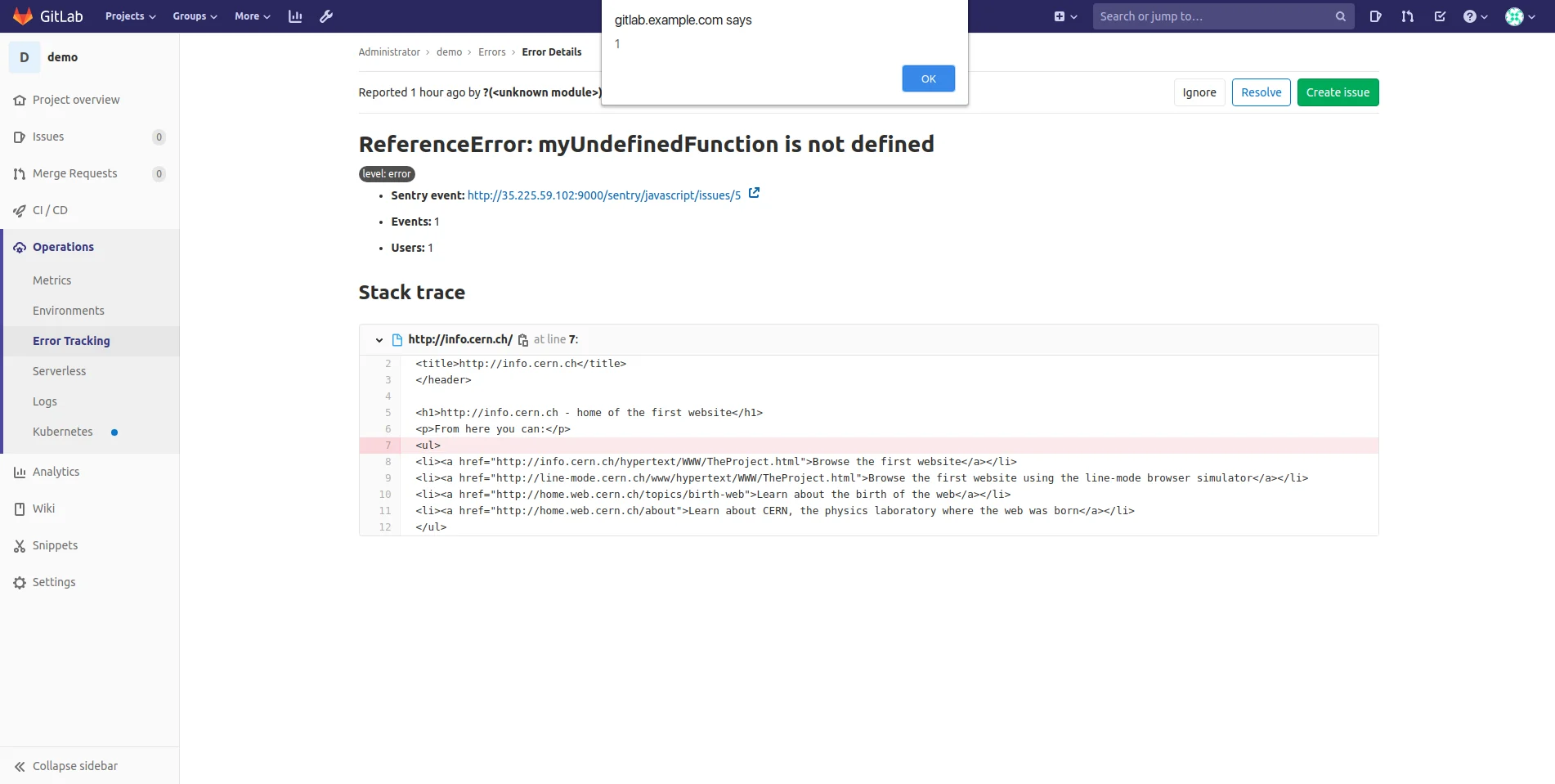
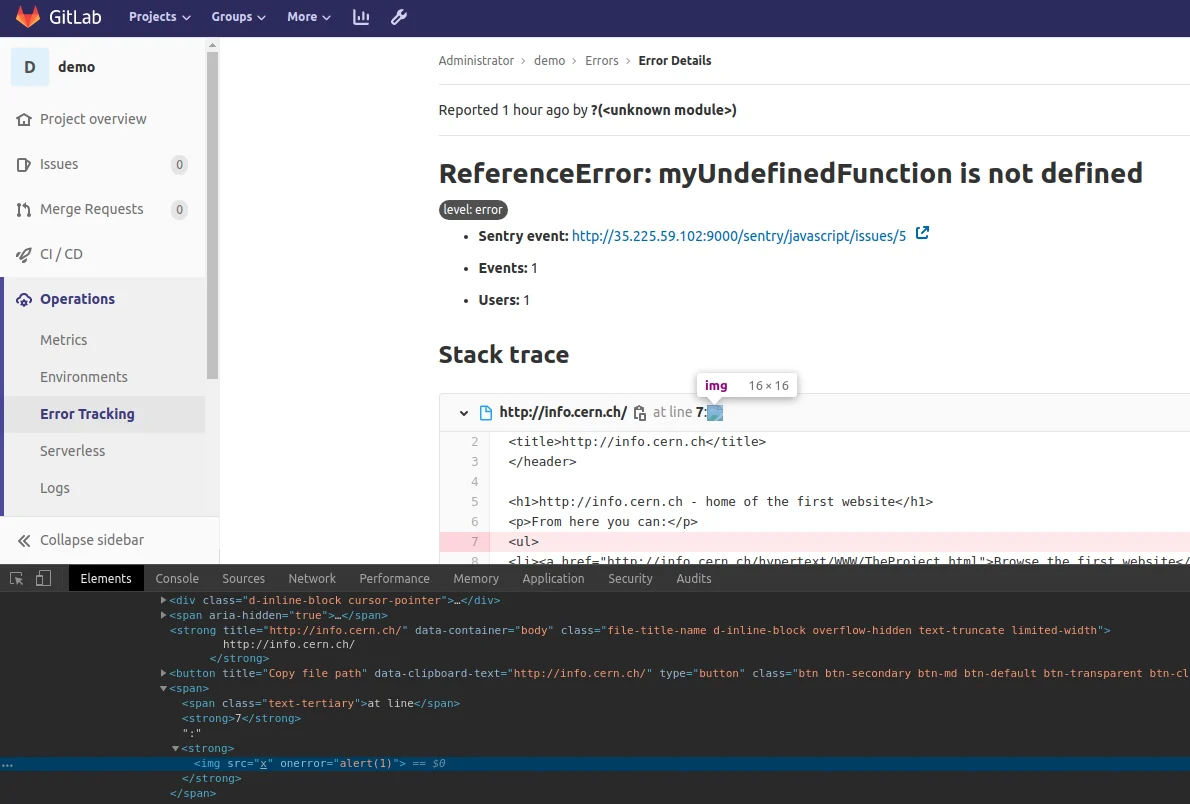
My GitLab version
root@gitlab:/# gitlab-rake gitlab:env:info

System information
System:
Current User:	git
Using RVM:	no
Ruby Version:	2.6.5p114
Gem Version:	2.7.10
Bundler Version:1.17.3
Rake Version:	12.3.3
Redis Version:	5.0.7
Git Version:	2.26.2
Sidekiq Version:5.2.7
Go Version:	unknown

GitLab information
Version:	12.10.1
Revision:	e658772bd63
Directory:	/opt/gitlab/embedded/service/gitlab-rails
DB Adapter:	PostgreSQL
DB Version:	11.7
URL:		http://gitlab.example.com
HTTP Clone URL:	http://gitlab.example.com/some-group/some-project.git
SSH Clone URL:	[email protected]:some-group/some-project.git
Using LDAP:	no
Using Omniauth:	yes
Omniauth Providers:

GitLab Shell
Version:	12.2.0
Repository storage paths:
- default: 	/var/opt/gitlab/git-data/repositories
GitLab Shell path:		/opt/gitlab/embedded/service/gitlab-shell
Git:		/opt/gitlab/embedded/bin/git
Impact
An attacker can:
- Perform any action within the application that a user can perform
- Steal sensitive user data
- Steal user's credentials
Attachments
Warning: Attachments received through HackerOne, please exercise caution!
Not written yet. The AI write-up for this report has not been written yet. The Original tab links to the source.
How it worked
Impact
An attacker controlling the Sentry server could perform any action the victim can, steal sensitive data and steal credentials.
What the attacker needed
Control of the Sentry server; victim opens the Error Tracking page
How it was found
- Set up a Sentry server and modify its stacktrace code to return an HTML payload in the column number field.
- Restart the Sentry container and create a Sentry project, then capture an error and generate an auth token.
- Run GitLab and create a project.
- Connect the project's Error Tracking settings to the malicious Sentry server with the auth token.
- Open the Error Tracking page and view the error details, which triggers the payload.
Explained by bugbounty.wiki with AI from the original and checked against quotes from it; it can still be wrong. Read the original before relying on a detail.
Not written yet. The AI write-up for this report has not been written yet. The Original tab links to the source.
GitLab can show errors from an external error-tracking service called Sentry. The report shows that if that Sentry server is malicious, it can send back a value that GitLab puts into the page as raw HTML, so a script runs in the browser of whoever views the error. That script then acts with the viewer's logged-in permissions.
What is XSS?
Script an attacker supplies runs in another user's browser, on the target's origin, with that user's session.



