stored xss via group name and user full name
The GitLab issues page did not properly filter the group name and user full name, allowing an attacker to inject a stored cross-site scripting payload. When a victim viewed an issue that had been moved to a malicious group, the script executed in the victim's browser.

GitLab
Originally disclosed on GitLab
- Fixed in 3 months
- Disclosed after 3 months
HackerOne report #686795 by constructor2019 on 2019-09-03, assigned to gitlab_cmaxim:
Hi There,
Summary
I found Stored XSS via group name & user full name in issues pages.
=================================
Steps to reproduce
(Step-by-step guide to reproduce the issue, including:)
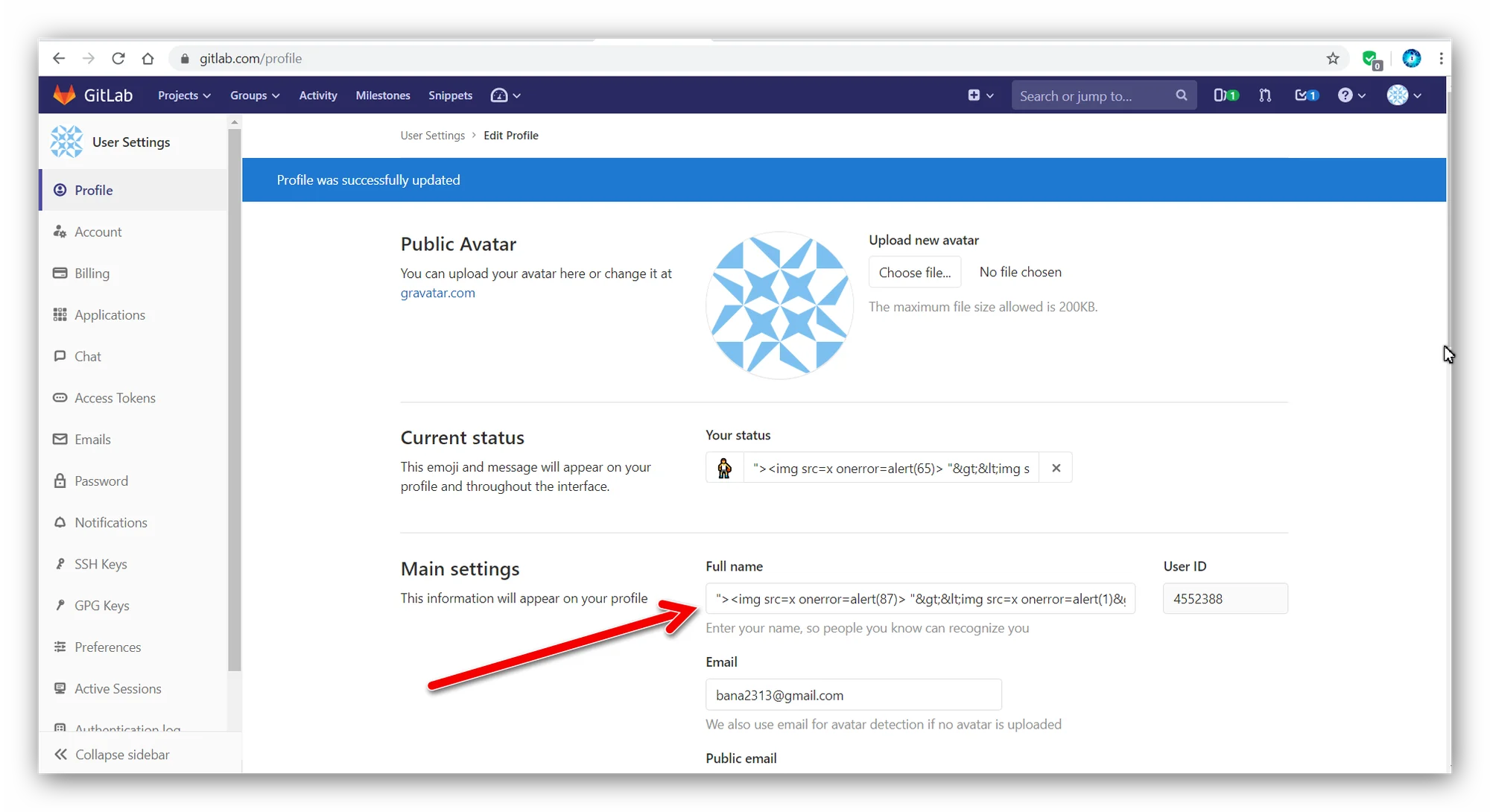
(1. login to your gitlab account and change your full name to this payload:
"><img src=x onerror=alert(87)> "><img src=x onerror=alert(1)>
Like this:
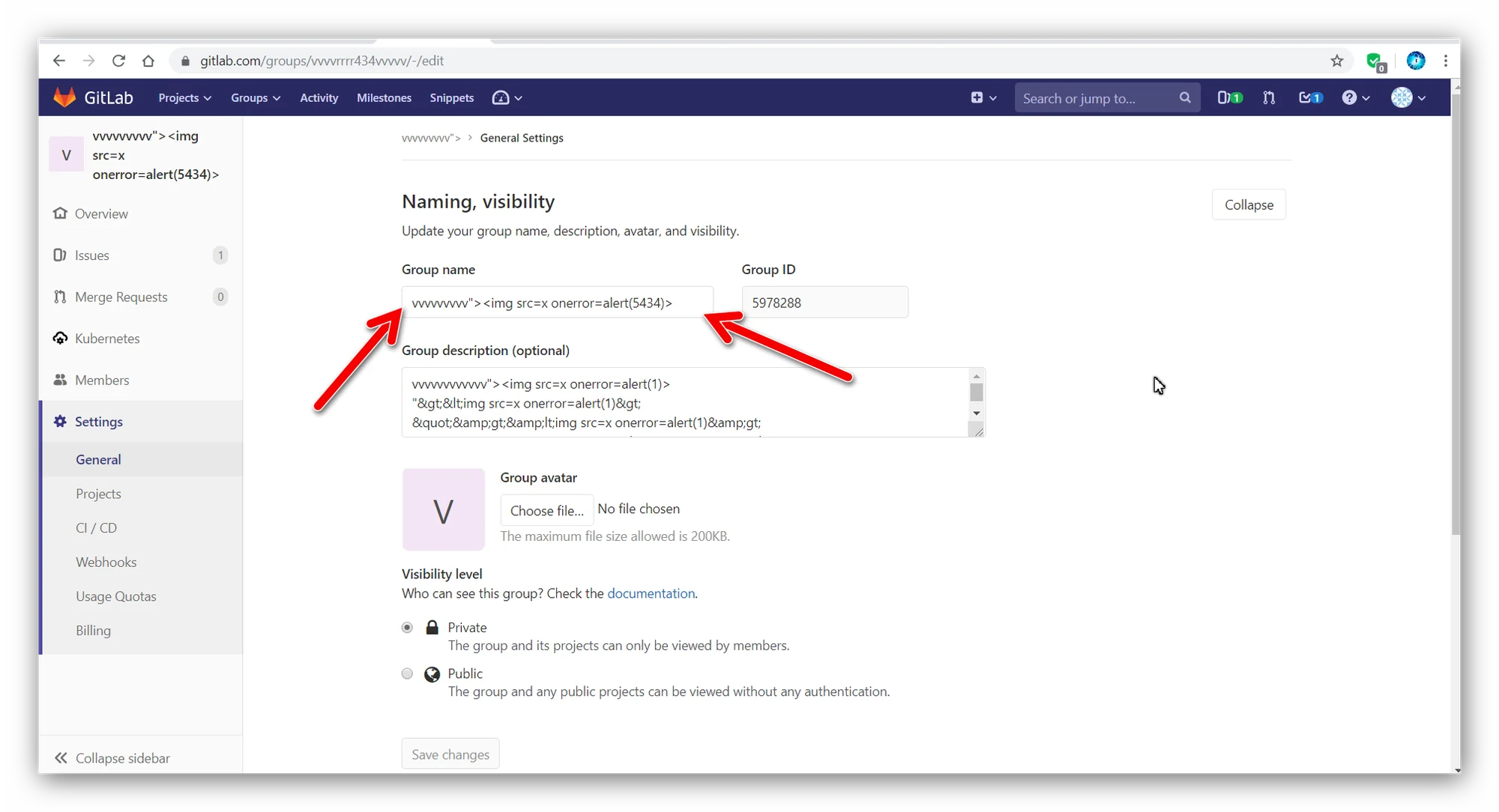
(2. The create a new group with name as payload:
vvvvvvvvv"><img src=x onerror=alert(5434)>
Like this:
(3. Open your project and Start a new issue
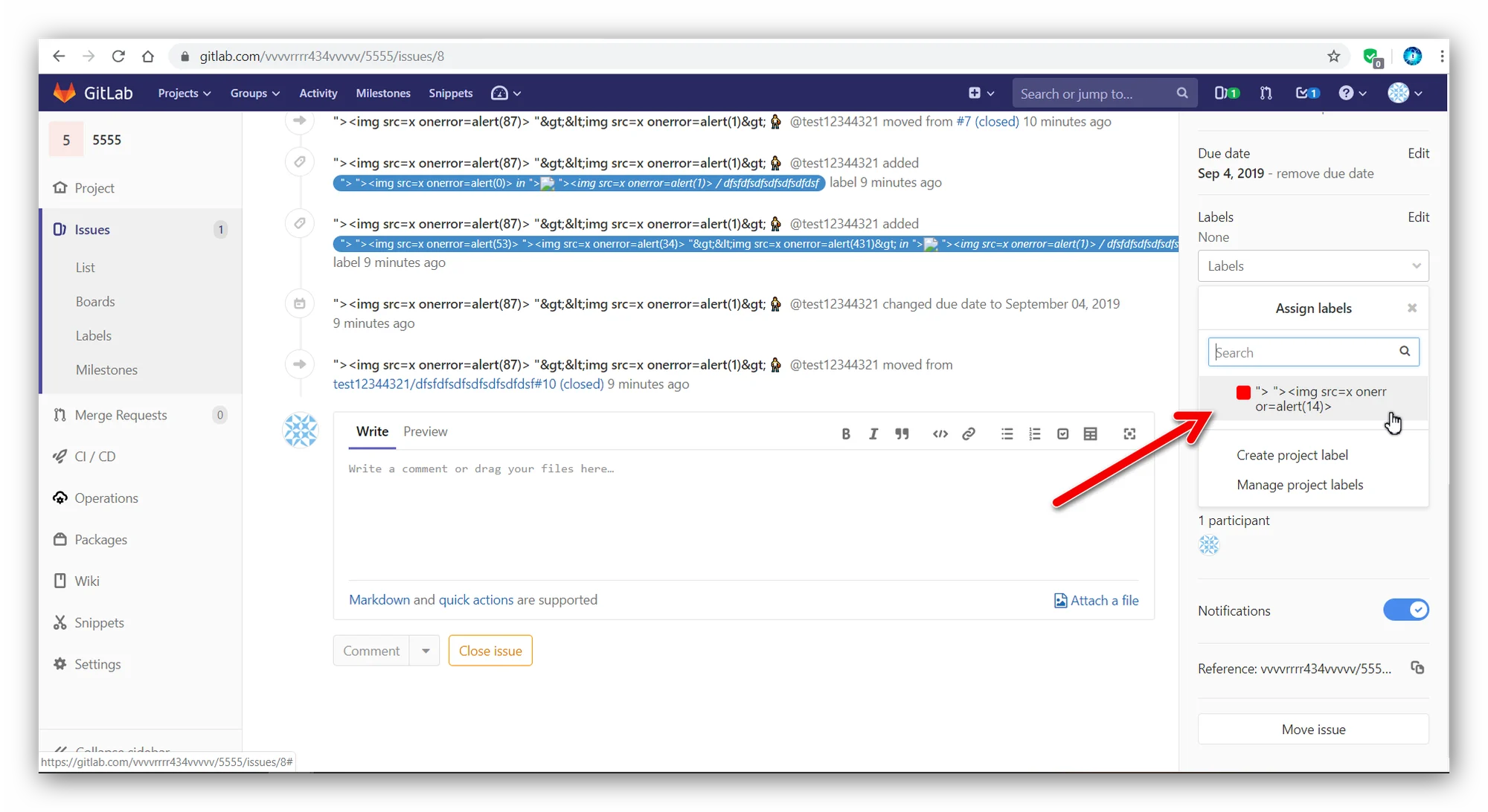
(4. Assign labels to the issue
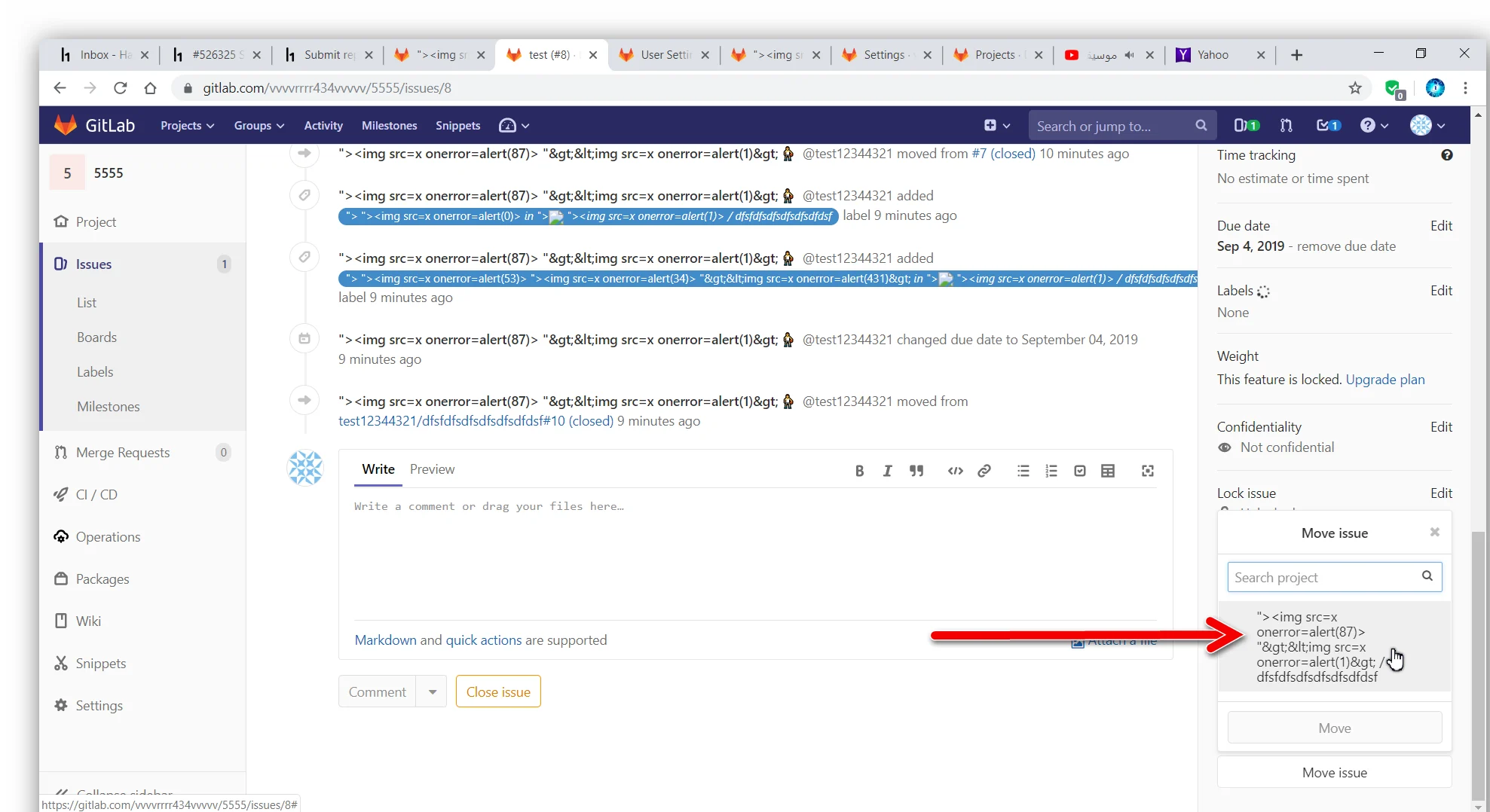
(5.Then move the issue to group that we start it in the step 2
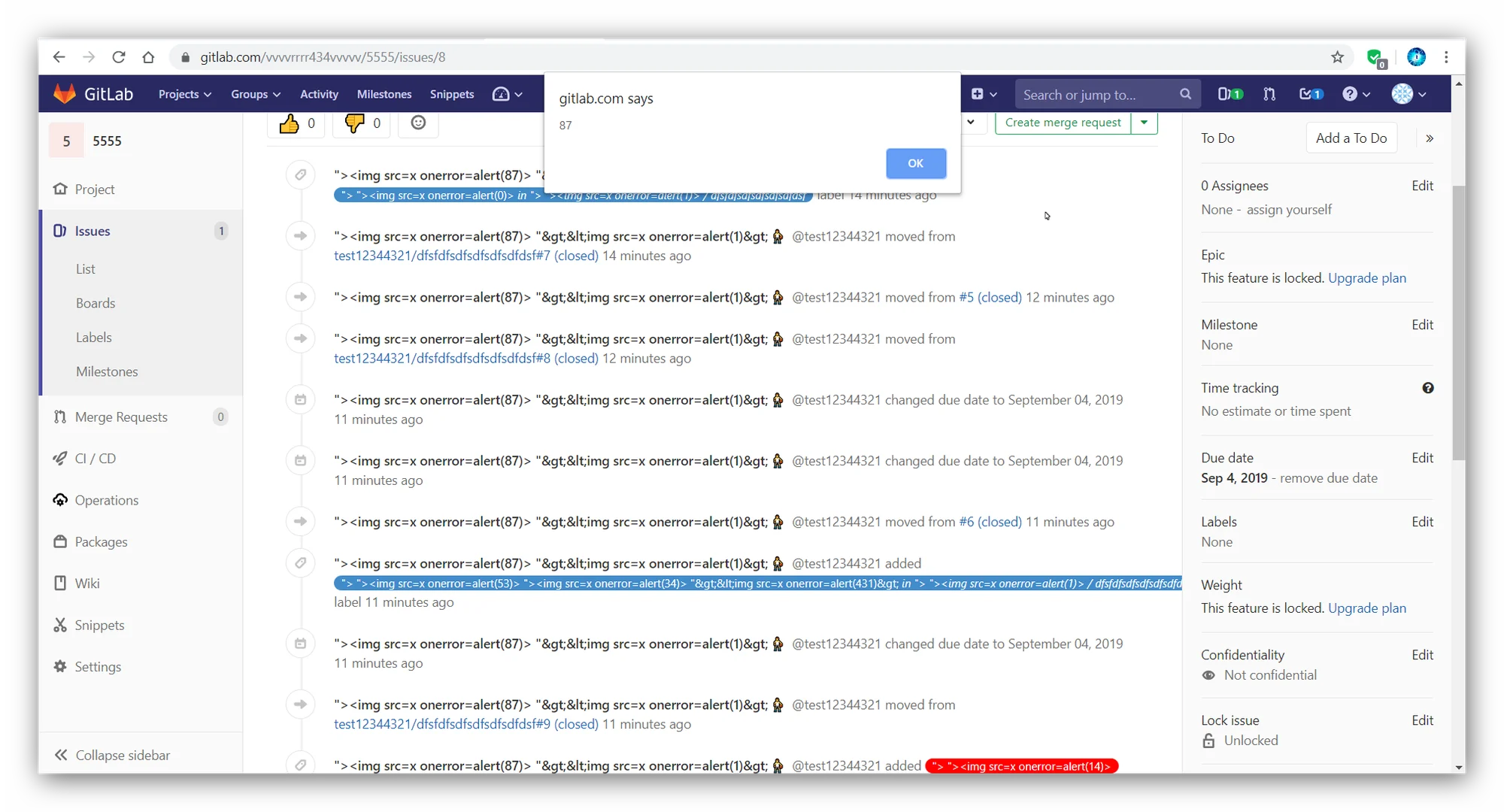
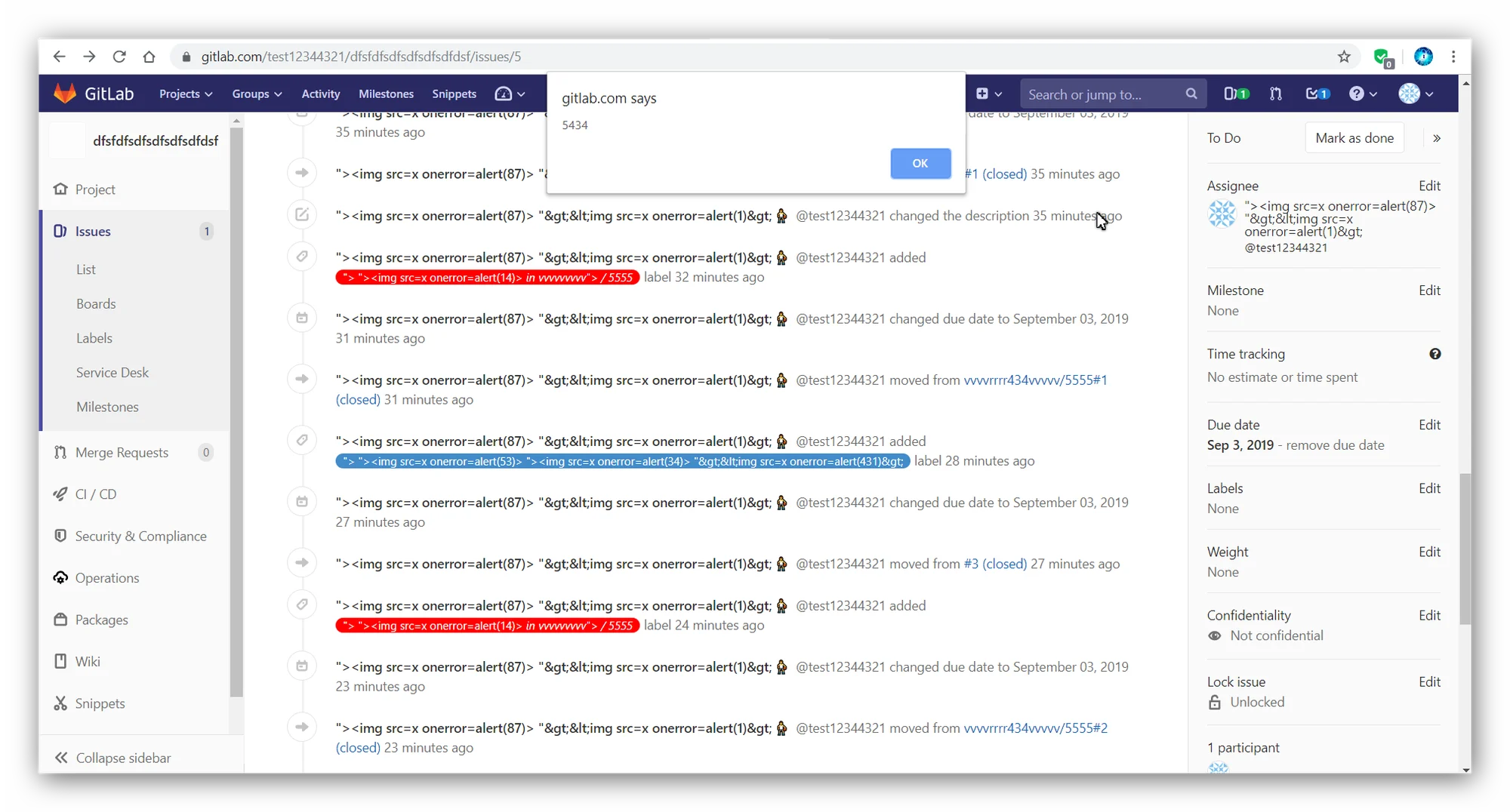
(6. reload your page and you will get alert message from group name & user full name in issues page
A-Alert message come's out from the user full name
B-Alert message come's our from group name
Impact
The attacker can use this issue to execute malicious script code in the victim user browser
Tested on:
Google Chrome Version 76.0.3809.100 (Official Build) (64-bit)
Examples
I have create account with a poc to see this issue:
site: https://gitlab.com
email: [email protected]
password: hackeronegitlab
after login please open this site:
POC:
A-Alert message come's our from group name
https://gitlab.com/test12344321/dfsfdfsdfsdfsdfsdfdsf/issues/5
B- Alert message come's out from the user full name
https://gitlab.com/vvvvrrrr434vvvvv/5555/issues/8
Note: i can see you the issue via above links without login but i have created a private group in order to keep this stored xss issue private.
What is the current bug behavior?
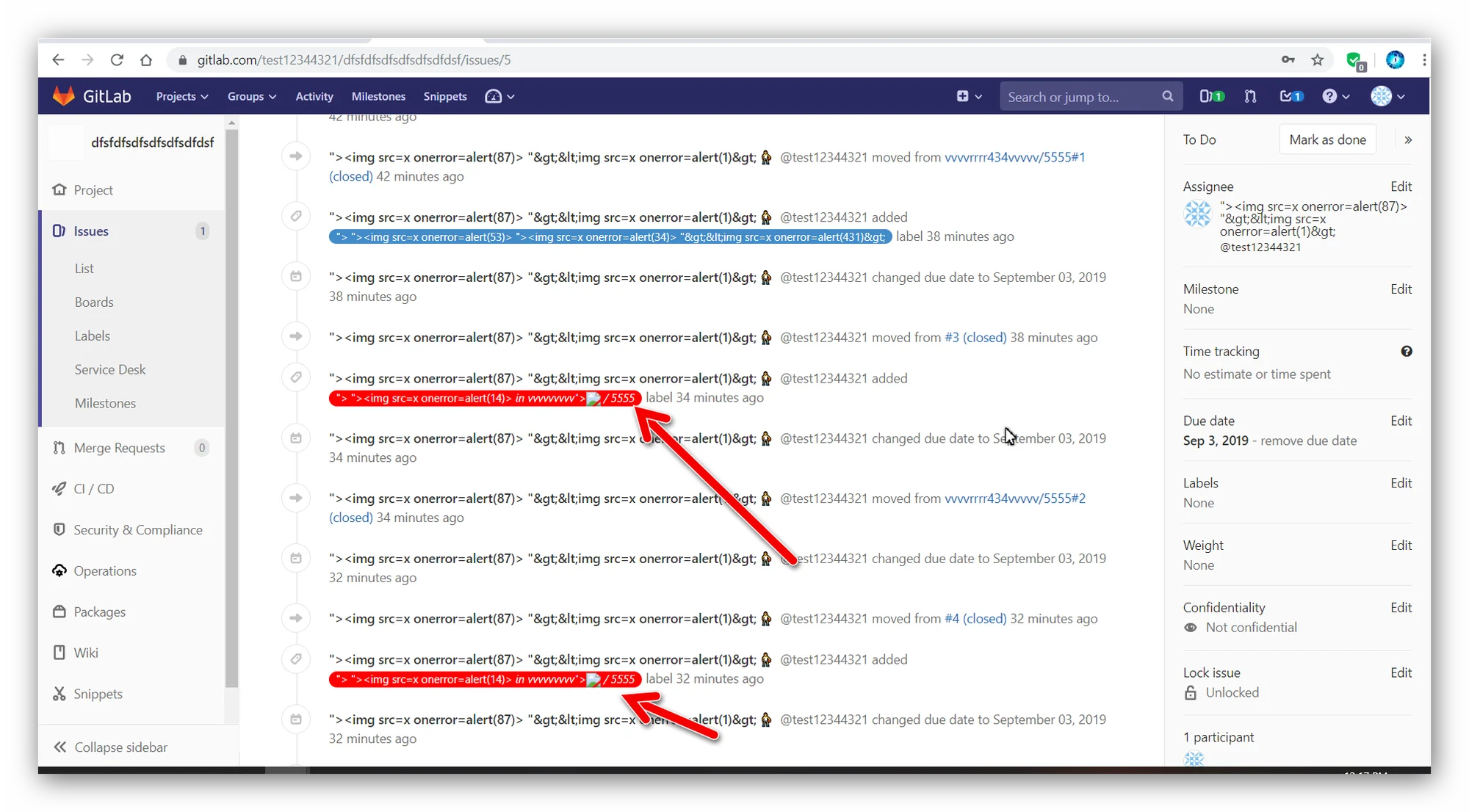
stored xss happen after adding the label name to the issue and move the issue to group alert message show up form unfiltered group name and user full name as we see in the photos above in the steps.
The place of the issue right here:
What is the expected correct behavior?
the group name and user full name should be filtered in issues activity comment.
Impact
Stored xss for every gitlab users who open the attacker page issue.
Attachments
Warning: Attachments received through HackerOne, please exercise caution!
- Ashampoo_Snap_2019.09.03_12h01m12s_001_.png
- Ashampoo_Snap_2019.09.03_12h02m16s_003_.png
- Ashampoo_Snap_2019.09.03_12h02m48s_004_.png
- Ashampoo_Snap_2019.09.03_12h03m29s_005_.png
- Ashampoo_Snap_2019.09.03_12h17m13s_006_.png
- Ashampoo_Snap_2019.09.03_12h25m52s_008_.png
- Ashampoo_Snap_2019.09.03_12h25m24s_007_.png
Links
Dev issue: https://dev.gitlab.org/gitlab/gitlabhq/issues/2941
Not written yet. The AI write-up for this report has not been written yet. The Original tab links to the source.
How it worked
Root cause
Likely the application failed to sanitise or escape user-controlled input (group name and full name) before rendering it in the issues activity comment.
Impact
An attacker could execute malicious script code in the browser of any GitLab user who opened the attacker's issue page.
What the attacker needed
A GitLab account; victim opens the malicious issue page
How it was found
- Log in to GitLab and change your full name to a script payload.
- Create a new group with a name containing a script payload.
- Open a project and start a new issue.
- Assign labels to the issue.
- Move the issue to the group created in step 2.
- Reload the page and observe the alert messages from the group name and user full name.
Explained by bugbounty.wiki with AI from the original and checked against quotes from it; it can still be wrong. Read the original before relying on a detail.
Not written yet. The AI write-up for this report has not been written yet. The Original tab links to the source.
Stored XSS is when a website saves harmful code and later shows it to other users without cleaning it. Here, the group name and user full name were saved without cleaning, so when someone opened an issue in that group, the code ran in their browser.
What is XSS?
Script an attacker supplies runs in another user's browser, on the target's origin, with that user's session.



