Stored XSS via Mermaid
A stored cross-site scripting (XSS) vulnerability existed in GitLab's Mermaid diagram rendering, allowing an attacker to inject malicious HTML into any markdown field. When a victim previewed or viewed the saved content, the injected script could execute, enabling cookie theft or redirection to a malicious site.

GitLab
Originally disclosed on GitLab
- Fixed in 3 months
- Disclosed after 3 months
HackerOne report #1260248 by solov9ev on 2021-07-13, assigned to GitLab Team:
Report | Attachments | How To Reproduce
Report
Summary
Hi, Security Team!
I discovered a stored xss vulnerability via Mermaid.
Steps to reproduce
- Run Gitlab
docker run --detach --hostname gitlab.example.com --publish 443:443 --publish 80:80 --publish 22:22 --name gitlab gitlab/gitlab-ce:latest(GitLab Community Edition 14.0.5) - Insert into any field that supports markdown with using Mermaid the following payload:
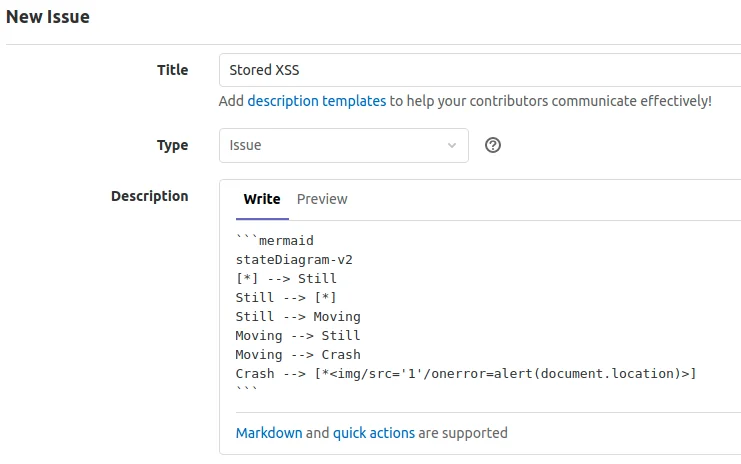
- Click the preview
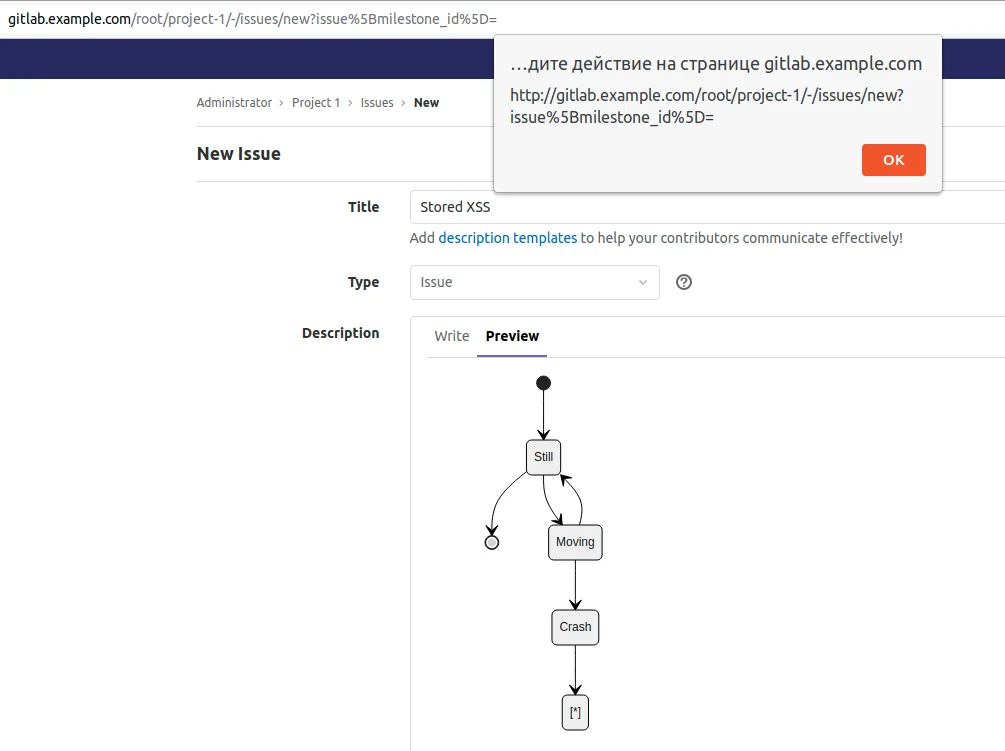
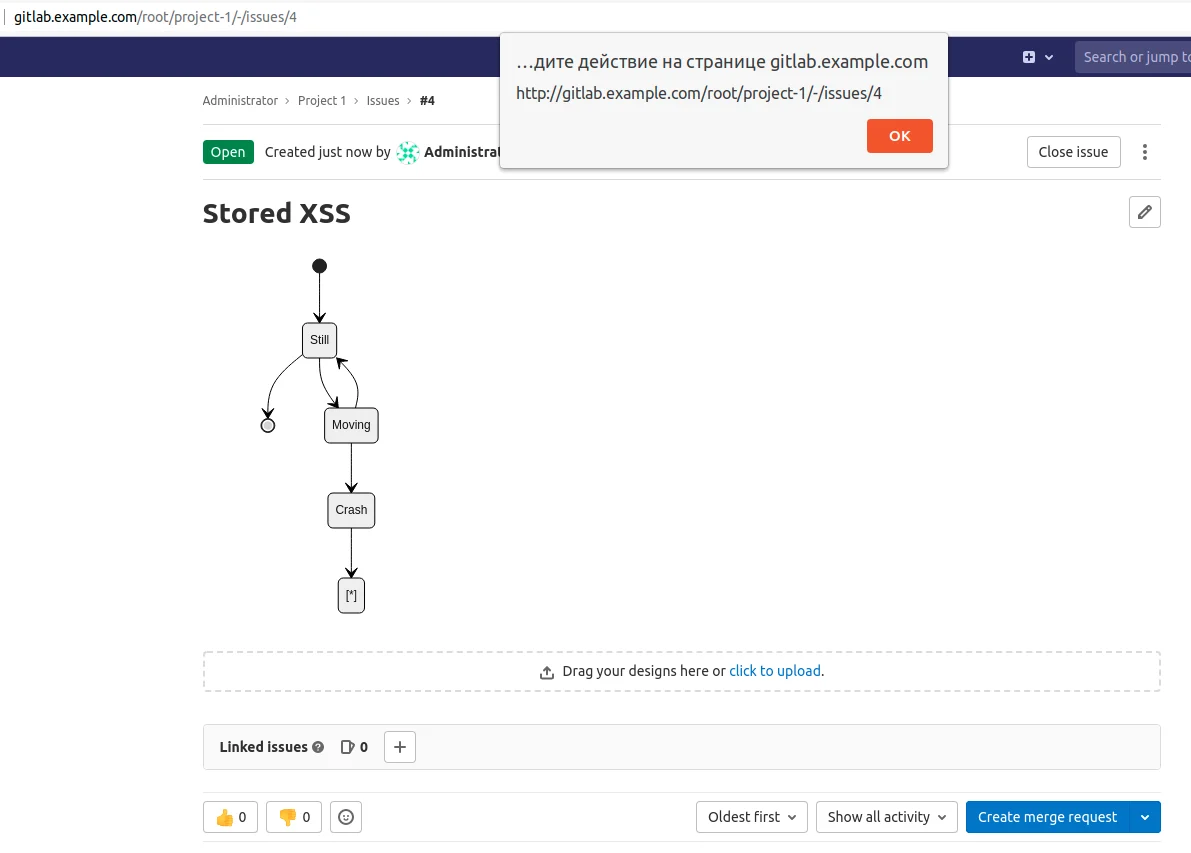
- After saving, the malicious payload will also work
Impact
With this vulnerability, an attacker can for example steal users cookies or redirect users on malicious website.
Attachments
Warning: Attachments received through HackerOne, please exercise caution!
- _________________2021-07-13_17-14-14.png
- _________________2021-07-13_17-15-13.png
- _________________2021-07-13_17-16-39.png
How To Reproduce
Please add reproducibility information to this section:
Here's a more simply payload you can copy paste
```mermaid
stateDiagram-v2
{{media:3}} --> B
```
When working locally disable CSP to see the JavaScript pop up. There are ways to bypass the CSP but this is the easiest way to work with the issue.
Not written yet. The AI write-up for this report has not been written yet. The Original tab links to the source.
How it worked
Root cause
Likely, the Mermaid diagram renderer did not sanitise HTML embedded within the diagram syntax, allowing raw HTML and JavaScript to be inserted into the page.
Impact
An attacker could steal users' cookies or redirect them to a malicious website, though the report notes that CSP may block the JavaScript unless disabled or bypassed.
What the attacker needed
Ability to post markdown with Mermaid; victim views or previews the content; CSP disabled or bypassed
How it was found
- Run a local GitLab instance using Docker.
- Insert a Mermaid diagram containing an HTML payload into any markdown field.
- Click the preview button to see the payload execute.
- Save the content; the payload also works when the saved page is viewed.
Explained by bugbounty.wiki with AI from the original and checked against quotes from it; it can still be wrong. Read the original before relying on a detail.
Not written yet. The AI write-up for this report has not been written yet. The Original tab links to the source.
Mermaid turns text into diagrams. GitLab let users embed Mermaid diagrams in markdown, but it did not properly clean up the HTML inside the diagram code. An attacker could put HTML with an event handler in the diagram, and when someone else viewed the page, the script would run in their browser, letting the attacker steal their login cookies or send them to a fake site.
What is XSS?
Script an attacker supplies runs in another user's browser, on the target's origin, with that user's session.



