Subgroup Member With Reporter Role Can Edit Group Labels
A user with the Reporter role in a subgroup could edit labels belonging to the parent group by directly accessing the label edit URL with the label's ID. This allowed unauthorised modification of label details, affecting data integrity across projects and subgroups that use the label.

GitLab
Originally disclosed on GitLab
- Fixed in 8 months
- Disclosed after 8 months
HackerOne report #1818425 by drjgouveia on 2022-12-29, assigned to Ottilia Westerlund:
Report | Attachments | How To Reproduce
Report
Summary
When a user belongs to a subgroup and that subgroup has a project, the user is able to change details of a label (not able to delete it).
Steps to reproduce
- On a GitLab instance create a group.
- Create a label on the group.
- Now create a subgroup on that group.
- Create a label on the subgroup.
- Create a new user and add it to the subgroup with the "Reporter" role.
- Login now as the new user and proceed to go to the project page. Here you'll click on the breadcrumb that is after the group name, which should be the second one (the one in red: ).
- Now "Subgroup information" -> "Labels". You should find a page similar to this one:
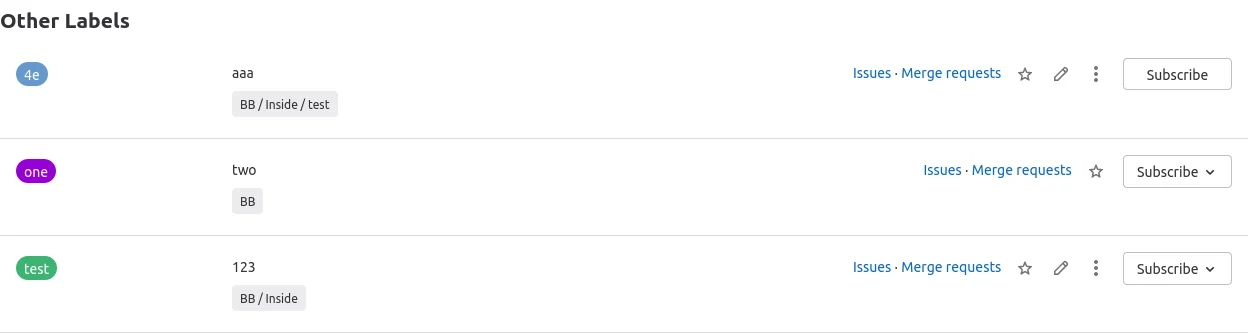
- As you can see, the label belonging to the group should not give me access to edit it. But, if I get the ID by inspecting the element and getting the data-id parameter value:
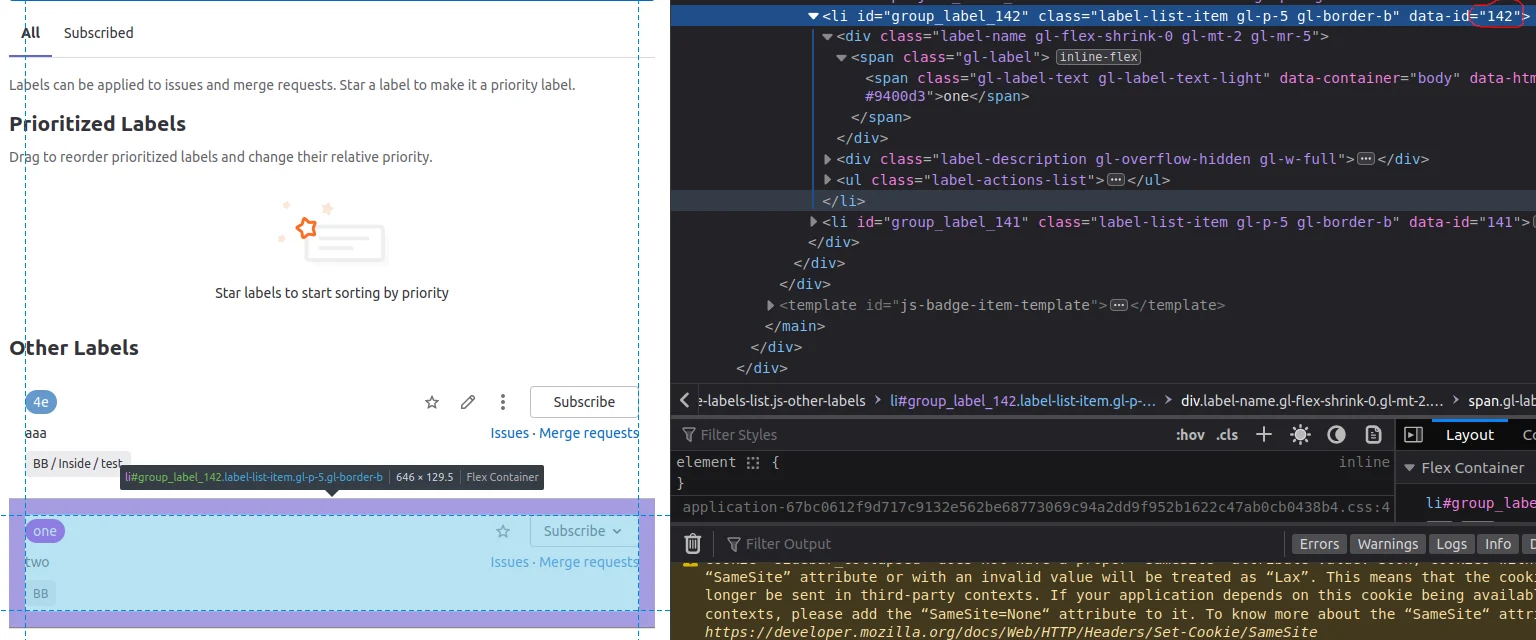
- Now we just have to add the
/[data-id value]/editto the URL, which will look something like this:.../groups/bb/inside/-/labels/142/edit. Now you're able to edit everything except deleting.
Impact
This has a big impact on the integrity fo the data, mainly when tickets are related to the labels and those do not correspond or have the original meaning.
What is the current bug behavior?
This is the before using this vulnerability:
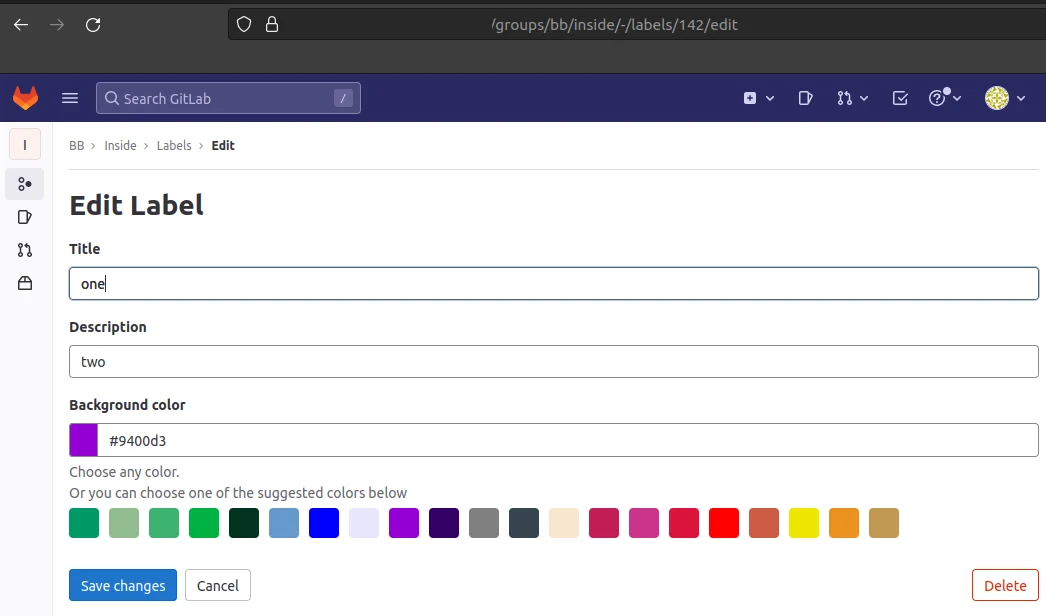
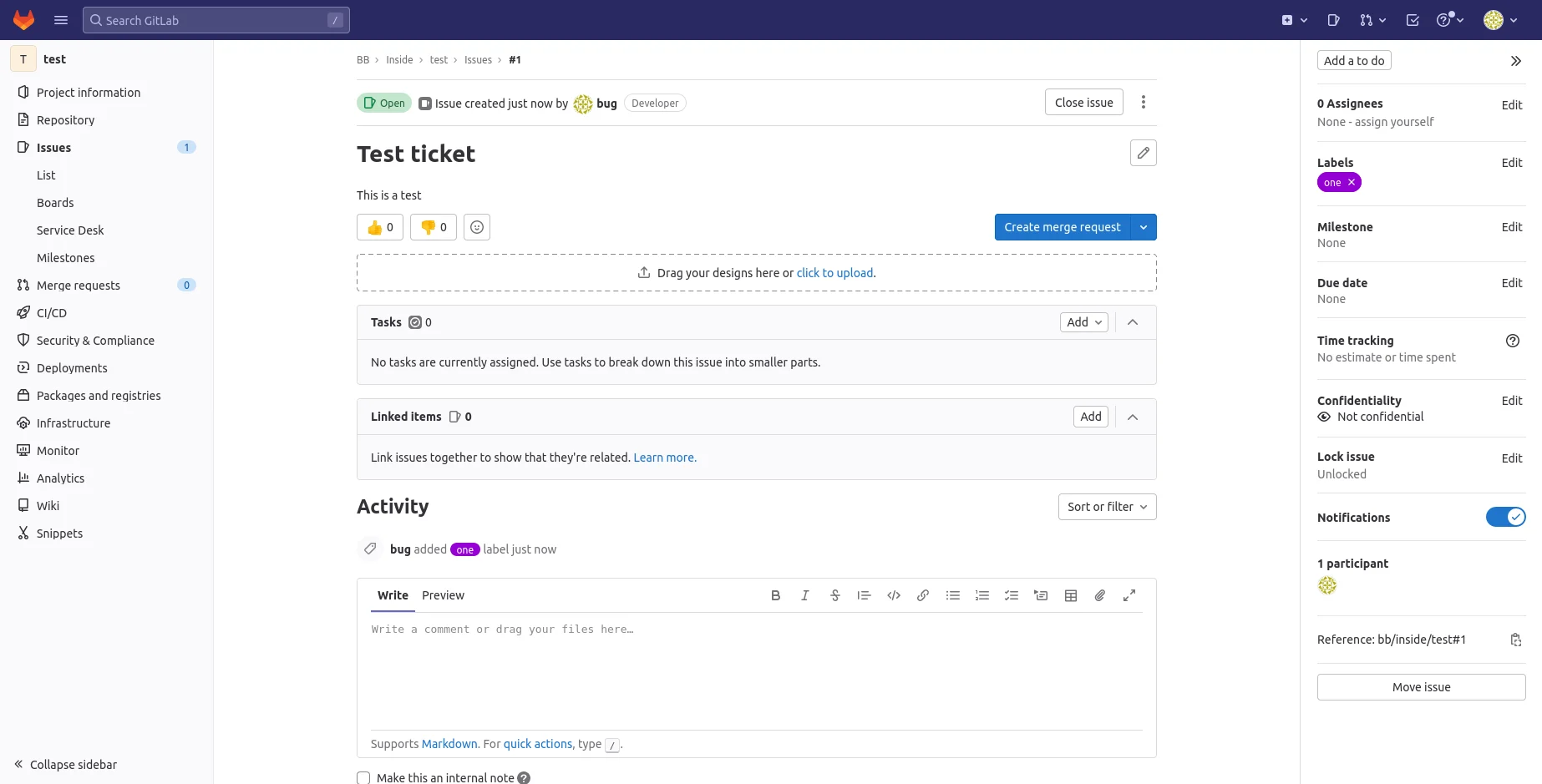
This is the after:
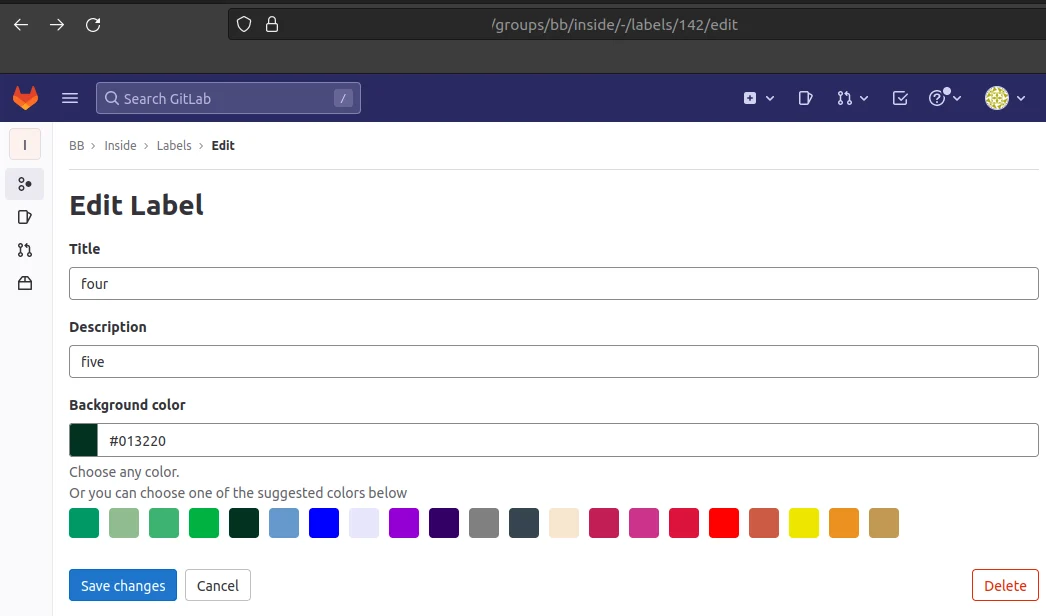
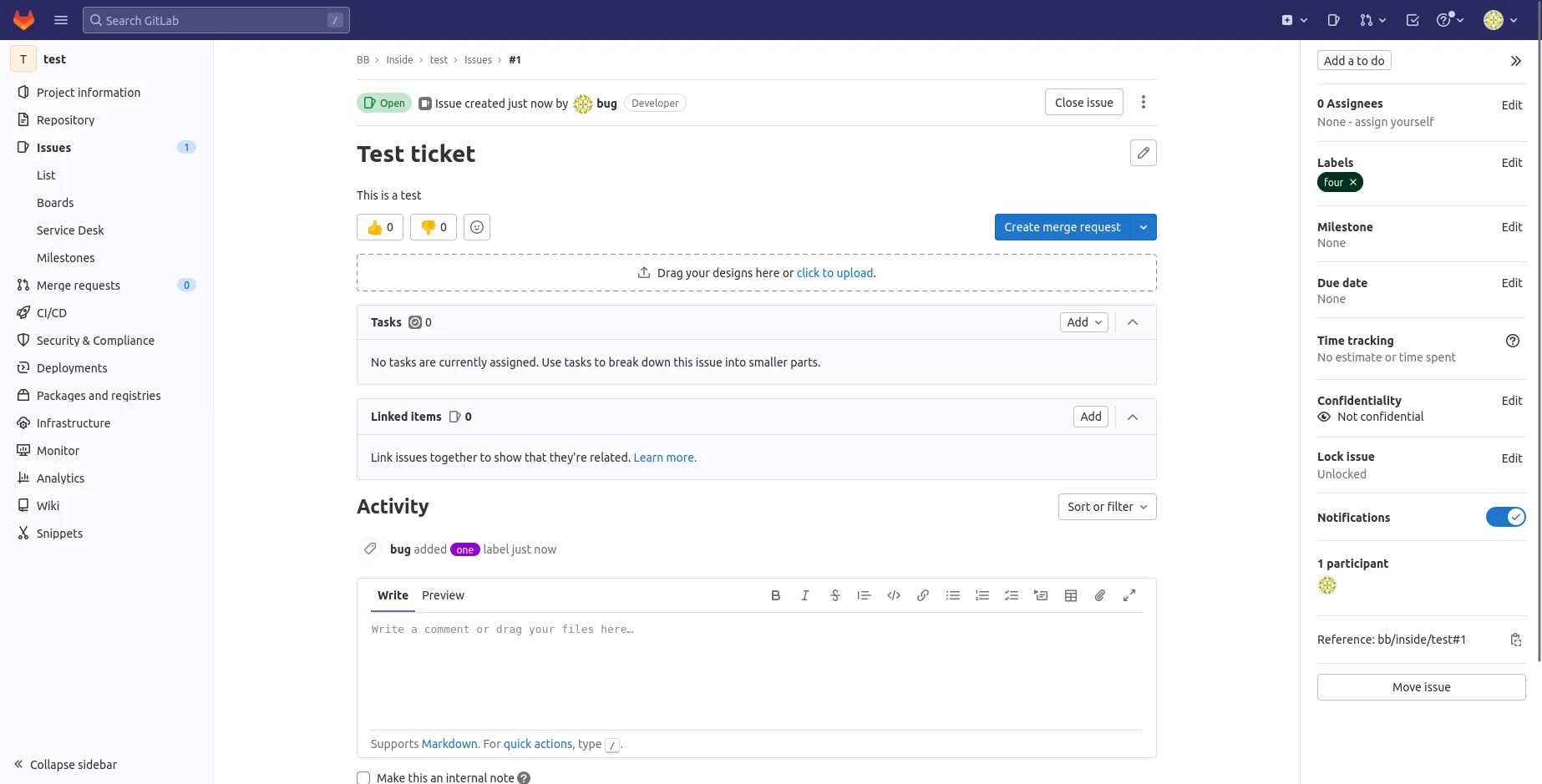
What is the expected correct behavior?
To show a 404 error page.
Impact
The impact of this is more of the integrity of the information provided by the labels, to not only this project/subgroup, but all the projects/subgroups that use this label on this group.
Attachments
Warning: Attachments received through HackerOne, please exercise caution!
How To Reproduce
Please add reproducibility information to this section:
Not written yet. The AI write-up for this report has not been written yet. The Original tab links to the source.
How it worked
Root cause
Likely the application did not properly check the user's permissions when handling the label edit request, allowing a subgroup member to edit a group-level label.
Impact
A user with the Reporter role could modify the details of group-level labels, affecting the integrity of information across all projects and subgroups that use those labels.
What the attacker needed
A GitLab account; membership in a subgroup with Reporter role; knowledge of the label's ID
How it was found
- Create a group and a label on it.
- Create a subgroup and a label on it.
- Add a new user to the subgroup with the Reporter role.
- Log in as that user and navigate to the subgroup's labels page.
- Inspect the group label to find its data-id value.
- Append /[data-id value]/edit to the URL to access the edit page and modify the label.
Explained by bugbounty.wiki with AI from the original and checked against quotes from it; it can still be wrong. Read the original before relying on a detail.
Not written yet. The AI write-up for this report has not been written yet. The Original tab links to the source.
In GitLab, labels help organise issues. A user with a low-privilege role in a subgroup should not be able to change labels that belong to the parent group. However, by guessing or finding the label's ID number and visiting a special edit page, the user could change the label's name and description, which could confuse everyone using that label.
What is Access control?
A user can do something their role should not allow: reach an admin function, act on a feature they have not paid for, or skip a permission check. IDOR is the special case where the object belongs to someone else.

