Unauthorized User Able to Access Kubernetes Cluster Agent Access Token
A user with Developer permission could access the Kubernetes cluster agent access token via the Terraform state API endpoint. This token could then be used to access source code in the agent's configuration project, any public project, or under specific conditions obtain a Kubernetes manifest.

GitLab
Originally disclosed on GitLab
- Fixed in 21 hours
- Disclosed after 21 hours
HackerOne report #1687009 by vaib25vicky on 2022-08-31, assigned to GitLab Team:
Report | Attachments | How To Reproduce
Report
Summary
User with Developer permission can access Kubernetes cluster agent access token using the api https://gitlab.com/api/v4/projects/<PROJ_ID>/terraform/state/default/versions/0
A bad actor can use this token to access source code in the agent’s configuration project, access source code in any public project on the GitLab instance, or even, under very specific conditions, obtain a Kubernetes manifest.
Docs -> https://docs.gitlab.com/ee/user/clusters/agent/install/index.html#register-the-agent-with-gitlab
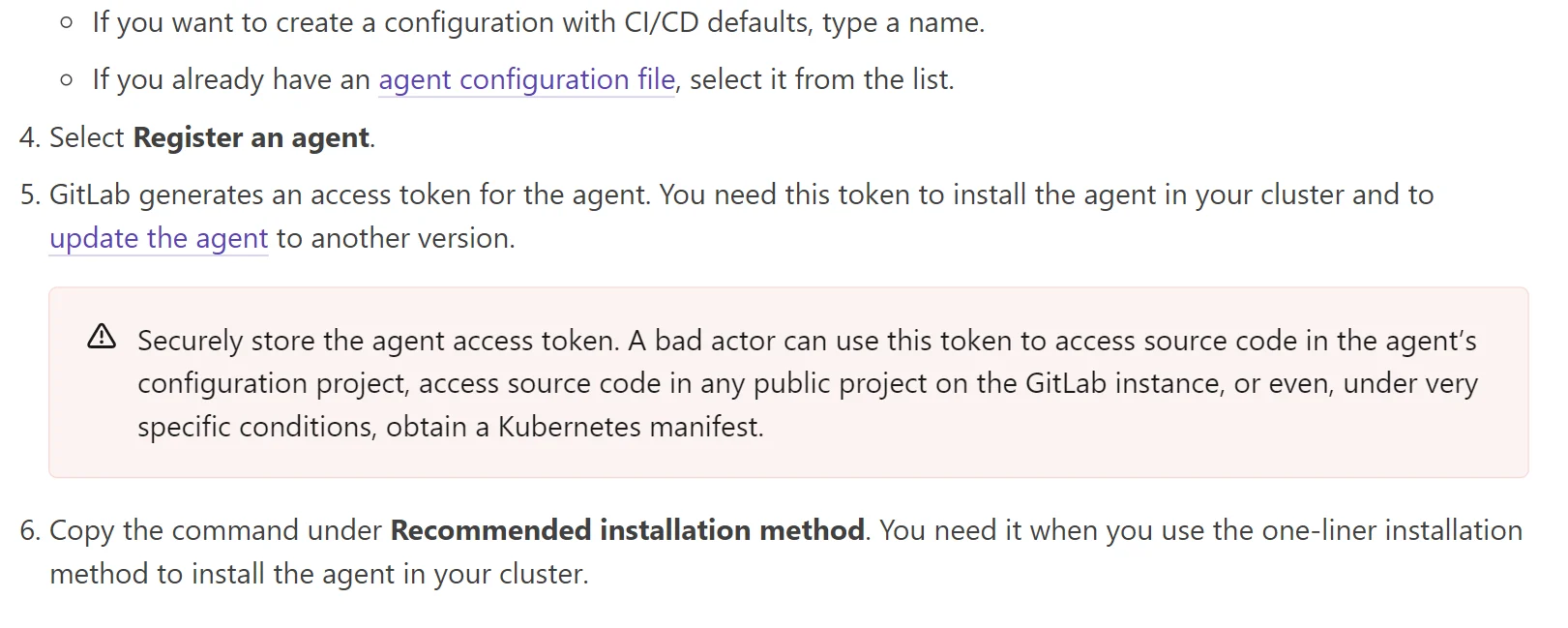
Steps to reproduce
We're gonna follow official docs ->
https://docs.gitlab.com/ee/user/infrastructure/clusters/connect/new_eks_cluster.html
Prerequisites:
- An Amazon Web Services (AWS) account, with a set of configured security credentials.
- A runner you can use to run the GitLab CI/CD pipeline.
Import Gitlab Example Project
- On the top bar, select Menu > Create new project.
- Select Import project.
- Select Repository by URL.
- For the Git repository URL, enter https://gitlab.com/gitlab-org/configure/examples/gitlab-terraform-eks.git
- Complete the fields and select Create project.
Register Kubernetes Agent
- On the left sidebar, select Infrastructure > Kubernetes clusters.
- Select Connect a cluster (agent).
- From the **Select an agent dropdown list, select eks-agent ** and select Register an agent.
- GitLab generates a registration token for the agent. Securely store this secret token, as you will need it later.
- GitLab provides an address for the agent server (KAS), which you will also need later. It is most likely
wss://kas.gitlab.com
Configure your project
Use CI/CD environment variables to configure your project.
Required configuration:
- On the left sidebar, select Settings > CI/CD.
- Expand Variables.
- Set the variable
AWS_ACCESS_KEY_IDto your AWS access key ID. - Set the variable
AWS_SECRET_ACCESS_KEYto your AWS secret access key. - Set the variable
TF_VAR_agent_tokento the agent token displayed in the previous task. - Set the variable
TF_VAR_kas_addressto the agent server address displayed in the previous task.
Provision your cluster
- On the left sidebar, go to CI/CD > Pipelines.
- Click Run pipeline to trigger pipeline
- After all jobs are finished there will be one job named Deploy
- You've to manually trigger the deployment job by going over Play
Exploitation
- After Deploy job finished successfully
- As Maintainer of the project, invites another user with Developer role
- As Developer go to the endpoint
https://gitlab.com/api/v4/projects/<PROJ_ID>/terraform/state/default/versions/0
in the browser, the json file discloses the Kubernetes cluster agent token
Impact
A bad actor can use Kubernetes cluster agent token to access source code in the agent’s configuration project, access source code in any public project on the GitLab instance, or even, under very specific conditions, obtain a Kubernetes manifest.
Attachments
Warning: Attachments received through HackerOne, please exercise caution!
How To Reproduce
Please add reproducibility information to this section:
Not written yet. The AI write-up for this report has not been written yet. The Original tab links to the source.
How it worked
Root cause
Likely the Terraform state API endpoint did not properly restrict access to sensitive variables, allowing users with Developer role to read the agent token.
Impact
A bad actor could use the token to access source code in the agent's configuration project, any public project, or under very specific conditions obtain a Kubernetes manifest.
What the attacker needed
GitLab project with Terraform state; Developer role on the project; Kubernetes agent registered
How it was found
- Import the GitLab example project for EKS.
- Register a Kubernetes agent and obtain its token.
- Configure CI/CD variables including the agent token.
- Run the pipeline and manually trigger the Deploy job.
- Invite another user with Developer role.
- As Developer, visit the Terraform state versions endpoint to see the token.
Explained by bugbounty.wiki with AI from the original and checked against quotes from it; it can still be wrong. Read the original before relying on a detail.
Not written yet. The AI write-up for this report has not been written yet. The Original tab links to the source.
In GitLab, a Developer is a user role with moderate permissions. The Terraform state API stores infrastructure configuration, and it exposed a secret token that should have been restricted. That token allowed access to code and potentially cluster details.
What is Access control?
A user can do something their role should not allow: reach an admin function, act on a feature they have not paid for, or skip a permission check. IDOR is the special case where the object belongs to someone else.

