Unauthorized User Can Trigger Deployment to the Protected Environment
A user removed from a GitLab project could still trigger deployments to a protected environment because the removal did not revoke their deployment permission and the maintainer could not remove them from the protected environment list. This allowed the removed user to redeploy any previous deployment, potentially disrupting the project's environment.

GitLab
Originally disclosed on GitLab
- Fixed in 5 months
- Disclosed after 5 months
HackerOne report #1113783 by vaib25vicky on 2021-03-01, assigned to @dcouture:
Report | Attachments | How To Reproduce
Report
Summary
Maintainer or owner can define protected environment and users who can access the protected environment.
There are two issues present here
- User removed from the project still have access to the protected environment
- User who is removed and no longer part of the project then Maintainer can't remove him from the project settings > environment
Because of this two issues User who is removed and no longer part of the project can still trigger deployment from the project environment page.
Steps to reproduce
(Steps for Gitlab.com)
- Create a public group
- Protected environment is a Premium feature so you have to opt for trial. Go to your group > settings > billing and start your free trial
https://gitlab.com/groups/<namespace>/-/billings
- Create a public project inside the group named
test_project - As maintainer invites a member to your project
test_projectwith developer permission. lets sayuser_foo - As maintainer creates a
.gitlab-ci.ymlfile in your project with below content
deploy:
  stage: deploy
  script:
    - echo "Deploy to production serverl"
  environment:
    name: production
    url: https://example.com
- As maintainer go to your project settings > CI/CD > Protected Environment and define a protected env such as
https://gitlab.com/<namespace>/test_project/-/settings/ci_cd
Environment - production
Allowed to deploy - maintainer + user_foo
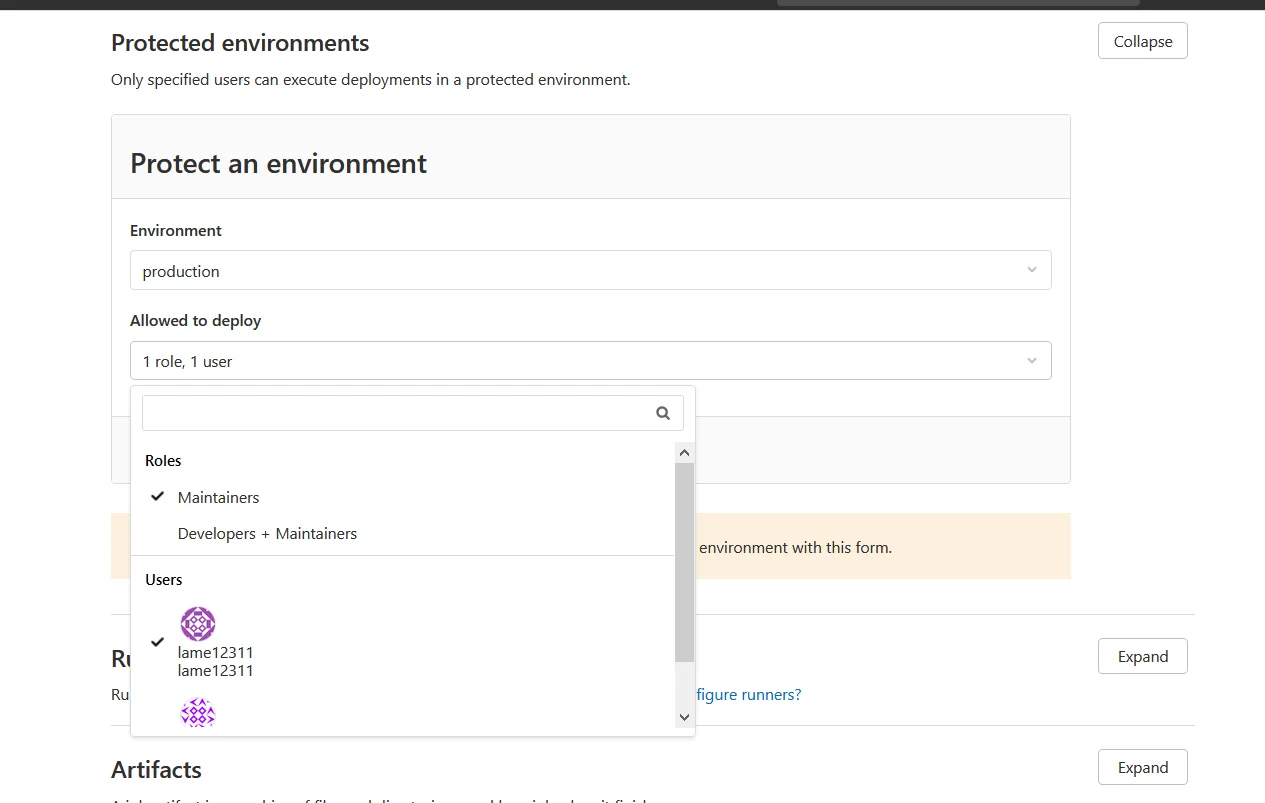
- In new incognito window or browser, login to the developer user
user_fooaccount and go to the environment page
https://gitlab.com/<namespace>/test_project/-/environments
- Since,
user_foois allowed to access protected environment he can edit, stop, re-deploy .
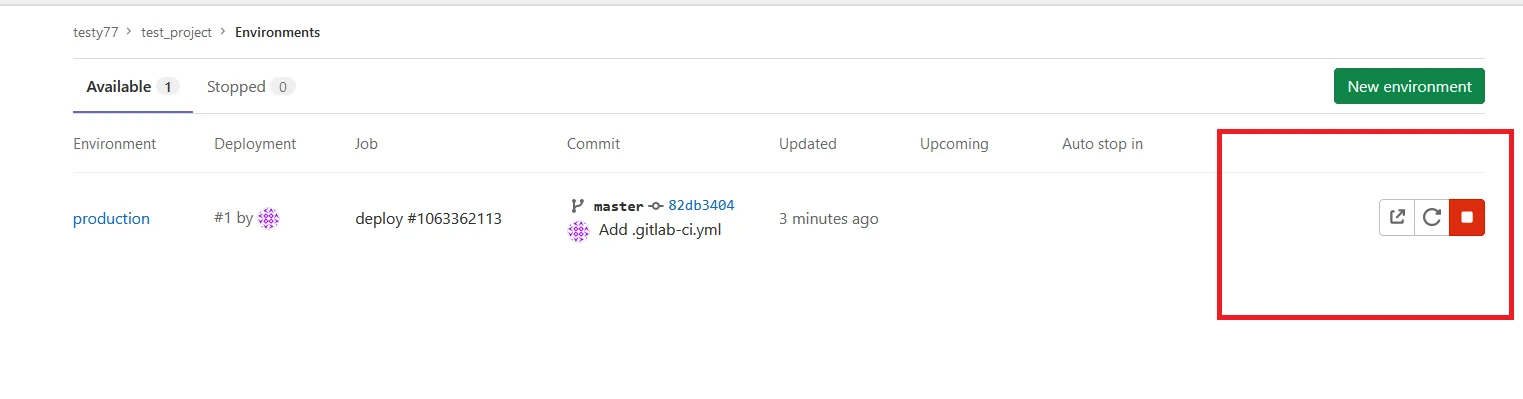
- Go back to the maintainer account and removed
user_foofrom project user_foorefresh the page or go again tohttps://gitlab.com/<namespace>/test_project/-/environments
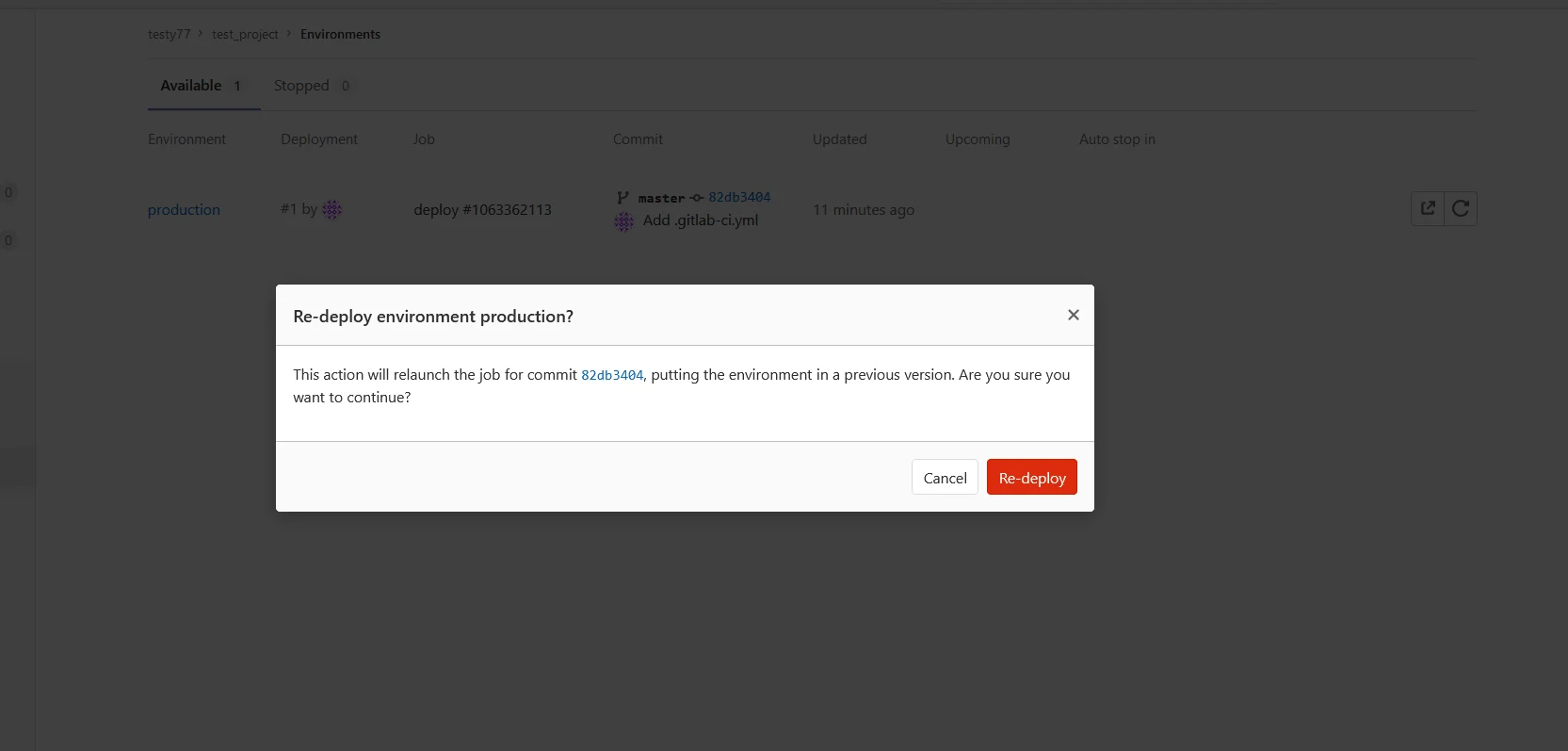
You will see that other options such as stop , edit are revoked but not re-deploy

User can not only re-deploy latest but all the previous deployment too
- As user
user_fooclick on an old deployment and you will see the deployment pipeline will run and new deployment will be deployed

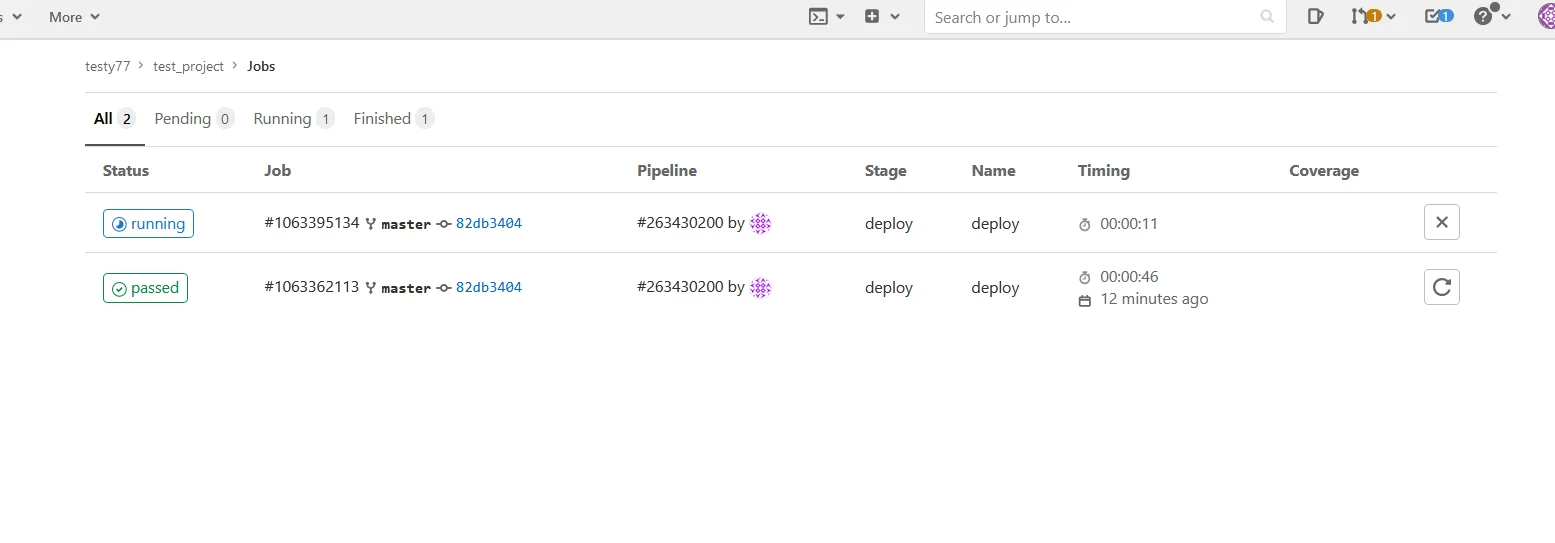
- You can see a new pipeline job
deployruns by going overhttps://gitlab.com/<namespace>/test_project/-/jobs
Second issue is Maintainer can't removed the member from the protected environment
Continuing the previous scenario
- As maintainer go to the project > settings > CI/CD > protected environment
https://gitlab.com/<namespace>/test_project/-/settings/ci_cd
- Click on
Allowed to deployand unselectuser_foofrom the list
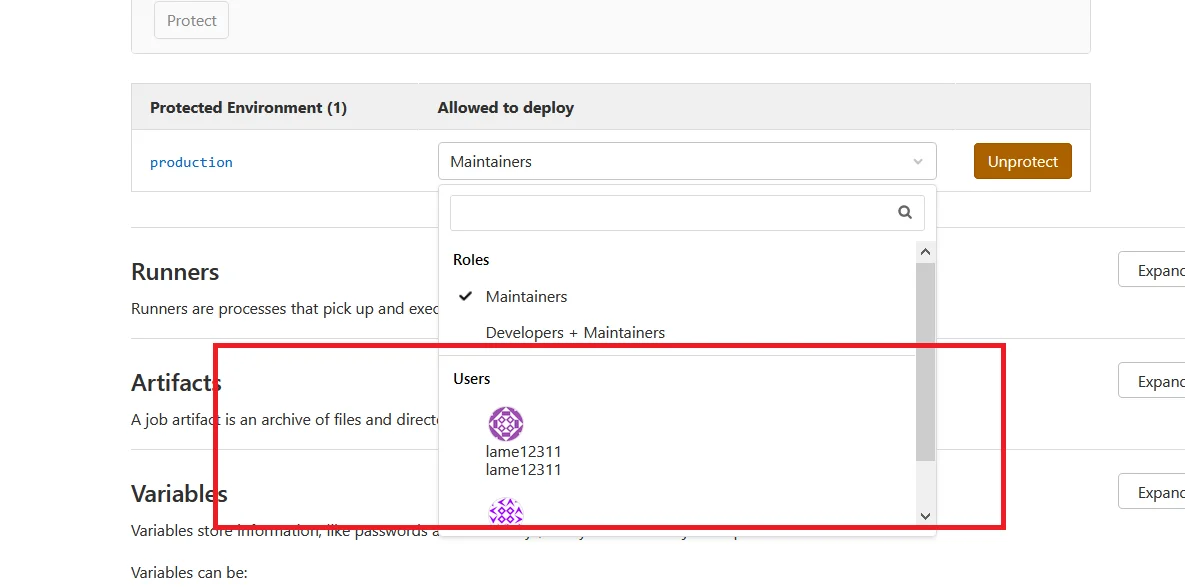
- Refresh the page, and again expand
protected environment. You will see that user still not removed and there is no way maintainer can removed the user.
What is the current bug behavior?
It is concluded that even after the user is removed
- He can still have access to the deployment and re-deploy/trigger any deployment he wishes.
- User can not only can re-deploy latest but all the previous deployment too.
- Maintainer is not able to remove the user from the protected environment so user have access to protected environment all the time
What is the expected correct behavior?
Gitlab should remove the user from protected environment list and revoked all his access too
Output of checks
This bug happens on GitLab.com. I've not tested Gitlab instance but I'm confident that same vulnerability exists there too.
Impact
Protected Environment is an important feature which allows to restrict access and unexpected deployments to the environment. This vulnerability allows a malicious user who is not even the part of the project to trigger deployment to the protected environment and doing so may break a company or project current deployment and effects its user and data.
Attachments
Warning: Attachments received through HackerOne, please exercise caution!
How To Reproduce
Please add reproducibility information to this section:
- Create a public group
- Create a public project in that group
- Create an environment named production
- Setup a
.gitlab-ci.yml - Invite a second user as
developer - In CI/CD project settings create a protected environment for the
productionenvironment and allow the invited user to deploy - Remove the second user from the project and they'll still be able to redeploy from the
/-/environmentspage
Not written yet. The AI write-up for this report has not been written yet. The Original tab links to the source.
How it worked
Root cause
Likely the protected environment's allowed user list is not updated when a user is removed from the project, and the UI does not allow removing such users.
Impact
A removed user could trigger deployments to a protected environment, potentially disrupting the project's deployment and affecting users and data.
What the attacker needed
GitLab.com account; Premium trial for protected environments; Maintainer access to create project and invite user; Victim user with developer access
The fix
GitLab should remove the user from the protected environment list and revoke all their access.
How it was found
- Create a public group and start a trial to access protected environments.
- Create a public project and invite a user as a developer.
- Add a .gitlab-ci.yml that defines a deployment job to a production environment.
- In project settings, define a protected environment and allow the developer to deploy.
- Log in as the developer and verify they can redeploy from the environments page.
- Remove the developer from the project, then as the developer refresh the environments page and redeploy an old deployment.
Explained by bugbounty.wiki with AI from the original and checked against quotes from it; it can still be wrong. Read the original before relying on a detail.
Not written yet. The AI write-up for this report has not been written yet. The Original tab links to the source.
In GitLab, a protected environment is a setting that limits who can deploy to it. The report found that when a user was removed from a project, they could still redeploy to that environment, and the maintainer could not remove them from the allowed list. This means a former team member could still make changes to the live environment.
What is Access control?
A user can do something their role should not allow: reach an admin function, act on a feature they have not paid for, or skip a permission check. IDOR is the special case where the object belongs to someone else.

