Unauthorized user is able to unlock the locked file of the project
A user who had locked a file and was later removed from the project could still unlock that file through the project's path locks page, even though the same action was refused from the file page. This let a former member, who should have lost all rights, remove a lock that only the locker or project members should control.

GitLab
Originally disclosed on GitLab
- Fixed in 13 months
- Disclosed after 13 months
HackerOne report #1023504 by vaib25vicky on 2020-10-31, assigned to @ankelly:
Report | Attachments
Report
Summary
Permission model around file locking is as follows:
> Locks can be created by any person who has at least Developer permissions to the repository.
Only the user who locked the file or directory can edit locked files.
But what if user who locked the file removed from the project?
Currently user who got removed from the project can't unlock file from file page https://gitlab.com/<owner>/<project>/-/blob/master/<file> and get an error message
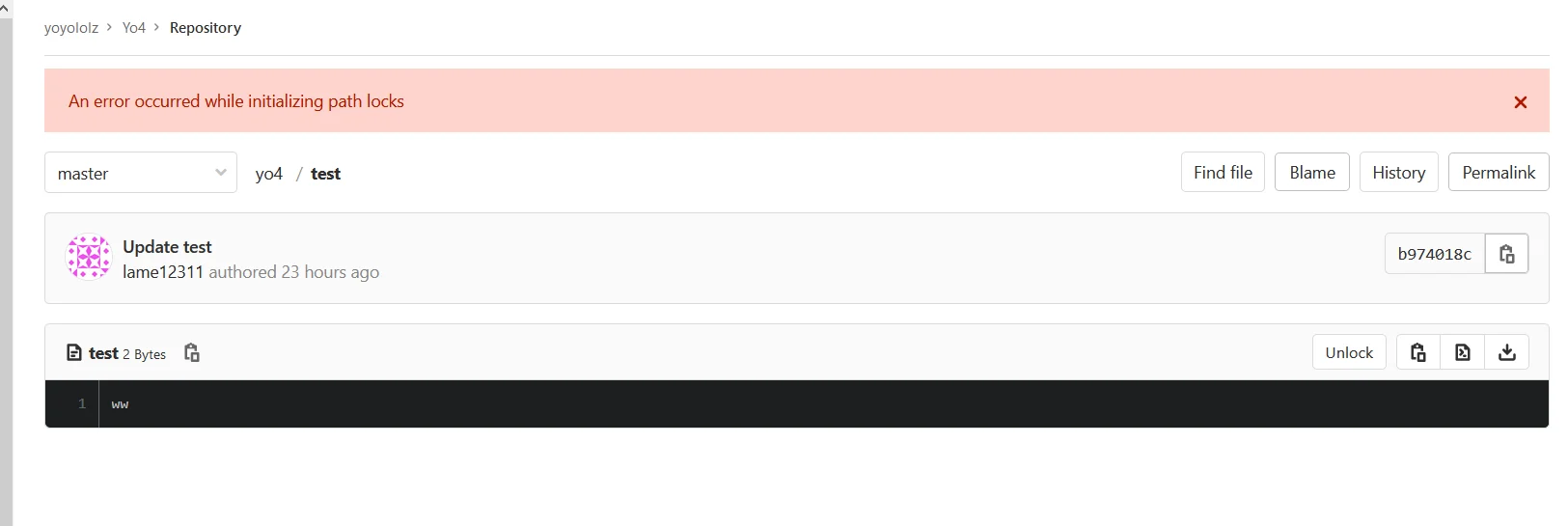
But user who is removed from the project can still unlock files by going over project lock files ie https://gitlab.com/<owner>/<project>/path_locks
and unlock the file. We don't get any error.

Steps to reproduce
- Create a public test project and a file named
test_file - Invite a test user say
Vickywith developer permissions Vickylockedtest_file- As owner of the project, remove the
Vickyuser from the project - At this point
Vickycan't unlocked file because he is not the member of the project and if he try to remove it by going overtest_file, he'll get an error. Vickygo over projectpath_locksiehttps://gitlab.com/<owner>/<project>/path_locks- Remove the lock by selecting
Unlock
Here, the locked file has been removed by an unauthorized user
Impact
Unauthorized user is able to unlock the locked file of the project
What is the current bug behavior?
User who is removed from the project still able to unlock files. Even though this is not possible from going over file location but going over project path_locks, malicious user is able to unlock the file
What is the expected correct behavior?
User who locked file shouldn't be allowed to unlock files if he/she not anymore member of the project and has been removed by the admin
Output of checks
:This bug happens on GitLab.com
Impact
Unauthorized user is able to unlock the locked file of the project
Attachments
Warning: Attachments received through HackerOne, please exercise caution!
Not written yet. The AI write-up for this report has not been written yet. The Original tab links to the source.
How it worked
Root cause
Likely the unlock action on the project path locks page did not check that the requester was still a project member, unlike the file page which did.
What the attacker needed
A GitLab account; developer access to a project; the user locks a file first; the user is then removed from the project
How it was found
- Create a public test project with a file named test_file
- Invite a test user with developer permissions
- Have that user lock the file
- As owner, remove that user from the project
- Confirm the user gets an error when unlocking from the file page
- Have the user open the project path_locks page and select Unlock
Explained by bugbounty.wiki with AI from the original and checked against quotes from it; it can still be wrong. Read the original before relying on a detail.
Not written yet. The AI write-up for this report has not been written yet. The Original tab links to the source.
A file lock stops other people editing a file until the person who locked it releases it. When someone is removed from a project they should lose every ability to change it. Here the removed person could still release their lock by visiting a different page, so the permission check was missing on that page.
What is Access control?
A user can do something their role should not allow: reach an admin function, act on a feature they have not paid for, or skip a permission check. IDOR is the special case where the object belongs to someone else.

