with uploader, anyone can read files under specific folders including export project tarball
The wiki attachment upload accepted a user-supplied file.path parameter, allowing an attacker to read files under specific directories, including other users' export files. An attacker could download the attachment to obtain the exported repository.

GitLab
Originally disclosed on GitLab
- Fixed in 3 months
- Disclosed after 3 months
HackerOne report #762554 by manassehzhou on 2019-12-20, assigned to @dcouture:
Summary
You can specify any path through file.path during post when uploading any attachment to wiki page, which lead to the possibility of reading anyone's export file.
Steps to reproduce
To begin with:
[@]root user need to export any of his repos, and it will appears in /opt/gitlab/embedded/service/gitlab-rails/public/uploads/-/system/import_export_upload/export_file/{project_id} like this

-
Go to the wiki page, upload file, open burp suite and capture the packet
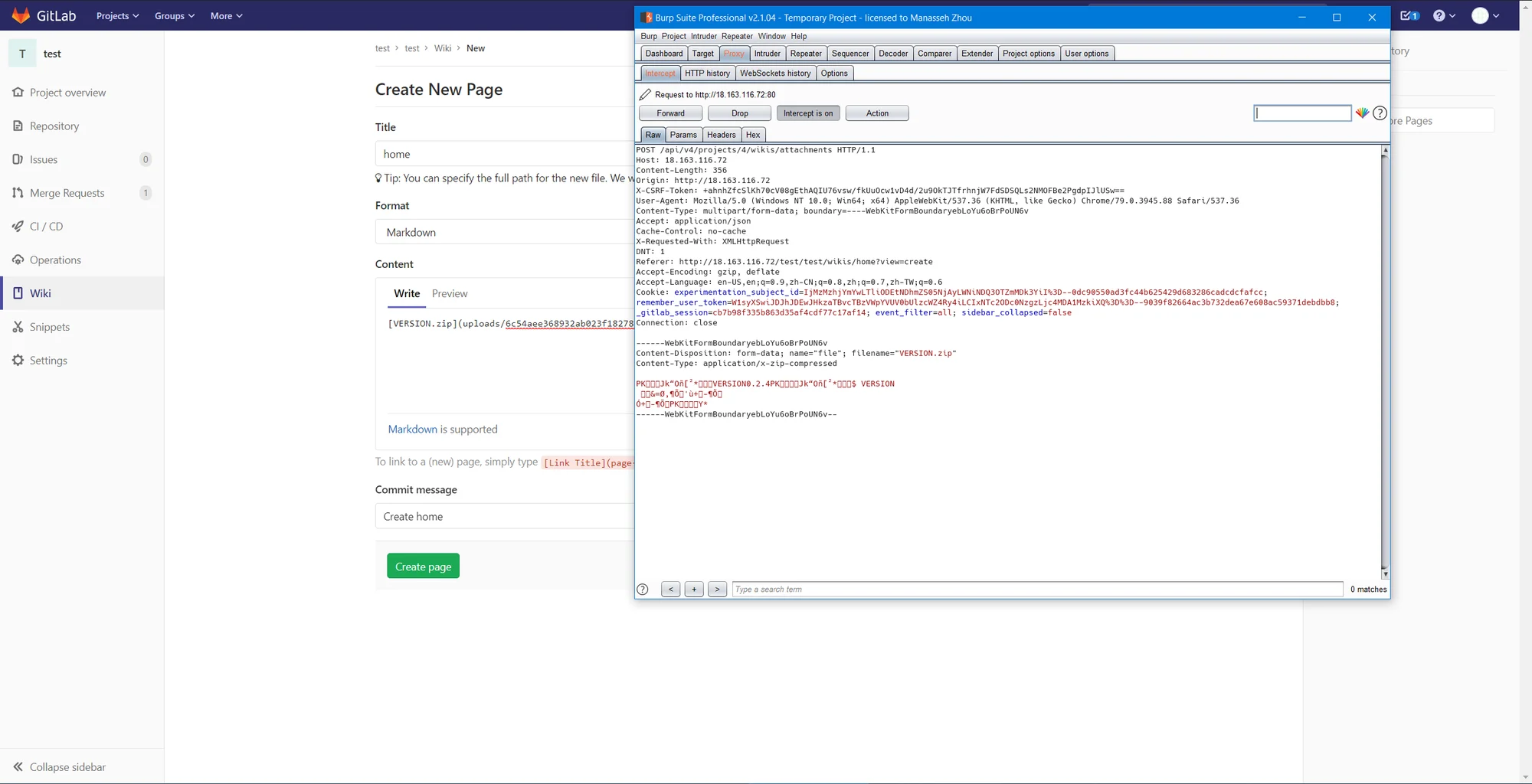
2.png From the original on GitLab -
modify a little bit.
Add field
file.path, then upload.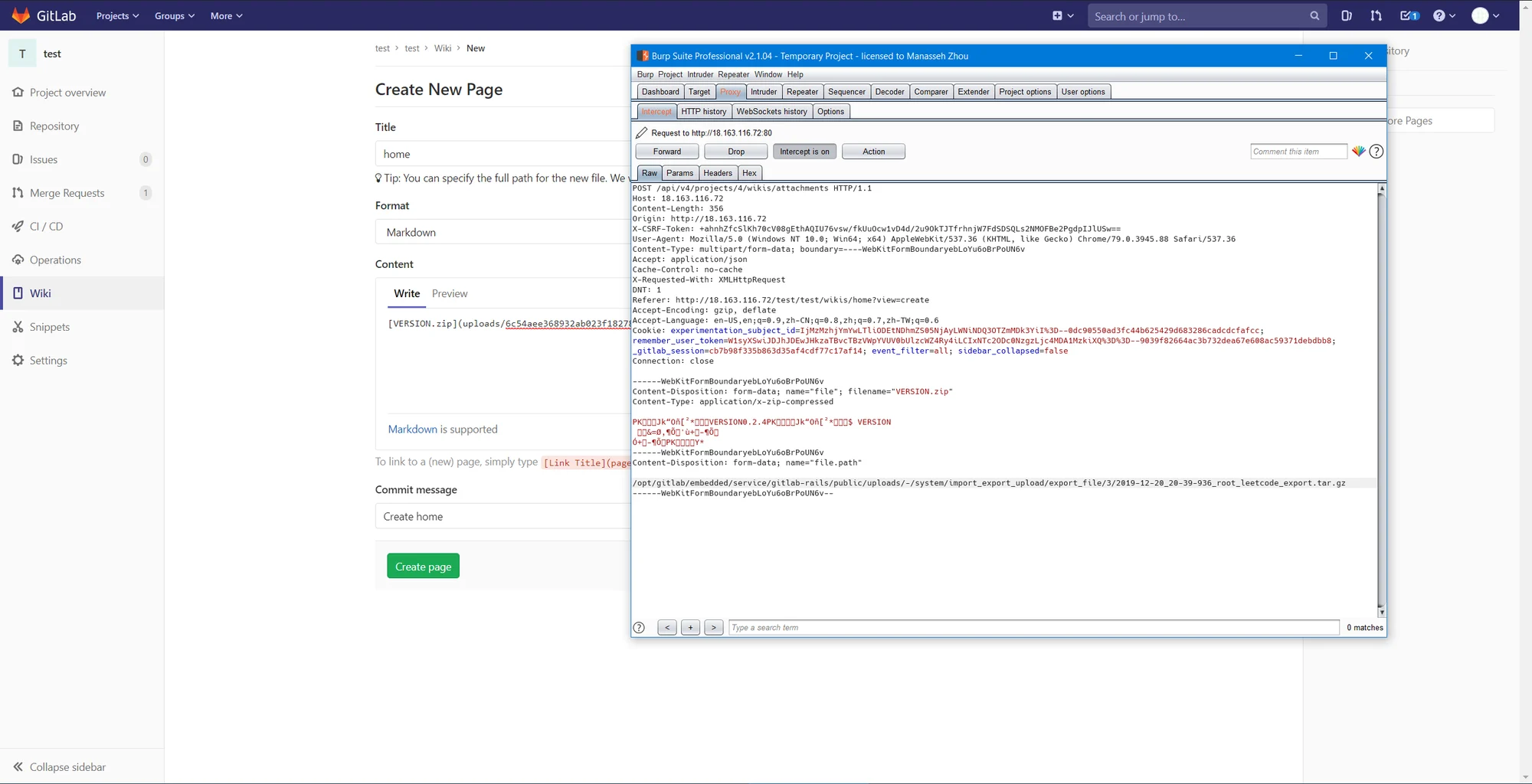
3.png From the original on GitLab -
download the attachment
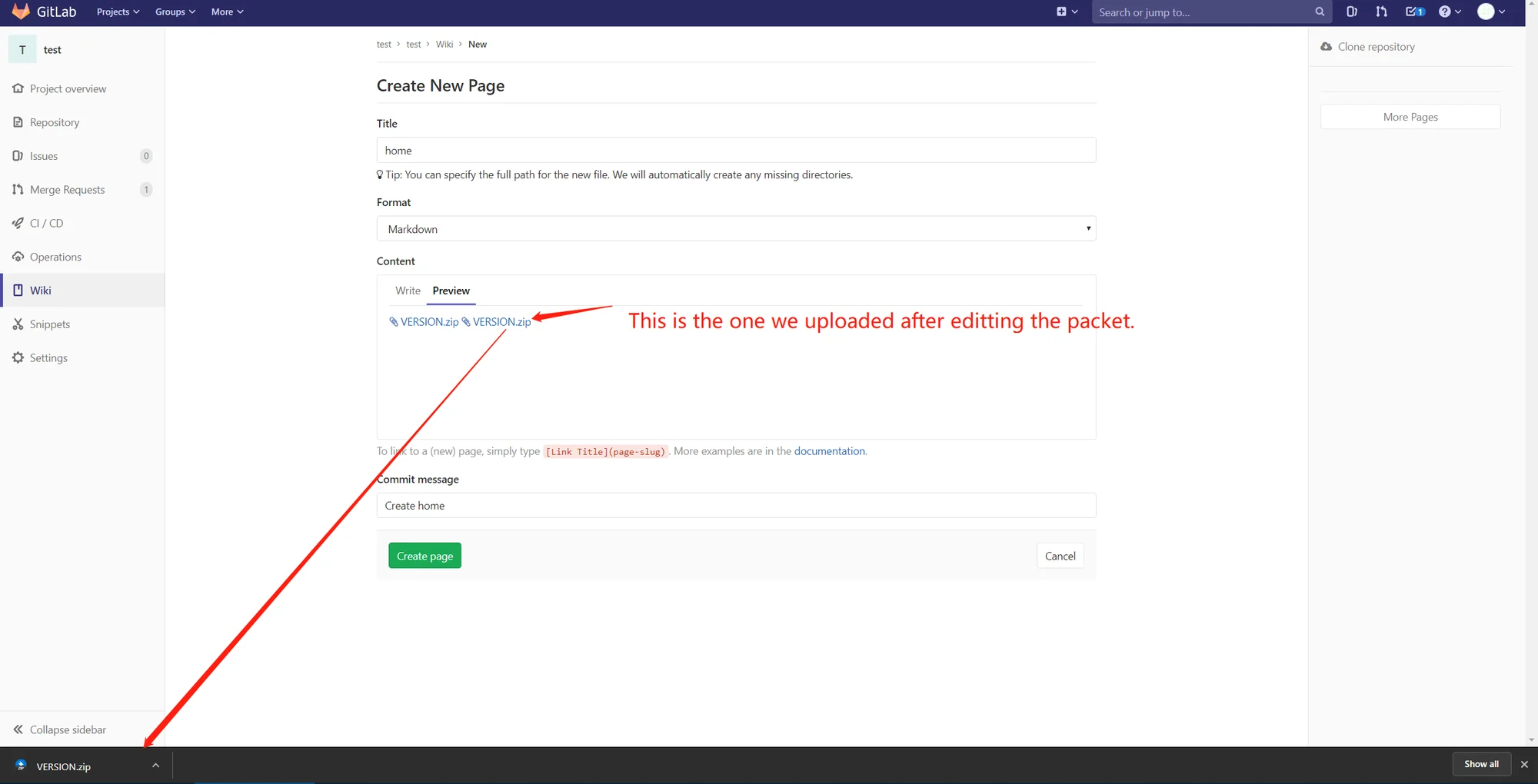
5.png From the original on GitLab unzip you can find the exported repo.
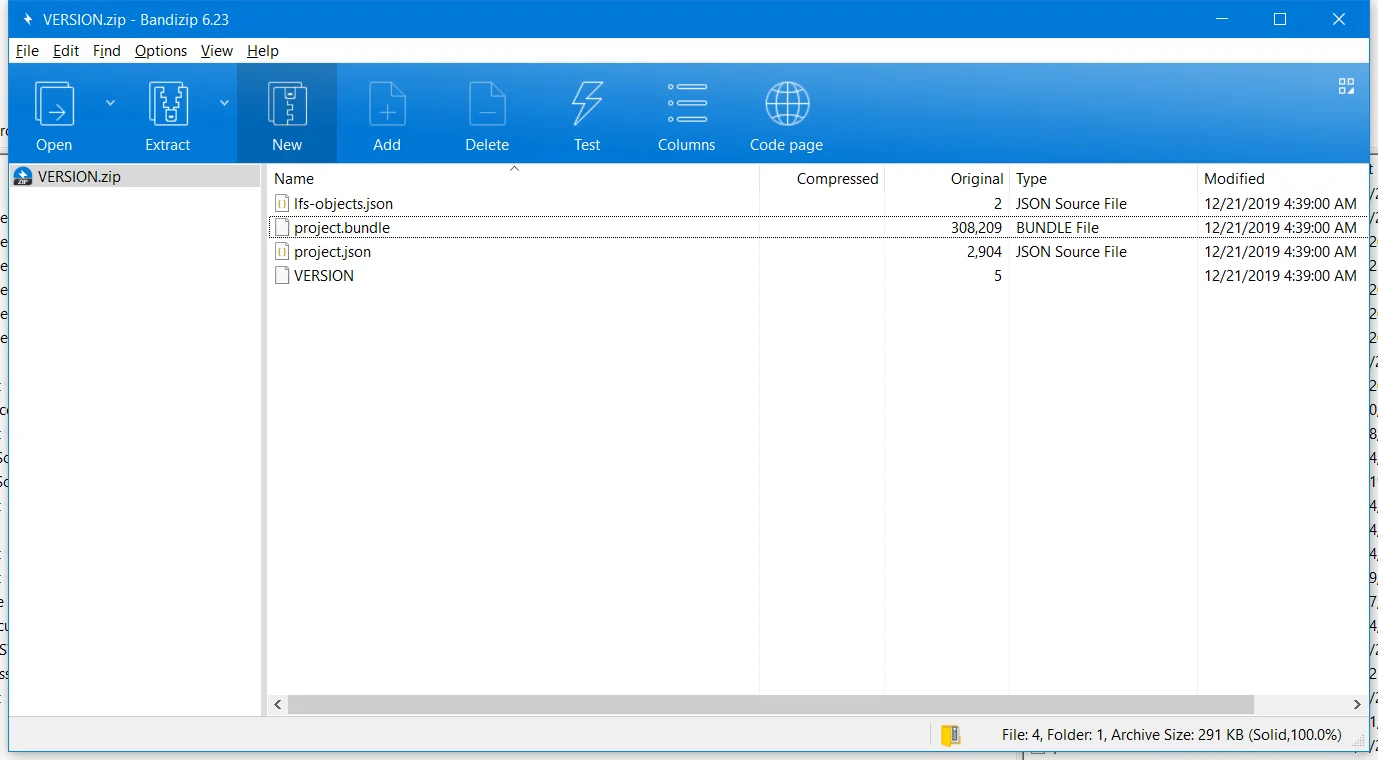
6.png From the original on GitLab -
read anyone's export or anything under these directories:
which is defined in
/lib/gitlab/middleware/multipart.rbRuby allowed_paths = [ ::FileUploader.root, Gitlab.config.uploads.storage_path, File.join(Rails.root, 'public/uploads/tmp') ]
Impact
You can specify any path through file.path during post when uploading any attachment to wiki page, which lead to the possibility of reading anyone's export file.
p.s. need to guess the directory.
What is the current bug behavior?
with file.path posted, the user can read any file under mentioned directories.
What is the expected correct behavior?
file.path should be filtered.
Results of GitLab environment info
running on docker with latest version.
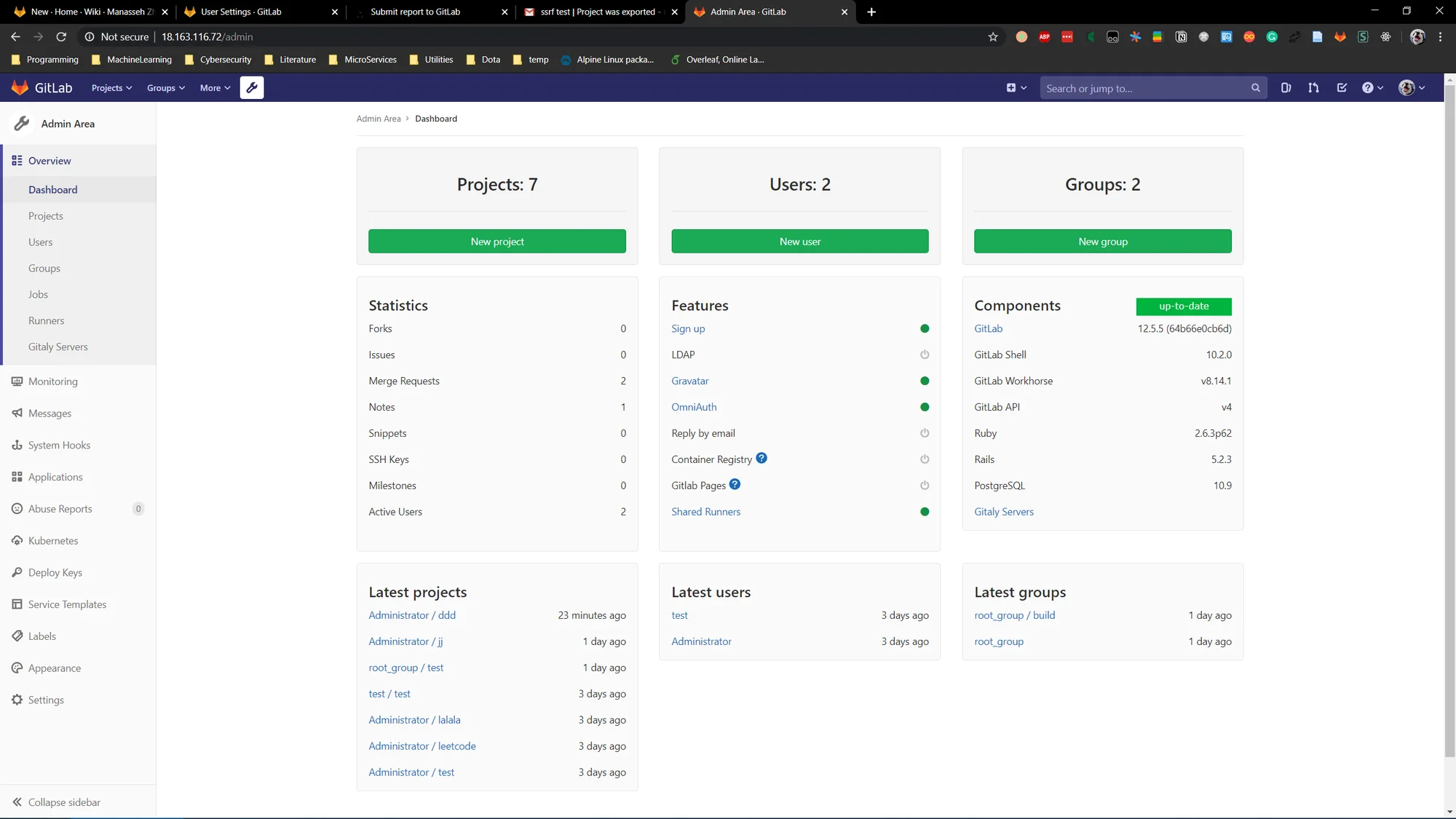
Impact
You can specify any path through file.path during post when uploading any attachment to wiki page, which lead to the possibility of reading anyone's export file.
Attachments
Warning: Attachments received through HackerOne, please exercise caution!
Not written yet. The AI write-up for this report has not been written yet. The Original tab links to the source.
How it worked
Root cause
The application accepted a client-supplied file.path during upload without filtering, allowing reads under the listed directories.
What the attacker needed
Access to a wiki page; ability to intercept HTTP requests; knowledge of target file path
The fix
The file.path parameter should be filtered to prevent arbitrary file reads.
How it was found
- Export a repository as root user to create an export file in a known directory.
- Go to a wiki page, upload a file, and capture the request with a proxy.
- Add a file.path field to the request and upload.
- Download the attachment and unzip it to obtain the exported repository.
Explained by bugbounty.wiki with AI from the original and checked against quotes from it; it can still be wrong. Read the original before relying on a detail.
Not written yet. The AI write-up for this report has not been written yet. The Original tab links to the source.
When you upload a file to a website, the server usually decides where to save it. In this case, the website let the user specify the exact path where the file should be read from. That meant an attacker could point to someone else's private export file and download it.
What is Path traversal?
Input that builds a file path escapes the intended folder, reading or writing files the application should never touch.


