Take Advantage of Out-of-Scope Domains in Bug Bounty Programs
An out-of-scope subdomain running AnswerHub allowed stored XSS via an uploaded XML file, and the in-scope developer site set document.domain to the shared parent domain, enabling cross-origin access. An attacker could read data and execute JavaScript on the in-scope site.
 Published on ahussam.me
Last year, I got an invitation from a private bug bounty program on HackerOne platform. I said let’s give it a try since I had some free time and here is the story of how I take advantage of an out-of-scope domain to earn $1250 bounty.
The full write-up lives on its author's site
It belongs to its author, so we link to it rather than copy it. The other two tabs are our own rewrites, checked against it.
Context
This is the story of a private bug bounty program on HackerOne that the author joined after receiving an invitation. The author was testing an Angular application hosted on developer.market.target.com, which was in scope. Separately, during reconnaissance, the author found answers.target.com, a subdomain running AnswerHub that was affected by a stored XSS the author had already documented elsewhere. That subdomain was not in scope, so no report was filed for it at the time.
The write-up uses out-of-scope to mean out-of-scope domains, not out-of-scope bugs. The author lists the usual reasons a program excludes domains: the team may already know about vulnerabilities there and be fixing them before adding the domain to scope, the budget may be too small to cover them, or the domains may be user-facing and any interaction that could harm users is unwanted. The point of the article is that such a domain can still be used to attack an in-scope one, and that an RCE on an out-of-scope domain may even be accepted as a valid report, citing the mail.ru program as an example.
Setup
The author read the program's rules in full before starting, stressing that every detail matters because a missed rule can lead to disqualification. Reconnaissance was done with sublist3r to build a subdomain list, which is how answers.target.com was found. No account details, roles or software versions are given beyond the fact that the in-scope application was Angular-based and the out-of-scope one ran AnswerHub.
Finding it
While testing the in-scope Angular app on developer.market.target.com, the author typed into the browser console:
>>document.domain
>>"target.com"
The page's document.domain had already been relaxed to the second-level domain target.com. Checking the page source confirmed the cause, a line in the head script on developer.market.target.com:
ocument.domain = "target.com";
This matters because two pages from different origins can interact with each other when they share the same second-level domain and both set document.domain to it. If answers.target.com also sets its document.domain to target.com, a page on that host can frame developer.market.target.com and run code against the framed document, bypassing the same-origin policy. The author published a live demonstration of the trick at http://sandbox.ahussam.me/pocs/same-parent.html, where a secret paragraph is read across domains.
One obstacle remained: developer.market.target.com sent x-frame-option: Deny, so the page could not be framed. The next day the author found that the /support/ path did not send that header, which made framing possible.
Exploitation
Step 1: build the PoC document
The author wrote the following script, saved it as poc.xml and uploaded it to answers.target.com:
<?xml version="1.0" encoding="UTF-8"?>
<!DOCTYPE html PUBLIC "-//W3C//DTD XHTML 1.0 Strict//EN"
"http://www.w3.org/TR/xhtml1/DTD/xhtml1-strict.dtd">
<html xmlns="http://www.w3.org/1999/xhtml">
    <head>
        <title>PoC</title>
        <script type="text/javascript">
             document.domain = 'target.com';
             function exploit(){
             var  i = document.getElementById("my_frame");
             var exp = i.contentWindow.document.getElementsByClassName('ng-binding')[3].innerText;
             alert(exp);
             }
        </script>
    </head>
  <iframe src="https://developer.market.target.com/support/" id="my_frame" onload="exploit();"></iframe>
    </body>
</html>
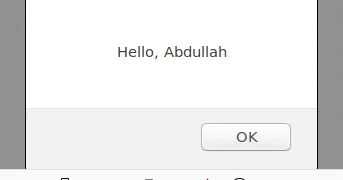
The script sets document.domain to target.com so that the document shares an origin with the framed page, then frames the /support/ path of developer.market.target.com, which lacks the x-frame-option header. On load, exploit() reaches into the frame's contentWindow.document, takes the innerText of the fourth element with class ng-binding (an Angular binding), and shows it in an alert. The PoC worked: the author could read data and execute JavaScript on developer.market.target.com, which is in scope.
Step 2: reproduce from the AnswerHub attachment
The published steps to reproduce are:
- Go to
https://answers.target.com, open any question and click reply. - Upload this file poc.txt as an attachment and intercept the request.
- Change
Content-Typefromtext/plaintotext/xmland forward the request. - Go to the attachment URL, you will access the contentWindow of developer.market.target.com and you will see an alert box that contains your username.
The upload is sent as text/plain and the intercepted request is changed to text/xml before forwarding. Because that page has set document.domain to target.com, it can read the framed in-scope application.
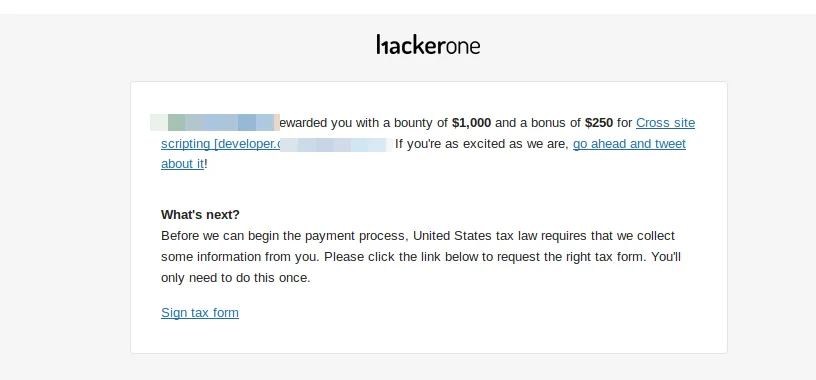
The author reported the bug and received $1250 for the XSS.
Root cause
Two weaknesses combine. First, developer.market.target.com sets document.domain = "target.com", which deliberately widens its origin to the whole second-level domain; any other host under target.com that does the same becomes same-origin with it. Second, the /support/ path of that host omits the x-frame-option: Deny header that the rest of the host sends, so the page can be framed. The out-of-scope AnswerHub host supplies the attacker-controlled script: a stored XSS whose payload is uploaded as text/plain and then served as text/xml after the Content-Type is changed in the intercepted request. The report does not describe the AnswerHub vulnerability itself in detail, referring instead to the author's earlier write-ups.
Impact
An attacker who can store script on answers.target.com can read data and execute JavaScript in the context of the in-scope developer.market.target.com application, as demonstrated by extracting an Angular-bound value and alerting it. The attack relies on the out-of-scope host setting document.domain to the shared parent and on the in-scope page being framable. The author notes that out-of-scope domains can be used this way to escalate against in-scope assets, and that an RCE on an out-of-scope domain may be counted as a valid report.
Fix
They fixed the x-frame-option header with CSP and also fixed the AnswerHub issue, so the XML file is now served as a text file.
Variants to test
- Check
document.domainon every in-scope host. In the console, rundocument.domainand grep the page source fordocument.domain =. A positive result is a value set to a parent domain shared with other hosts, which makes cross-host framing and script access possible. - Look for framable paths on hosts that otherwise deny framing. Request paths such as
/support/and inspect thex-frame-optionand CSPframe-ancestorsheaders. A positive result is a path that can be framed from an attacker-controlled origin. - Hunt for stored XSS on sibling subdomains under the same parent. Any host that shares the relaxed
document.domaincan host the payload. A positive result is script execution on a host whosedocument.domainmatches the in-scope target's. - Test upload content-type handling. Upload a benign file, intercept the request and change
Content-Typefromtext/plaintotext/xml(or another type the server will honour). A positive result is the stored file being served with the new type and parsed as active content. - Chain with other escalations. The author points to API misuse, JavaScript workarounds and misconfigurations on out-of-scope domains as general escalation routes; a positive result is any of these giving access to an in-scope asset.
What happened, in plain words
A security researcher was invited to a private bug bounty program on HackerOne. A bug bounty program is a deal between an organisation and independent researchers: the organisation publishes a list of its systems that researchers are allowed to test (the "scope"), and pays for valid reports of security problems. The researcher found a way to run their own code inside one of the program's in-scope websites, by abusing a different website that was not on the list at all. The program paid $1250 for the report.
The trick relied on two things: a setting called document.domain that a page can use to widen which other pages it trusts, and a stored cross-site scripting (XSS) flaw on a sibling website. Neither is exotic on its own. Combined, they let the researcher read data from the in-scope site.
Before going further, a few ideas that come up throughout:
- Origin: the combination of scheme (http or https), host name and port that a browser uses to decide whether two pages may read each other's content.
https://a.example.comandhttps://b.example.comare different origins even though they shareexample.com. - Same-origin policy (SOP): the browser rule that stops a page from one origin reading data from another origin. It is the main wall that keeps one website from spying on another in your browser.
- Subdomain: a name like
answers.target.comthat sits under a parent domaintarget.com. Think oftarget.comas a building and subdomains as different flats inside it. - Cross-site scripting (XSS): a bug where an attacker gets their own JavaScript to run inside someone else's website, as if it were part of that site. "Stored" XSS means the malicious content is saved on the server (for example in a forum post or an uploaded file) and served to whoever views it later.
- JavaScript: the programming language that browsers run to make pages interactive. If an attacker can run JavaScript in a page's context, they can usually read and change what that page shows.
- Console: the developer tools panel in every browser where you can type JavaScript and see results. It is a quick way to inspect what a page is doing.
- Header: a small line of metadata a web server sends alongside a page. Headers can say things like "do not let other sites embed this page in a frame".
x-frame-option: a header that controls whether a page may be shown inside an<iframe>(a frame, i.e. a page embedded inside another page).Denymeans "never".- CSP (Content Security Policy): another header-based mechanism that lets a site declare rules about what may load or embed its pages. It can also restrict framing.
- Angular: a JavaScript framework for building web apps. It binds data from the app to the page; elements it manages often carry a class name like
ng-binding. - AnswerHub: a question-and-answer / forum software product. It lets users post questions, reply, and upload attachments.
- Attachment: a file a user uploads to a post. The server stores it and serves it back later at a URL.
Content-Type: a header that tells the server (or browser) what kind of file is being sent, e.g.text/plainfor plain text ortext/xmlfor XML.- XML: a text format for structured documents. It can contain a
<script>element, and if a browser is told to treat a file as XML/HTML, that script will run. - Intercept: to pause a request in flight (usually with a proxy tool) so you can read or change it before it reaches the server.
- RCE (remote code execution): a bug where an attacker can run commands on the server itself, not just in a browser. It is generally the most severe class of bug.
- Reconnaissance (recon): the information-gathering phase: finding subdomains, technologies, endpoints, and so on, before testing.
The rules, and why they matter
The author starts by reading the program's rules in full. This is not a formality. Bug bounty programs spell out which hosts are in scope, which kinds of testing are allowed, and what will get a researcher disqualified. Skipping a line can turn a valid finding into a rejected one, or get the researcher removed from the program.
The article uses out-of-scope to mean out-of-scope domains, not out-of-scope bugs. The author lists the usual reasons a program excludes a domain:
- The team already knows there are vulnerabilities there and is fixing them before adding the domain to scope.
- The budget is too small to cover those domains.
- The domains are for users only, and any interaction that could harm users is unwanted.
The point of the article is that an excluded domain can still be used to attack an in-scope one. The author notes that an RCE on an out-of-scope domain may even be accepted as a valid report, citing the mail.ru program as an example.
Finding the pieces
Reconnaissance was done with sublist3r, a tool that queries public sources to build a list of subdomains for a domain. That is how answers.target.com turned up. It was running AnswerHub and was affected by a stored XSS the author had already documented in earlier write-ups. Because it was not in scope, no report was filed for it at the time; the author kept it in mind for later.
Attention then moved to the in-scope Angular application on developer.market.target.com. While poking at it, the author typed into the browser console:
>>document.domain
>>"target.com"
Line by line:
>>document.domainasks the page what value it has set fordocument.domain. The>>is just the console prompt.>>"target.com"is the answer: the page has relaxed its own origin to the parent domaintarget.com.
document.domain is a property a page can set to a parent domain of its own host. When two pages both set it to the same parent, the browser treats them as same-origin for script access, even though their host names differ. It is like two flats in the same building agreeing to share a key: individually they are separate, but once both opt in, each can open the other's door.
Checking the page source confirmed the cause. The head script on developer.market.target.com contained:
ocument.domain = "target.com";
That line is the page deliberately widening its origin to the whole of target.com. (The line as published is missing the leading d; the intent is clearly document.domain = "target.com";.)
Why this matters: if answers.target.com also sets its document.domain to target.com, then a page on that host becomes same-origin with developer.market.target.com. It can frame the in-scope page and reach into the framed document with JavaScript, bypassing the same-origin policy. The author published a live demonstration at http://sandbox.ahussam.me/pocs/same-parent.html, where a secret paragraph is read across domains.
One obstacle remained. developer.market.target.com sent x-frame-option: Deny, so the page could not be embedded in a frame at all. The next day the author found that the /support/ path did not send that header, which made framing possible.
Building the proof of concept
The author wrote the following script, saved it as poc.xml and uploaded it to answers.target.com:
<?xml version="1.0" encoding="UTF-8"?>
<!DOCTYPE html PUBLIC "-//W3C//DTD XHTML 1.0 Strict//EN"
"http://www.w3.org/TR/xhtml1/DTD/xhtml1-strict.dtd">
<html xmlns="http://www.w3.org/1999/xhtml">
    <head>
        <title>PoC</title>
        <script type="text/javascript">
             document.domain = 'target.com';
             function exploit(){
             var  i = document.getElementById("my_frame");
             var exp = i.contentWindow.document.getElementsByClassName('ng-binding')[3].innerText;
             alert(exp);
             }
        </script>
    </head>
  <iframe src="https://developer.market.target.com/support/" id="my_frame" onload="exploit();"></iframe>
    </body>
</html>
Line by line:
<?xml version="1.0" encoding="UTF-8"?>declares the file as XML in UTF-8 encoding.- The
<!DOCTYPE html ...>line declares an XHTML document type. XHTML is HTML written in XML syntax; browsers will parse it as a document with scripts. <html xmlns="http://www.w3.org/1999/xhtml">opens the document with the XHTML namespace.<head>and<title>PoC</title>open the head and give the page a title.<script type="text/javascript">starts a script block. Everything inside runs as JavaScript when the document loads.document.domain = 'target.com';relaxes this document's origin totarget.com, so it becomes same-origin with the framed page, which has done the same.function exploit(){defines a function calledexploitthat will run when the frame finishes loading.var i = document.getElementById("my_frame");grabs the<iframe>element by itsid.var exp = i.contentWindow.document.getElementsByClassName('ng-binding')[3].innerText;reaches into the framed page's document, finds all elements with the classng-binding(Angular's binding marker), takes the fourth one (index3), and reads its visible text.alert(exp);shows that text in a pop-up, proving the cross-origin read succeeded.</script>closes the script block.<iframe src="https://developer.market.target.com/support/" id="my_frame" onload="exploit();"></iframe>embeds the in-scope page's/support/path (the one withoutx-frame-option: Deny) and callsexploit()once it has loaded.- The closing tags end the document.
The PoC worked. The author could read data and execute JavaScript on developer.market.target.com, which is in scope.
Reproducing it from the attachment
The published steps to reproduce are:
- Go to
https://answers.target.com, open any question and click reply. - Upload this file poc.txt as an attachment and intercept the request.
- Change
Content-Typefromtext/plaintotext/xmland forward the request. - Go to the attachment URL, you will access the contentWindow of developer.market.target.com and you will see an alert box that contains your username.
What each step is doing, and why:
- The reply form is where AnswerHub accepts attachments. The author needs a place to store the malicious file on the out-of-scope host.
- The file is uploaded as
poc.txtand the request is paused with a proxy so it can be edited before reaching the server. The upload is sent astext/plain, which would normally be harmless. - Changing
Content-Typetotext/xmlchanges how the uploaded file is handled; the report does not describe the server-side behaviour. - Visiting the attachment URL loads the stored XML. The script sets
document.domaintotarget.com, frames the in-scope/support/page, and reads from it. The alert shows the username, which is the value the PoC extracts.
The author reported the bug and received $1250 for the XSS.
Why it worked
Two weaknesses combine:
developer.market.target.comsetsdocument.domain = "target.com", which deliberately widens its origin to the whole second-level domain. Any other host undertarget.comthat does the same becomes same-origin with it.- The
/support/path of that host omits thex-frame-option: Denyheader that the rest of the host sends, so the page can be framed.
The out-of-scope AnswerHub host supplies the attacker-controlled script: a stored XSS whose payload is uploaded as text/plain and then served as text/xml after the Content-Type is changed in the intercepted request. The report does not describe the AnswerHub vulnerability itself in detail, referring instead to the author's earlier write-ups.
What an attacker could do
An attacker who can store script on answers.target.com can read data and execute JavaScript in the context of the in-scope developer.market.target.com application, as demonstrated by extracting an Angular-bound value and alerting it. The attack relies on the out-of-scope host setting document.domain to the shared parent and on the in-scope page being framable. The author notes that out-of-scope domains can be used this way to escalate against in-scope assets, and that an RCE on an out-of-scope domain may be counted as a valid report.
The fix
They fixed the x-frame-option header with CSP and also fixed the AnswerHub issue, so the XML file is now served as a text file.
Things to try on other programs
- Check
document.domainon every in-scope host. In the console, rundocument.domainand grep the page source fordocument.domain =. A positive result is a value set to a parent domain shared with other hosts, which makes cross-host framing and script access possible. - Look for framable paths on hosts that otherwise deny framing. Request paths such as
/support/and inspect thex-frame-optionand CSPframe-ancestorsheaders. A positive result is a path that can be framed from an attacker-controlled origin. - Hunt for stored XSS on sibling subdomains under the same parent. Any host that shares the relaxed
document.domaincan host the payload. A positive result is script execution on a host whosedocument.domainmatches the in-scope target's. - Test upload content-type handling. Upload a benign file, intercept the request and change
Content-Typefromtext/plaintotext/xml(or another type the server will honour). A positive result is the stored file being served with the new type and parsed as active content. - Chain with other escalations. The author points to API misuse, JavaScript workarounds and misconfigurations on out-of-scope domains as general escalation routes; a positive result is any of these giving access to an in-scope asset.
Glossary
- API: a defined way for one piece of software to talk to another, usually over HTTP. Think of it as a menu of operations a service offers.
- Attachment: a file uploaded to a post or message and stored by the server for later download.
- Angular: a JavaScript framework for building web apps; it marks data-bound elements with classes such as
ng-binding. - AnswerHub: forum / question-and-answer software that supports questions, replies and file attachments.
- Bug bounty program (BBP): an arrangement where an organisation pays researchers for reporting security bugs in a defined set of systems.
- Console: the browser's developer tools panel where you can type JavaScript and see results.
- Content Security Policy (CSP): a header-based set of rules a site sends to the browser, restricting what may load or embed its pages.
Content-Type: a header saying what kind of data is being sent, e.g.text/plainortext/xml.- Cross-site scripting (XSS): a bug that lets an attacker run their own JavaScript inside another site's page. "Stored" means the payload is saved on the server and served to later visitors.
document.domain: a property a page can set to a parent domain so that pages on sibling subdomains become same-origin with it.- Frame / iframe: a way to embed one web page inside another.
- Header: a line of metadata sent with an HTTP request or response.
- HackerOne: a platform that hosts bug bounty programs and handles report submission and payment.
- In scope / out of scope: the list of systems a program allows testing (in scope) versus everything else (out of scope).
- Intercept: to pause an HTTP request in flight, usually with a proxy, so it can be inspected or modified.
- JavaScript: the programming language browsers run to make pages interactive.
- Origin: scheme + host + port; the unit the browser uses to decide whether two pages may read each other.
- RCE (remote code execution): a bug that lets an attacker run commands on the server itself.
- Reconnaissance (recon): information gathering before testing, such as enumerating subdomains.
- Same-origin policy (SOP): the browser rule that stops one origin from reading another origin's data.
- Second-level domain: the part of a domain directly under the top-level domain, e.g.
target.comindeveloper.market.target.com. - Stored XSS: XSS where the payload is saved server-side and served to later visitors.
- Subdomain: a name under a parent domain, e.g.
answers.target.comundertarget.com. - sublist3r: a tool that gathers subdomains for a domain from public sources.
x-frame-option: a header that says whether a page may be embedded in a frame;Denyforbids it.- XML: a structured text format; a browser told to treat a file as XML/HTML will run any
<script>inside it. - XHTML: HTML written in XML syntax.