Stored XSS in Name field in User Groups/Group Details form
A stored cross-site scripting vulnerability exists in the Name field of User Groups in concrete5, allowing an attacker to inject JavaScript that executes when another user searches for and clicks the group link. This could be used for an internal attack against users with permissions to view the User Groups list.

- Disclosed after 39 days
Intro
"The Crayons of Madagascar"
Type of issue: Core CMS issue Level of severity: Internal Attack Vector Concrete5 version: 8.2.0 RC2 rev. 32c9daf352645d4fafedb7b956e7f2de4e153ab3
Summary
There is Stored XSS vulnerability in User Groups->Group Details Name field. This vulnerability might be used to perform internal attack against other concrete5 users with permissions to view User Groups list.
To execute this vulnerability, user has to be tricked to perform some additional actions or attacker has to wait until user will perform those action.
Steps to reproduce
- log in to concrete5 instance
- go to Members->User Groups and use existing group or add new one for the next step
- in groups list click selected group and select
Edit Groupoption from dropdown menu
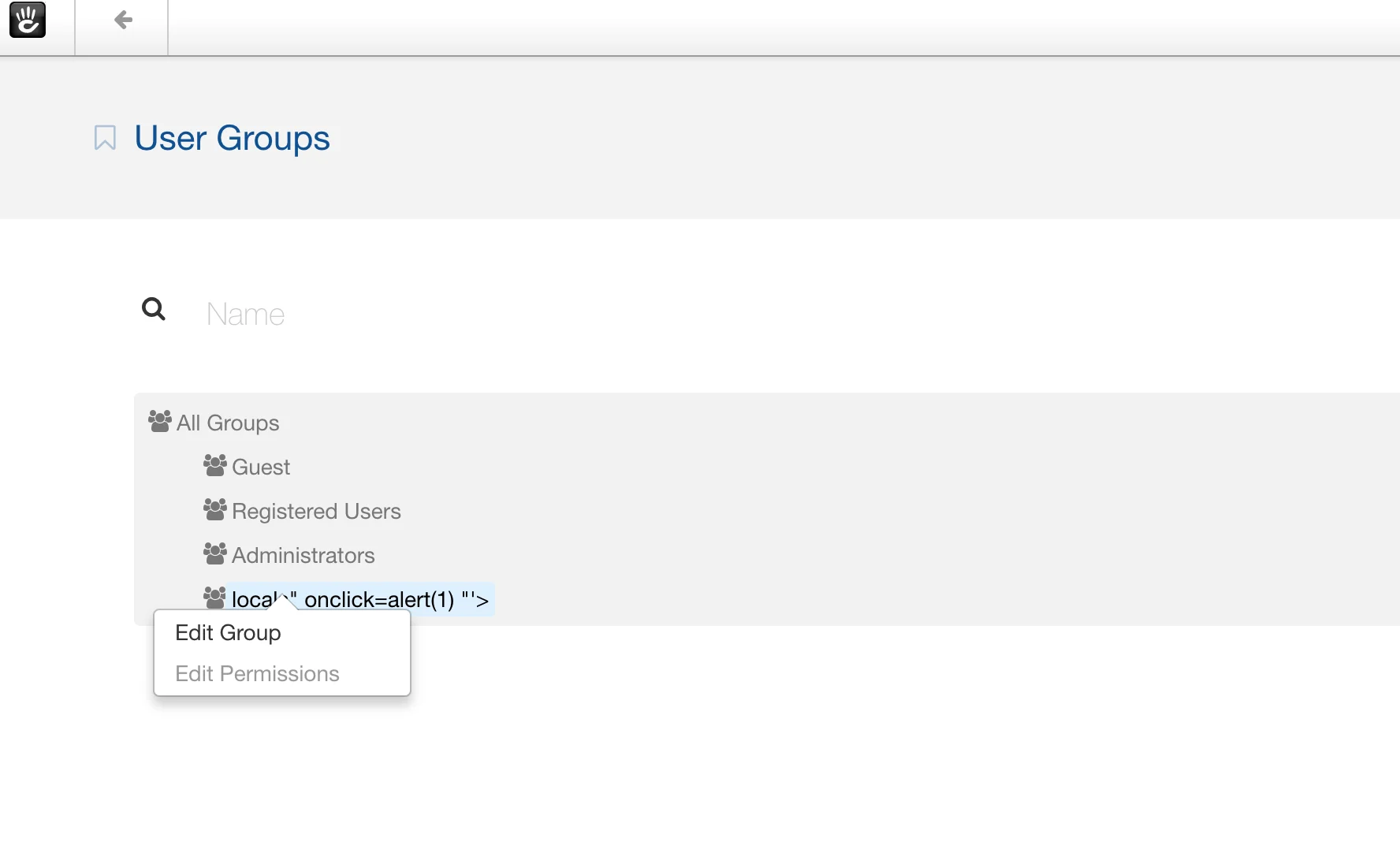
- in
Namefield, put the following payload:
locals" onclick=alert('XSS!') "'>
- save changes by clicking
Update Groupbutton.
Name field is properly sanitized in (almost) all context is used.
Except one.
On the User Groups screen, use seacrh feature to find locals group (put locals into seacrh field and press Enter):
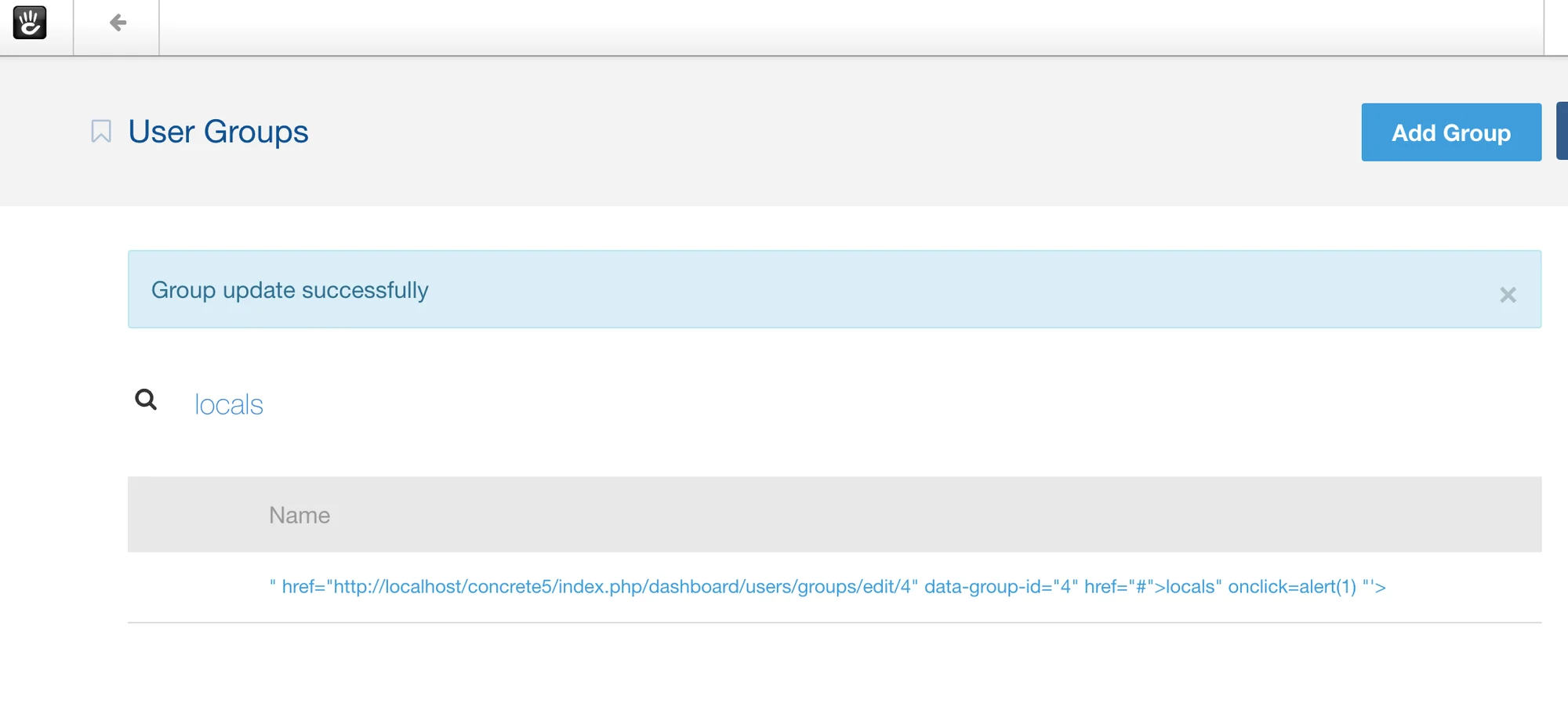
Click on the link. Malicious payload will be executed:
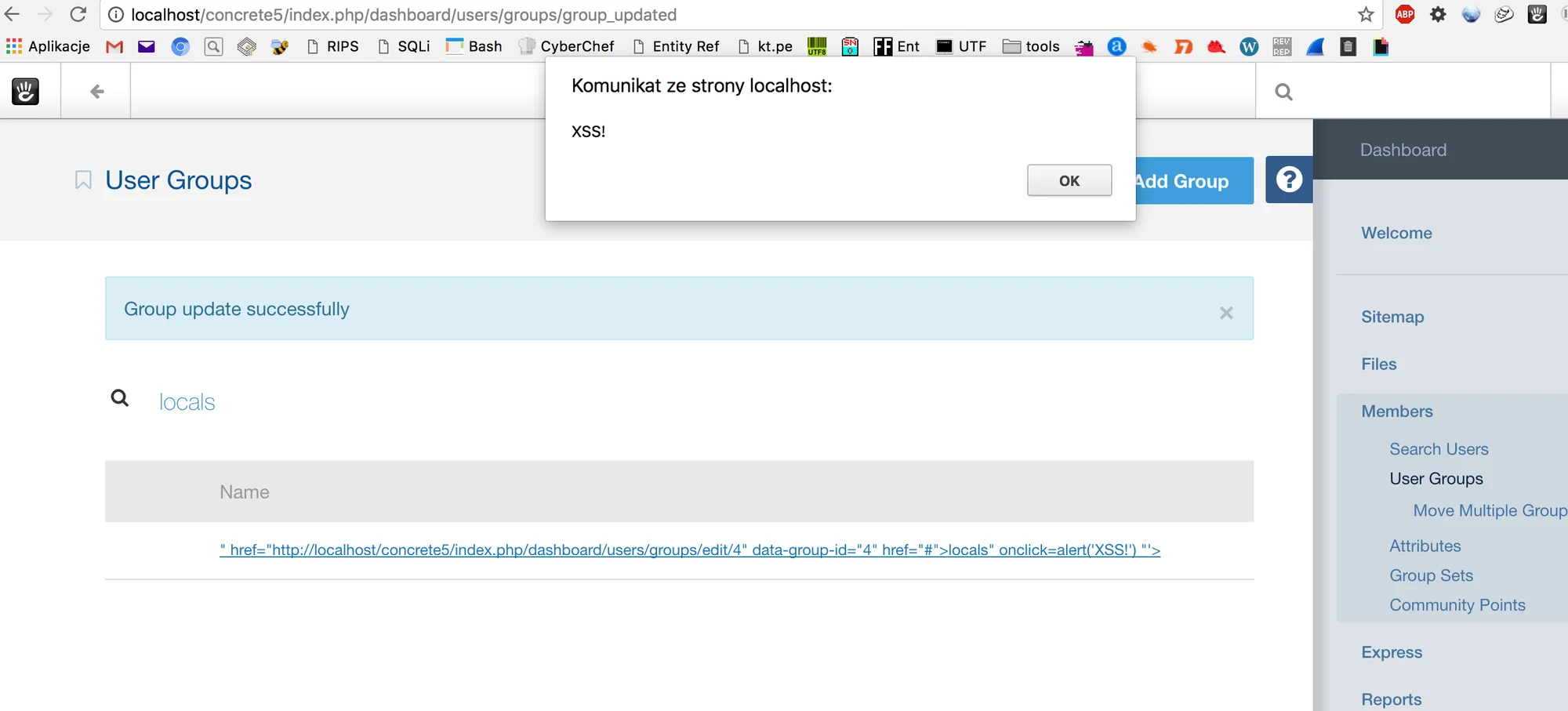
Impact
This internal attack allows to execute malicious JavaScript agains other panel users. Impact of this attack is very limited, however still should be considered as potential (very low) security issue.
Testing environment
System:
- Concrete5 version 8.2.0 RC2, commit 32c9daf352645d4fafedb7b956e7f2de4e153ab3, installed localy
- PHP ver. 5.6.30
- Apache HTTP Server 2.4.25 for macOS
- MySQL ver. 5.7.13 for macOS
This vulnerability was tested on macOS Sierra 10.12.5 with following browsers:
- Chrome 59.0.3071.115
- Chromium build 61.0.3131.0
- Opera 46.0.2597.32
Wrap up
I hope my report will help keep Concrete5 safe in the future.
Best Regards,
Rafal 'bl4de' Janicki
Not written yet. The AI write-up for this report has not been written yet. The Original tab links to the source.
How it worked
Root cause
Likely the group name is not properly sanitised when rendered in the search results link, allowing injected JavaScript to execute.
Impact
This internal attack allows execution of malicious JavaScript against other panel users, but the impact is very limited and should be considered a potential very low security issue.
What the attacker needed
Attacker has permission to edit groups; victim has permission to view User Groups list; victim searches for and clicks the group link
How it was found
- Log in to the concrete5 instance.
- Go to Members->User Groups and use an existing group or add a new one.
- In the groups list, click the selected group and choose Edit Group from the dropdown menu.
- In the Name field, enter a payload that includes an onclick handler.
- Save changes by clicking Update Group.
- On the User Groups screen, use the search feature to find the group by typing its name and pressing Enter, then click the link to trigger the payload.
Explained by bugbounty.wiki with AI from the original and checked against quotes from it; it can still be wrong. Read the original before relying on a detail.
Not written yet. The AI write-up for this report has not been written yet. The Original tab links to the source.
This is a stored cross-site scripting (XSS) bug. A user with permission to edit groups can put special text into the group name that includes a small script. Later, when another user searches for that group and clicks its link, the script runs in their browser, potentially doing things on their behalf.
What is XSS?
Script an attacker supplies runs in another user's browser, on the target's origin, with that user's session.





