Persistent XSS on public project page
A project admin could set a custom issue tracker URL to a javascript: handler, which was not validated as a real URL. When a user visited the project's Issues page, the stored script ran and could read the user's API token, leading to account takeover.

- Triaged in 5 days
- Fixed in 22 days
- Disclosed after 22 days
Details
A project admin can set up a custom issue tracker integration. This setting misses a check to make sure that it's a real URL and, thus, can use the javascript handler to execute arbitrary Javascript. Browsers use this handler to execute inline Javascript. This can lead to an account take over via the leaked API token.
Proof of concept
Follow these steps to reproduce:
- go to
/projects/new, fill in the form and set the visibility level to Public - now click
Settings, followed byServicesandCustom Issue Tracker - now fill in the form like this:
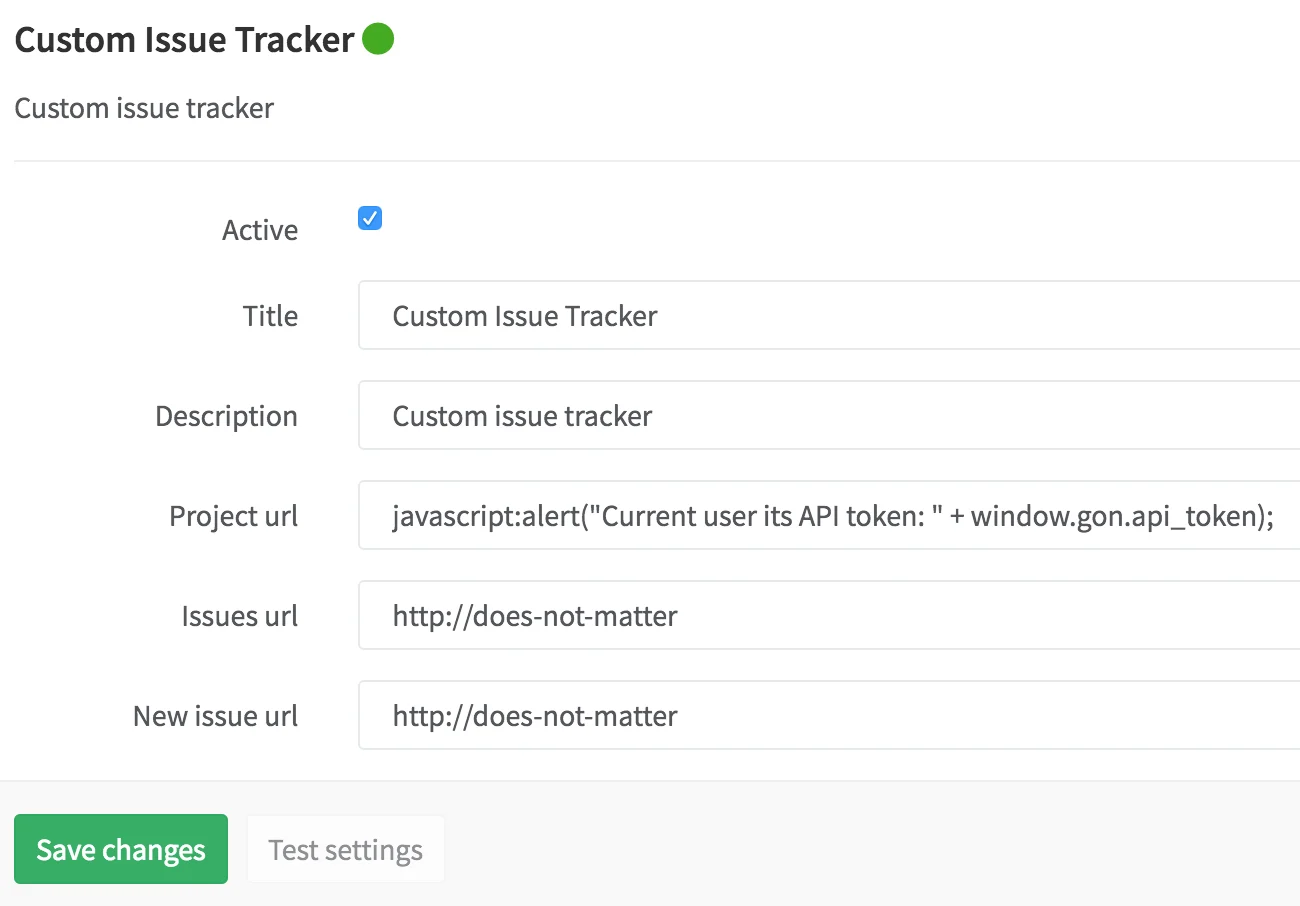
- as you can see, the XSS payload is hidden in the
Project URL:
javascript:alert("Current user its API token: " + window.gon.api_token);
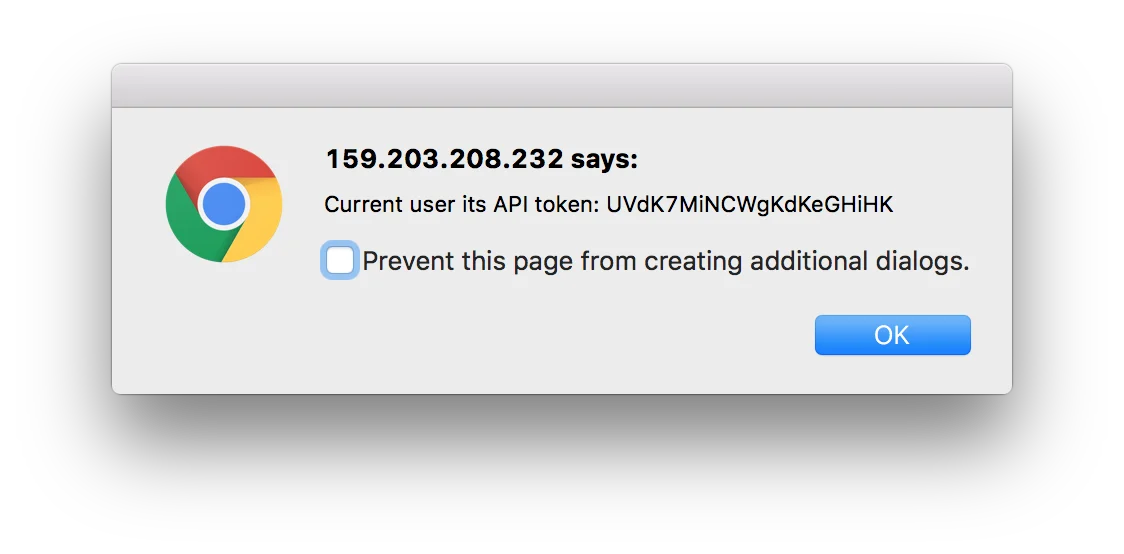
- go back to the project page and click Issues, this triggers the XSS:
Impact
GitLab doesn't have a content security policy, which means that clients allow inline Javascript to be executed. This gives, like shown in the proof of concept, access to the current user its API token. The API token can be used to access the user its projects, do actions as the user, give access to potential confidential information, etc.
Origin of the issue
The integration model lacks a validator that makes sure the Project URL matches /\Ahttps?:\/\//i. This validator should also be applied to the Issues URL and New issue URL, since those fields are also vulnerable to a persistent XSS (although those are not on the project page).
Not written yet. The AI write-up for this report has not been written yet. The Original tab links to the source.
How it worked
Root cause
The integration model lacked a validator ensuring the Project URL (and similar fields) matched a pattern requiring http or https.
Impact
Because there was no content security policy, the stored script could run and read the current user's API token, which could then be used to access projects, perform actions as the user, and reach confidential information.
What the attacker needed
Project admin access; victim visits project Issues page
The fix
The integration model should validate that the Project URL, Issues URL, and New issue URL start with http or https.
How it was found
- Create a new project with public visibility.
- Open Settings, then Services, then Custom Issue Tracker.
- Enter a javascript: handler as the Project URL.
- Go back to the project page and click Issues to trigger the stored script.
Explained by bugbounty.wiki with AI from the original and checked against quotes from it; it can still be wrong. Read the original before relying on a detail.
Not written yet. The AI write-up for this report has not been written yet. The Original tab links to the source.
A website let a project admin type a web address for an issue tracker, but it did not check that the address really started with http or https. Instead, someone could type a special 'javascript:' link that runs code in the browser of anyone who later opens the project's Issues page. That code could steal the logged-in user's API token, which is like a password for the account.
What is XSS?
Script an attacker supplies runs in another user's browser, on the target's origin, with that user's session.




