Project Milestones Disclosed Via Groups When the Victim disabled milestones access in project settings
A project's milestones were accessible through the group's milestones page even after the project owner restricted milestone access to project members only. An attacker could view the project milestones that were meant to be hidden.
 Originally disclosed on HackerOne
- Triaged in 4 days
- Fixed in 3 months
- Paid in 3 months
- Disclosed after 5 months
##Reproduction steps:
Create a public group and public project.
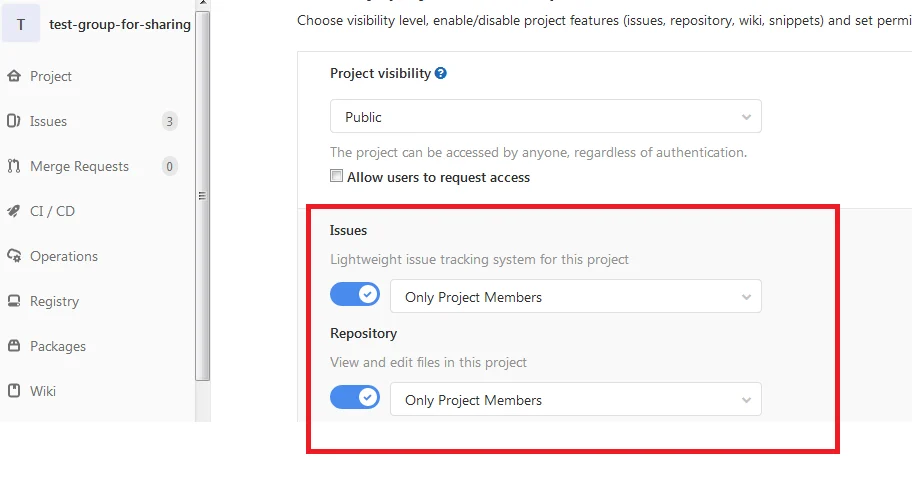
Go to public project settings and disable the project settings to members only.
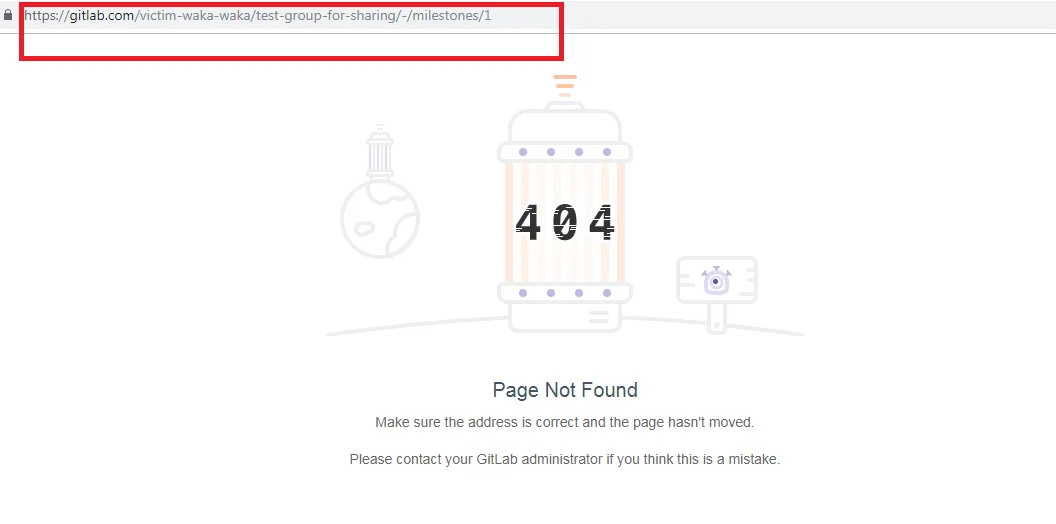
If the attacker visits milestones via projects then may see 404 not found page.
https://gitlab.com/victim-waka-waka/test-group-for-sharing/-/milestones/1
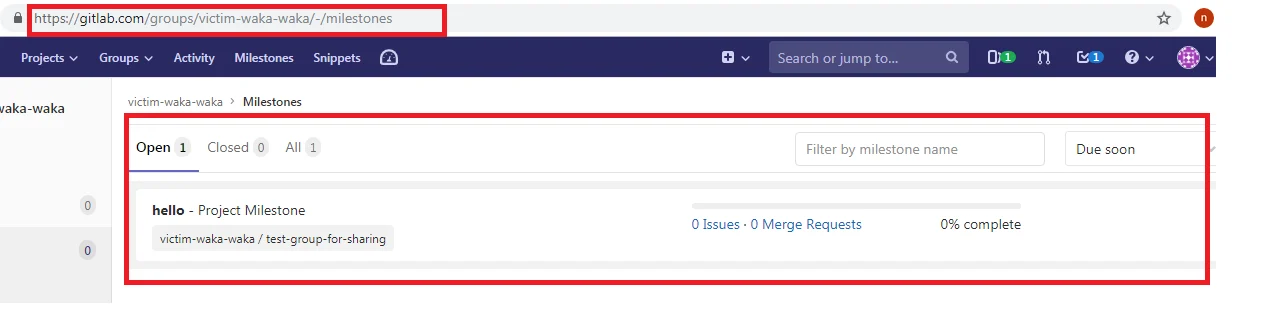
But the attacker will view the project mile stones via groups.
Impact
Attacker will view the project milestones which are disabled by the admin in project settings.
Not written yet. The AI write-up for this report has not been written yet. The Original tab links to the source.
How it worked
Root cause
Likely the group-level milestones page did not enforce the project's member-only access setting, so it exposed milestones from projects that had restricted visibility.
What the attacker needed
Public group and public project; milestone access restricted to members
How it was found
- Create a public group and a public project.
- In the project settings, restrict access to project members only.
- As an attacker, try to view the project milestones directly via the project URL; this returns a 404.
- As an attacker, view the same project milestones via the group's milestones page; the milestones are shown.
Explained by bugbounty.wiki with AI from the original and checked against quotes from it; it can still be wrong. Read the original before relying on a detail.
Not written yet. The AI write-up for this report has not been written yet. The Original tab links to the source.
A project owner tried to hide the project's milestones (a list of goals or tasks) from non-members. But the same information could still be seen by going through the group's milestones page. This means the access control was not applied consistently.
What is Access control?
A user can do something their role should not allow: reach an admin function, act on a feature they have not paid for, or skip a permission check. IDOR is the special case where the object belongs to someone else.



