[Subgroups] Unprivileged User Can Disclose Private Group Names
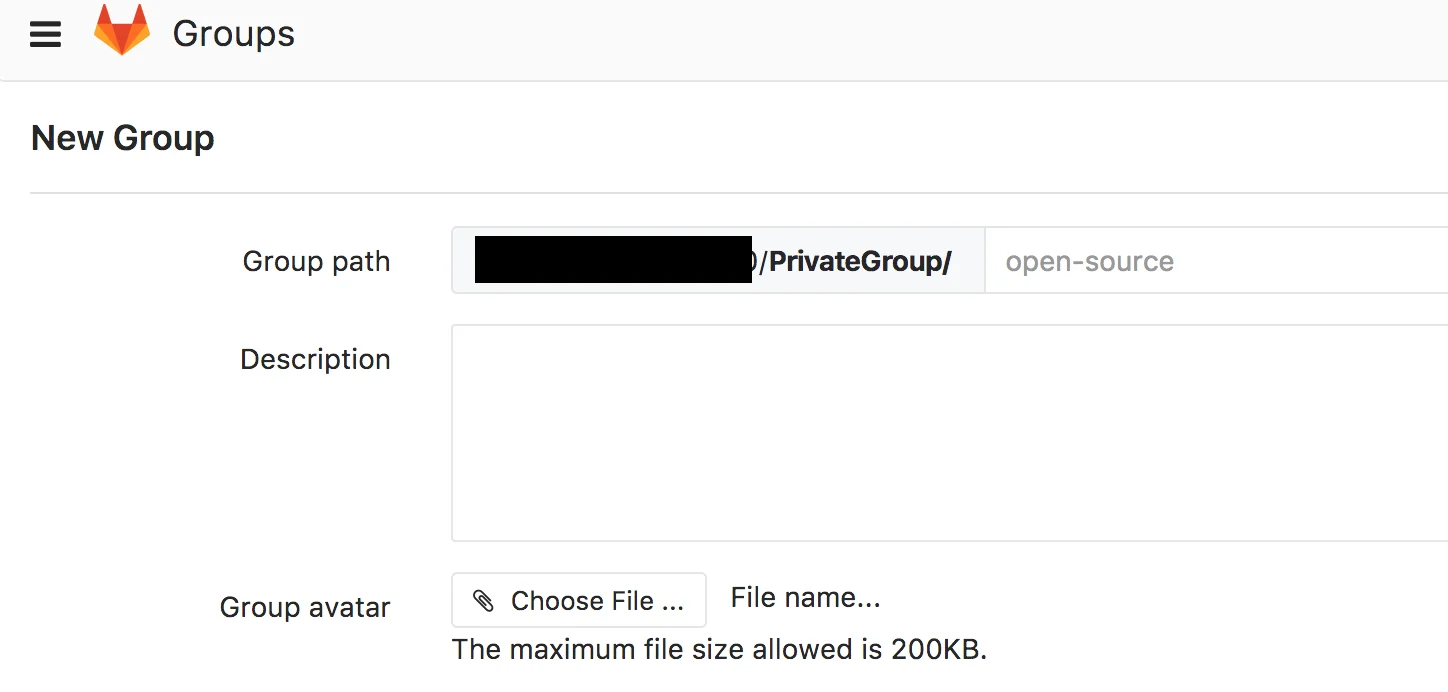
An unprivileged user could learn the names of private groups by changing the parent_id value in the new-subgroup URL. The normal group page returned a 404, but the subgroup creation page still revealed the private group's name.

- Triaged in 5 hours
- Fixed in 7 days
- Disclosed after 8 days
Hi @briann and team,
Congratulations on the launch of GitLab 9.0! While exploring Subgroup functionality, I noticed that an unprivileged user can disclose private group names by incrementing the parent_id parameter.
Proof of Concept
To reproduce this issue, I set up a fresh GitLab 9.0 CE server and created a Private Group using the root account. Afterwards, I created an unprivileged user (no group or project assignments) and visited the below URL, disclosing the name of PrivateGroup.
Attempting to access the PrivateGroup via the standard routes (e.g. Group Page) presents the unprivileged user with the expected 404 page.
http://<instance>/groups/new?parent_id=2
Screenshot
Thanks!
Not written yet. The AI write-up for this report has not been written yet. The Original tab links to the source.
How it worked
Root cause
Likely the subgroup creation page loaded the parent group and displayed its name without checking whether the current user was allowed to view that group.
Impact
An unprivileged user could disclose the names of private groups they were not a member of, though only the name was shown, not the group's contents.
What the attacker needed
A free account; no group or project membership
How it was found
- Set up a fresh GitLab 9.0 CE server.
- Create a private group using the root account.
- Create an unprivileged user with no group or project assignments.
- As that user, visit the new-subgroup page with a parent_id pointing at the private group.
- Observe that the private group's name is disclosed.
Explained by bugbounty.wiki with AI from the original and checked against quotes from it; it can still be wrong. Read the original before relying on a detail.
Not written yet. The AI write-up for this report has not been written yet. The Original tab links to the source.
A private group is meant to be hidden from people who are not members. Here, a page used to create a subgroup looked up the group named in the address and showed its name, even though the visitor had no access to it. By trying different numbers in that address, a user could discover the names of groups they were not allowed to see.
What is Info disclosure?
Data the application should keep private (personal data, internal details, other users' records) reaches someone it should not.








